

Kenley
: How to use it, features, and the business problems it solves
Add bookmark
What is Kenley?
An AI platform for consulting and financial advisory work: build custom AI agents that reflect your firm's processes and mass-produce proposals and reports (by AnswerGrid). It offers Workflows, material generation, and Office (PPT/Word/Excel) add-ins, for strategy consulting, life sciences, and investment banking. Pricing not public (demo).
Business problems it solves


About "Kenley"
What is Kenley
Kenley is an AI platform for consulting and financial advisory work that lets firms build custom AI agents reflecting their own processes and mass-produce high-quality proposals and reports. It now leads with "AI Agents for Advisory & Financial Services," aiming to delegate repetitive work to custom agents so you move fast while keeping quality. It's operated by AnswerGrid, Inc. (the Kenley brand; San Francisco / YC S24).
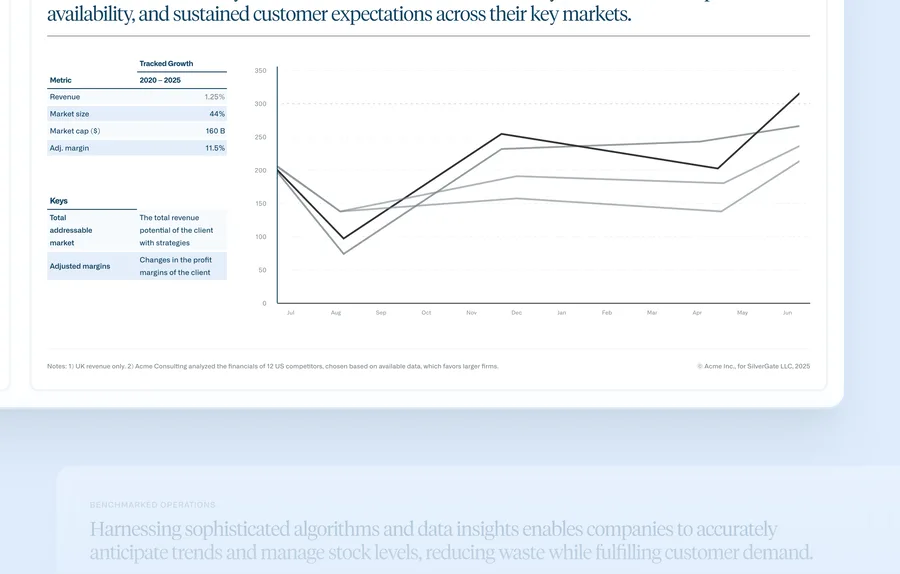
Kenley's core is codifying your firm's processes into agents and producing materials aligned to your knowledge, templates, and style guide. Going beyond research and document retrieval, it generates client-ready materials "80% ready out of the box," with final edits done in PowerPoint/Word/Excel add-ins.
Kenley has deepened from generic "AI for consulting" into a "custom AI agent" platform for advisory & financial services. It names three verticals: strategy consulting (proposal drafting), life sciences advisory (market/asset assessments), and investment banking (pitchbook creation). It states data isn't used for external training or storage, and it is SOC 2 Type II compliant. No model names are disclosed.
How to use
Turn your firm's processes into agents, generate materials, and finish them.
Request a demo
Discuss via "Request a Demo" and proceed (sales-led).
Codify into agents
Turn repetitive processes into custom agents.
Generate materials
Produce client materials aligned to your knowledge and templates.
Finish in Office
Make final edits with PowerPoint/Word/Excel add-ins.
There's no self-serve signup or public plan; adoption goes through "Request a Demo" (sales-led).
Key features
01Workflows (custom agents)
Build a library of custom agents that reflect your firm's steps for repetitive work — e.g., "find past relevant deals → extract financial performance → draft an executive summary → plan the deck outline" — carried out step by step.
02Generate Materials
Grounded in your firm's knowledge, templates, and style guide, it generates client-ready materials — going beyond research and retrieval to arrive "80% ready out of the box."
03Office add-ins & verticals
Make final edits with PowerPoint/Word/Excel add-ins. It offers vertical-specific use for strategy consulting, life sciences, and investment banking, and states data isn't used for external training or storage (SOC 2 Type II).
Pricing
Kenley has no public pricing; adoption is sales-led (Request a Demo). There's no self-serve signup or free trial (and no pricing page). Check the official site for the latest (as of August 2026).
How it differs from other AI document/knowledge tools
Kenley stands out for specializing in advisory/finance work and mass-producing materials with agents that reflect your own processes. That's a different aim from general document generators or tools that answer questions on your files.
| Aspect | Kenley | Gamma | NotebookLM |
|---|---|---|---|
| Focus | Domain-specific custom agents | AI docs/slides | Q&A on your files |
| Target | Consulting/finance work | General | General |
| Delivery | Sales-led (private) | Public plans | Public/free |
Alternatives to compare include Gamma for AI docs and slides, NotebookLM for Q&A on your files, and Genspark AI for agent-based research. For firms that want to mass-produce consulting/finance materials aligned to their own processes, Kenley is a strong choice (adoption is sales-led).
Information on this page is based on the official website as of August 2026. Please check the official site for the latest specs and pricing.


![[2026 Edition] 10 AI Tools to Accelerate Executive Decision-Making | Mid-Term Plans, Investment Analysis, Learning, and Presentation Decks](/_next/image?url=%2Fimages%2Farticles%2Fai-tools-for-executive-decision-making.png&w=3840&q=75 "[2026 Edition] 10 AI Tools to Accelerate Executive Decision-Making | Mid-Term Plans, Investment Analysis, Learning, and Presentation Decks")