
AI Toolbox
: How to use it, features, and the business problems it solves
Add bookmark
What is AI Toolbox?
A collection of free, browser-based AI and online tools for processing video, images, and audio. No upload is required—files are processed right in your browser, so it is privacy-conscious. From video splitting to a variety of image and audio tools, it is easy to use for creators, marketers, and web designers as well as general users. Japanese-language pages are supported.
Business problems it solves




About "AI Toolbox"
What is AI Toolbox
AI Toolbox is a collection of 15+ online tools for handling video, images, audio, and documents—completely free and with no account required. Its defining feature is that all processing runs entirely in your browser (via WebAssembly), so files are never sent to any server. No upload is needed and no network communication occurs, so you can safely work even with sensitive material.
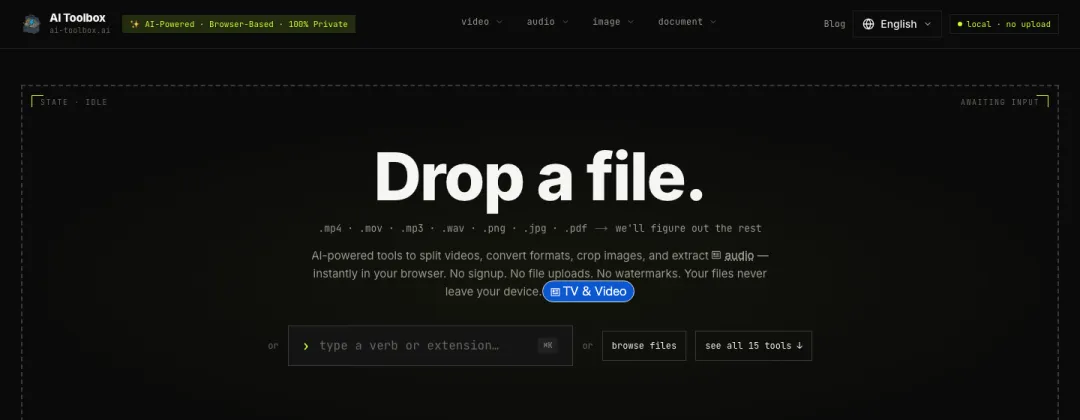
Source: AI Toolbox official site
- 100% in-browser, no upload needed: Every conversion and edit runs in WebAssembly inside the tab, so your files never leave your device.
- Completely free, no sign-up, no limits: No paywall, no account registration, no usage caps, and no file-size limit.
- A versatile toolset: One-stop coverage of everyday tasks—8 video tools, 2 audio tools, 2 image tools, and 3 document tools.
- Multilingual: Available in 8 languages—Japanese, English, Chinese, Korean, French, Spanish, German, and Russian.
- Privacy-first: Uses no analytics cookies, and the source code is public so its behavior can be verified.
Main tools
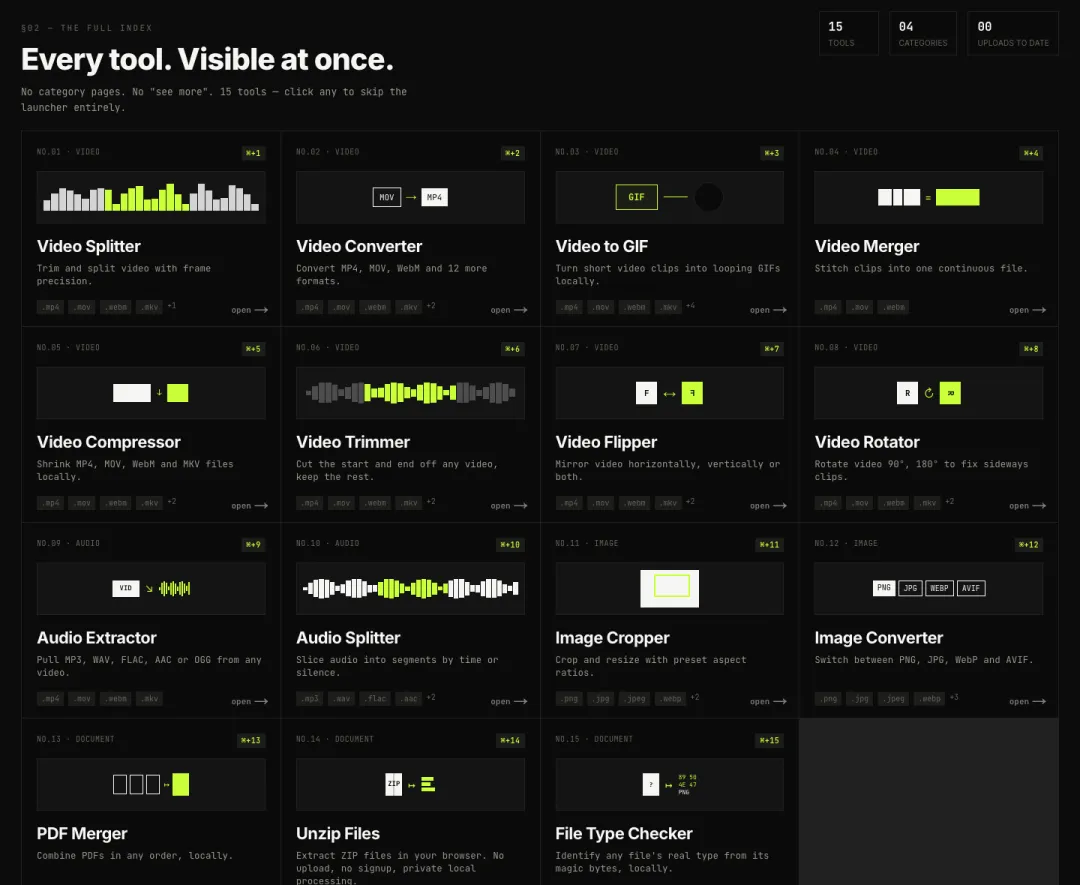
Source: AI Toolbox official site
Video tools
- Video Splitter: Trim and split videos with frame-level precision
- Video Converter: Convert between MP4 / MOV / WebM / MKV
- Video to GIF: Turn video clips into looping GIFs
- Video Merger: Join multiple clips into one
- Video Compressor: Reduce file size on-device
- Video Trimmer: Cut off the unwanted start and end
- Video Flipper / Rotator: Flip horizontally/vertically and rotate 90°/180°
Audio tools
- Audio Extractor: Extract MP3 / WAV / FLAC / AAC / OGG from video
- Audio Splitter: Split by time or by silence intervals
Image tools
- Image Cropper: Crop and resize with preset ratios
- Image Converter: Convert between PNG / JPG / WebP / AVIF
Document / file tools
- PDF Merger: Combine PDFs in any order
- ZIP Extractor: Decompress ZIP files
- File Type Checker: Identify the true file type from its magic bytes
How to use
-
Open a tool
Go to AI Toolbox and pick the tool you want (e.g., Video Splitter). No account or login is required.
-
Load your file
Select the file you want to process. Nothing is uploaded—the file is loaded inside your browser.
-
Configure and run
Specify options such as split points, output format, or crop ratio, then run it. All processing happens on your device (WebAssembly).
-
Save the result
Download the generated file. The original never remains on any server.
Pricing
Completely free, with none of the following limits:
- Cost / paywall: none (all features are free)
- Account / login: not required
- Usage count / file-size limit: none
Because nothing is processed server-side, there is no metered billing or credit consumption, and you can handle files of any size for free.
Privacy & security
AI Toolbox's biggest differentiator is a design where your data never leaves your device.
- All processing runs in a WebAssembly engine inside the browser tab, with zero network communication.
- Since files are never uploaded to a server, you can safely handle confidential material such as internal videos, contract PDFs, and unreleased images or audio.
- It uses no analytics cookies, and its source code is public, so anyone can verify how it works.
This structurally avoids the common concern with cloud-based converters that "uploaded files are stored on a server or passed to third parties."
Pros & cons
Pros
- In-browser processing keeps files off external servers—strong on privacy and security
- Completely free, no sign-up, no limits—ready to use the moment you need it
- Standard video, audio, image, and document tasks in one place
- No installation required, with support for 8 languages including Japanese
Cons
- Because processing happens on your device, very large files or low-spec devices may take longer
- It centers on conversion, editing, and formatting rather than generative AI (video/image generation)
- It lacks the advanced video-editing features of dedicated software, such as timeline editing and effects
Who it's for
- Video creators and marketers who want to clip part of a video or convert its format
- Production, legal, and IT staff who value confidentiality and don't want to upload material to a server
- General users who want to quickly do one-off conversions, compression, or merging without installing software
FAQ
Q. Is it really free?
Yes. There is no paywall, account registration, or usage limit—every feature is free.
Q. Are my files safe?
Files are not uploaded. All processing runs in your browser (WebAssembly) with no network communication, so files never leave your device.
Q. Do I need to create an account?
No. Just visit the site and start using the tools right away.
Q. Which languages are supported?
The site supports 8 languages in total—English, Japanese, Chinese, Korean, French, Spanish, German, and Russian.
Q. Is there a file-size limit?
There is no explicit limit. However, since processing runs on your device, extremely large files depend on your device's performance.
AI Toolbox vs. typical online converters
| Aspect | AI Toolbox | Typical cloud-based converters |
|---|---|---|
| Where processing runs | In the browser (WebAssembly) | On a server (upload required) |
| Privacy | Files never leave your device | Files are handed to the upload destination |
| Pricing | Completely free, no limits | Often a free tier plus paid/usage limits |
| Sign-up | Not required | Sometimes required |
| Scope | Convert/edit video, audio, images, documents | Varies by service |
For more, see the AI Toolbox official site as well.