

3DCG動画作成AI
: How to use it, features, and the business problems it solves
What is 3DCG動画作成AI?
3DCG動画作成AI (3DCG動画作成AI PRO; offered in English as Exact 3D Video) is a web service run by a sole proprietor in Kyoto (山本健太) that turns product documents, drawings and CAD data into business 3DCG explainer videos. Describe the video in chat and attach PDF, Office files or images, 3D models (STEP, IGES, STL, OBJ, glTF, 3MF) or drawings (DXF, DWG); the AI creates a storyboard, builds the scene in 3D before rendering it, and finishes a 1080p MP4 with AI narration and subtitles. Unlike video-generation AI that creates footage pixel by pixel, shapes, text and numbers are less likely to be distorted. Pricing is pay-as-you-go with prepaid points (1 point = ¥1, tax included) and no monthly fee: about 6,000 points for a one-minute video with two small revisions, or roughly 12,000–20,000 points in high-quality mode, with an estimate and cap shown before every run. Attached documents are not used for AI training and are deleted automatically after 30 days (as of November 2026).
Business problems it solves

About "3DCG動画作成AI"
What is 3DCG動画作成AI?
3DCG動画作成AI (3DCG動画作成AI PRO) is a service for business 3DCG explainer videos: hand over product documents, drawings or CAD data and describe what you need in chat, and the AI handles everything from the storyboard to 3DCG, narration and subtitles. It is a Japanese web service run by a sole proprietor in Kyoto, aimed at videos that must convey how a product works or what is inside it accurately, such as product introductions, trade shows, sales, training and maintenance explanations. The English version of the service is offered as Exact 3D Video.
Its main strength is how it builds video. Unlike video-generation AI that creates footage directly from pixels, it assembles the objects in 3DCG software first and then renders them. As a result, part shapes, text and numbers are less likely to be distorted, and the shapes of CAD 3D models such as STEP files can be used in the video as they are. The company's policy is to use only the numbers and facts found in the attached documents.
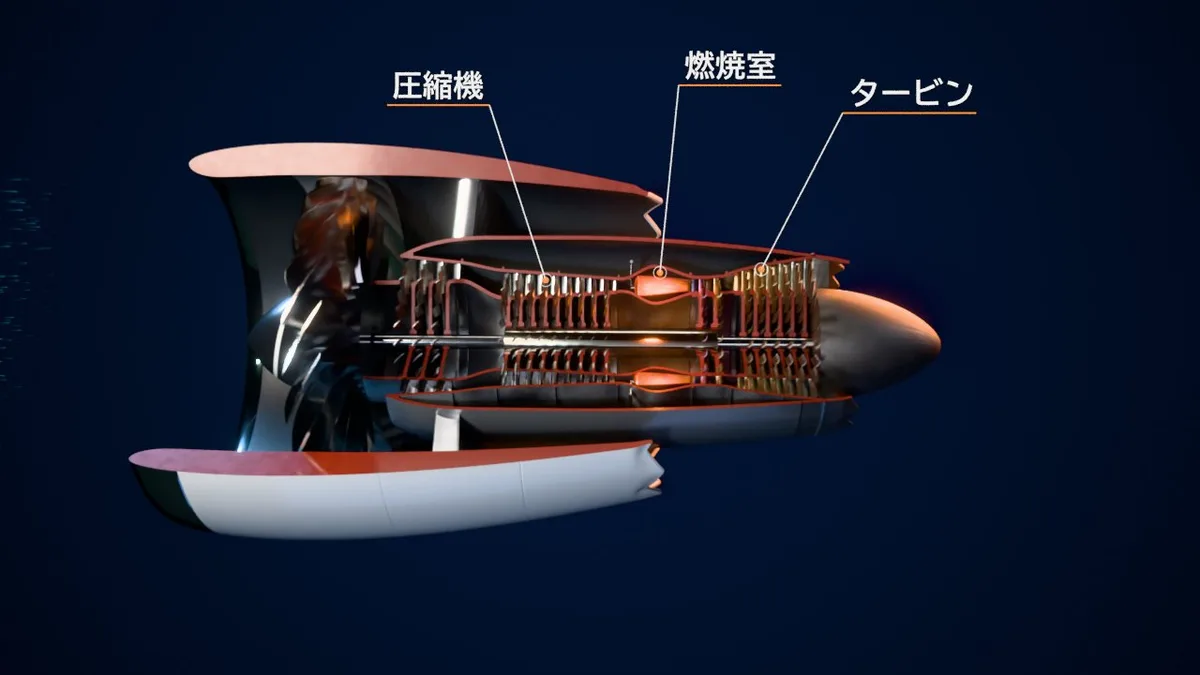
Source: 3DCG動画作成AI official site and sample videos (also for the images below)
How to use it
- Sign in Sign in with a Microsoft, Google or Yahoo! JAPAN account. There is no email-and-password registration. Points are purchased from the "Account" screen.
- Discuss in chat Write the video's purpose, intended audience and message, and attach PDF or Office documents, images or CAD data. You can also choose the length (15 seconds to 10 minutes), aspect ratio and production mode (standard or high quality).
- Review and revise Review the AI's storyboard (rough images and narration script for each scene), still images for checking and a preview video, then say in chat what to change. Before every run, an estimate and cap of the points to be used are shown.
- Export When you are happy, export the final 1080p version and download the MP4. Production and rendering run in the cloud, so a browser is all you need.
Explainer videos that keep the shapes of your documents and CAD intact
In product explainer videos, correct part shapes, label text and specification numbers are a given. 3DCG動画作成AI is designed around that.
Pixel-based video-generation AI
- Creates footage directly from pixels
- Part shapes, text and numbers can get distorted
- Fixing means regenerating
3DCG動画作成AI
- Builds objects in 3DCG before rendering
- Shapes, text and numbers hold up; CAD shapes are used as is
- Describe changes in chat and it can rebuild from the storyboard
Supported attachments are PDF; Word, PowerPoint and Excel (OpenDocument too); images; text (TXT, Markdown, CSV, JSON); CAD 3D models (STEP, IGES, STL, OBJ, PLY, glTF/GLB, 3MF); and drawings (DXF, DWG). Each file can be up to 30 MB, and the documents the AI reads can total up to 20 MB per video (3D models are counted separately). Native CAD formats such as SolidWorks should be exported to STEP before attaching.
The company says it does not match production studios on things like the ceiling on quality or planning proposals, and that it suits quickly making drafts at the planning stage and short explainer videos. You receive an MP4; the original 3DCG data is not provided.
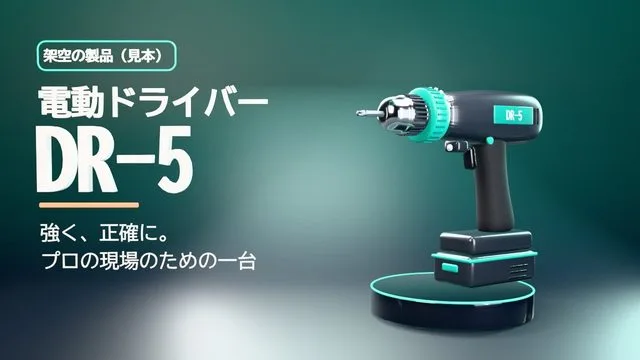
Two modes: standard and high quality
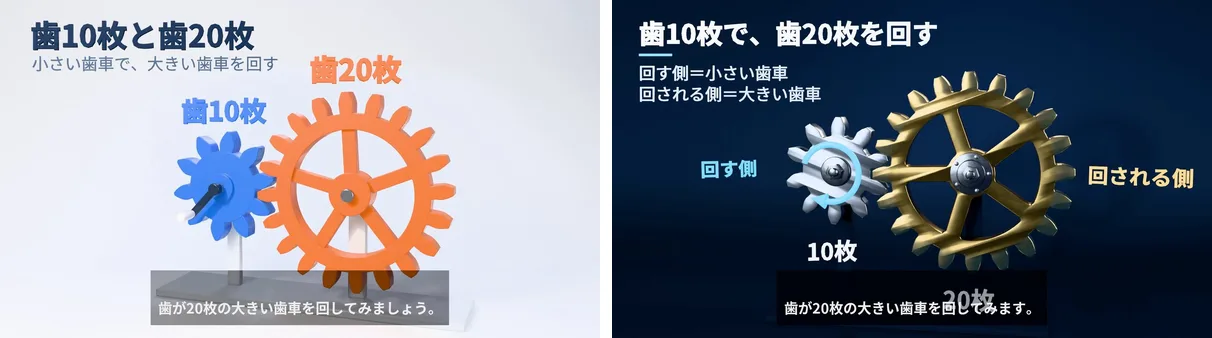
You choose a production mode before production. On the official site, the same request ("explain gear reduction to junior high school students in one minute") was made in both modes, and the points actually used are published.
| Standard mode | High-quality mode | |
|---|---|---|
| Rendering | Real-time-oriented rendering, fast and affordable | Calculates reflections and textures for a realistic look; another AI checks and revises 3+ times |
| Points used in the official sample | 5,552 points (1:03, two small revisions) | 11,998 points (1:02, two small revisions) |
| Time (one-minute video) | Storyboard in minutes, production about 30–60 minutes, export about an hour | Several hours each for production and export |
| Length | 15 seconds to 10 minutes | Up to 5 minutes |
There are 53 published sample videos on product introductions (all fictional products), engineering, chemistry, physics and business, so you can check the results. Each sample page also shows the full narration text.
Features
01Create
Turns chat and documents into video.
- Storyboard — rough images and narration script for each scene, with an estimated length
- 3DCG production — shows things with 3D models, graphs, text and camera work
- Narration and subtitles — AI synthetic voice with subtitles
- Export — 1080p MP4
02Check and revise
Review at intermediate stages.
- Check stills and previews — viewable before the final export
- Revisions in chat — no fixed limit; each run uses points
- Cost shown in advance — estimate and cap before each run, settled on actual use
03Keep
How finished videos are handled.
- Automatic deletion — finished videos are deleted after 30 days
- Storage — keep videos from "My videos" for 6 months, 1 year or 3 years (prepaid; a one-minute video costs a few to a dozen-odd points per year)
- Pinning — put frequently used videos at the top of the list
Pricing
There is no monthly fee; you pay only for the AI processing, GPU rendering, storage and transfer you use. Payment is made with prepaid points (1 point = ¥1, tax included).
| Item | Details |
|---|---|
| Point packs | 500, 1,000, 5,000, 15,000 or 50,000 points (¥500 to ¥50,000, tax included) |
| Expiry | 180 days from purchase (points closest to expiry are used first) |
| One-minute video, standard, two small revisions | About 6,000 points; each major revision such as changing the background adds about 1,500–2,500 points |
| One-minute video, high quality, two small revisions | Roughly 12,000–20,000 points; each major revision adds about 4,000–5,500 points; AI production cap selectable at 10,000, 20,000 or 30,000 points |
| What is charged | AI direction (chat), AI production, narration, GPU processing, storage and transfer, storage extension (only if requested) |
- A cap of points is reserved for a running job, and only what was actually used is deducted afterwards. A breakdown is available in "Usage history"
- You are not charged if a job fails because of the service's own fault or stops after exceeding the time limit. If the AI declines production because of the content of the request, the cost incurred up to that point is charged
- Payment is by credit card (Stripe). Due to the nature of digital services, purchases cannot be returned or refunded, and unused or expired points cannot be refunded (except as required by law)
- Videos can be used commercially, for product introductions, trade shows, sales and training, within the terms of service and on condition of payment
(As of November 2026, from the official pricing page and Specified Commercial Transactions Act disclosure)
The company's guide on 3DCG video production costs summarizes publicly available benchmarks for hiring a production studio as starting from ¥500,000 per minute with 4–12 weeks of lead time, while noting that the two cannot simply be compared because quality ceilings, planning proposals and included work differ.
How your data is handled
Attached documents are sent to AI providers (Anthropic and Google) to produce the video. According to the official FAQ, under each provider's business terms they are not used for AI training. Attachments and outputs are automatically deleted after 30 days. The service says it does not store the name, email address or profile picture of the account used to sign in.
How it differs from other AI video tools
| Product | Type | Key features |
|---|---|---|
| 3DCG動画作成AI | Makes 3DCG explainer videos from documents and CAD | Builds objects before rendering, so shapes, text and numbers hold up; uses CAD 3D models and drawings as is |
| AI Shorts | Japanese service that turns documents into narrated videos | Writes a script from PDF, PowerPoint or images and makes a video with AI voices in 15+ languages |
| NoLang | Japanese AI video generator | Generates videos in which an avatar narrates and explains text, URLs or PDFs, in seconds |
| Meshy | AI that creates 3D models from text and images | Textured 3D models, rigging and animation; works with Blender, Unity and more |
Details for the other products are as stated on each product page at the time it was checked. To turn slides and documents into a narrated video, AI Shorts or NoLang fit; to show a product's shape and internal motion in 3D, 3DCG動画作成AI fits; to create the 3D model itself, Meshy fits.
FAQ
Q. Can I use it without 3DCG or video-editing experience? Yes. No 3DCG software or video editing is needed. Describe what you need in chat and attach documents, and the AI handles everything from the storyboard to 3DCG, narration and subtitles.
Q. Can I try it for free? It is pay-as-you-go with purchased points; the smallest pack is 500 points (¥500). Consultation in chat costs a small amount per response, and you can decide whether to go into production after seeing the storyboard.
Q. Can it make videos in English or Traditional Chinese? Besides the Japanese site, there is an English version (Exact 3D Video) and a Traditional Chinese version (3DCG Video AI PRO). The pricing and details on this page are for the Japanese version.
Q. Can errors slip in? The policy is to build videos only from numbers and facts in your documents, but the official guide notes that errors are possible and assumes users check the result.
Provider
3DCG動画作成AI is run by sole proprietor 山本健太 (address: 〒600-8208 京都府京都市下京区小稲荷町85-2 Grand-K 京都駅前ビル 201, Kyoto, Japan). A phone number is disclosed on request, and inquiries go to service@3dcgdouga.com.
The information on this page is based on what was published on the official site (home, pricing, Specified Commercial Transactions Act disclosure, sample videos and guides) and the terms of service as of November 2026. Features and pricing may change, so please check the official site for the latest information.