

Cliptalk
: How to use it, features, and the business problems it solves
What is Cliptalk?
Cliptalk (ClipTalk) is an AI video creation tool that turns a one-line idea, a script, or an article or product-page URL into a finished short video for TikTok, Instagram Reels and YouTube Shorts, complete with script, AI visuals, voiceover, captions and music. Videos can be refined in a timeline editor or by chat instructions, and its MCP server lets you make videos from inside Claude, ChatGPT, Cursor and other AI apps. The interface is in English; voiceover and captions cover 30+ languages. New accounts get 50 free credits (watermarked); paid plans are Starter $39/month, Pro $39/month (shown as a discount from $99) and Ultra $199/month (as shown on the pricing page in November 2026).
Business problems it solves


About "Cliptalk"
What is Cliptalk?
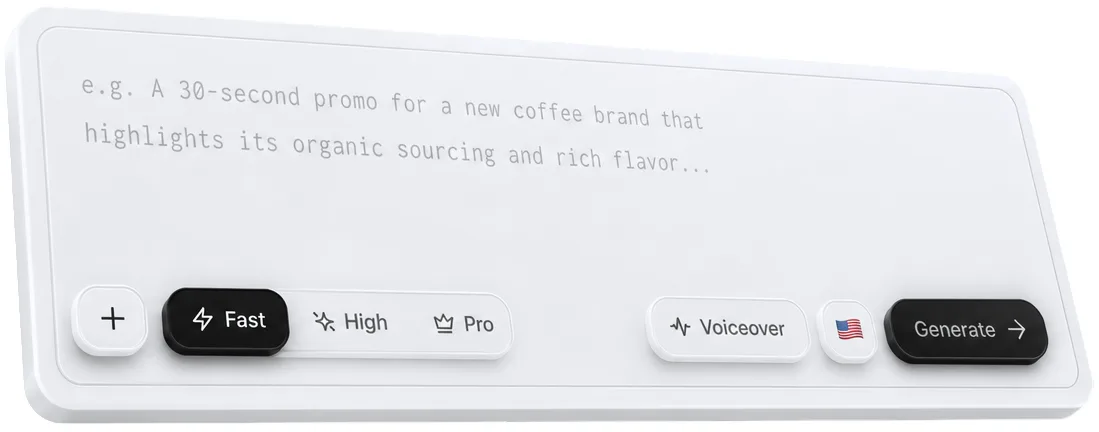
Cliptalk (ClipTalk) is an AI video creation tool that takes a one-line idea, a script, or an article or product-page URL and turns it into a finished short video with script, AI visuals, voiceover, captions and music. It is built mainly for vertical videos to post on TikTok, Instagram Reels and YouTube Shorts, and the company says no video-editing experience is needed.
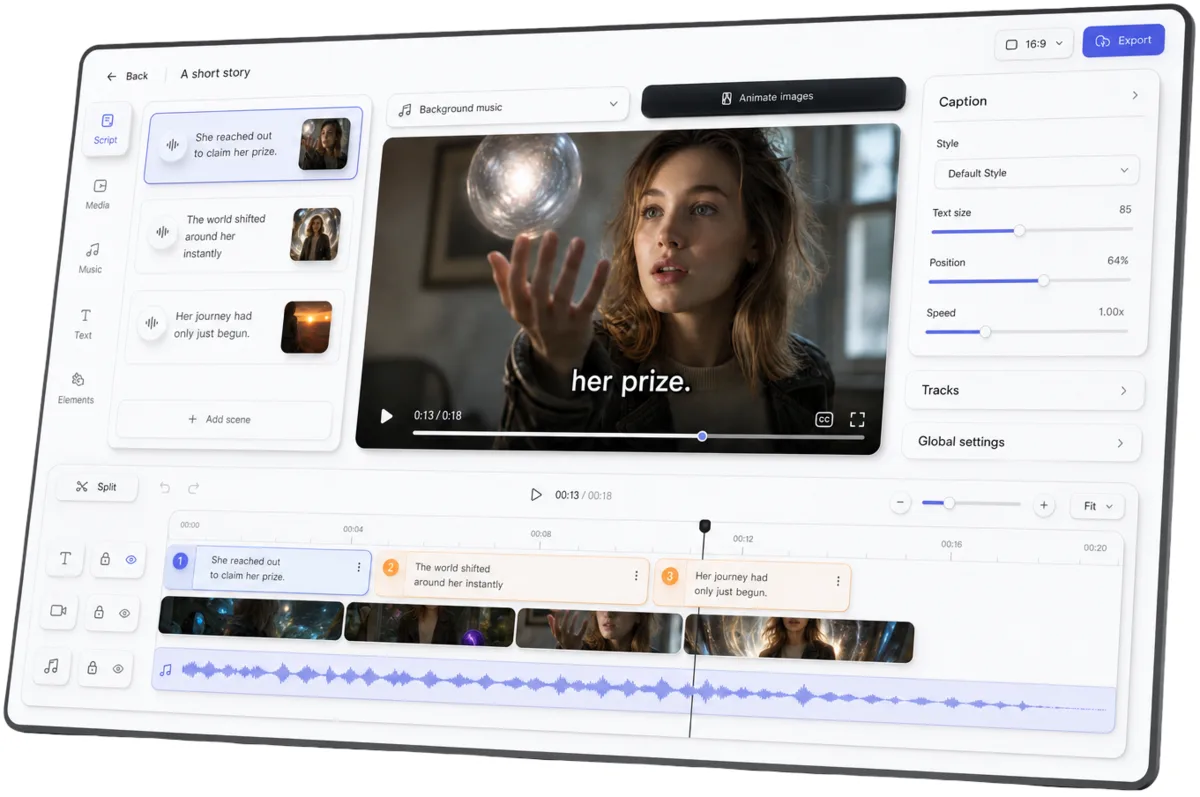
You refine the result in a layer-based timeline editor, or by asking in chat ("shorten the intro and add music"). Cliptalk also offers an MCP server (https://www.cliptalk.pro/mcp) and a REST API, so you can make a video inside AI apps such as Claude, ChatGPT and Cursor and get back an MP4 link in the conversation.
The interface and the official site are in English. Voiceover and captions are offered in 30+ languages.
Source: Cliptalk official site (also for the images below)
How to use
- Create an account Sign up from "Sign up" on the official site. New accounts get 50 free credits, and no credit card is required.
- Describe the video you want Write one sentence in the prompt box, such as "a UGC ad for my skincare product" or "a faceless history short about Napoleon". You can also start from your own script, an article or product-page URL, or photos.
- Let the AI build it You get a video with a script, visuals for each scene, voiceover, captions and background music. You can swap the voice, the character and the caption style.
- Edit and export Regenerate scenes, add media, and fix captions or the script in the editor, or give instructions in chat. When it is ready, export an MP4 and post it.
From one sentence to a post-ready video
Cliptalk covers the whole short-video workflow: writing the script, gathering visuals, adding a voice, captioning and setting music.
- Many starting points — start from a one-line idea, your own script, an article or web page, a product page, photos or a link
- Video formats — narrated, talking head, UGC ad, music video and other formats, plus templates (per the API documentation)
- Vertical or horizontal — 9:16 by default, with 16:9, 1:1 and 4:5 also available (per the API documentation)
- AI video agent — the home page says that when you tell it what to make, it looks at what is going viral in your niche, learns what makes it work, and makes new videos for your channel every day
Voices, characters and captions
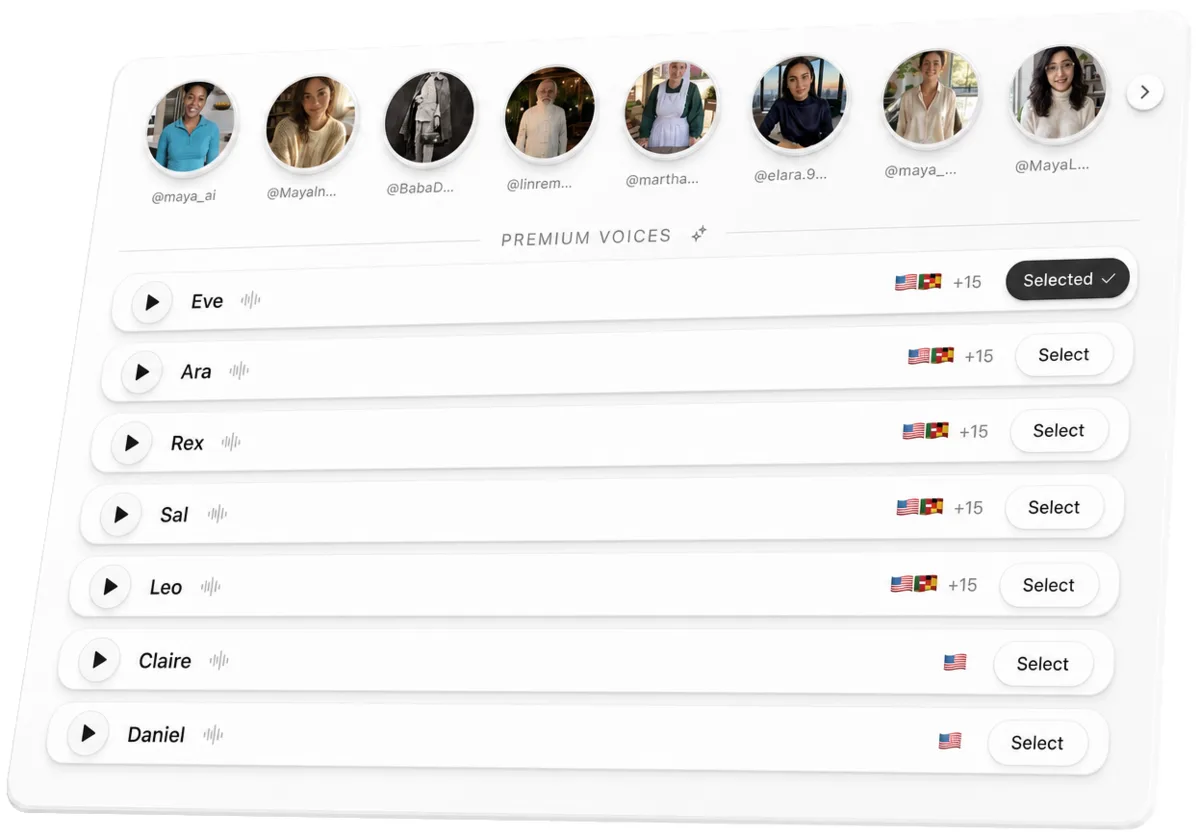
- 140+ AI voices and characters — UGC creators, professionals and story characters, plus talking fruit and animals. You can also build your own character from a single photo
- Voice cloning — record about 30 seconds and turn your voice into an AI voice (up to 3 on Pro, up to 10 on Ultra)
- Animated captions — word-by-word captions in time with the voice, with a style picked in one click
- 30+ languages — create voiceover and captions in your audience's language. The pricing page also lists "75+ language AI voices". The languages shown as examples on the home page are English, Spanish, French, German and Chinese; Japanese is not named
Editing in the editor or by chat
- Timeline editor — add media, remove backgrounds and regenerate scenes on a layer-based timeline
- Edit by asking — ask "shorten the intro and add music" and the timeline updates; you can also make changes yourself
- Automatic editing — auto-captions, automatic B-roll, removal of silences and filler words, and auto-clipping from text prompts. These editing features do not use credits (credits are used for image, video and audio generation)
Using it from Claude, ChatGPT and other apps (MCP and API)
Once you connect Cliptalk's MCP server, you can make videos inside a conversation with an AI app. Either the AI app or Cliptalk can write the script; when the video is done, an MP4 download link comes back in the chat, and the video is also saved to your Cliptalk library.
- Supported apps — Claude (claude.ai, Claude Desktop, Claude Code), ChatGPT, Grok, Meta Muse, Codex, Cursor, VS Code, Gemini CLI, and other apps that support remote MCP servers
- Connecting — use the buttons on the official page or add the server URL, then sign in to Cliptalk. There are no API keys; sign-in uses OAuth
- 28 tools — making and editing videos, generating single images, clips or voiceovers, creating characters, searching voices and music, and checking your credit balance and estimates (
estimate_cost) - Check the price first — looking things up is free, while making or changing media uses credits. You can estimate a video's credit cost before it is made
- REST API — the same features are available through a REST API, which also has a quote-only mode
On the pricing page, "Full access" to the API and MCP is listed under the Pro plan and above.
Pricing
Generating videos uses credits. Each plan includes a monthly credit allowance, and subscribers can buy more credits when they run out.
| Plan | Monthly billing | Yearly billing (per month) | Billed annually | Credits / month | Main features |
|---|---|---|---|---|---|
| Free | $0 | — | — | 50 on sign-up | Watermarked; videos up to 60 seconds |
| Starter | $39 | $19 | $228 | 8,000 | Videos up to 25 minutes, AI voices in 75+ languages, High-quality AI models, unlimited editing |
| Pro (Popular) | $39 (shown as down from $99) | $32 (shown as down from $39) | $384 | 14,000 | Everything in Starter plus 3 voice clones, Pro-quality AI models, the AI agent, turning any idea or link into videos, API and MCP access, unlimited media storage |
| Ultra | $199 | $149 | $1,788 | 50,000 | Everything in Pro plus unlimited Claude Motion Graphics, 10 voice clones, priority support |
- Starting free gives you 50 credits with no credit card. Videos made on the free plan carry a watermark, and a free account can make videos up to 60 seconds long (per the comparison table on the MCP page)
- On monthly billing, Pro shows $99 struck through and $39 with "Price locked in for life". Starter and Pro both show $39 on monthly billing
- The pricing page does not say whether prices include tax. Checkout is handled by Stripe
- You can cancel anytime from "account" in the dashboard by opening "Open Customer Portal". The terms of use say fees are generally non-refundable and cancelling does not entitle you to a refund for the current period
(As of November 2026, per the official pricing page and terms of use)
Pros and cons
Pros
- One prompt or URL produces a video with script, visuals, voiceover, captions and music in one go
- You can edit the result in the editor or by chat, and editing such as auto-captions and silence removal uses no credits
- 140+ voices and characters, including talking fruit and animals, and you can create your own character from one photo or your own voice from 30 seconds of audio
- An MCP server and REST API let you make videos from conversations in Claude, ChatGPT, Cursor and more, with a credit estimate before anything runs
- The 50 free credits can be tried without a credit card
Cons
- The interface, official site and documentation are English only
- Public pages do not name Japanese as a supported voiceover or caption language (check the voice selector after signing in)
- The free tier is only the 50 credits given at sign-up, with watermarks and a 60-second limit
- API and MCP access and voice cloning require Pro or above
- Prices are in US dollars, and fees are generally non-refundable
- The operating company's address is not published on the official site
Reviews and reputation
The official site shows comments from users such as faceless YouTube channel owners and digital marketers ("Started my faceless YT channel Tuesday and I'm already at 20k views, only posted shorts from Cliptalk Pro", "before it I had to copy and paste from different AIs; now I can make my videos in minutes"). The MCP page says 64,000+ people have signed up since May 2024 and 15,000+ videos have been made since August 2025 (as shown on the official site in November 2026).
These comments and figures are published by Cliptalk itself. The product also has a listing on third-party review sites such as G2. The surest way to judge the output for your own language is to try it with the free credits.
How it differs from other AI short-video tools
| Product | Type | Key features |
|---|---|---|
| Cliptalk | AI video creation tool that makes short videos from a sentence or URL | Script, visuals, voiceover, captions and music in one go. Edit in the editor or by chat; MCP and REST API for AI apps |
| PDF to Brainrot | Turns PDFs and text into vertical short videos | "Brainrot"-style videos with gameplay backgrounds and AI narration |
| AI Shorts | Japanese service that turns documents into explainer videos | Narrated videos with scripts from PDFs, PowerPoint and more; 15+ languages including Japanese |
| HeyGen | AI avatar video platform | Avatar videos from scripts, avatars from photos, translation into 175+ languages |
| json2video | Video generation API driven by JSON | Mass-produces videos of the same format with templates and variables; MCP integration |
| Captions | App for AI avatar video generation and editing | In-house foundation model Mirage; automatic cuts and B-roll by conversational instructions |
| OpusClip | Cuts shorts out of long videos | AI analyzes long videos and turns the most engaging parts into short clips |
Details of other products in the table are as of the check dates noted on each product page. OpusClip suits cutting down long videos you already have, AI Shorts suits making explainer videos from Japanese documents, and HeyGen suits avatar presenter videos. Cliptalk fits when you want to make a short video from a single sentence with no footage of your own, or make the video right inside a conversation with Claude or ChatGPT.
FAQ
Q. Is Cliptalk free? New accounts get 50 free credits, and you can try it without a credit card. Videos made for free carry a watermark and are limited to 60 seconds. Continued use requires a paid plan (from $39/month).
Q. Can it make videos in Japanese? The interface and official site are in English. Voiceover and captions are offered in 30+ languages, but public pages do not name Japanese. After signing up, check whether Japanese voices are available in the voice selector.
Q. Can I make videos from Claude or ChatGPT? Yes. Add Cliptalk's MCP server (https://www.cliptalk.pro/mcp) and sign in, and the MP4 link for the video you ask for comes back in the chat. On the pricing page, MCP and API access is listed for Pro and above.
Q. Can I monetize videos made with Cliptalk? The official FAQ says Cliptalk videos can be monetized. The terms of use state that Cliptalk does not claim ownership of your inputs or outputs.
Q. Can I cancel or get a refund? You can cancel anytime from "account" in the dashboard via "Open Customer Portal". The terms of use say fees are generally non-refundable and cancelling does not entitle you to a refund for the current period.
Provider
The footer of the official site says "Cliptalk® is a registered trademark by Cliptalk.pro, Inc.", while the terms of use and privacy policy name PROSPIA as the provider of the service. The founder is Payam, and the official site links to the founder's X account and to the MCP server's GitHub repository. No address is given on the official site. Inquiries are taken through the contact form on the official site, which says replies typically come within 24 to 48 hours.
The information on this page is based on what was published in November 2026 on the official site (home, pricing, MCP and contact pages), the API documentation, the terms of use and the privacy policy. Features and pricing may change, so please check the official site for the latest information.