
OpusClip
: How to use it, features, and the business problems it solves
Add bookmark
What is OpusClip?
An AI video editing tool that analyzes long videos and automatically cuts out short, viral-worthy clips. Mass-produce shorts for YouTube, TikTok, and Instagram in one click with captions and vertical reframing. Features ClipAnything for clipping any video, ReframeAnything with subject tracking, virality-score selection, AI B-roll, and an auto-posting scheduler.
Business problems it solves



About "OpusClip"
What is OpusClip
OpusClip is an AI video editing tool that analyzes long videos and automatically cuts out short, viral-worthy clips. Mass-produce shorts for YouTube, TikTok, and Instagram Reels in one click, complete with highlight extraction, vertical reframing, and animated captions, then post them straight to social platforms. Billed as the "#1 AI video clipping tool," it is used by over 16 million creators.
OpusClip's core is "automatic long-to-short clipping" and "selection by virality score." With ClipAnything cutting from any genre of video, ReframeAnything reframing to vertical while tracking the subject, and a virality score on each clip, it handles captions, AI B-roll, and auto-posting end to end. Recently it has also expanded general editing features such as a video editor, dubbing, and upscaling.
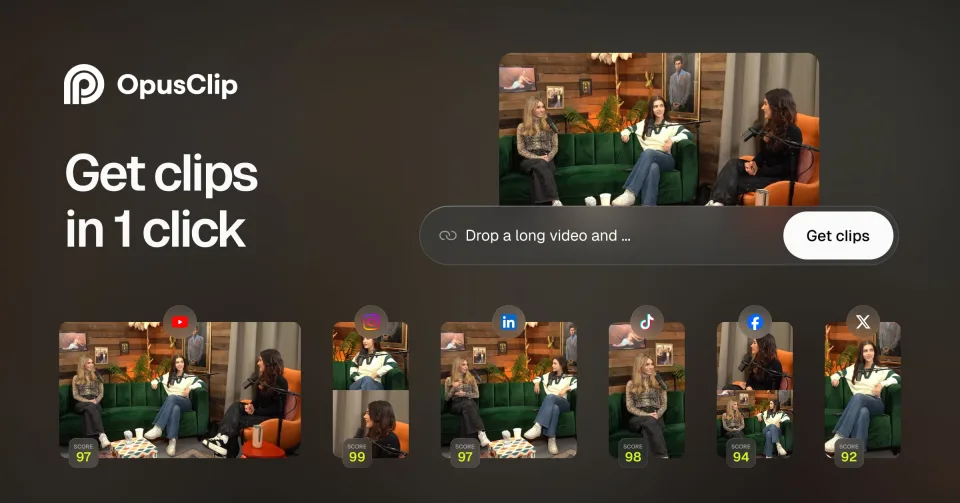
Just paste a URL or upload a video, and the AI identifies the highlights and turns them into clips. Each clip gets a virality score, so you can pick the ones most likely to take off and post them.
How to use
Hand over a video, pick clips, and post.
Provide a video
Paste a video URL or upload a file.
Generate clips
AI cuts out highlights and handles vertical reframing and captions automatically.
Select and refine
Sort by virality score and fine-tune captions and B-roll.
Post
Post directly to each social platform, or schedule ahead.
The free plan gives 60 credits/month, adds a watermark to exports, and generated clips are no longer available after 3 days. Processing is credit-based; higher plans unlock no watermark, higher resolution, a scheduler, and more.
Key features
01Auto-clipping and virality score
Automatically extracts highlights from long videos and gives each clip a virality score. ClipAnything also cuts from any genre of video or by prompt, so you can spot the clips most likely to take off and post them.
02Vertical reframe, AI captions, B-roll
ReframeAnything reframes to vertical (9:16 and more) while tracking the subject; AI animated captions (25+ languages) add emoji and keyword highlighting; and AI B-roll draws on images, video, and stock. Brand templates keep the look consistent.
03Editing, export, and auto-posting
General editing has expanded too, with a timeline/text editor, AI voice-over, audio cleanup, dubbing, and upscaling. It supports direct posting and scheduling to YouTube Shorts, TikTok, and Instagram Reels, plus export to Adobe Premiere Pro and DaVinci Resolve.
Pricing
Free to start; the following are monthly (credit-based).
| Plan | Monthly | Highlights |
|---|---|---|
| Free | $0 | 60 credits/month, up to 1080p, watermark, unavailable after 3 days |
| Starter | $15 | 150 credits/month, no watermark (monthly only) |
| Pro | $29 | AI B-roll, scheduler, dubbing, higher resolution / annual effectively $14.5 |
| Business | Contact sales | Custom credits, team features |
OpusClip is credit-based, not measured in minutes. Starter is monthly-only (no annual), and Pro is effectively $14.5/mo on annual billing ($174/year). Prices are in USD and subject to change; check the official pricing page for the latest (as of August 2026).
How it differs from other video editing tools
OpusClip's strength is that you just hand over a long video, and it handles clipping, vertical reframing, captions, and posting end to end, with virality scores to help you choose. Compared with caption-focused tools or manual editing, it is optimized for the "mass-produce from one long video" workflow.
| Aspect | OpusClip | Captions | Traditional manual editing |
|---|---|---|---|
| Focus | Long-to-short mass production | Creating/editing vertical video | Manual clipping |
| Strength | Auto-clipping, virality score | AI avatars, captions | High freedom but time-consuming |
| Posting | Direct/scheduled to each platform | Export-focused | Manual |
Vertical-video maker Captions and traditional manual clipping are the comparison points. If you want to efficiently spin long-form content like podcasts and webinars into shorts for each social platform, OpusClip is a strong choice.
The information on this page is based on the official website as of August 2026. Please check the official site for the latest specs and pricing.