FlairAI
: How to use it, features, and the business problems it solves
Add bookmark
What is FlairAI?
FlairAI (Flair), from Flair AI in the US, is an AI design tool that generates pro-quality product photos, on-model shots, and even product videos just by dropping in a product image. It has expanded from background generation into a studio for e-commerce visuals spanning on-model photography, ad creative, and brand-specific custom-model training. Pricing: Free / Pro $8 / Pro+ $26 (commercial license) / Scale $38+ / Enterprise, with real-time team co-editing.
Business problems it solves







About "FlairAI"
What is FlairAI
FlairAI (Flair) is an AI design tool that lets you generate pro-quality product photos, on-model shots, and even product videos just by dropping in an image of your product. Provided by Flair AI (US, founded 2022), it bills itself as "the AI design tool for product photoshoots." It began focused on background generation for product photos, but has expanded into a studio for e-commerce visuals that spans on-model photography, product videos, and ad creative.
To use it, drag and drop a product image onto the canvas, specify a scene with a template or prompt, and generate. Without a photo studio, you can make varied product shots—cosmetics on a concrete platform, perfume surrounded by flowers—and collaborate with your team in real time.
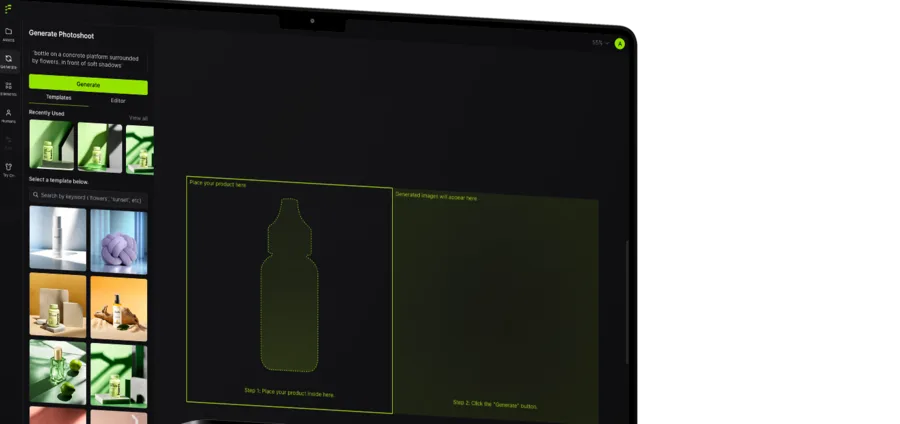
Source: FlairAI official site (the screenshots below are from the same source)
Not just backgrounds—on-model shots and video too
What sets FlairAI apart from a mere background generator is that it can create visuals of the product "in use". It supports on-model photography (fitting clothing/jewelry onto AI-generated models), product videos, ad-creative generation, and training brand-specific custom models. You can mass-produce e-commerce and ad visuals without the cost of shoots or model bookings.
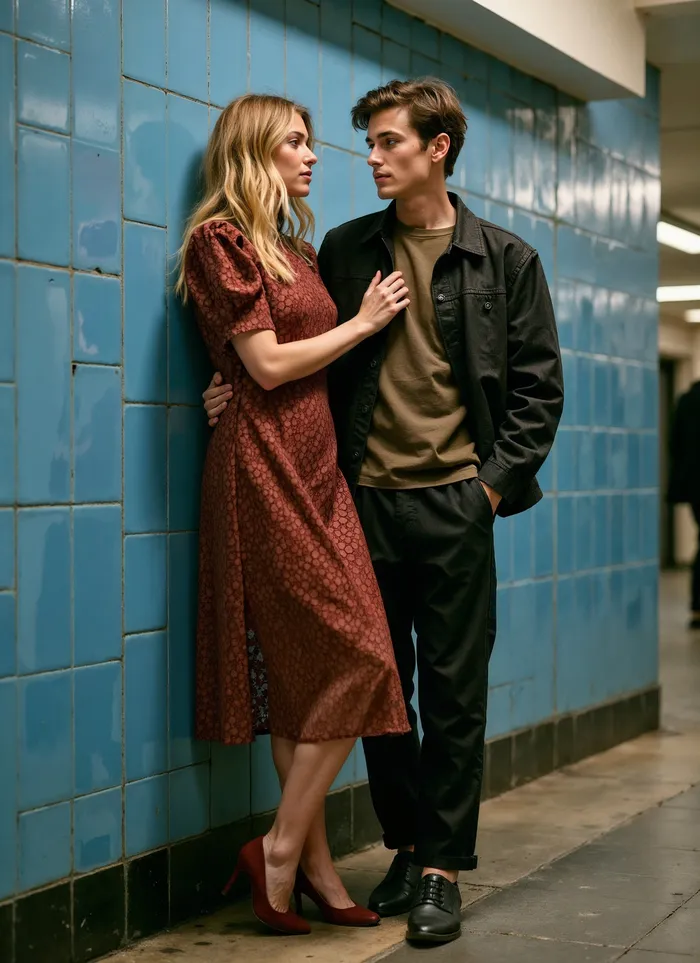
In on-model photography, you can produce photos of clothing or accessories on AI-generated models while preserving patterns and logos. You can expand your variety of "worn" imagery without booking real models or a studio.
How to Use
-
Register and log in
Create an account on the official site and log in to the dashboard.
-
Upload a product image
Drag and drop an image of your product onto the canvas.
-
Specify a scene
Use a template or prompt to specify the background, props, and mood.
-
Generate and finish
The AI adjusts backgrounds and lighting to generate. Finish with upscaling and variations.
Features
01Create
- Product photos (drag-and-drop) — place a product and generate a scene
- On-model photography — fit clothing/accessories onto AI models
- Product videos & ads — generate videos and ad creative
02Match your brand
- Custom model training — reflect your brand's style (count capped per plan)
- AI Human Models — build reusable, dedicated AI models
03Finish & connect
- Upscale, variations, Magic Erase — higher resolution, multiple options, object removal
- Real-time collaboration & API — team co-editing; API (early access on Scale, unlimited on Enterprise)
Pricing
It is free to start, and paid plans split by monthly generation and custom-model counts. Amounts are in USD.
| Plan | Monthly | What's included |
|---|---|---|
| Free | $0 | 1 custom model; 5 generated images; 1 video (no commercial license) |
| Pro | $8 | Faster generation; upscales; variations; 2 videos |
| Pro+ | $26 | Up to 8 custom models; 80 images; 3 videos; commercial license |
| Scale | $38+ | Up to 15 custom models; 150 images; 5 videos; API early access; commercial license |
Commercial use is granted from Pro+ (companies of 2+ can use it commercially on Pro; the free plan alone is not for commercial use). Scale is a slider that scales further up (to about $138–$199), and Enterprise is by inquiry (unlimited API). There is also an annual-discount toggle. The underlying AI model is not disclosed. Pricing may change, so check the [official pricing page](https://flair.ai/pricing) for the latest (as of August 2026).
How it differs from other AI product-photo tools
FlairAI's strengths are that it can make product photos plus on-model shots, videos, and ads on one canvas, and real-time team production. Its scope differs from background-removal-focused tools.
| Aspect | FlairAI | Photoroom | Fotographer.ai |
|---|---|---|---|
| Focus | Product photos + on-model + video | Background removal / e-commerce photos | Scene generation preserving product texture |
| On-model | Supported | Partial | — |
| Team | Real-time co-editing | Individual to team | API-focused |
The background-removal and e-commerce Photoroom, the texture-preserving Fotographer.ai, and the object-erasing Magic Eraser are comparison points. If you want to mass-produce e-commerce and ad visuals without shoot costs, FlairAI is a strong choice.
The information on this page is based on what was publicly available on the official site as of August 2026. Please check the official site for the latest specifications and pricing.