
Lashmie
: How to use it, features, and the business problems it solves
What is Lashmie?
Lashmie is an AI eyelash simulation and electronic client record (karte) service for eyelash salons, run by Lanespire Inc. (株式会社レーンスパイア) in Ginza, Tokyo. Staff upload a client's photo, specify the design, curl, length, thickness and number of lashes, and the AI generates an image of the finished look to compare before and after and make a proposal. Before anything is generated, the client consents to AI processing of the photo through a link sent by email or shown as a QR code, and the date and method of consent are saved in the record together with the treatment details and photos. It runs in phone and iPad browsers. Pricing: Free ¥0 (5 clients, 6 images a month), Mini ¥980/month, Starter ¥4,980/month, Standard ¥9,800/month (tax included, as of November 2026).
Business problems it solves
About "Lashmie"
What is Lashmie?
Lashmie is a service for eyelash salons that combines AI eyelash simulation with an electronic client record (karte). From a client's photo, the AI creates an image of the finished look with the chosen lash design, so the salon can show a before/after comparison and agree on the result before the treatment. The proposal and photos can be saved straight into each client's electronic record. It is run by Lanespire Inc. (株式会社レーンスパイア) in Ginza, Tokyo.
The official site says it is built for salons facing problems such as:
- The image of the finished look doesn't come across well
- Clients say "this isn't what I expected" after the treatment
- Managing paper records is a lot of work
Another distinguishing point is that the AI processing only starts after the client's own consent. A check by salon staff alone is not enough; the simulation can run only after the client opens the consent link and agrees.
The interface, pricing and support are in Japanese, and it runs in iPhone and Android browsers (Safari / Chrome). No app installation is required.
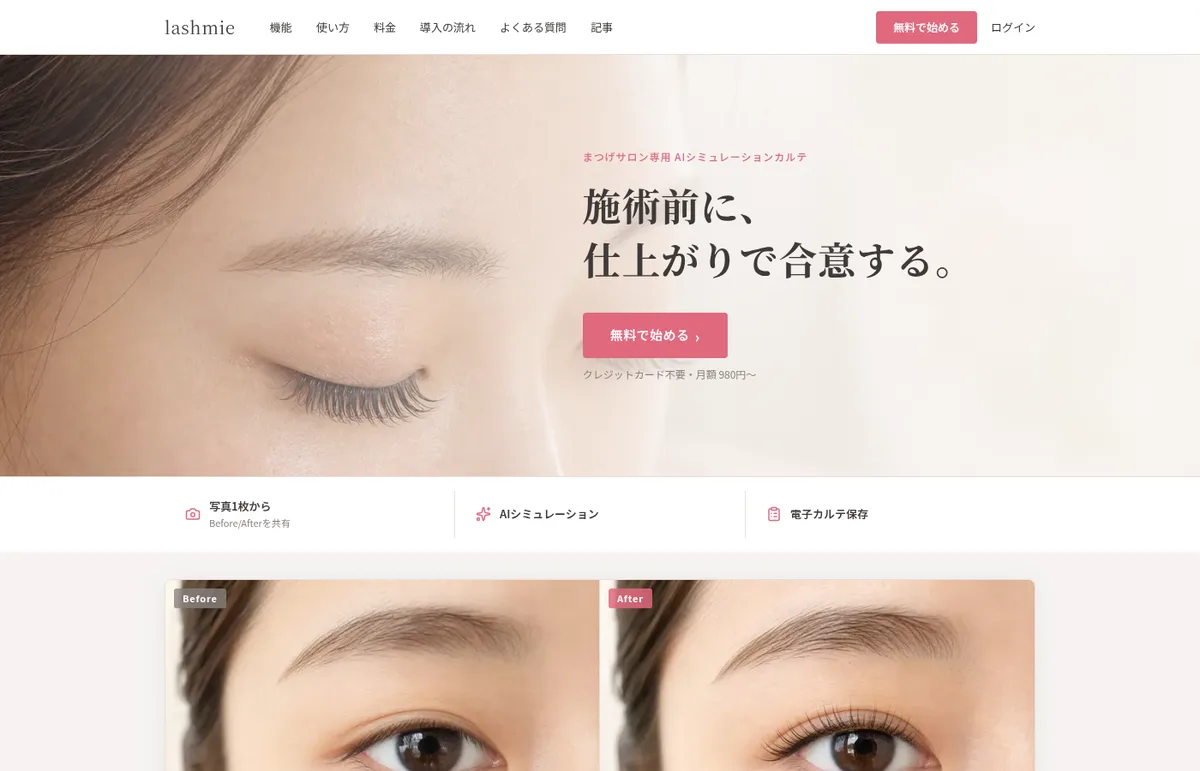
Source: Lashmie official site (same for the images below)
How to use it
Based on the "3 easy steps" on the official site and the steps in the official article on saving eyelash simulation results to the electronic record:
- Add a client and upload a photo After signing up for free, add a client and upload a photo for the consultation. You can start with a front-facing photo taken on a smartphone.
- Choose the menu Choose a design (natural, cute, etc.) and, for extensions, specify the curl, length, thickness and number of lashes.
- Get the client's own consent Send the consent link by email or show a QR code on the spot. When the client opens the link and agrees, the date and method of consent are saved in the record.
- Run the AI simulation and save to the record The AI generates a simulation image you can compare as before/after. It can be saved directly as an electronic record and exported as a PDF.
Align expectations on the finished look before the treatment
Lash designs are hard to convey with words or sample photos alone, which often leads to "this isn't what I expected" after the treatment. Lashmie is a tool for showing an image of the design applied to the client's own photo, so expectations are aligned before the treatment starts.
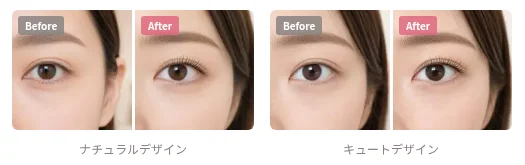
The generated images are reference images to show the intended look. The terms of service state that they do not guarantee the actual result, which varies with lighting, angle, makeup, lash volume, eye condition and other factors. The final explanation and consent for the treatment are assumed to take place between the salon and the client.
Get the client's own consent before the photo goes to AI
Processing a face photo with AI requires the client's consent. Lashmie is designed so that this consent is given by the client's own action, not by a check on the salon side.
01How consent is obtained
- Link with a token — the simulation can run only after the client opens the link and agrees to the text "I consent to my photo being processed by AI to generate an image of the treatment" (顧客の撮影写真をAIで処理し、施術イメージを生成することに同意します。)
- Delivery — send it by email or show a QR code on the spot
- Record — the date, method and text of consent are saved in the record
02Where photos are sent
According to the privacy policy, images used to create the finished look are sent via fal.ai (US) to OpenAI's image generation API (GPT Image). For generating treatment comments, only text describing the treatment conditions, without images, is sent to Google Gemini (including via OpenRouter). Because images may be sent to servers overseas, salons are asked to explain this to clients in advance and obtain their consent.
The terms of service also make the salon responsible for explaining why photos are taken and whether AI processing is involved, obtaining explicit consent from the client (or a legal representative), and taking extra confirmation steps for minors and others. Processing someone else's photo with AI without their consent is prohibited.
Features
01AI simulation
- Image of the finished look — the AI creates a simulation image of the chosen design from the client's photo
- Before/after — shown side by side with the pre-treatment photo. Profile photos can also be used (depending on the plan)
02Electronic client record
- Items you can record — treatment date, staff in charge, design, curl, length, thickness, number of lashes, before/after photos (front and profile), proposal comments, and the consent record (date and method)
- Photos of the actual result — after the treatment, up to 6 real photos (not AI-generated) can be saved and compared with the pre-treatment photo and the AI image
- History by visit — records are shown in chronological order, so on a return visit you can check "same as last time" with photos
03Menu management and export
- Menu management — customize items such as design, curl, length, thickness and number of lashes for your salon
- Sharing and export — export record data as photos or PDF to share with clients or print
According to an article on the official site, there are no booking, POS or checkout functions; it is meant to be used alongside existing booking tools such as Hot Pepper. The official site also publishes free templates — paper records, consultation sheets and consent forms (with a section for consent to AI photo use) — that can be used without signing up.
Pricing
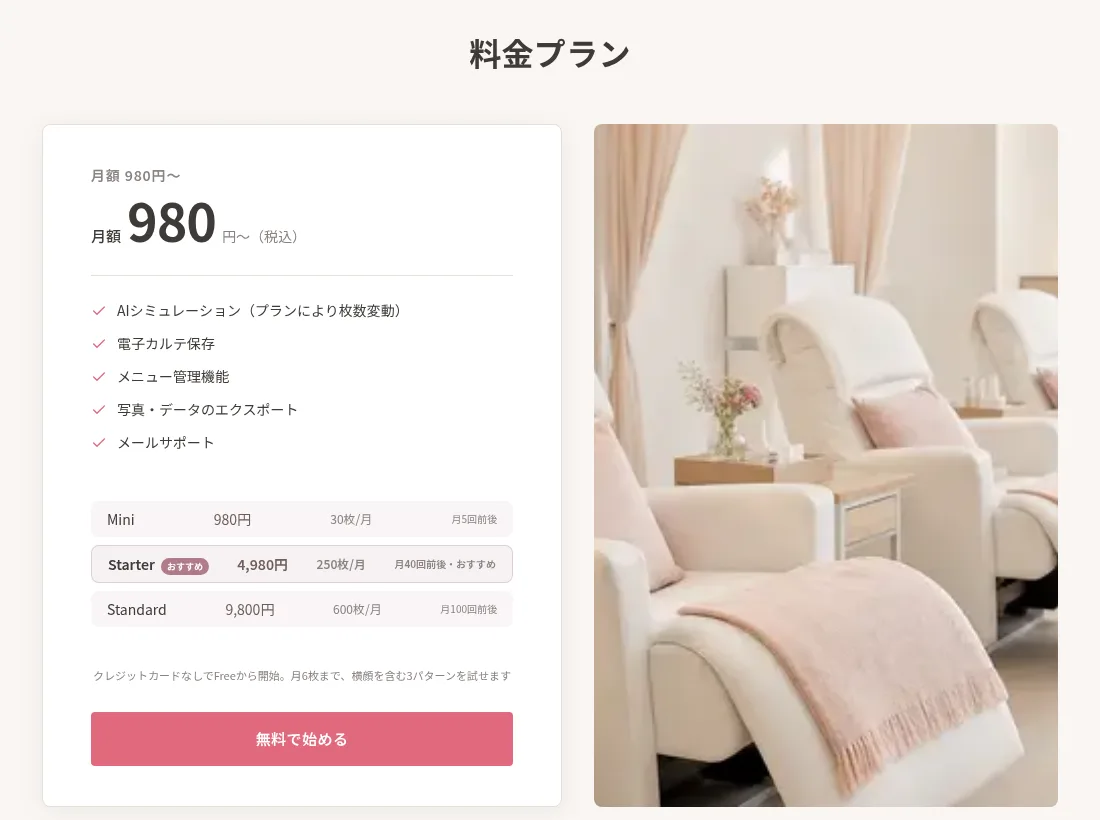
There are four monthly plans, which differ in the number of images you can create per month and the number of clients you can register (tax included, as of November 2026; based on the pricing section of the official site and the price table in an official article).
| Plan | Monthly (tax incl.) | Image generation | Client limit | Guide shown in the pricing section |
|---|---|---|---|---|
| Free | ¥0 | 6/month | 5 | Try 3 patterns including a profile view |
| Mini | ¥980 | 30/month | 15 | About 5 times a month |
| Starter | ¥4,980 | 250/month | 100 | About 40 times a month (recommended) |
| Standard | ¥9,800 | 600/month | 500 | About 100 times a month |
Paid plans include AI simulation (number of images varies by plan), electronic record storage, menu management, photo and data export, and email support.
- Starting for free — after sign-up you start on Free with no credit card. You are never charged automatically; payment details are entered only when you use a paid plan
- Payment — online payment including credit cards (Stripe), paid monthly in advance in principle
- Cancellation — cancel at any time; no further charges occur and you can use it until the end of the month of cancellation. Data is kept for 90 days after cancellation and then deleted
- Refunds — due to the nature of digital services, refunds after use has started or after a charge is confirmed are not accepted in principle (except where required by law)
How it differs from other photo and image AI tools
There are many tools that edit people's photos with AI, but Lashmie focuses on the moment when a salon proposes a treatment to a client, and combines the client's consent and the treatment record (karte) in one tool.
| Tool | Main role | Price guide | Difference |
|---|---|---|---|
| Lashmie | Eyelash finish simulation and electronic client record | Free ¥0; paid from ¥980/month (tax incl.) | Generates only after the client's consent, and saves treatment conditions, photos and consent in the record |
| SNOW | AR camera and photo editing app (AI hair, etc.) | Free to start; SNOW VIP from ¥990/month (App Store price) | An app for individuals to enjoy with their own photos. No salon record functions |
| EPIK | AI photo and video editing app | Free to start; EPIK PRO from ¥900/month (App Store price) | Photo editing for individuals. No treatment proposal or record functions |
| 掲載フォトAI ワンタッチ | Polishes photos of shops, salons, etc. for listings | 1 photo free; from ¥300 for 3 (tax incl.) | Corrects photos for attracting customers. Does not create a finished look from a client's photo |
| FASHN | Creates virtual try-on images of clothing | 10 free credits; Basic from $19/month | Try-on images for fashion e-commerce. Eyelash treatments are out of scope |
Other products' details are as of the dates noted on their product pages.
Who it suits and who it doesn't
Company
| Item | Details |
|---|---|
| Seller | 株式会社レーンスパイア / Lanespire Inc. |
| Person responsible | 高橋 元希, Representative Director |
| Address | N&E BLD. 6F, 1-12-4 Ginza, Chuo-ku, Tokyo |
| Contact | info@lanespire.com (weekdays 10:00–19:00 JST) |
| Other services by the company | Marubatsu AI (web test platform for schools and cram schools), etc. |
Source: Notation under the Specified Commercial Transactions Act, Lanespire Inc.
FAQ
Q. Can I use Lashmie for free? Yes. The Free plan costs ¥0 and lets you register up to 5 clients and create up to 6 images a month. No credit card is required and you are never charged automatically.
Q. How is the client's consent obtained? Send the consent link by email or show a QR code on the spot so the client can open it themselves. The simulation can run only after the client agrees, and the date and method of consent are saved in the record.
Q. Will the result look exactly like the generated image? That is not guaranteed. The terms of service state that generated images are reference images to show the intended look, and the actual result varies with conditions on the day, the practitioner's skill and individual differences.
Q. Can I use it on a smartphone or iPad? Yes. It runs in iOS and Android browsers (Safari / Chrome) with no app to install. Showing it on an iPad during a consultation is also supported.
Q. What happens to my data if I cancel? Data is kept for 90 days after cancellation and then deleted. You can download photos and data at any time with the export function.
The information on this page is based on what was published on the official site as of November 2026. Please check the official site for the latest specifications and pricing.