

Qind
: How to use it, features, and the business problems it solves
What is Qind?
Qind is a personal AI knowledge base run by Hi Bear OÜ in Estonia. Save articles, PDFs, Office documents, notes, images, audio and video to one library from the browser extension (Chrome, Edge, Firefox) or the web app; Qind tags them, files them into collections and summarizes them, then answers natural-language questions from what you saved with links to the sources. Audio is transcribed so it turns up in search. As an MCP server, it also lets Claude, ChatGPT, Cursor and others ask and save. Pricing: Free (100 items, 10 questions a day), Basic €3.99/month billed yearly (€4.99 monthly), Pro €8.33/month billed yearly (€12.99 monthly), VAT included, with a 14-day trial. AI processing is opt-in, and content is not used to train models. The interface is in English only (as of November 2026).
Business problems it solves


About "Qind"
What is Qind
Qind is a personal AI knowledge base that keeps the articles, PDFs, notes and recordings you save in one library, and later answers your questions from what you saved, with links back to the sources. It is run by Hi Bear OÜ in Estonia (shown on the site as "Hibear").
The official site starts from a familiar problem: the article sits in a bookmark folder, the PDF in Downloads, the screenshot on your desktop, and when you need it, it is nowhere. Qind tags what you save, files it into a collection when it is sure, and answers questions with links to the saved items. Qind itself says it is not a team wiki or a project tracker, but the place where what you read and keep stays findable.
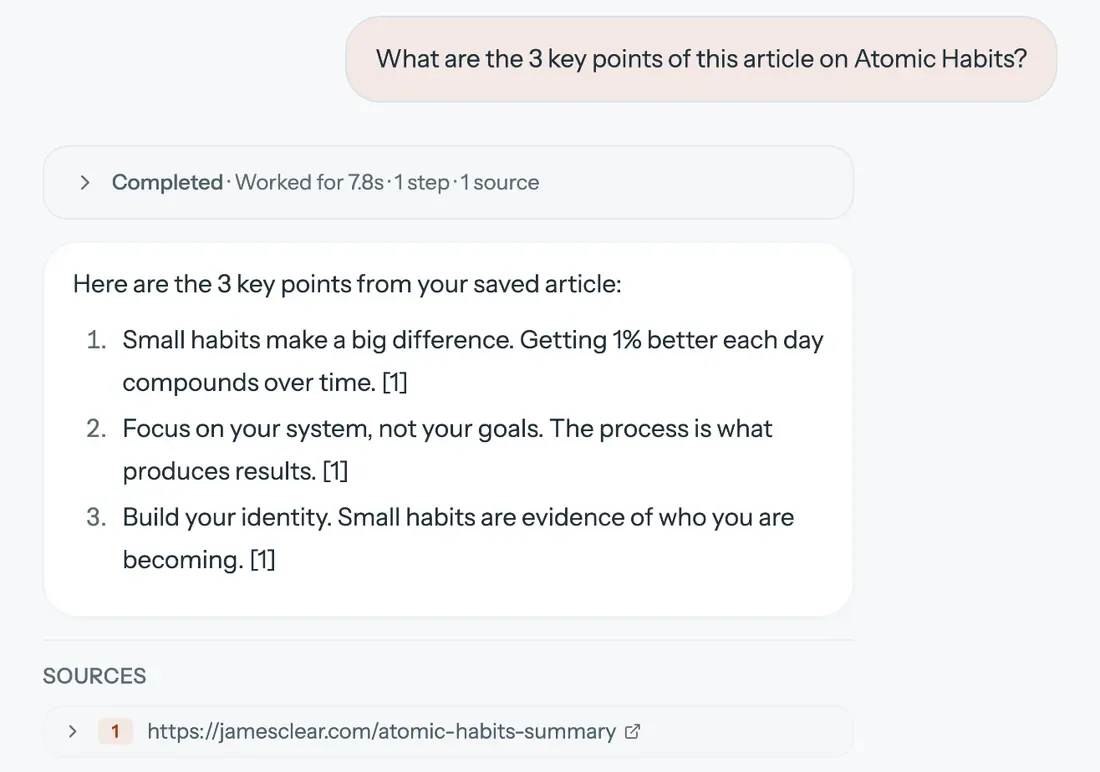
Source: Qind official website (the same applies to the images below; all show the sample content published by Qind)
How to use
- Create an account Sign up from "Start free" on qind.ai. The Free plan needs no card.
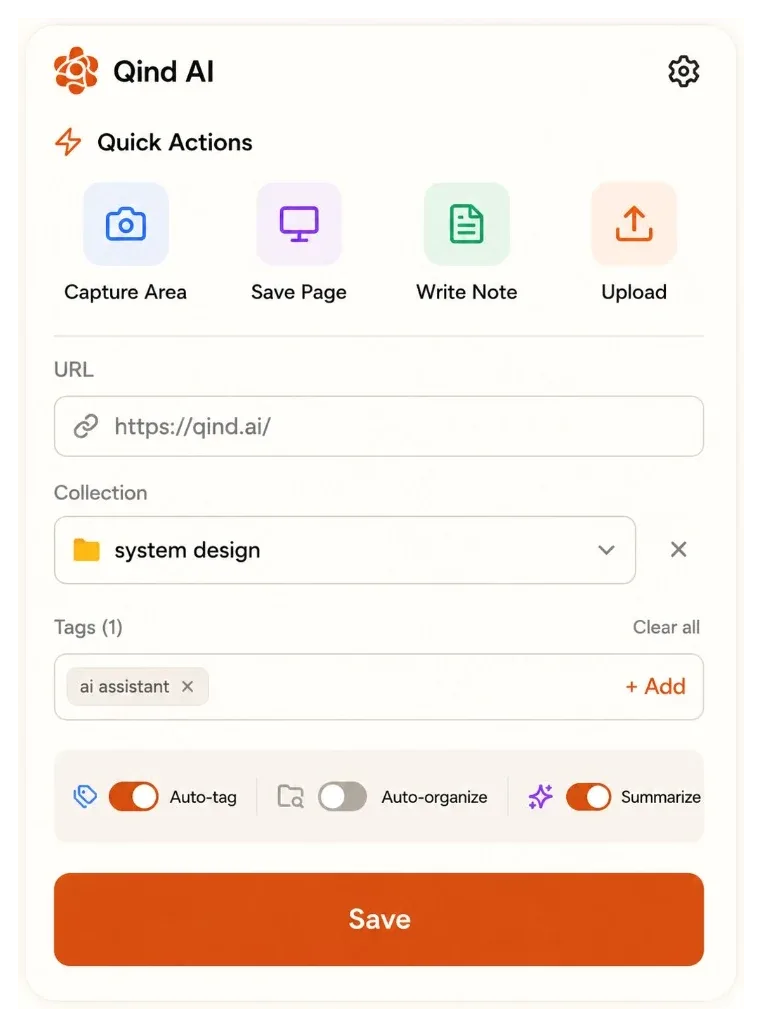
- Save things With the browser extension (the web clipper, for Chrome, Edge and Firefox), save a whole page, a highlight or a captured area in one click. In the web app you can paste a URL, upload several files at once, write notes and record audio. Chrome bookmarks can be imported through the web clipper.
- Let Qind organize them Each item gets tags from what it says; items Qind is sure about go into the right collection, and the rest wait in "Unsorted". Summaries are a setting you turn on. You can change tags, move items or switch auto-filing off at any time.
- Ask Search the way you remember it, or ask with "Ask Qind". Answers link to the saved items so you can open the source and check. You can also point a question at a single collection.
Find things by what they said, not where you put them
Search runs across your library on the server and matches on meaning, not only exact words. In the official example, asking "What did I save about cell-based architecture?" returns an answer citing saved SREcon notes and section 3 of an AWS paper.
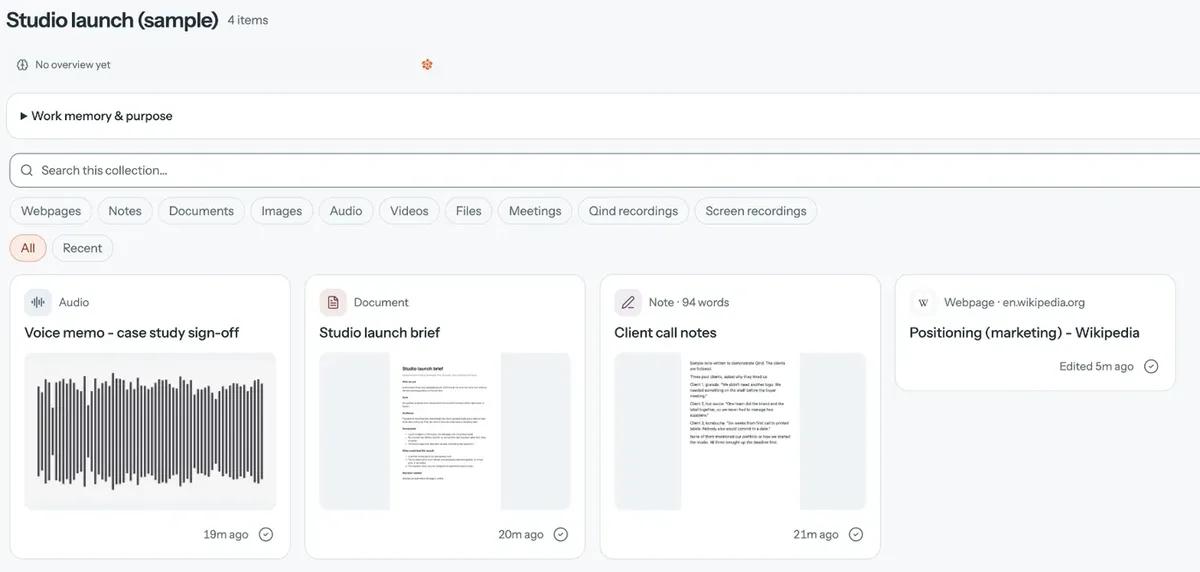
Different formats go into the same library. Audio is transcribed and images get a caption, so both turn up in search.
Use your library from Claude or ChatGPT
Qind connects to AI assistants as an MCP server (https://mcp.qind.ai/mcp). Once connected, your assistant can ask your library a question and cite your items, read long documents and transcripts, save notes and bookmarks, and manage tasks and reminders without you leaving the chat. The documentation for AI agents lists 35 tools.
Official setup steps cover Claude, ChatGPT, Cursor, Codex and Gemini CLI. Clients that support remote MCP servers, such as VS Code, Windsurf, Cline and Zed, can use the same URL, but Qind says sign-in with them is not tested yet.
Features
01Save
The browser, your files and your AI assistant all lead to the same library.
- Web clipper — a page, a highlight or a captured area in one click; recording too on Chrome and Edge
- Upload — PDFs, Office files, images, audio and video, several at a time
- Notes and recordings — write or record in the web app; recordings are transcribed
02Organize
The library tidies itself without manual filing.
- Auto-tag and file — tags from the content, and filing into collections when Qind is sure (Basic and Pro)
- Summaries — a short summary for every save (all plans)
- Digest — a weekly or monthly look at what you saved and what still needs a tag or a home, by email and in the app
03Find and ask
Get things back the way you remember them.
- Search by meaning — matches on both meaning and keywords
- Ask Qind — answers from your saved items with source links; can be limited to one collection
- MCP — ask and save from assistants such as Claude and ChatGPT
Pricing
| Plan | Yearly (per month) | Monthly | Main contents |
|---|---|---|---|
| Free | €0 | €0 | Up to 100 saved items in 3 collections, 250 MB storage and 10 MB per file, AI summaries, web clipper, 10 Ask Qind questions a day |
| Basic | €3.99 (€47.90/year) | €4.99 | Unlimited items and collections, 5 GB storage and 250 MB per file, auto-tag and file, a monthly allowance for Ask Qind |
| Pro | €8.33 (€99.90/year) | €12.99 | Everything in Basic, 50 GB storage and 5 GB per file, a larger monthly Ask Qind allowance than Basic |
- Prices are in euros and include VAT
- Basic and Pro start with a 14-day trial; cancel during the trial and you are not charged
- If you reach 100 items on Free, you can keep reading, searching and asking about what you saved. If you cancel, your account moves to Free and your library stays
- Payment by credit or debit card via Stripe
- For Basic and Pro, the pricing page describes Ask Qind as "a monthly AI allowance" ("a larger" one on Pro)
(As of November 2026, per the official pricing page)
How your data is handled
According to the Privacy Policy (updated November 11, 2026), AI processing is opt-in. Until you allow it, your content is not sent to AI providers, and saving and search still work. Once allowed, text, images and questions go to OpenAI or Anthropic, and recordings, audio files and the sound of saved videos go to ElevenLabs for transcription. Qind says it does not train models on your content.
Connections are encrypted with HTTPS, but Qind states clearly that it is not end-to-end encrypted, because content is processed on its servers so it can be searched. You can export your library from settings at any time and delete your account from the app.
How it differs from other AI knowledge and document search tools
| Product | Type | What it answers from |
|---|---|---|
| Qind | A personal AI knowledge base (save, auto-organize, ask) | Everything you save day to day — articles, PDFs, notes, recordings — with sources |
| NotebookLM(現Gemini Notebook) | Google's AI research notebook | The sources you add to a notebook, with citations |
| ChatDOC | An AI assistant for reading PDFs and documents | Uploaded documents, pointing to the exact passage |
| Memoriq | An encrypted memory for saving and searching AI chats | Your past conversations with ChatGPT, Claude and others |
| Notion | An AI workspace for docs, wikis and databases | Pages written in your workspace |
Details for the other products are as of the check dates stated on their product pages.
Qind itself suggests keeping Notion or Obsidian for what you write and plan, and using Qind for the articles and PDFs you read.
FAQ
Q. Can I use Qind for free? Yes. The Free plan has no time limit: up to 100 items, 3 collections, AI summaries, the web clipper and 10 Ask Qind questions a day. No card is needed.
Q. Is it available in Japanese? The website and interface are in English only. The official site does not say whether saving Japanese text or asking questions in Japanese is supported (as of November 2026).
Q. Is there a mobile app? According to the official About page (facts as of November 11, 2026), iOS and Android apps are not publicly released. You can use the web app, the browser extension and the MCP server.
Q. Is my content used to train AI models? Qind says it does not train models on your content. Content goes to its AI providers (OpenAI, Anthropic, ElevenLabs) only if you allow AI processing, and the Privacy Policy notes that what those providers do with the data is set by their own terms.
Provider
Qind is run by Hi Bear OÜ in Estonia. The site says "Qind is a product of Hibear", and Hi Bear OÜ can be found in the Estonian e-Business Register (registry code 16786497, Tallinn). The contact address is support@qind.ai.
The information on this page is based on what was published on the official website, pricing page, About page, help center, llms.txt, Privacy Policy and Terms as of November 2026. Features and prices may change, so please check the official website for the latest information.