
Riff
: How to use it, features, and the business problems it solves
Add bookmark
What is Riff?
A free Chrome extension from Zima Media OÜ in Estonia that drafts social media replies, DMs and posts on X, LinkedIn, Facebook and Instagram. Because it runs Gemini Nano, the Google AI built into Chrome, on your own computer, posts and drafts are never sent to an outside server, and no account or API key is needed. Give it your point and it writes text fitted to the post or conversation and fills the input box (you press send). It can also write in Japanese. It requires desktop Chrome 138 or newer, 22 GB of free space and other hardware conditions.
Business problems it solves

About "Riff"
What is Riff?
Riff is a Chrome extension that drafts social media replies, DMs and posts on your own computer, made by Zima Media OÜ in Estonia. On X, LinkedIn, Facebook and Instagram, you pick the post or DM conversation you want to answer, jot down the point you want to make, and it writes text fitted to that post or conversation.
The writing is done by Gemini Nano, the Google AI model built into Chrome, and all processing happens on your machine. Post text and drafts are never sent to an outside server, and you need neither an account nor an API key. It is free, with no subscription or payment. Riff puts the draft in the input box, and pressing send is always up to you.
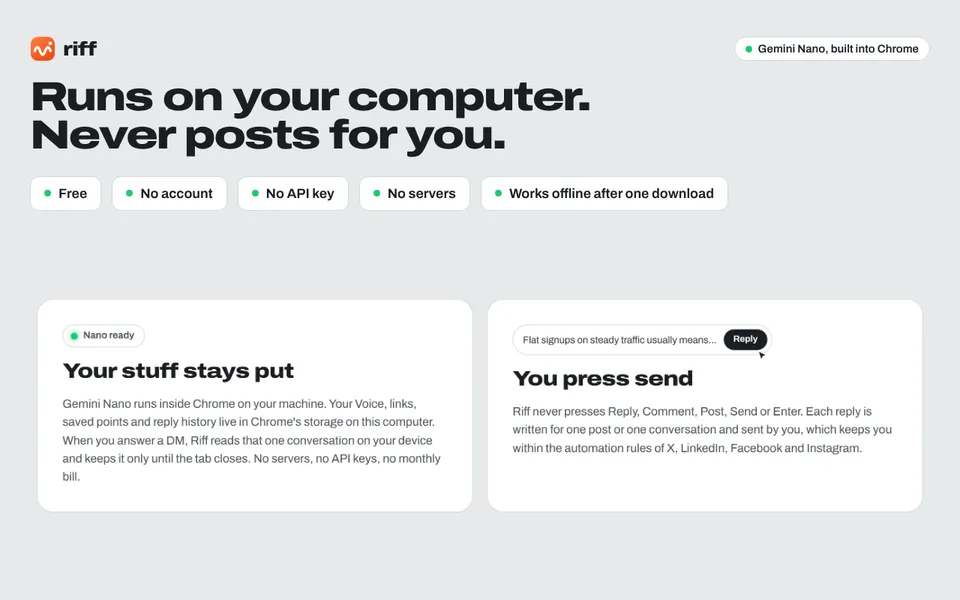
Its official promotional images lead with "runs on your computer, never posts for you". Settings, links, drafts and history are kept in Chrome's storage, and a DM conversation is held only until you close the tab.
How to use it
-
Add it to Chrome and download Gemini Nano
Add it from the Chrome Web Store. The first time you open the panel, "Download Gemini Nano" appears and Chrome fetches the model once. After that it runs offline.
-
Pick the post you want to answer, or a DM's message box
Click the wave button next to a post's Reply or Comment button, or click into a DM's message box. Riff, in Chrome's side panel (open it from the toolbar or with Alt+Shift+R), reads that post and its context, or the DM conversation.
-
Enter your point, set the dials and press Enter
Write your point roughly; Riff does not copy it word for word but rewrites it for that post. In a DM you can leave it empty and Riff answers what they wrote. Choose tone, length, language and so on, press Enter, and the draft appears.
-
Rework it, insert it, and send it yourself
Rework it with buttons such as "Shorter" or "More human", then "Insert" fills the reply, DM or post box. You press the send or post button yourself.
Features
01Reply to and comment on posts
It detects the site and switches character limits, tone and link handling.
- X — short and punchy; links count as 23 characters
- LinkedIn — a real perspective instead of "Great post"; it also reads the author's headline
- Facebook — warm and conversational, on feed posts, groups and pages
- Instagram — casual and short; links are left out because they cannot be clicked in comments
02Answer DMs and write first messages
It works in LinkedIn Messaging, Messenger on facebook.com, Instagram Direct and X Chat.
- Reads and replies — your point is optional; it answers their latest message first
- Never commits for you — asked for a time, a price or a yes or no, it asks a short question back or lets them suggest
- Follow-ups — when your message is the latest, it drafts a friendly nudge that is easy to answer
- First messages — pick why you are writing (intro, thanks, congrats, etc.) and how you know them, and it writes a short first message; it never pretends you have met
03Write your own posts
Click into a new post box and it switches to "Riff a post", where you shape the post like a chat.
- Draft from notes — it never invents results, numbers or clients that are not in your notes
- Three hooks — "3 hooks" offers three opening lines and rebuilds the post around the one you pick
- Repurpose for another site — turn a LinkedIn post into an X thread or an Instagram caption
- A voice per brand — register a voice and sample posts for each brand, such as yourself and your company
04Keep it sounding like you, and fresh
- Voice — enter once who you are, what you offer, how you sound, and a sample reply and posts, and it shapes everything it writes
- Never say list — register words it should never use, such as "game-changer" or "great post"
- Repetition check — compares each draft with your last 60 replies and posts and rewrites it if it repeats them (up to twice)
- Language — match the post, or choose English, Spanish, French, German or Japanese
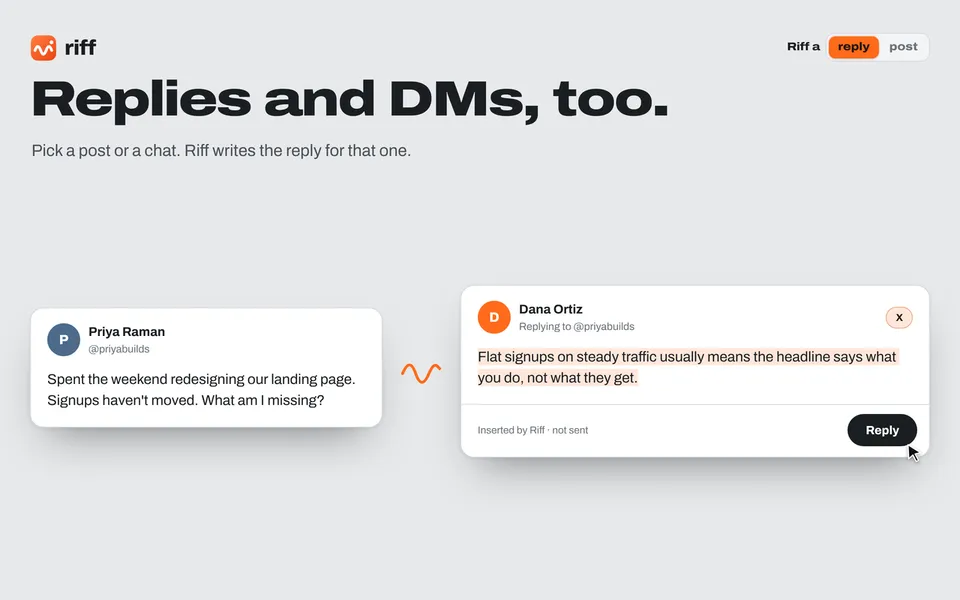
For replies, picking the original post puts a draft reply for that post in the input box. As "Inserted by Riff · not sent" at the bottom shows, it has only been inserted, not sent. You can set how promotional a reply is, starting from "off" with no pitch at all, and on personal or sad posts Riff itself suggests turning the pitch off.
According to its Chrome Web Store description and privacy policy, it can also draft replies and first messages for DMs, channels and threads in the web versions of Slack and Microsoft Teams (not their desktop apps).
Pricing
Requirements
Because Gemini Nano runs locally, your computer has to meet some conditions (per the Chrome Web Store listing).
| Item | Requirement |
|---|---|
| Browser and OS | Desktop Chrome 138 or newer (Windows 10/11, macOS 13+, Linux, Chromebook Plus) |
| Free space | At least 22 GB on the drive with your Chrome profile (for the one-time Gemini Nano download) |
| Hardware | A GPU with more than 4 GB of video memory, or 16 GB of RAM and 4 or more CPU cores |
| Network | An unmetered connection (Wi-Fi or Ethernet) for the one-time download |
The official site has a "Test this computer" check to see whether your machine qualifies.
Privacy and data handling
According to its privacy policy (effective October 21, 2026), the extension has no servers, analytics, ads or trackers and loads no remote code. Settings, your Voice, saved links and recent replies and posts are kept in Chrome's extension storage; the post or DM conversation you picked is kept in Chrome's session storage and cleared when you close the tab or Chrome. It states that it never sells, shares or transfers your data. The website itself (riffreply.com) does use Google Analytics.
Why it never posts or sends for you
Riff never presses Reply, Comment, Post, Send or Enter. Each reply or post is written for one box and sent by you, which the company says keeps you within the automation rules of X, LinkedIn, Facebook and Instagram. It has no scheduling either. Riff is an independent extension, not affiliated with Google or the sites it works with.
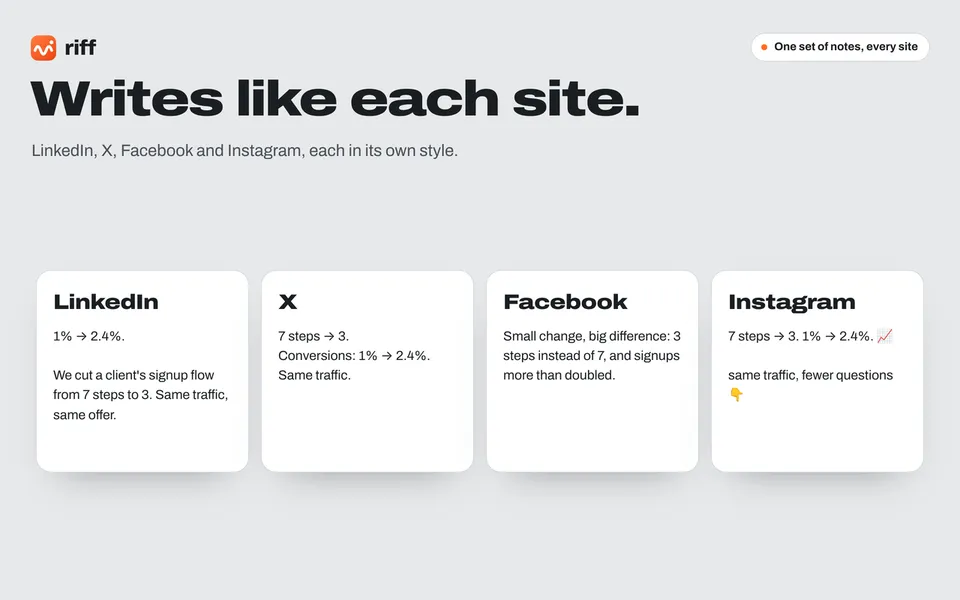
From the same notes, it can write posts fitted to the length and tone of LinkedIn, X, Facebook and Instagram respectively.
The company behind it
It is made by Zima Media OÜ (an Estonian private limited company, registry code 17241943, Tallinn), with Riff as its trading name. On the Chrome Web Store it is registered as a trader under the EU definition. According to the store listing, it is at version 0.5.0 (updated October 20, 2026) with 25 users and a 5.0 rating from one review (as of October 2026). It is a newly released extension.
How it differs from other AI writing tools
What sets Riff apart is that it runs only on your computer with the AI built into Chrome, and limits itself to drafting replies and DMs inside the social site and putting them in the input box.
| Aspect | Riff | Rytr | Influence |
|---|---|---|---|
| What it does | Drafts social replies, DMs and posts | Writes emails, articles, ads, social posts and more | Plans, drafts and schedules social posts |
| Where the AI runs | Your computer (Gemini Nano) | Cloud | Cloud |
| Posting and sending | Never (you press it) | — | Can schedule posts |
| Price | Free | Free plan; Unlimited from $7.50/month | Starter from ¥2,357/month (excl. tax) |
The other products' columns reflect what is on each product page as of when it was checked.
To write a wide range of text beyond social media, compare Rytr; to manage post planning and scheduling across several networks in one place, Influence. To talk through your writing with Gemini itself, there is Gemini. Riff fits when you want to write replies and DMs quickly without your drafts leaving your computer.
FAQ
Is Riff free?
Yes. There is no account, subscription or payment.
Does Riff post or send automatically?
No. It stops at filling the input box and does not schedule anything. You read it over and press send yourself.
Can it write in Japanese?
Yes. The language dial lets you match the post or choose English, Spanish, French, German or Japanese. The official site also has a Japanese page. The language listed on the Chrome Web Store is English.
Does it work on any computer?
It needs desktop Chrome 138 or newer, at least 22 GB of free space, and a GPU with more than 4 GB of video memory (or 16 GB of RAM and 4+ CPU cores). It targets desktop Chrome.
The information on this page is based on what was published on the official website and the Chrome Web Store as of October 2026. Please check the official website for the latest specifications.