

Gemini
: How to use it, features, and the business problems it solves
Add bookmark
What is Gemini?
Gemini is an AI assistant provided by Google. Built on the latest Gemini models (the 3.x family), it runs question answering and writing plus Deep Research, Gemini Live (voice), Canvas, and image/video generation in a single app. It integrates deeply with Google services such as Gmail, Google Docs, Search, Google Flow for video generation, and Gemini Notebook for research support. Pricing is free, plus Google AI Plus ¥725 / Pro ¥2,900 / Ultra ¥14,500– (monthly).
Business problems it solves








About "Gemini"
What is Gemini
Gemini is an AI assistant provided by Google. Built on the latest Gemini models (the 3.x family), it handles question answering and writing, and also brings Deep Research (automated research), Gemini Live (voice conversation), Canvas (collaborative editing), and image and video generation together in a single app. Its biggest distinguishing feature is deep integration with Google's suite of services, including Gmail, Google Docs, Google Search, Google Flow for video generation, and Gemini Notebook for research support.
An AI assistant that works as one with Google services
Gemini's strength is that you can call up AI right inside the Google tools you already use every day. AI assistance in Gmail and Docs, AI Mode in Search, AI video production in Google Flow, and document comprehension in Gemini Notebook all connect together, usable across the board with a single Google account. Higher-tier plans give you access to more capable models and larger context (importing files of up to 1,500 pages).
How to use it
-
Sign in with your Google account
Go to gemini.google.com and sign in with your Google account. You can start using it for free.
-
Ask a question or make a request
Enter what you want to look up or create. Attaching images and files is also supported.
-
Research and generate
Run automated research with Deep Research, or generate images and video (Google Flow).
-
Integrate with Google services
Put Gemini to work inside Google tools such as Gmail, Docs, and Search.
-
Choose a plan
Depending on your usage and the models you need, upgrade to a paid Google AI plan (Plus / Pro / Ultra).
Features
01Conversation and research
Ask and research in one place.
- Gemini 3.x models — Advanced reasoning and multimodal
- Deep Research — Automatically gathers information and turns it into a report
- Gemini Live / Canvas — Voice conversation and collaborative editing
02Generate
From text to images and video.
- Image generation and editing — Nano Banana and more
- Video generation (Google Flow) — Create cinematic scenes
- Gemini Notebook — Source-grounded research and audio overviews
03Google integration and agents
Inside your usual tools.
- Gmail / Docs / Search — Integrated directly into Google services
- Agent capabilities — Deep Search and agentic development (Antigravity)
- Large context — Import files of up to 1,500 pages
Pricing
It is free to use, and a Google AI subscription raises the limits and models available (amounts shown are monthly prices in Japan, as of August 2026).
| Plan | Monthly | What's included |
|---|---|---|
| Free | ¥0 | Gemini 3.6 Flash and 3.1 Pro (limited), image generation, Deep Research, Live, Canvas, 15GB |
| Google AI Plus | ¥725 | 2x the free limits, video generation, Flow 200 credits, 5x Notebook, 400GB |
| Google AI Pro | ¥2,900 | 4x the limits, Gemini 3 Pro/Deep Search, Flow 1,000 credits, Gmail/Docs integration, 5TB |
| Google AI Ultra | ¥14,500– | 5x (¥14,500) to 20x (¥32,000) the limits, Deep Think, Flow 10,000+, 20TB+ |
Gemini Enterprise is also offered for businesses.
How it differs from other AI assistants
Gemini stands out for being "usable as one with Google's suite of services." Like ChatGPT and Claude, it is a high-performance conversational AI, but its strength lies in integration with its own ecosystem, such as Gmail, Search, and video generation.
| Gemini | ChatGPT | Claude | |
|---|---|---|---|
| Provider | OpenAI | Anthropic | |
| Strengths | Google service integration, video generation, large context | Breadth of features, agents, ecosystem | Writing, code, safety |
| Free tier | Yes (¥0) | Yes (¥0) | Yes ($0) |
If you're choosing based on breadth of features or agents, ChatGPT is a comparison point; if you prioritize writing, code, and safety, Claude is worth comparing.
The information on this page is based on what was published on the official website as of August 2026. Please check the official website for the latest specifications and pricing.
Frequently compared services







Articles featuring Gemini
What Jev Is [September 2026]: The AI That Generates No Text — How System One Models Work, Pricing and Use Cases
On 15 September 2026, TypeSafe AI came out of two years of stealth with $40M in funding and shipped Jev — and it spread past social media into developer communities, with Qiita running an official campaign from 16 September to 2 October. What caught on was not the benchmarks but the positioning: an AI that does not generate text. Jev does not chat; it picks from options you defined and returns the answer with a probability attached. This article covers what the three question types (Choice, Score, Noul) actually return, the speculative fan-out that makes stacking questions free in latency, the pricing model of $0.042 per million input tokens with output free, the path from waitlist to Python SDK, HTTP API and the Claude Code skill, how to gate on confidence and route the uncertain cases to a person, and where it pays off — support triage, LLM guardrails, RAG re-ranking. It also covers what TypeSafe publishes about its own weak spots: lower accuracy on CJK scripts, unreliable counting, and weak date comparison.
![What Jev Is [September 2026]: The AI That Generates No Text — How System One Models Work, Pricing and Use Cases](/_next/image?url=%2Fimages%2Farticles%2Fjev-typesafe-ai-guide.png&w=3840&q=75 "What Jev Is [September 2026]: The AI That Generates No Text — How System One Models Work, Pricing and Use Cases")
What GPT-6 Astra Is [September 2026]: Which ChatGPT Plans Include It, API Pricing, and How to Split Work with GPT-5.6
GPT-6 Astra, announced by OpenAI on 3 September 2026 (US time), is a flagship tuned for computer use and long, multi-step work, true to the pitch that it "can do anything a person can do on a computer." It scores 72.6% on OSWorld 2.0, and time per task drops 47% from GPT-5.6 Sol's roughly 75 minutes to roughly 40. This article checks what changed against the benchmarks, then lays out where each ChatGPT plan can use it (Pro at ¥16,800 / ¥30,000, Business and Enterprise get "GPT-6 Pro" in Chat; Plus at ¥3,000 gets it through ChatGPT Work and Codex; Free and Go do not), the caps such as 50 or 200 messages a week, API pricing ($10 input / $50 output, 2.5x Sol) and how to split work with Sol, Terra and Luna, and the behaviour changes on switching (more clarifying questions, more sensitivity to skill files), based on OpenAI's announcement, Help Center and model page.
![What GPT-6 Astra Is [September 2026]: Which ChatGPT Plans Include It, API Pricing, and How to Split Work with GPT-5.6](/_next/image?url=%2Fimages%2Farticles%2Fgpt-6-astra-guide.png&w=3840&q=75 "What GPT-6 Astra Is [September 2026]: Which ChatGPT Plans Include It, API Pricing, and How to Split Work with GPT-5.6")
What Is Cloudflare OS? A Deep Dive into the Open-Source AI Agent Workspace (Architecture, Gatekeepers, Self-Hosting, Pricing)
Cloudflare open-sourced Cloudflare OS, an AI agent workspace, on August 5, 2026. This article covers its zero-permission Gatekeeper security, model selection and cost control via AI Gateway, Gadgets (small personal apps), how to deploy it into your own Cloudflare account, and pricing — based on the official blog and GitHub.
Claude Fable 5 vs. GPT-5.5 vs. Gemini 3.1 Pro: Which Should You Choose? A Deep Dive into Performance, Pricing, and Use Cases [July 2026]
A thorough comparison of the latest flagship models from the industry's three leading AI labs, all released in the first half of 2026: Claude Fable 5, GPT-5.5, and Gemini 3.1 Pro. Covers benchmark performance, API pricing, context windows, multimodal support, and how to use them on consumer plans like ChatGPT Plus, Claude Pro, and Google AI Pro — with recommendations by use case, based primarily on official data.
![Claude Fable 5 vs. GPT-5.5 vs. Gemini 3.1 Pro: Which Should You Choose? A Deep Dive into Performance, Pricing, and Use Cases [July 2026]](/_next/image?url=%2Fimages%2Farticles%2Fai-model-compare-claude-fable-5-gpt-5-5-gemini-3-1.png&w=3840&q=75 "Claude Fable 5 vs. GPT-5.5 vs. Gemini 3.1 Pro: Which Should You Choose? A Deep Dive into Performance, Pricing, and Use Cases [July 2026]")
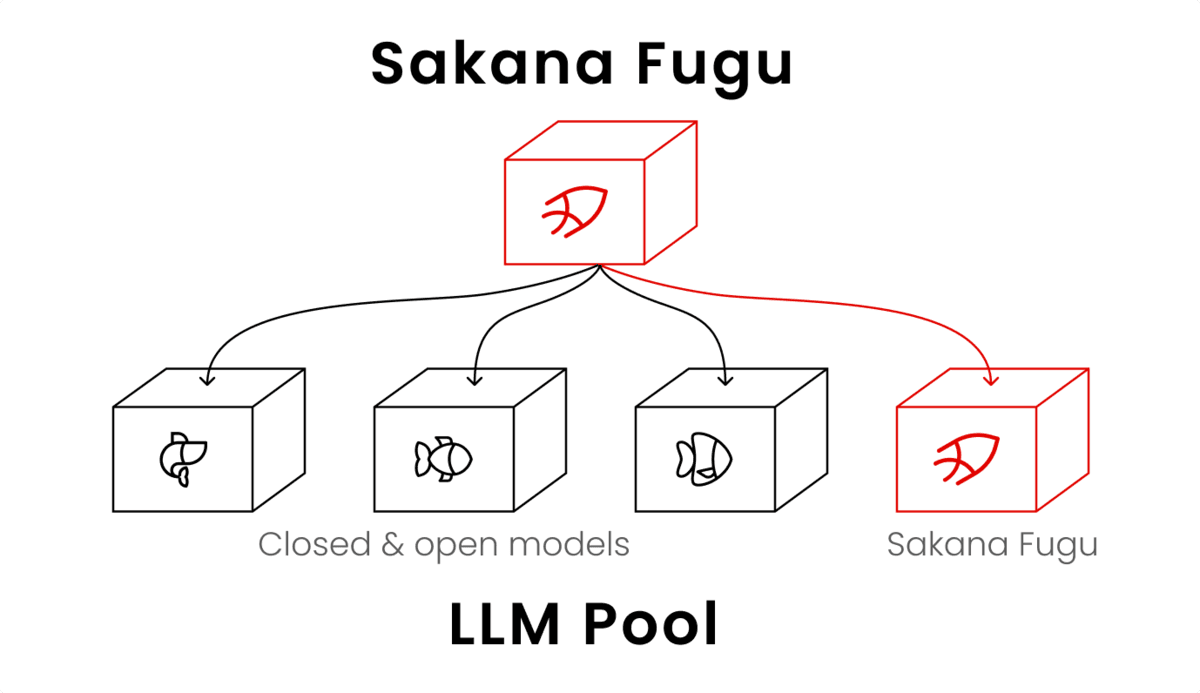
How to Use Sakana AI Fugu: From API Key to Claude Code | Pricing, Free Tier, and Performance
A guide to Sakana AI's multi-agent platform Fugu: issuing an API key at console.sakana.ai, calling the OpenAI-compatible API, and wiring it into Codex and Claude Code. Covers choosing between Fugu, Fugu Ultra, and Fugu Cyber, pricing and whether a free tier exists, and benchmark performance.
[2026 Latest] 16 AI Tools to Maximize Sales Performance | Dramatically Improving Meeting, Proposal, and Call Efficiency
A curated look at the AI tools getting attention in sales today. Covers the latest AI for every workflow challenge — from lead generation and proposal decks to meeting note creation.
![[2026 Latest] 16 AI Tools to Maximize Sales Performance | Dramatically Improving Meeting, Proposal, and Call Efficiency](/_next/image?url=%2Fimages%2Farticles%2Fai-sales-tools-recommendation.png&w=3840&q=75 "[2026 Latest] 16 AI Tools to Maximize Sales Performance | Dramatically Improving Meeting, Proposal, and Call Efficiency")