

Topview
: How to use it, features, and the business problems it solves
Add bookmark
What is Topview?
An 'AI video agent' that plans scenes and picks models to generate video from an idea, script, reference video, or product URL. Beyond marketing videos it makes short films and vertical dramas, with every shot editable on Canvas; it orchestrates external models like Seedance. Credit-based from $29/mo.
Business problems it solves




About "Topview"
What is TopView
TopView is an "AI video agent" that plans scenes and picks models to generate video from an idea, script, reference video, or product URL. Under the line "Create Short Films and Marketing Videos with an AI Video Agent," it has grown beyond "product link → ad" to make short films, vertical dramas, and marketing videos. Its hallmark is orchestrating multiple generative AI models.
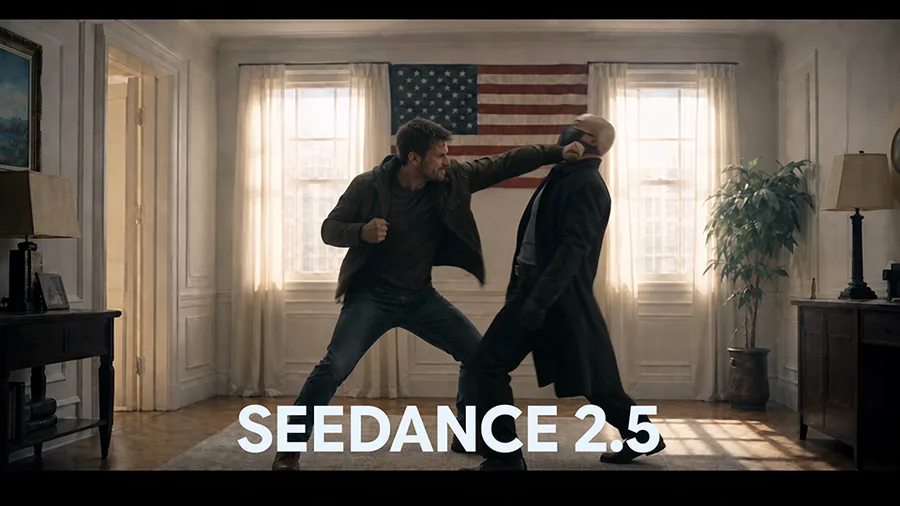
TopView's core is that you describe what you want, and the agent plans scenes and generates assets with the best models. Every generated shot is editable on the "Canvas," keeping voice, characters, and visual identity consistent. Beyond marketing videos from a product URL/image, it offers Video-to-Video that analyzes and recreates a reference video, and AI-avatar UGC ads.
TopView has grown from a "make an ad from a link" tool into an "AI video agent" that also makes short films and dramas. It has no proprietary model, instead orchestrating multiple external models — Seedance, Wan, MiniMax, GPT Image 2, Nano Banana, and more. Rather than the old "no editing needed," the current pitch is "the AI assembles it, and you can edit every shot on Canvas."
How to use
Describe what you want, let the agent generate, and edit.
Provide input
Enter an idea, script, reference video, or product URL/image.
Agent plans
It designs scenes and picks the best models to generate assets.
Edit on Canvas
Edit each shot, keeping voice and character consistency.
Export
Export in TikTok/Reels/Shorts aspect ratios.
Billing is credit-based, and consumption varies by model (e.g., a few credits per video). You can localize voiceover and captions into 30+ languages.
Key features
01AI video agent & Canvas
The Video Agent plans scenes from an idea or script and generates assets with the best models. Multiple generated shots are freely editable on Canvas with consistent voice/characters/visual identity, and you can set camera angles in 3D beforehand.
02Marketing videos & UGC
Marketing videos and product intros from a product URL/image, AI-avatar UGC ads, AI product photography, and virtual try-on. Video-to-Video (Video Clone) analyzes a reference video's structure and hooks to recreate it for your brand.
03Short films & dramas
Drama Studio creates vertical dramas/episodes from a novel, script, or plot. It also supports multi-format export, batch creation, 30+ language localization, MCP/API, and team use.
Pricing
There's no published free subscription; paid plans are credit-based. Figures below are monthly, with steep annual discounts.
| Plan | Monthly (annual) | Credits/mo | Highlights |
|---|---|---|---|
| PRO | $29 ($16) | 80 | All models, 4 concurrent tasks, MCP/API |
| BUSINESS (popular) | $75 ($44) | 250 | 8 concurrent, extra-credit discount |
| ULTRA | $120 ($50) | 500 | 12 concurrent, cheapest credits |
Credits reset each billing cycle and vary by model (higher tiers include time-limited "unlimited" generation on some models). One-time credit top-ups and team plans are available. Prices are in USD and change, so check the official pricing page for the latest (as of August 2026).
How it differs from other AI video/ad tools
TopView stands out by using an agent that orchestrates multiple models to make everything from marketing videos to short films and dramas — with every shot editable. That's a broader scope than single-purpose ad-video tools.
| Aspect | TopView | Creati.ai | InVideo |
|---|---|---|---|
| Focus | AI video agent (video broadly) | AI ads for social | General AI video generation |
| Trait | Multi-model, Canvas editing, dramas | AI influencers | From prompt/script |
| Use | Ads + short films & dramas | For marketers | Individuals to teams |
Alternatives to compare include social AI ads Creati.ai, general AI video InVideo, and avatar video HeyGen. If you want to switch between models and make anything from ads to short films and dramas, TopView is a strong choice.
Information on this page is based on the official website as of August 2026. Please check the official site for the latest specs and pricing.


