
Vizard
: How to use it, features, and the business problems it solves
Add bookmark
What is Vizard?
An AI video editing tool from Vizard, Corp. (USA) that turns long videos into short clips. Upload a YouTube video, podcast or webinar, and the AI transcribes it, picks the highlights and cuts them into captioned clips reframed to vertical. It also offers text-based editing (cut the video by deleting the transcript), caption translation into 100+ languages, brand templates, scheduled social posts and team sharing, plus a separate Vizard Agent that makes videos from instructions. Available on the web and as an iPhone app. Transcription supports Japanese (the interface and help center are in English). Free plan with 60 credits/month (1 credit = 1 minute of video); Creator $29 and Business $39 billed monthly (half price yearly).
Business problems it solves



About "Vizard"
What is Vizard?
Vizard is an AI video editing tool that turns long videos into short clips, provided by Vizard, Corp. in the United States. Its official site describes it this way: "Vizard uses AI to turn your long-form videos into short clips." It takes long videos such as YouTube videos, podcasts, webinars, interviews and courses, and turns them into short clips for TikTok, Instagram, YouTube Shorts and other channels. The official site says it is "trusted by 10 million+ creators & businesses" (as displayed in October 2026).
According to the help center, Vizard automatically detects the most important moments in a long video, turns them into short clips, adds captions, and uses AI to make the clips flow smoothly. The official site says you can turn one long video into 30+ clips. If you prefer not to leave it to AI, you can also pick the highlights yourself with the text-based editor while reading the transcript.
Make a batch of social clips from one long video
Vizard works in three steps. When you upload a video, Vizard transcribes it and processes it with its proprietary AI. Then you click "Get AI clips," and it generates fully designed clips with captions for TikTok, YouTube, Instagram or other platforms. You can download the clips, share them as links, or publish directly from Vizard to social media (on the Free plan, direct publishing is TikTok only).
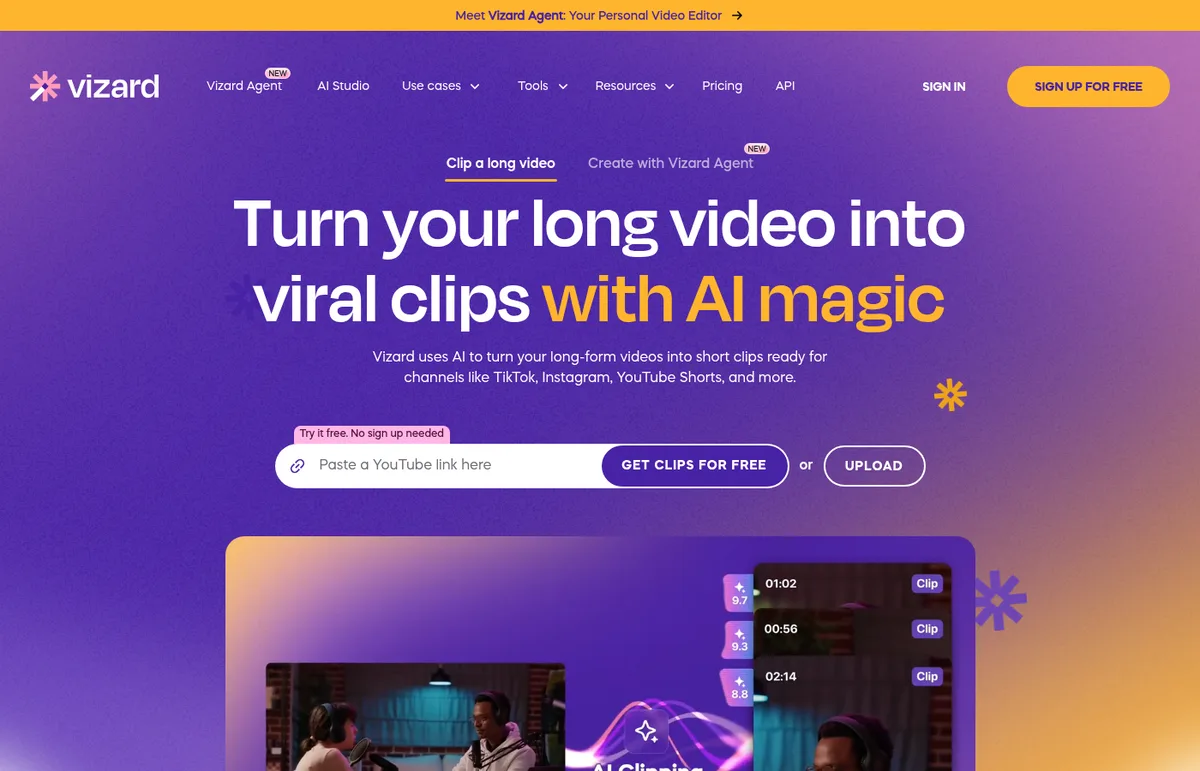
Source: Vizard official site (also for the images below)
According to the help center, the AI chooses clipping points based on the speech in your video, so videos with spoken dialogue work best. It performs well with interview-style videos, and videos longer than 15 minutes are recommended. Setting the clip duration to "<30s" produces more clips, while longer settings such as "60s-90s" produce fewer. You can also type a request such as "the part about fundraising mistakes" and have the AI find that moment in a 3-hour video (using a prompt reduces the number of clips generated).
The official site lists these uses for different kinds of users.
- Creators and podcasters: clip long-form videos to grow viewership
- Coaches and business owners: clip webinars, client calls and interviews to build a personal brand
- Marketers: turn one webinar into a month's worth of social media content
- Agencies and freelancers: reduce editing work and increase output
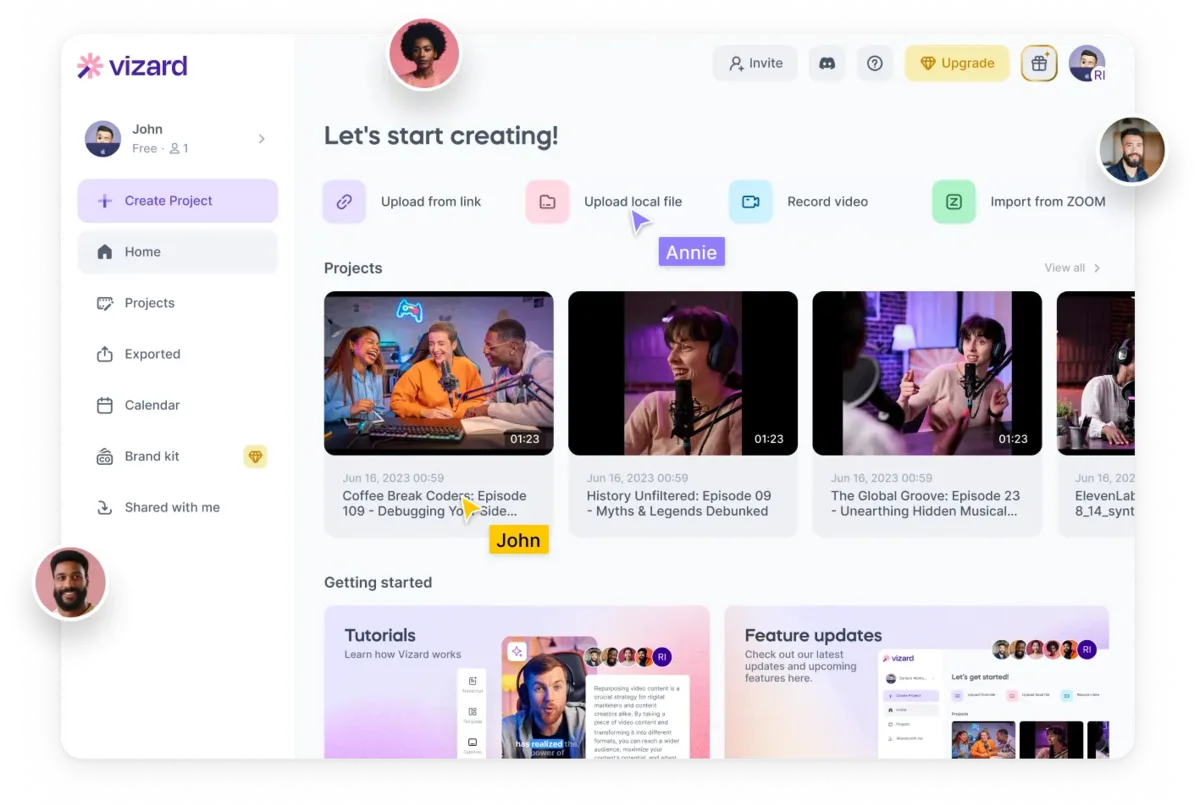
Edit like a document, and translate captions into 100+ languages
You can freely refine the AI-generated clips in the editor. With edit by text, deleting words from the transcript cuts the matching part of the video. Fine adjustments are made on a seconds-level timeline. Change ratio resizes a video for each social platform in one click. Caption translation supports over 100 languages (paid plans).
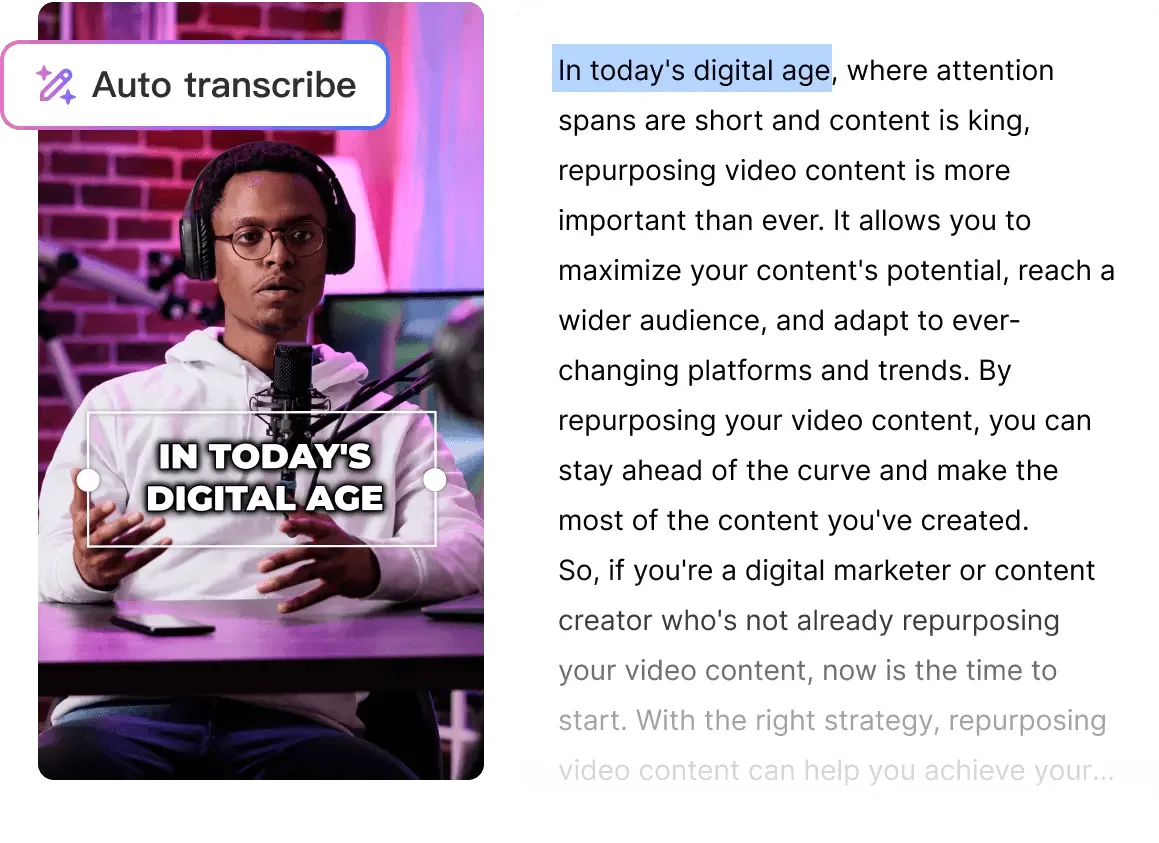
According to the comparison table on the pricing page, AI emojis and AI highlight keywords in captions, and AI B-rolls (inserted footage), are available from the Free plan; AI post suggestions are on paid plans; and brand templates and custom fonts are on Business.
Vizard Agent: describe the video you want, and it gets made
Vizard Agent is a service that creates videos from instructions (agent.vizard.ai), shown as "NEW" at the top of the official site as of October 2026. You give it your footage, photos, a link or a script (or nothing at all), and describe what you want the way you would to an editor: what it is for, where it goes, the length, the tone and your brand—for example, "Make a 30-second ad for my shop. Warm and friendly, and end with our address."
It offers 24 templates, including product ads, promo videos, podcast clips, software tutorials, UGC ads, explainers, event recaps and video translation. Vizard Agent also has its own pricing page, with a Free plan (60 credits/month, Flash model only, watermark on every video) and a Creator plan ($48 billed monthly for 1,000 credits/month; credits can be chosen from 600 to 6,200 per month).
Features
01AI clipping
Automatically creates social clips from long videos.
- AI clips — pick the highlights and cut them into short clips
- Auto reframe — follow the speaker and fit the video to vertical and other ratios
- Auto subtitling — add captions from the transcript
- Prompt-based search — find a requested moment in a long video
- AI emojis, highlight keywords and AI B-rolls — decorate captions and footage with AI
- AI post suggestions — suggest text for social posts (paid plans)
02Editor
- Edit by text — cut the video by deleting the transcript
- Timeline — adjust to the second
- Change ratio — switch to each platform's aspect ratio in one click
- Caption translation — translate into 100+ languages (paid plans)
- Templates — Vizard's templates or your own saved ones, plus custom outros. Brand templates on Business
- Transcript download — TXT on Free, TXT and SRT on paid plans
03Publishing and teams
- Direct publishing to social media — TikTok on Free; TikTok, YouTube, Instagram, X, Facebook and LinkedIn on paid plans
- Scheduled posts — paid plans
- Link sharing — share exported videos as links; Business can also share projects
- Team workspace — invite members and share projects (Business)
- Brand kit — manage brand assets in one place (Business)
- Save to Google Drive — Business
- API — paid plans (with per-plan rate limits)
Pricing
Vizard uses credits: 1 credit = 1 minute of uploaded video. A 60-minute video uses 60 credits. Even if you use both AI clipping and transcription on the same video, credits are charged only once (help center). Prices are in US dollars.
| Plan | Monthly billing | Yearly billing (per month) | Credits | Main features |
|---|---|---|---|---|
| Free | $0 | $0 | 60/month | 720p export up to 10 minutes, watermark, 3-day storage, 1 social media account |
| Creator | $29 | $14.5 ($174/year) | From 600/month | No watermark, 4K export, caption translation, scheduled social posts, API, 100 GB storage, 6 social media accounts |
| Business | $39 | $19.5 ($234/year) | From 600/month | Everything in Creator, plus a shared team workspace, extra members ($10/month per seat on monthly billing, $5/month on yearly), brand kit, brand templates and custom fonts, faster AI processing, video storage for as long as you subscribe, 20 social media accounts |
Source: Vizard pricing page (checked October 30, 2026)
You choose the number of credits when you buy; on yearly billing you can choose from 7,200 to 74,400 credits per year. The prices above are those shown for the default selection on the pricing page. Uploads are limited to 60 minutes and 1 GB per video on Free, and 600 minutes and 30 GB on paid plans. Paid plans renew automatically at the end of each billing cycle unless canceled.
How your data is handled
The help center article "Vizard and Data Safety" (September 2024) explains that its models, such as facial recognition and speech-to-text, are developed in-house, and that Vizard has not used, and does not plan to use, customer data to train its models. In addition to its proprietary models, it also uses ChatGPT. Videos are stored on AWS servers in California with AES-256 encryption, and access for editing is through a temporary encrypted link unique to each user and valid for two hours. Deleted projects cannot be recovered.
Under the terms of service, users must be at least 13 years old, and the agreement is governed by the laws of California, USA. Features such as publishing to YouTube use the Google and YouTube APIs, so you also agree to their terms.
How Vizard differs from other AI video clipping tools
Vizard stands out because in addition to AI clipping, it covers text-based editing (cutting footage by deleting the transcript), scheduled social posts and team sharing in a single web service. It also offers Vizard Agent, which makes videos from plain-language requests.
| Product | Strengths | Pricing (as listed on each product page) |
|---|---|---|
| Vizard | AI clipping from long videos, text-based editing, caption translation, scheduled social posts, team workspace | Free (60 credits/month), Creator $29/month ($14.5/month yearly) and up |
| OpusClip | Clipping from any video (ClipAnything), subject tracking, selection by virality score | Free, Starter $15/month, Pro $29/month ($14.5/month yearly) |
| Klap | Automatic vertical shorts, auto captions in 52 languages, AI dubbing in 29 languages | Basic $29/month ($14/month yearly) and up |
| shortshort | 15–90 second shorts cut at sentence boundaries, speaker tracking, word-by-word captions | Free (30 credits at sign-up), Starter €12/month and up |
| WayinVideo (formerly Videohunt.Ai) | Automatic highlight detection, natural-language video search, summaries and multilingual captions | Free credits, Standard $13.99/month and up |
| quso.ai | All-in-one from shorts to editing, captions, scheduled posts and analytics | Free, Lite $29/month ($19/month yearly) and up |
Other products' prices are as recorded on their product pages at the time of checking. See each product page and official site for the latest pricing.
If you want AI to handle clip selection in detail, OpusClip is worth comparing, and Klap if you want to reach other languages with AI dubbing. If you want post-publishing analytics in the same tool, consider quso.ai; if you want shorts that never cut off mid-sentence, consider shortshort.
Frequently asked questions (FAQ)
Q. Can I use Vizard for free? A. Yes. The Free plan gives you 60 credits (60 minutes of video) every month, with AI clips and the editor. Exports are 720p with a Vizard.ai watermark, and projects expire after 3 days.
Q. Does it work with Japanese videos? A. The help center's list of supported languages for transcription includes Japanese. The official site and help center, however, are in English, and a Japanese interface is not officially mentioned.
Q. How much does it cost? A. Creator is $29 per month on monthly billing ($14.5 per month, or $174 per year, on yearly billing), and Business is $39 per month ($19.5 per month, or $234 per year, on yearly billing) (checked October 30, 2026). Prices are in US dollars.
Q. Can I use it on my phone? A. The iPhone app "Vizard - AI Video Clip Maker" is available free on the App Store (iOS 15.0 or later; English is the only listed language). It creates clips from long videos, adds captions and resizes them to 9:16.
Q. What is Vizard Agent? A. A service where you hand over your materials, describe the video you want in words, and it does the editing. It has a separate pricing page from Vizard's clipping, with a Free plan and a Creator plan ($48 billed monthly for 1,000 credits per month).
Q. Are uploaded videos used to train AI? A. The help center article "Vizard and Data Safety" says Vizard has not used, and does not plan to use, customer data to train its models.
Q. Which company runs it? A. Vizard, Corp., founded in Delaware, USA.
The information on this page is based on what was published on Vizard's official site, pricing page, help center and terms of service, the Vizard Agent official site, and the App Store as of October 2026. Please check the official site for the latest specifications and pricing.