

AKOOL
: How to use it, features, and the business problems it solves
Add bookmark
What is AKOOL?
AKOOL, from AKOOL Inc. (US), is a business-focused generative-AI video platform that brings AI avatars, video translation, and face swap together. Led by real-time interactive streaming avatars, it handles 155+-language lip-synced video translation, face swapping, and voice synthesis across one platform. Japanese UI is supported. Pricing is credit-based: Free / Starter $12 / Pro $30 / Pro Max $59 / Business $249 (commercial use requires Business or above).
Business problems it solves




About "AKOOL"
What is AKOOL
AKOOL is a generative-AI video platform for businesses that brings AI avatars, video translation, and face swap together in one place. Provided by AKOOL Inc. (headquartered in Silicon Valley, founded 2022), it lets you produce marketing and customer-facing video content at scale. Lately it has put real-time interactive streaming avatars front and center, and it handles avatar video, multilingual translation, and face swapping across one platform.
(official)
(official)
(official)
user reviews
Video translation swaps the audio into another language while preserving the speaker's mouth movements (lip-sync). It supports 155+ languages, which helps when you want to take one video into many markets.
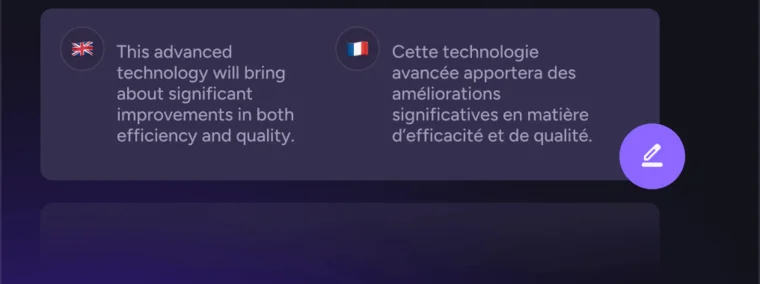
Source: AKOOL official site (the screenshots below are from the same source)
Recreate faces, voices, and languages—all together
AKOOL's strength is that it completes video edits like avatar generation, face swapping, and multilingual translation from a single account. Face swap works on both images and video, automatically detecting multiple faces to replace. Streaming avatars respond in real time to the viewer, making them usable for live streams and customer support.
Face swap replaces only a person's face with a different one while keeping the original footage's composition and lighting. It works on both video and images and supports high-resolution export.

How to Use
-
Sign up and log in
Register from the official site with a Google account or email (a Japanese UI is available).
-
Pick a tool
Choose the tool you need, such as Streaming Avatar, Face Swap, or Video Translation.
-
Prepare your material
Upload an image or video, or enter text or audio.
-
Generate
Set parameters and generate. The free plan is watermarked; paid plans are watermark-free.
-
Export and integrate
Export the result. On Pro Max and above, you can embed it into your own service via the API.
Features
01Avatars
- Streaming Avatar — real-time interactive avatars for streaming and customer service
- Talking Avatar / Ultra Avatar — talking avatars with expressions and gestures
02Swap & translate
- Face Swap and other Swap tools — swap faces, hair, clothing, and motion
- Video Translation (155+ languages) — multilingual translation with preserved lip-sync
03Generate & integrate
- Image & video generation — generate from text/image, change backgrounds
- Voice Lab — text-to-speech, voice clone, voice changer
- API & Video Agent — a developer API and agent features
Pricing
It is free to try, and paid plans are a per-seat monthly fee plus credits. Annual billing has a discount (e.g., 30% off at times). Amounts are in USD.
| Plan | Monthly | What's included |
|---|---|---|
| Free | $0 | 720p; up to 10 min; full-screen watermark; no API |
| Starter | $12 | 200 credits; no watermark (personal license) |
| Pro | $30 | 600 credits (personal license) |
| Pro Max | $59 | 1,200 credits; API access (personal license) |
| Business | $249 | 6,000 credits; commercial license |
Commercial use requires the Business plan or above (Starter / Pro / Pro Max are personal licenses). The API is available from Pro Max up. Credits expire at the end of the billing cycle (except Enterprise). The higher Enterprise tier is by inquiry. The old "Studio $500" plan has been discontinued; Business $249 is now the top self-serve plan. Pricing may change, so check the [official pricing page](https://akool.com/pricing) for the latest (as of August 2026).
How it differs from other AI avatar / video generation
AKOOL differs from narration-focused avatar tools in that it brings avatars, face swap, and multilingual translation together—and even offers real-time streaming avatars. It is SOC 2 compliant, and Canon, Google Cloud, Coca-Cola, and others are listed officially as customers.
| Aspect | AKOOL | Synthesia | HeyGen |
|---|---|---|---|
| Focus | Integrated avatars + face swap + translation | Script-based avatar video | Avatar video / translation |
| Real-time | Streaming Avatar supported | Mainly recorded | Partial |
| Translation | 155+ languages, lip-sync | Multilingual | Multilingual |
The script-based avatar-video tools Synthesia and HeyGen; D-ID, which makes talking videos from photos; and Captions for social video are all comparison points. If you want to use avatars, face swap, and multilingual translation together for business, AKOOL is a strong choice.
The information on this page is based on what was publicly available on the official site as of August 2026. Please check the official site for the latest specifications and pricing.
Frequently compared services




Articles featuring AKOOL
[2026 Edition] 14 AI Tools to Supercharge Social Media Management | Post Creation, Short Videos, Avatars, and Voice Conversion All in One
A detailed guide to 14 AI tools that tackle social media challenges: bulk post creation, automated short-form video generation, virtual human appearances, and voice conversion. Learn how to integrate them into your workflow to boost engagement and operational efficiency at the same time.
![[2026 Edition] 14 AI Tools to Supercharge Social Media Management | Post Creation, Short Videos, Avatars, and Voice Conversion All in One](/_next/image?url=%2Fimages%2Farticles%2Fai-tools-for-sns-managers.png&w=3840&q=75 "[2026 Edition] 14 AI Tools to Supercharge Social Media Management | Post Creation, Short Videos, Avatars, and Voice Conversion All in One")
[2026 Edition] 17 AI Tools for Video Creators | Full Coverage from Auto-Editing and Subtitles to Narration, BGM, and Social Media Videos
Supercharge your video production with AI. A curated selection of the latest tools supporting every stage — editing, subtitles, narration, BGM, and virtual appearances. [2026 Edition]
![[2026 Edition] 17 AI Tools for Video Creators | Full Coverage from Auto-Editing and Subtitles to Narration, BGM, and Social Media Videos](/_next/image?url=%2Fimages%2Farticles%2Fai-tools-for-video-creators.png&w=3840&q=75 "[2026 Edition] 17 AI Tools for Video Creators | Full Coverage from Auto-Editing and Subtitles to Narration, BGM, and Social Media Videos")