

Google AIモード
: How to use it, features, and the business problems it solves
What is Google AIモード?
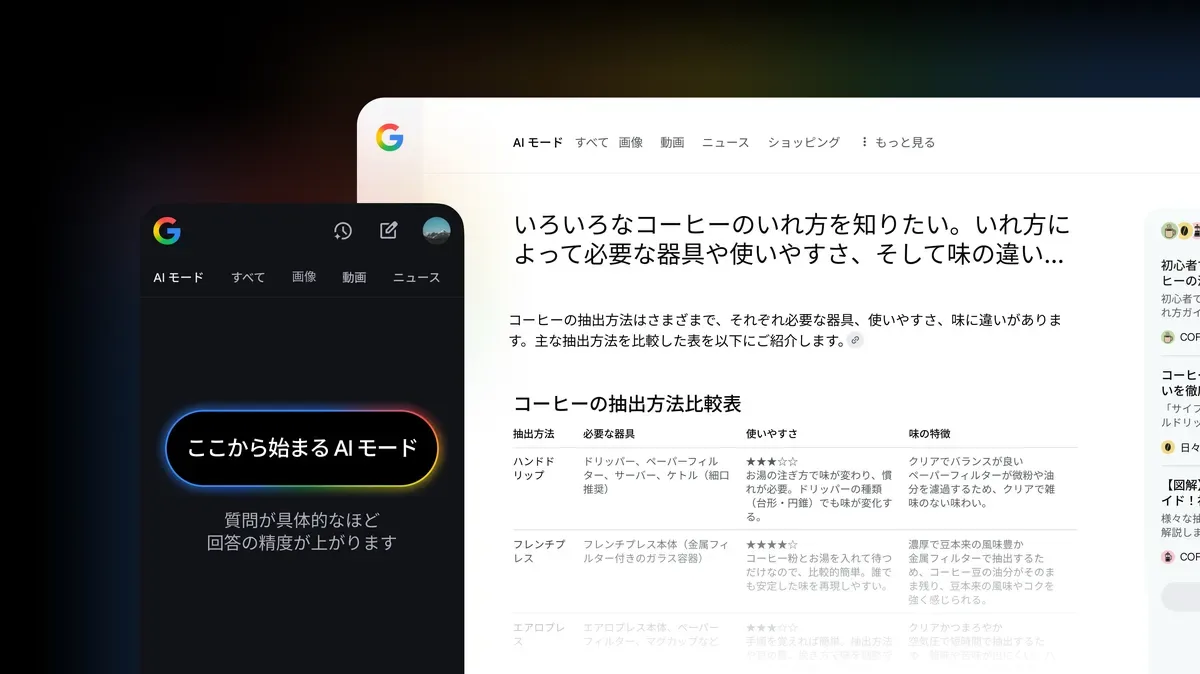
Google AI Mode (written "AI モード" in Japanese) is an AI search feature built into Google Search by Google (US). It breaks a question into subtopics, searches them simultaneously, and answers with source links, letting you keep researching with follow-up questions. Japanese support launched on September 9, 2025, and it is free to use (some features, such as Gemini 4 Argon, require Google AI Pro or Ultra and being 18+). Entry points are the [AI Mode] tab in search results, google.com/ai, and the Google app. On November 17, 2026, Google announced "temporary threads," which let you ask without saving to your history or account (they disappear after 24 hours), now rolling out on desktop and mobile browsers.
Business problems it solves


About "Google AIモード"
What is Google AIモード (Google AI Mode)?
Google AI Mode (written "AI モード" in Japanese) is an AI search feature built into Google Search by Google (US). When you ask a question, the AI breaks it into subtopics and searches them simultaneously (Google calls this "query fan-out"), then returns a combined answer together with source web links. You can keep asking follow-up questions to dig deeper.
It is free and supports Japanese. Japanese support launched on September 9, 2025 (Google Japan Blog). To use it, tap the [AI Mode] tab on a Google Search results page or open google.com/ai. Payment is only needed for things like choosing the higher-tier model (Gemini 4 Argon) inside AI Mode (see "Pricing" below).
On November 17, 2026 (US time), Google announced temporary threads, which let you ask questions without them being saved to your search history or used for recommendations. "Does AI Mode keep my history?" and "How do I ask without leaving a trace?" are answered below based on primary sources.
AI Mode uses Google's query fan-out technique to answer long, complex questions in one go that previously required several searches. The Japanese launch announcement gives an example such as "Plan a 7-day trip starting from Kyoto Station."
When Google judges an AI answer to be insufficiently reliable, AI Mode may show web search results instead.
Asking without history: temporary threads (new in November 2026)
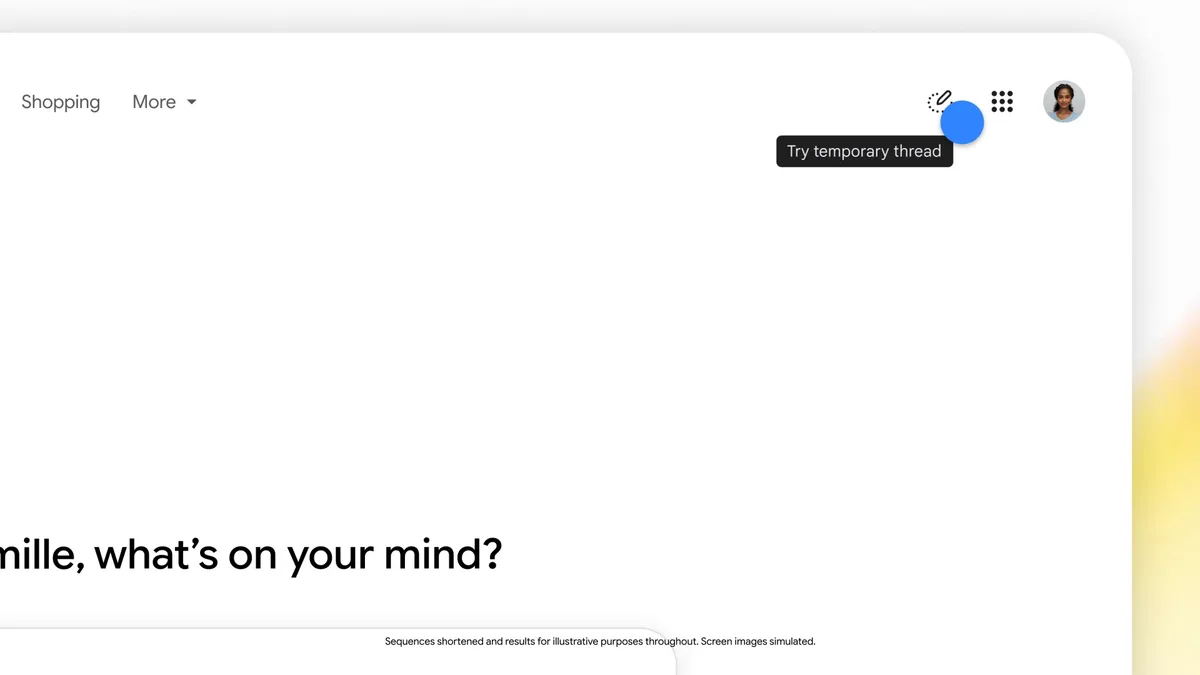
On November 17, 2026 (US time), Google announced it had added temporary threads to AI Mode (Google official blog). They are meant for searches you don't want resurfacing later in your history or recommendations, such as brainstorming a surprise gift. Google's help article "Use Temporary threads in AI Mode" covers how to use them and how data is handled (the Japanese help calls them "一時的なスレッド").
How to use: No settings change is needed. Click the temporary threads icon in the upper right of AI Mode and start asking. When you're done, you can switch right back to regular searching.
Availability: Rolling out globally on desktop and mobile browsers across all languages supported in AI Mode. Japanese is one of AI Mode's supported languages, but because the rollout is gradual, some accounts may not see the icon yet.
| Regular AI Mode | Temporary thread | |
|---|---|---|
| Saved to search history | Yes (when history is on) | No |
| Answers informed by past searches and preferences | Yes (when personalization is on) | No (session detached from your account) |
| Affects future personalization | Yes | No |
| After closing | Can be resumed from AI Mode history | Immediately inaccessible (cannot be recovered or resumed) |
| Saved to your Google Account | Yes (when history is on) | No; disappears after 24 hours |
| Used to train AI models | Interactions with Search and AI features are used to develop and improve generative AI (official help) | No (unless you submit feedback or it is necessary for safety purposes) |
Google's help also lists what you can't do in a temporary thread: open it from history after leaving, use connected apps (such as Gmail) and other integrated services linked to your Google Account, get personalized responses, share the thread or responses, or generate images.
It doesn't mean nothing is kept: According to the help, Google still collects and uses data not associated with your account, including to keep its services working smoothly and safely. Also, if you open a website from a temporary thread, your browser may still save it in your browsing history, and the sites you visit (and services they use, including Google Analytics) still collect data.
How it differs from Gemini app "temporary chats": The names are similar, but they are separate features of separate services. Retention also differs: AI Mode temporary threads disappear after 24 hours, while according to Google's help, after the November 2026 change, Gemini app temporary chats are not shown in [History] but are retained for about two months (see "Data handling and privacy" on the Gemini page). Use AI Mode's temporary threads when searching in AI Mode, and Gemini's temporary chats when talking in the Gemini app.
How to use
- Open AI Mode The official help lists three entry points: open google.com/ai; type a question at www.google.com and tap [AI Mode]; or tap the AI Mode icon on the Google app's home screen.
- Ask a question Type into the [Ask anything] bar at the bottom of the screen. You can also ask by voice with the microphone icon, upload images or files such as PDFs (local or Google Drive files) from the menu, or paste a web page URL and ask about its content.
- Ask follow-ups Keep typing into the same bar to dig deeper on the same topic. You can open the source links in the answer to check the original pages.
- Resume later Use the AI Mode history icon to pick up where you left off. According to the help, resuming requires the [History] and [Personalized recommendations] settings to be on (AI Mode itself works without them).
- Use a temporary thread for questions you don't want saved Start one from the icon in the upper right (see above; rolling out gradually). To finish, leave via the icon in the upper right; you cannot return to a thread after leaving.
How to view and delete your history
What you ask in AI Mode is saved to your Google Account's search history. The official help gives these steps for deleting it (on a computer):
- Open AI Mode on your computer.
- Click the AI Mode history icon on the left to see the history saved to your account.
- Select the entries you want to delete. To delete everything, click the delete all icon at the top of the history.
- You can also delete AI Mode activity from the Search history page in My Activity.
If deleted items still appear: According to the help, deleted history may remain visible in [My Activity] for a while, but it is automatically removed within 24 hours. Also, if you started from an AI Overview and chose [Dive deeper in AI Mode], two entries (the original search and the move to AI Mode) may be saved, and deleting from AI Mode history leaves the entry in your Google Search history. To remove it completely, also delete it from your [Google Search history](https://support.google.com/websearch/answer/6096136).
Features
01Research
Questions that used to take several searches, in one.
- Query fan-out — splits a question into subtopics, searches each across multiple sources at once, and combines them into one answer
- Source links — shows web links alongside the answer for further reading
- Multimodal questions — ask with text, voice, images, files (PDFs, Drive files, etc.) or URLs. In Chrome, you can add open tabs to your question
02Continue or leave no trace
Pick research back up where you left off.
- Follow-up questions — dig deeper on the same topic or change direction
- AI Mode history — resume from where you left off (when history is on)
- Temporary threads — ask without saving to history or personalization (announced November 2026; rolling out in browsers)
03New feature announced in Japan
Not just answers, but the next step.
- Restaurant availability search — tell it the party size, date and time, area and cuisine, and it searches across multiple reservation sites, lists restaurants with open slots, and links to their booking pages. You complete the booking yourself. In Japan, Google works with partners including Gurunavi, Ikyu and ebica (announced November 6, 2026, rolling out over several weeks. [Google Japan Blog](https://blog.google/intl/ja-jp/products/explore-get-answers/search_aim_restaurant_booking/))
04Features with conditions
Plan, age or language requirements apply.
- Gemini 4 Argon — a higher-tier model that handles detailed, multi-step searches. Select it from the menu in the question bar. Available to Google AI Pro and Ultra subscribers aged 18+ in eligible countries, including Japan. Daily usage limits apply
- Personal Intelligence — tailors answers using past searches and connected Gmail, Google Calendar and Google Photos. For users 18+ with history and personalization turned on
- Interactive visuals — generates diagrams and simulations you can manipulate with sliders and toggles. Currently available in English for signed-in users
Pricing
AI Mode is free. A paid plan is only needed to use the higher-tier model inside AI Mode (checked November 19, 2026).
| Usage | Price | What you get |
|---|---|---|
| AI Mode (standard) | Free | Questions with the "Auto" and "Fast" models, follow-ups, image and file questions, search history, temporary threads |
| Using Gemini 4 Argon | Google AI Pro (¥2,900/month) or Google AI Ultra (from ¥14,500/month) subscription | Age 18+. Daily usage limits, which vary by plan and other factors |
The Google AI Pro and Ultra prices are the monthly prices for Japan listed on our Gemini page (checked October 29, 2026). See the pricing table on that page for what each plan includes.
How it differs from AI Overviews
Google Search also has AI Overviews, which show an AI summary above the search results. The official help describes AI Mode as expanding what AI Overviews can do "with more advanced reasoning and ways to interact."
| AI Overviews | AI Mode | |
|---|---|---|
| Where it appears | Above regular search results | A dedicated screen ([AI Mode] tab, google.com/ai) |
| Best for | Quickly getting the gist of search results | Questions with many conditions, comparisons, planning, and other questions that need multiple searches |
| Follow-up questions | Move to AI Mode via [Dive deeper in AI Mode] | Keep asking on the same screen |
How it differs from other AI search tools
AI Mode's biggest difference is that it's free inside the Google Search you already use. You don't need a separate app or sign-up; it works as a continuation of your search. On the other hand, if you want to choose specific models or produce research reports, dedicated AI search engines and AI assistants are worth comparing.
| Google AIモード | Perplexity | Felo | Gemini | |
|---|---|---|---|---|
| Provider | Google (US) | Perplexity (US) | Sparticle (Japan) | Google (US) |
| Type | A Google Search feature | AI search engine | AI search engine | AI assistant (app) |
| Free to use | Yes | Yes | Yes (200 credits/day) | Yes |
| Example paid plan | Google AI Pro ¥2,900/month (to use Argon) | Pro, equivalent to $17/month billed annually | Felo Search Pro ¥2,099/month | Google AI Pro ¥2,900/month |
| Highlights | Move straight from search results; temporary threads | Switch between multiple models; Deep Research | Made in Japan; slide and mind map creation | Integration with Gmail and more; image and video generation |
Details for other products are as of the check dates stated on each product page.
If you want to see how your own site appears in AI Mode and AI Overviews, the measurement tools introduced in LLMO/GEO tools comparison can help.
Things to keep in mind
- Answers may contain mistakes. The official help also recommends opening source links and checking important information against multiple sources.
- Temporary threads are rolling out gradually. If you can't find the icon, wait for the rollout, or ask in regular AI Mode and then delete the history using the steps above.
- Work and school accounts: search history may be unavailable depending on admin settings (when Search & Assistant is turned off in Workspace). Search Labs experiments are not available for Google Workspace accounts.
FAQ
Q. Is Google AI Mode free?
Yes. A paid plan is only needed to use the higher-tier Gemini 4 Argon model inside AI Mode, which requires a Google AI Pro (¥2,900/month) or Google AI Ultra subscription and being 18 or older.
Q. Can I use it in Japan? Does it support Japanese?
Yes. Japanese support launched on September 9, 2025, on desktop and mobile browsers and in the Google app for Android and iOS.
Q. Does AI Mode keep a history of what I ask?
In regular AI Mode, your questions are saved to your Google Account's search history (when history is on). For questions you don't want saved, use temporary threads, announced in November 2026: they aren't saved to your history or Google Account (they disappear after 24 hours) and aren't used for personalization. Existing history can be deleted from the AI Mode history icon or My Activity.
Q. What is AI Mode's "incognito mode"?
It refers to temporary threads, announced on November 17, 2026 (US time). Overseas media described it by comparison with a browser's incognito mode. Start one from the icon in the upper right of AI Mode; once you leave, you can't return to the thread. It isn't saved to your Google Account and disappears after 24 hours.
Q. How do I delete all of my AI Mode history?
Open AI Mode on a computer, click the history icon on the left, then click the delete all icon at the top. Searches that moved from an AI Overview into AI Mode also remain in your Google Search history, so delete them there too.
Q. How is AI Mode different from Gemini?
AI Mode is a Google Search feature focused on searching the web and answering with sources. Gemini is a standalone AI assistant app that covers a wider range, from writing and image/video generation to integration with Gmail and other services. Each has its own no-history feature: temporary threads in AI Mode and temporary chats in Gemini.
The information on this page is based on what Google's official blog and help pages published as of November 2026. Please check the official site for the latest specifications and pricing.