Genspark AI
: How to use it, features, and the business problems it solves
Add bookmark
What is Genspark AI?
An all-in-one AI workspace that automatically produces finished deliverables — slides, sheets, documents and more. It orchestrates multiple AI models and runs agents that handle everything from research to document creation and even AI phone calls.
Business problems it solves



About "Genspark AI"
What is Genspark AI?
Genspark AI is an all-in-one AI workspace from MainFunc that handles everything from document creation to research and development. It first launched as an AI search engine built around "Sparkpages," but it has since pivoted decisively into an "AI workspace" that automatically produces finished deliverables such as slides, sheets and documents. It uses multiple AI models internally, and agents carry out tasks based on your instructions.
Its positioning has changed. The old "search platform" description no longer fits; the stars now are document generation such as AI Slides / AI Sheets / AI Docs, and the Super Agent. It also fully supports a Japanese UI (as of August 2026).
It returns "deliverables," not just "answers"
The aim of Genspark AI is not merely to return answers in chat, but to produce deliverables you can use as-is. Give it a topic and an agent researches it, then packages the result as slides, tables, documents, websites, videos and more. Underneath is an "orchestration" that picks the best AI model for each task, and it even reaches into real-world tasks like the "AI phone call (Call For Me)" that will place calls for you.
Features
01Create documents
- AI Slides — auto-generate pitch decks and slides from a topic
- AI Sheets — automate tables and data organization
- AI Docs / GenMail — draft documents and emails
02Research & delegate
- Super Agent — multiple agents cooperate to run complex tasks
- AI phone call (Call For Me) — makes reservation and inquiry calls for you
- AI Meeting Notes — records and summarizes meetings
03Build & connect
- Image/video/music generation — generate content all in one place
- AI site/app builder — build websites and apps
- Integrations — connect with Google Workspace and Microsoft 365
How to use
-
Create an account
Sign up with Google, Microsoft, an email address and so on.
-
Set your language
Choose your language, including Japanese, in the settings.
-
Give it your instruction
Ask something like "create a pitch deck for X," and an agent researches and produces the deliverable.
-
Edit and share
Edit the generated slides or documents, then save and share.
Pricing
Alongside a free plan, there are paid plans (as of August 2026). Usage is credit-based, consuming credits when you generate content or run agents.
| Plan | Price | Credits | What you get |
|---|---|---|---|
| Free | $0 | 200/day | Try the core features |
| Plus | $24.99/mo (annual $19.99/mo) | 10K/mo | All features, image/video generation, Super Agent |
| Pro | $249.99/mo (annual $199.99/mo) | 125K/mo | Large credit pool, ~1TB storage |
There are also separate team/enterprise plans. Prices and credit allowances can change, so check the latest on the post-login official pricing page.
How Genspark AI differs from other AI workspaces and search tools
Genspark AI stands out for handling everything from research to producing deliverables end-to-end, while switching between multiple models internally.
| Aspect | Genspark AI | AI search (Perplexity) | Multi-model chat (Poe) |
|---|---|---|---|
| Deliverables | Generates slides/tables/sites | Sourced answers | Chat answers |
| Strength | Document creation & agents | Research & citations | Comparing & switching models |
| Models | Auto-switches internally | Multiple models | Spans every provider's latest |
To research with citations, Perplexity; to use many models in one place, Poe; to dig in through conversation, ChatGPT are good complements. For anyone who wants AI to take research all the way to finished slides and documents, Genspark AI is a strong choice.
The information on this page is based on what is published on the official website as of August 2026. Please check the official site for the latest specifications and pricing.
Frequently compared services








Articles featuring Genspark AI
Meta Museとは?日本で10月23日提供開始のAIエージェント|料金(無料の範囲・円価格)・日本で使えること・Meta AIとの違い・安全性
Meta(メタ)のパーソナルAIエージェント「Muse(ミューズ)」が2026年10月23日に日本で提供開始されました(北米以外で初)。メール・予定・予約・買い物などを、送信や購入の前に本人の承認を得ながら代行します。この記事では、Metaの日本向けの発表とヘルプセンターにもとづいて、Meta AI・Muse Sparkとの違い、日本で今できること・まだできないこと(メルカリ・マネーフォワード ME・チケットぴあとの連携は準備中)、無料で使える範囲と有料プラン(Power 月20ドル・Maximum 月100ドル。円価格は未公表)、データの扱いと安全性、始め方を整理します。
How to Edit NotebookLM Slides [September 2026]: Why You Can't Fix the Text Even in PPTX, and Five Methods by What You Need to Change
NotebookLM (renamed Gemini Notebook in July 2026) produces slide decks that are "a single picture with text in it", drawn by the image generation model Nano Banana Pro. Whether you export to PDF or PowerPoint (PPTX), each slide goes in as an image, and export to Google Slides is still not available as of September. This article confirms from Google's official help that the official Revise feature rebuilds the entire slide deck every time and does not consult your sources during revisions, then sets out five methods you can choose by what you want to fix: giving instructions with Revise; laying corrections over the top in PowerPoint; conversion tools that use OCR to turn slides back into a PPTX with editable text (comparing pricing and data handling for NoteSlide, Kirigami, DeckEdit, CopySlides and Swift-Slide); redrawing the slide as an image with Nano Banana; and rebuilding it as an editable deck with tools such as GAMMA or Irusiru. It also covers caveats such as Canva's Grab Text not working on Japanese slides, the compute-based limits in place since 2 September, and how watermarks are handled.
![How to Edit NotebookLM Slides [September 2026]: Why You Can't Fix the Text Even in PPTX, and Five Methods by What You Need to Change](/_next/image?url=%2Fimages%2Farticles%2Fnotebooklm-slide-edit.png&w=3840&q=75 "How to Edit NotebookLM Slides [September 2026]: Why You Can't Fix the Text Even in PPTX, and Five Methods by What You Need to Change")
What Grok Bot Is [September 2026]: The AI Teammate That Came Down to $20 a Month — Pricing, What It Does, How to Start
Grok Bot launched on 11 August 2026, and the reason it suddenly got loud in September is not that the product changed — it is that the door came down from $200–300 upper tiers to Cursor Pro at $20 a month. This article walks through what Grok Bot actually does, following the official screens: it signs in to Salesforce, pulls 52 accounts, queues 36 drafts and holds them at "0 sent" waiting for approval, then saves the approved exchange as a routine. It covers the three routes in and eight plans, how Grok Bot differs from Manus, Devin and Genspark AI at the same $20 mark (what each one operates, and whether you hand over your accounts), and the three things to settle before handing anything over — which account it signs in with, how far it may act unattended, and the one shared cloud computer per user — all as published in September 2026.
![What Grok Bot Is [September 2026]: The AI Teammate That Came Down to $20 a Month — Pricing, What It Does, How to Start](/_next/image?url=%2Fimages%2Farticles%2Fgrok-bot-guide.png&w=3840&q=75 "What Grok Bot Is [September 2026]: The AI Teammate That Came Down to $20 a Month — Pricing, What It Does, How to Start")
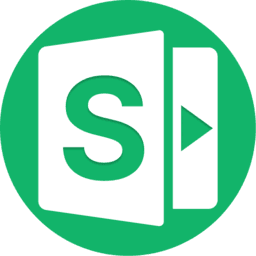
Autonomous AI Agents Compared: 7 Picks for August 2026 — Grok Bot, Manus, Devin and How to Choose
You tried an AI agent and it ended at "wow, impressive" — because what it returned was an answer, not finished work. That changed in August 2026, when products that leave the work inside your actual tools arrived all at once. This article compares seven of them — Grok Bot, Hey Noah, Manus, Genspark AI, Devin, Kilo Code, and Cloudflare OS — along a single axis: where the output lands. It covers the unit of isolation, how much access you hand over, the three layers of cost, and where to start, all from primary sources.