Interior AI
: How to use it, features, and the business problems it solves
Add bookmark
What is Interior AI?
An AI interior design and virtual-staging tool (by solo maker Pieter Levels) that redesigns a room photorealistically in 55+ styles from just an uploaded photo. It also does virtual staging (empty→furnished) and sketch→render. No free plan; from $49/mo.
Business problems it solves


About "Interior AI"
What is Interior AI
Interior AI is an AI interior design and virtual-staging tool that redesigns a room photorealistically in 55+ styles from just an uploaded photo. Under the banner "Fire your interior designer," it serves both personal redecorating and real-estate virtual staging (showing an empty room furnished). It's built by solo maker Pieter Levels (@levelsio).
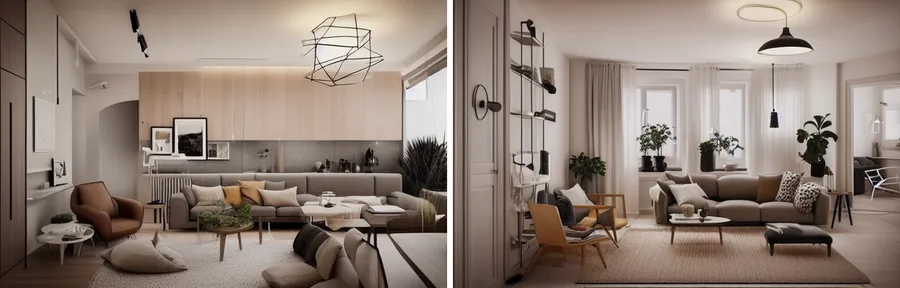
Interior AI's core is that you upload a photo, pick a style and room type, and get photorealistic design options in ~25 seconds. It supports 55+ styles and 30+ room types, with modes that keep existing furniture/layout and change only the look, virtual staging that furnishes empty rooms, outdoor/garden redesign, and rendering from sketches or SketchUp.
Interior AI has no free plan — it's a paid, subscription service (from $49/mo, or $29/mo billed yearly). Virtual staging and editing/upscaling are Premium ($99/mo) features and up; the cheapest Pro ($49/mo) mainly does basic, lower-quality redesigns. Image models are Flux and the in-house "Hyper Realism," with World Labs and Stable Video Diffusion as partners for 3D/video. It states it does not train on user photos.
How to use
Upload a photo, choose a style and room type, and generate.
Upload a photo
Upload a photo of the room you want to redesign.
Choose a style
Pick from 55+ styles, a room type, and a mode.
Generate
Get photorealistic design options in ~25 seconds (parallel generation too).
Edit & use
Edit and upscale, with furniture shopping links (Google Lens).
There's no free plan. All plans include a commercial-use license, and user photos aren't used for AI training.
Key features
01Redesign from a photo
Redesign a room photorealistically across 55+ styles and 30+ room types. Choose a 3D mode that keeps existing furniture/layout or a 2D mode that reworks the space more, with custom-style upload and prompts.
02Virtual staging & outdoor
Virtual staging furnishes empty or under-construction rooms while keeping the structure (for real estate). It also redesigns outdoors/gardens and renders from sketches (Sketch2Image) or SketchUp screenshots.
03Editing, 3D & video
Post-generation editing (repaint walls, change lighting, add people, remove artifacts), upscaling, and furniture shopping links (Google Lens). You can also generate 3D/VR walkthroughs and flythrough videos.
Pricing
There's no free plan; it's a three-tier monthly subscription (about half off yearly). Figures below are monthly / annual-effective monthly.
| Plan | Monthly (annual) | Designs/mo | Highlights |
|---|---|---|---|
| Pro | $49 ($29) | 1,000 | Basic lower-quality redesign, 4 parallel |
| Premium (popular) | $99 ($49) | 5,000 | Hyper Realism, virtual staging, editing |
| Ultra | $199 ($99) | 25,000 | Top quality, 16 parallel, priority processing |
Virtual staging, editing, and upscaling are Premium+ features, not in the cheapest Pro. Yearly is "6+ months free" (~half off). Refunds are not offered. Prices are in USD and change, so check the official site for the latest (as of August 2026).
How it differs from other design AI
Interior AI stands out by specializing in interiors/virtual staging and producing many-style options quickly from a single photo. That's a different aim from product-design rendering or general image AI.
| Aspect | Interior AI | Vizcom | Leonardo.Ai |
|---|---|---|---|
| Focus | Interior/space redesign | Product-design rendering | General image generation |
| Trait | 55+ styles, staging | Sketch→3D | Multi-model, video |
| Target | Homes, real estate | Industrial design | General creation |
Contrasts include product/industrial Vizcom and the general gen-AI studio Leonardo.Ai (different uses). If you want to quickly create interior designs or staging from a room photo, Interior AI is a strong choice (note there's no free plan).
Information on this page is based on the official website as of August 2026. Please check the official site for the latest specs and pricing.