

make
: How to use it, features, and the business problems it solves
Add bookmark
What is make?
An 'AI automation platform' (part of Celonis) that connects 3,000+ apps no-code and lets you build automation workflows and AI agents visually. It offers Maia (build by conversation), Make AI Agents, MCP, and LLM connections (OpenAI/Claude, etc.). Free tier / credit-based from $9 (Core).
Business problems it solves


About "make"
What is Make
Make is an "AI automation platform" that connects 3,000+ apps no-code and lets you build automation workflows and AI agents visually. Under the tagline "The visual AI automation platform," it has expanded from classic no-code automation into AI agents and building via conversation (Maia). It's operated by Make (part of Celonis) and used by 400,000+ organizations.
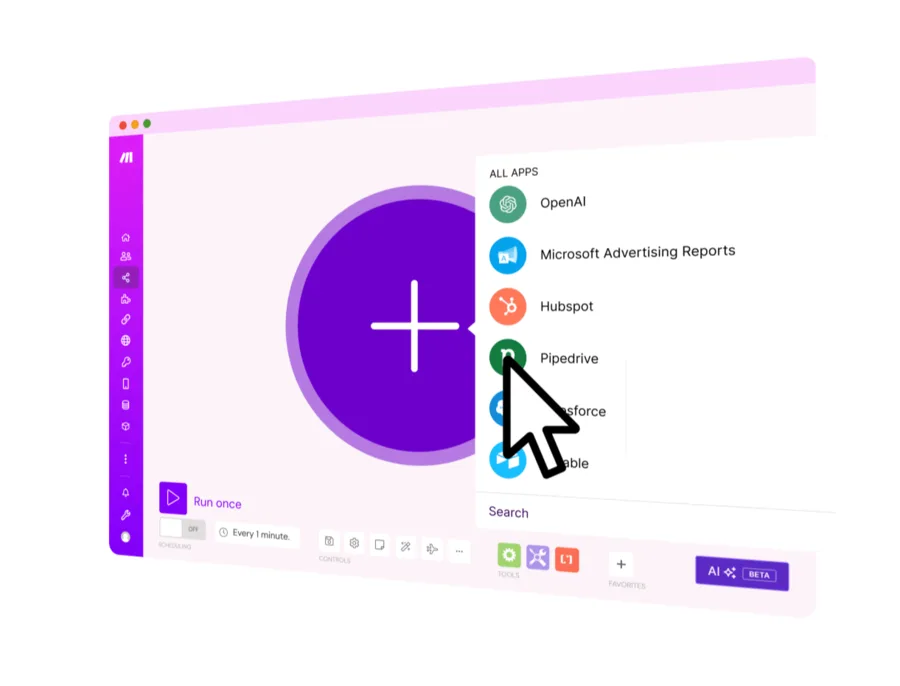
Make's core is building automations that connect apps on a drag-and-drop canvas. Design trigger → process → branch visually, with 3,000+ integrations, routers/filters, 1-minute scheduling, and error handling — and add AI agents and LLM connections.
Make has grown from classic no-code automation into "the visual AI automation platform." It offers Maia (build automations/agents by conversation), Make AI Agents (beta) that take action, an MCP server, and an AI Toolkit. It connects LLMs like OpenAI, Anthropic Claude, Google Gemini, and Mistral (or your own AI provider), and its integration count is updated from the old "thousands" to 3,000+.
How to use
Connect apps into a scenario, then run and operate it.
Pick apps
Place a trigger app and add from 3,000+ integrations.
Connect & build
Design the scenario visually with routers and filters.
Add AI
Add LLM connections and AI agents (Maia / Make AI Agents).
Run & operate
Schedule runs and operate with execution logs and error handling.
The free plan includes 1,000 credits/month and up to 2 active scenarios. One module action ≈ one credit.
Key features
01Visual scenario building
Build automations on a drag-and-drop canvas. It supports 3,000+ app integrations, routers/filters, 1-minute scheduling, error handling, execution logs, subscenarios, templates, and team roles.
02AI agents (Make + AI)
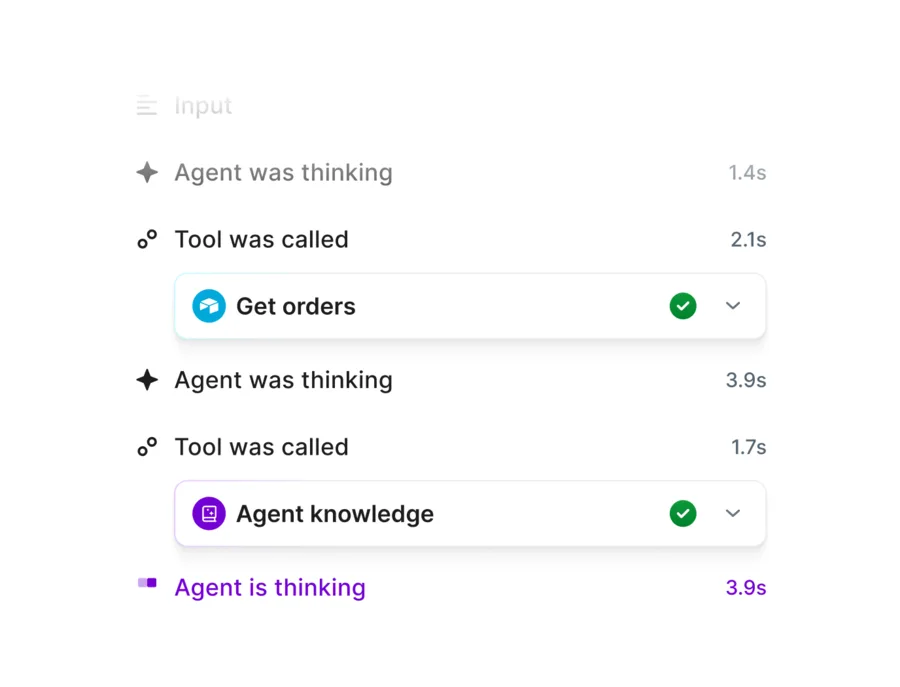
Maia builds automations/agents by conversation, Make AI Agents (beta) take action and orchestrate across apps, an MCP server securely connects AI to business actions, and an AI Toolkit is included. Unlike AI that only responds, these "take action."
03Multi-LLM & integrations
Connect LLMs like OpenAI (ChatGPT, Whisper), Anthropic Claude, Google Gemini, Azure OpenAI, Mistral, and Perplexity. Use Make's own AI provider (included on all plans) or your own LLM key.
Pricing
There's a free plan, and paid is credit-based. Figures below are the annual-billing monthly rate (monthly is higher); the base is 10,000 credits/month.
| Plan | Monthly (annual) | Highlights |
|---|---|---|
| Free | $0 | 1,000 credits/mo, 2 active scenarios, 15-min interval |
| Core | $9 | Unlimited scenarios, 1-min scheduling, API |
| Pro (recommended) | $16 | Priority execution, custom variables, full-text log search |
| Teams | $29 | Team roles, shared templates |
Billing changed from the old "operations" model to credits (one module action = one credit). You can scale credits with a slider, and annual saves 15%+. Enterprise (contact us) adds on-prem, SSO, and 24/7 support. Prices are in USD and change, so check the official pricing page for the latest (as of August 2026).
How it differs from other automation tools
Make stands out by combining detailed, visual scenario building with AI agents and building by conversation. That's a different center of gravity from similar automation tools or LLM-app builders.
| Aspect | Make | n8n | Dify |
|---|---|---|---|
| Focus | Visual AI automation | Automation + AI (with code) | LLM app building |
| Building | Nodes + conversation (Maia) | Nodes + JS/Python | Mostly prompt/low-code |
| Hosting | Cloud-centric | Self-host possible | Self-host possible |
Alternatives to compare include the similar n8n, LLM-app builder Dify, and web-scraping tool Browse AI. If you want to build detailed visual automations and also embed AI agents, Make is a strong choice.
Information on this page is based on the official website as of August 2026. Please check the official site for the latest specs and pricing.



![[2026 Edition] 20 AI Tools Transforming Developer Workflows | Coding Assistance, Automated Code Review, No-Code Web Development, and Workflow Automation](/_next/image?url=%2Fimages%2Farticles%2Fdeveloper-ai-programming-tools.png&w=3840&q=75 "[2026 Edition] 20 AI Tools Transforming Developer Workflows | Coding Assistance, Automated Code Review, No-Code Web Development, and Workflow Automation")