

Microsoft Designer
: How to use it, features, and the business problems it solves
Add bookmark
What is Microsoft Designer?
Microsoft Designer is Microsoft's design AI that generates and edits designs—social posts, posters, invitations—in seconds just by typing what you want. It offers DALL-E-based image generation and edits like background removal, blur, and Restyle, and integrates with Microsoft 365 (Word/PowerPoint). It's usable for free, and Microsoft 365 subscriptions (Personal ¥2,130/mo, Family ¥2,740/mo) increase AI credits. Note: output from the Designer app is under a personal, non-commercial license (official FAQ).
Business problems it solves

About "Microsoft Designer"
What is Microsoft Designer
Microsoft Designer is Microsoft's design AI that generates and edits designs—social posts, posters, invitations, stickers, and more—in seconds, just by typing what you want. Officially it says "Create, design, and edit anything you can imagine in seconds using AI." It's a browser app (with a mobile app too) that integrates with Microsoft 365 apps like Word, PowerPoint, Outlook, and Teams. Even with no design experience, you can produce multiple options from text.
Enter what you want to make and the AI proposes several design options. Refine with templates, fonts, and color palettes, and create original images with DALL-E-based image generation. You can quickly finish social posts, posters, and invitations from templates.
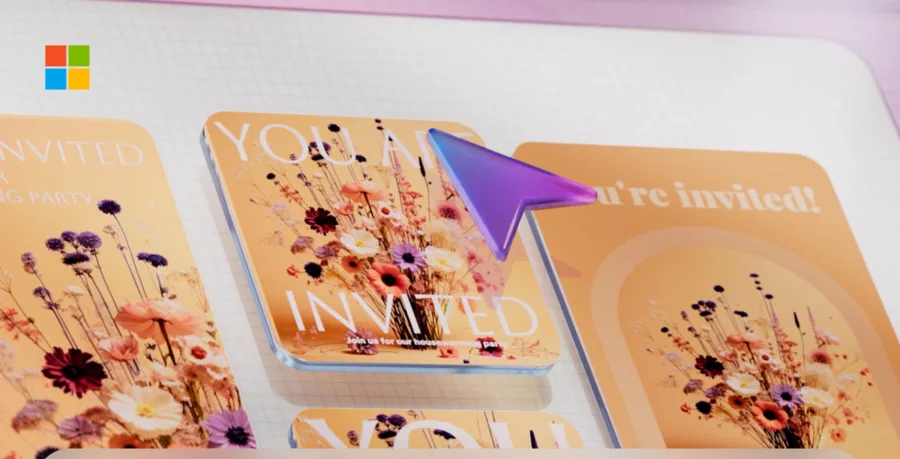
Source: Microsoft Designer official site (the screenshots below are from the same source)
Not just generate—edit photos too
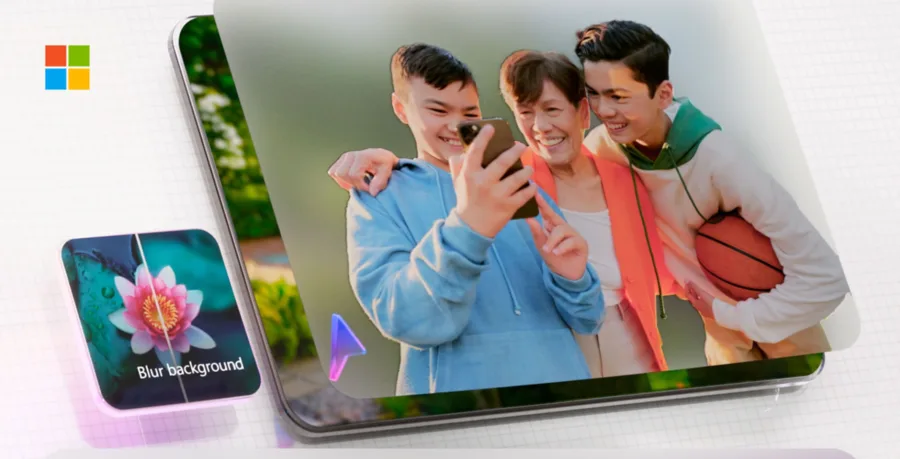
Beyond generation, Microsoft Designer can edit your own photos with AI. It supports removing/blurring backgrounds, "Restyle" to change a photo's style, and fixing unwanted elements. You can handle a social image from preparing assets to finishing it in one app.
In photo editing, you can blur or remove backgrounds in one click. You can do things like clean up the background of a portrait without specialized software. Generated and edited images carry C2PA-compliant "content credentials."
How to Use
-
Sign in with a Microsoft account
Go to the official site and sign in with a Microsoft account.
-
Type what you want to make
Enter your goal as text, like "a banner for a spring sale."
-
Pick an option and customize
Choose from the proposed options and edit text, images, and colors.
-
Generate and edit images
Use DALL-E-based image generation, or edits like background removal and blur.
-
Save and share
Download, or share by integrating with Microsoft 365 apps.
Features
01Create
- AI design proposals — generate multiple design options from text
- Rich templates — social posts, posters, invitations, stickers, and more
- Image generation (Image Creator) — original images, DALL-E-based
02Refine
- Photo editing — remove/blur backgrounds, Restyle, fix elements
- Fonts, colors, text — customize intuitively
03Connect
- Microsoft 365 integration — Word, PowerPoint, Teams, Outlook, etc.
- Multilingual — create designs in many languages, including Japanese
Pricing
It is usable for free, but the monthly AI credits are capped, and a Microsoft 365 subscription increases them (credits are shared across apps like Word and PowerPoint, reset at the start of the month, and don't roll over). Japan monthly pricing is as follows.
| Plan | Monthly | AI credits (approx.) |
|---|---|---|
| Free | ¥0 | a small number per month (limited) |
| Microsoft 365 Personal | ¥2,130 | 60 credits/month |
| Microsoft 365 Family | ¥2,740 | 60 credits/month |
| Microsoft 365 Premium | ¥3,200 | covers usage beyond the limit |
The former "boosts" (daily) system has changed to a monthly AI-credit model. Older mentions like "DALL·E 3" and "Free / Personal ¥1,490 / Family ¥2,100" differ from the current reality (Microsoft officially describes image generation as "DALL-E"-based, without a version number). Pricing may change, so check the [official site](https://www.microsoft.com/en-us/microsoft-365/microsoft-designer) for the latest (as of August 2026).
Note on commercial use. Microsoft's current FAQ explicitly states that output from the (consumer) Designer app is licensed for "personal, non-commercial" use. It is sometimes described as "commercial use OK," so always confirm whether commercial use is allowed in the latest official terms.
How it differs from other AI design tools
Microsoft Designer's strengths are that it is integrated with Microsoft 365 and easy to use for free. On the other hand, because output from the Designer app is under a non-commercial license, other tools may suit commercial production.
| Aspect | Microsoft Designer | Canva | Adobe Firefly |
|---|---|---|---|
| Focus | Design generation from text | General-purpose design | Generative fill / commercial-oriented generation |
| Integration | Microsoft 365 | Various socials, teams | Adobe products |
| Commercial | Personal, non-commercial (Designer app) | Allowed | Commercial-oriented |
The general-purpose, commercially usable Canva, the commercial-generation-strong Adobe Firefly, and the object-erasing Magic Eraser are comparison points. If you use Microsoft 365 and want to quickly make social images or materials for personal use, Microsoft Designer is a strong choice.
The information on this page is based on what was publicly available on the official site as of August 2026. Please check the official site for the latest specifications and pricing.



![[2026 Edition] Must-Have AI Tools for Web Designers: 12 Picks | From No-Code Site Building and Asset Creation to Banner Generation and Copywriting](/_next/image?url=%2Fimages%2Farticles%2Fai-web-design-tools.png&w=3840&q=75 "[2026 Edition] Must-Have AI Tools for Web Designers: 12 Picks | From No-Code Site Building and Asset Creation to Banner Generation and Copywriting")