Magic Eraser
: How to use it, features, and the business problems it solves
Add bookmark
What is Magic Eraser?
Magic Eraser is a free AI image-editing tool from Magic Studio (aarzoo, Inc.) that removes unwanted objects, people, and photobombs by brushing over them and erasing in one click. It supports JPG, PNG, HEIC and more, needs no sign-up, and allows commercial use when you respect copyright. The paid Pro unlocks watermark-free, high-resolution downloads and bulk editing of up to 50 images.
Business problems it solves







About "Magic Eraser"
What is Magic Eraser
Magic Eraser is a free AI image-editing tool that lets you remove unwanted objects, people, or photobombs by brushing over them and erasing in one click. It is one of the tools in "Magic Studio," a suite of image-editing services run by aarzoo, Inc. (US), and works right in the browser with no sign-up. Just paint over what you want gone, and the AI infers the surrounding background and fills it in naturally—so you can get clean results without any photo-editing expertise.
The workflow is simply "brush over what you want to remove → press Erase." Power lines, passersby, or a sign caught in the frame are blended into the background, with no need to manually feather the edges. If something does not disappear cleanly, brush over it again and re-run to improve the result.
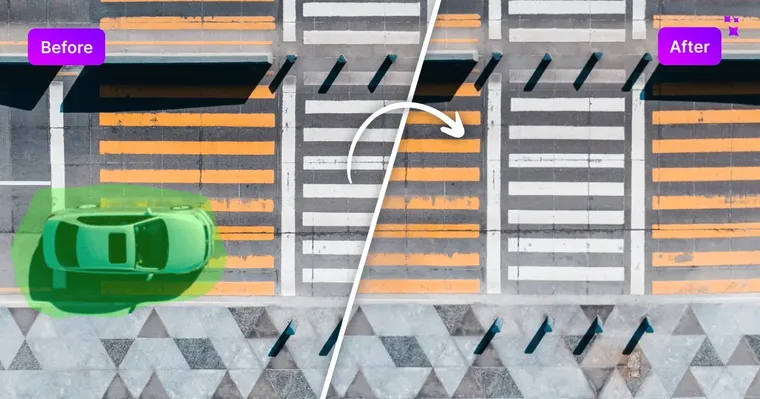
Source: Magic Eraser official site (the screenshots below are from the same source)
Magic Eraser is one tool within "Magic Studio"
Treating Magic Eraser as a single all-purpose editor misreads what it is. The Magic Eraser tool itself handles object removal and bulk editing; removing backgrounds and upscaling images are provided as separate tools within the same Magic Studio (Background Remover / Image Upscaler). You move between tools depending on the task.
01Magic Eraser (this page)
- Remove objects, people, and text — brush over and erase
- Bulk editing — process up to 50 images at once (Pro)
02Other Magic Studio tools
- Background Remover — cut out or replace backgrounds
- AI Image Generator — text-to-image generation
- Image Upscaler — upscale images (up to 4K)
- Background Blur & format conversion (HEIC→JPG, etc.) — finishing and conversion
How to Use
-
Upload an image
Open the official site and drag and drop the image you want to edit, or pick it via "Upload image." It supports JPG, PNG, WEBP, HEIC, and TIFF, with no resolution limit on the uploaded image.
-
Brush over what you want to erase
Adjust brush size and zoom while painting over the object or person you want gone. Zooming in improves precision on fine areas.
-
Run Erase
Press "Erase" and the AI analyzes the selection and removes it so it blends with the surrounding background.
-
Check and refine
Review the result and, if anything remains, brush over it again and re-run.
-
Download
When finished, export the image (free is watermarked and low-resolution; Pro is watermark-free and high-resolution).
Features
01Erase
- Remove objects, people, and text — the AI removes the brushed area and reconstructs the background
02Batch processing
- Bulk Edit — process up to 50 images at once (a Pro feature; free is one at a time)
03Controls & I/O
- Brush size and zoom — select fine details accurately
- Broad format support — JPG, PNG, WEBP, HEIC, TIFF
- Apps — iOS and Android apps in addition to the browser
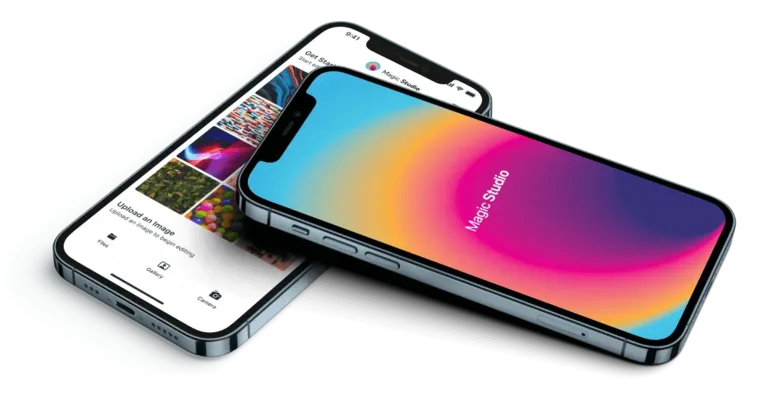
Mobile apps (iOS / Android) are also available, so you can load a photo you just took and edit it on the spot. According to the company, Magic Studio as a whole has over 20 million users and has processed more than 150 million images.
Pricing
It is free to use, and the paid Pro plan removes the watermark and ads and unlocks high-resolution downloads and bulk editing. Amounts are in USD.
| Plan | Monthly | What's included |
|---|---|---|
| Free | $0 | Object removal; one image at a time; low resolution; logo watermark; ads |
| Pro | $4.99 (effective monthly on annual billing / $59.99 per year) | No watermark; high resolution; no ads; bulk editing (up to 50 images); priority support |
Pro's monthly price depends on the billing term: monthly billing is $14.99/mo, six-month billing is $12.49/mo, and annual billing works out to $4.99/mo ($59.99/year). Generated results may be used commercially as long as you respect copyright (per the official help center). Pricing may change, so check the [official pricing page](https://magicstudio.com/pricing/) for the latest (as of August 2026, before tax).
How it differs from other image-editing AI
Magic Eraser's strength is that it specializes in "erasing" and is instantly usable in the browser—no sign-up, free. For advanced compositing or polished commercial work, dedicated tools are a better fit.
| Aspect | Magic Eraser | Adobe Firefly | Photoroom |
|---|---|---|---|
| Focus | Removing unwanted objects | Generative fill / image generation | Background removal / product photos |
| Ease | No sign-up, free to start | Assumes Adobe product integration | Use-case specific, many templates |
| Best for | Erasing photobombs and clutter | Serious generation and editing | Product shots and e-commerce |
For generative fill and serious editing, Adobe Firefly; for product-photo background handling, Photoroom; and for scene generation that preserves a product's texture, Fotographer.ai are all comparison points. If you just want to quickly erase photobombs or clutter, Magic Eraser is a strong choice.
The information on this page is based on what was publicly available on the official site as of August 2026. Please check the official site for the latest specifications and pricing.