

Onlook
: How to use it, features, and the business problems it solves
Add bookmark
What is Onlook?
A design-and-development tool that lets you edit web apps such as React with Figma-like visual controls and reflect those changes in the actual code in real time ("the Cursor for Designers"). It also offers AI features that generate/edit apps from prompts, and is provided as a hybrid of an open-source (Apache 2.0, free) version and a hosted version (closed beta). Supports Next.js, React and Tailwind; 26k+ GitHub stars.
Business problems it solves


About "Onlook"
What is Onlook
Onlook is a design-and-development tool that lets you edit web apps (such as React) with Figma-like visual controls and reflect those changes in the actual code. Billed as "the Cursor for Designers," when you drag or click elements directly, the corresponding code is rewritten. Recently it also offers AI features that generate and edit apps from prompts, and is provided as a hybrid of an open-source (Apache 2.0) version and a hosted version (onlook.com). It has over 26,000 GitHub stars.
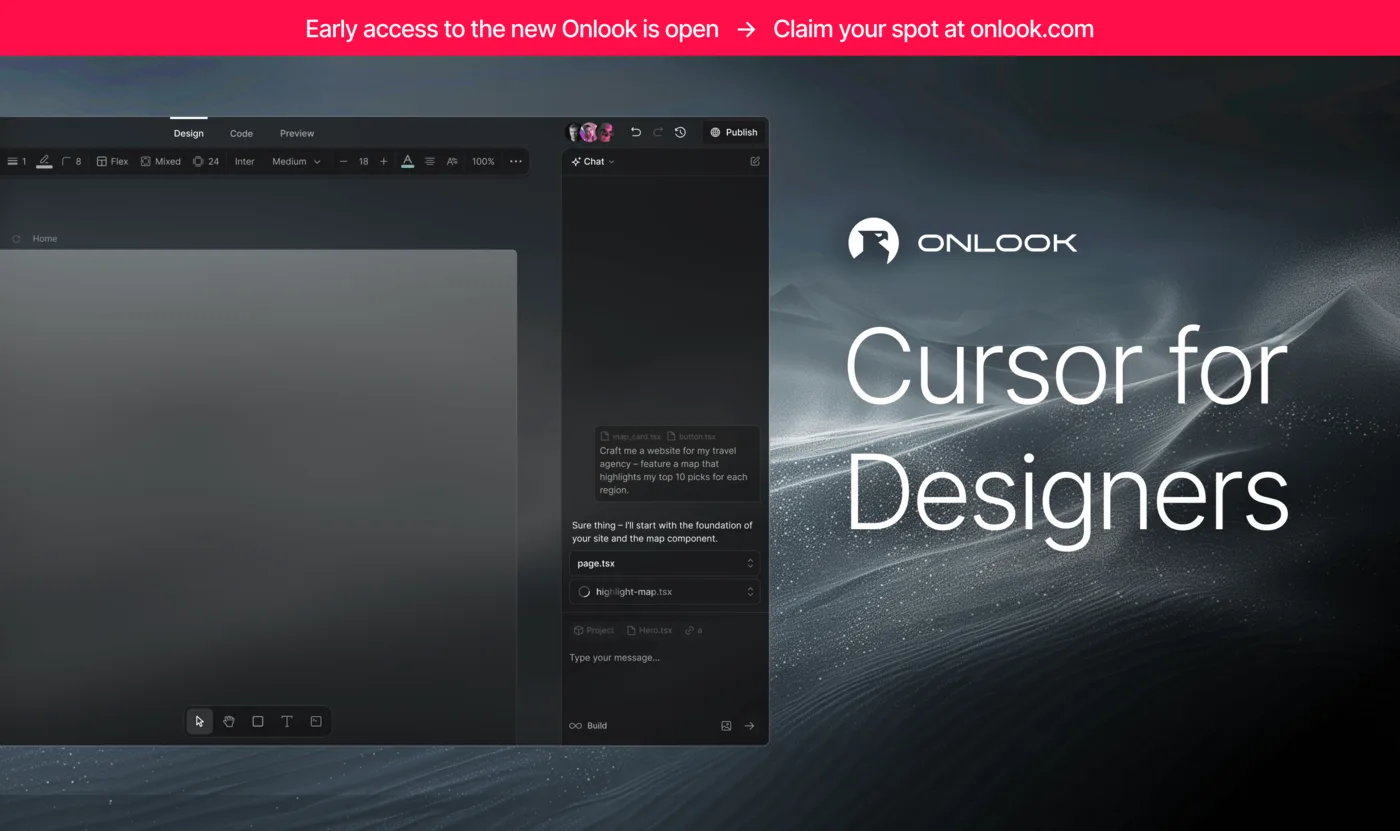
Source: Onlook (GitHub)
Onlook is offered in two forms: an open-source version (free, self-hosted) and a hosted version (onlook.com). The hosted version is currently in early access (closed beta), and specific individual pricing is not disclosed (as of August 2026).
Design actions become code
What makes Onlook stand out is that the output isn't a black box — you edit the actual codebase directly. When you drag or resize elements in the browser or tweak Tailwind styles, those changes are reflected in the code. Unlike "vibe coding" tools that generate apps from prompts, it aims for the best of both visual editing and real code.
Features
01Visual editing
- Direct element manipulation — drag & drop, resize, reorder
- Tailwind/CSS tuning — edit the look with a style toolbar
- Code↔element mapping — reflect changes to code in real time
02Generate & edit with AI
- AI chat — generate and edit apps from prompts
- Design Branching & Checkpoints — branch to experiment, save/restore
- MCP support — supports the Model Context Protocol
03Publish & integrate
- Deploy — publish via share links and custom domains
- GitHub integration — export code locally or to GitHub
- Team co-editing — work together in real time
How to use
-
Choose OSS or hosted
To try it free right now, self-host the open-source version from GitHub; for convenience, use the hosted version (early access).
-
Open or generate a project
Open an existing React/Next.js project, or generate a new one from a prompt.
-
Edit visually and with AI
Manipulate elements directly or instruct the AI chat to build things out.
-
Publish or export
Publish on a custom domain, or export the code to GitHub.
Pricing
The open-source version is free under the Apache 2.0 license (self-hosted). The hosted browser version is currently in early access (closed beta); specific individual pricing is undisclosed, and team pricing is by inquiry (as of August 2026).
How Onlook differs from other UI-generation/dev tools
This space has more and more tools that generate apps from prompts. Onlook stands out for being open source and combining visual editing with direct editing of the real code.
| Aspect | Onlook | Prompt-generation (v0 / bolt.new) | No-code UI |
|---|---|---|---|
| Editing | Visual + AI + real code | Prompt-centric | Visual-centric |
| Code | Real code is the source of truth | Exports generated code | Depends on output |
| Delivery | Open source + hosted | Closed (hosted) | Closed |
If prompt-based generation is your focus, see v0 or bolt.new; for Google's UI generation, Stitch; for no-code web design, STUDIO AI. For designers and developers who want Figma-like visual editing while keeping the real code, Onlook is a strong choice.
This page is based on information published on the official site and GitHub as of August 2026. Availability and pricing of the hosted version may change; please check the official site for the latest.


