Studio(旧STUDIO)
: How to use it, features, and the business problems it solves
Add bookmark
What is Studio(旧STUDIO)?
Studio, from Studio, Inc., is a made-in-Japan no-code web-creation platform for building, publishing, and operating design-forward websites without coding. Used by 900,000+ people and cited as the No.1 domestic no-code CMS by share, its AI feature "Studio Assistant (Beta, formerly STUDIO AI)" generates wireframes and design drafts from your requirements, which you finish in the editor. Pricing: Free / Mini ¥590+ / Personal ¥1,190+ / Business ¥3,980+ (annual).
Business problems it solves

About "Studio(旧STUDIO)"
What is Studio
Studio is a made-in-Japan no-code web-creation platform for building, publishing, and operating design-forward websites without coding. Provided by Studio, Inc., its intuitive drag-and-drop editor produces sites of a quality comparable to custom/scratch development. Used by 900,000+ people, it is cited as the No.1 domestic no-code CMS by usage share (as of December 2025).
The AI capability once marketed as "STUDIO AI" is now offered as "Studio Assistant (Beta)." The AI generates wireframe and design drafts from your requirements and interview input, and you then finish them in Studio's main editor—a draft-then-refine division of labor (this page's old name "STUDIO AI" = the current Studio / Studio Assistant).
Studio's strength is achieving pixel-level, template-free design entirely in no-code. Responsive design, animations, CMS, and custom-domain publishing are all completed on one platform. Recently it also revamped its published-site foundation to improve load speed, SEO, and readability for AI crawlers.
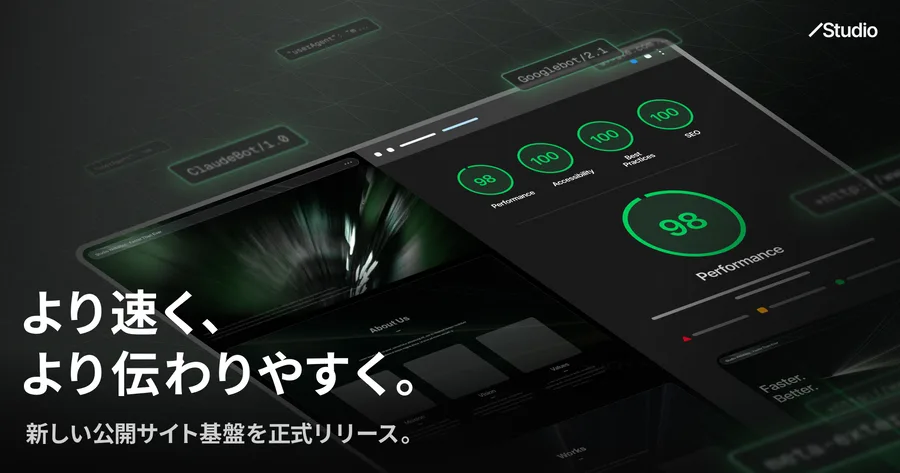
Source: Studio official site
Draft with AI, refine in the editor
Studio Assistant supports the early phase of production (interview → information architecture → design draft) with AI, then hands the draft to Studio's editor for finishing. With the tagline "To the height of creation, at the speed of imagination," it reduces the effort of building from scratch while the final quality is secured in a pro-grade editor.
01Studio Assistant (AI)
- Interview → wireframe — propose information architecture from requirements
- Design draft & Section Generation — generate design proposals and sections
- Style Sync & Magic Rewrite — batch-adjust tone/palette; edit copy to target lengths
02Studio core (no-code editing)
- Drag-and-drop editing — highly flexible design, no-code
- Responsive & animations — device support and motion
- CMS & forms — update operations and inquiry intake
03Publish & operate
- Custom-domain publishing — publish on your brand's URL
- SEO & site foundation — meta settings, speed and SEO care
- Team collaboration — co-edit with multiple people
How to Use
-
Register and create a project
Sign up for free on the official site and start from a template or blank.
-
Draft with AI (optional)
Give Studio Assistant your requirements to generate a wireframe or design draft.
-
Edit in the editor
Place text, images, and buttons by drag-and-drop and finish the design.
-
Publish
Preview, connect a custom domain, and publish.
Pricing
It is free to start, split into personal (Free/Mini/Personal) and business (Business/Business Plus/Enterprise). Annual billing is cheaper.
| Plan | Monthly (annual / monthly) | What's included |
|---|---|---|
| Free | ¥0 | 50 pages, 3 CMS models, 5GB, ads shown |
| Mini | ¥590 / ¥1,290 | 2 pages + 404, custom domain, GA/GTM |
| Personal | ¥1,190 / ¥1,720 | 150 pages, 5 CMS models, site password |
| Business | ¥3,980 / ¥5,460 | 300 pages, 10 CMS models, 100GB, 1 API integration, priority support |
| Business Plus | ¥9,980 / ¥12,900 | 300 pages, 30 CMS models, unlimited API |
The previously mentioned "Starter ¥1,280 / Pro ¥2,480" plan structure differs from the current one—it is now the six plans above (+ Enterprise). Studio Assistant is in beta, and any AI-generation limits are not officially stated. Tax-inclusive/exclusive labeling may change, so check the [official pricing page](https://studio.design/pricing) for the latest (as of August 2026).
How it differs from other no-code / AI web builders
Studio's strengths are that it is made in Japan with a Japanese UI, offers high design freedom, and covers publishing and operation end to end. Its aim differs from AI builders that generate whole apps from a prompt.
| Aspect | Studio | v0 | Base44 |
|---|---|---|---|
| Focus | Design-forward web creation | Prompt-to-web-app | All-in-one app building |
| Method | No-code editing + AI drafting | Code generation | AI agent |
| Japanese | Made in Japan, Japanese UI | English-first | English-first |
The prompt-to-web-app v0 and Base44, and the general-purpose Canva are comparison points. If you want to build design-forward websites in a Japanese no-code environment, Studio is a strong choice.
The information on this page is based on what was publicly available on the official site as of August 2026. Please check the official site for the latest specifications and pricing.