
Suno
: How to use it, features, and the business problems it solves
Add bookmark
What is Suno?
Suno turns a text prompt into a complete song — vocals, lyrics, and backing included (current model v5.5). It handles Japanese vocals, including J-pop and anime-style singing, and finishes a track in about a minute, with stem separation and the DAW-style Suno Studio on top. Pricing is in US dollars, not local currency: the free plan allows 10 songs a day, Pro is $10/month ($8 on annual billing), and Premier is $30/month ($24 annual). Commercial use requires a paid plan. Note that from September 3, 2026, monthly download caps apply — none on Free, 20 songs on Pro, and 60 on Premier.
Business problems it solves



About "Suno"
What is Suno
Suno is a music generation AI that produces a whole song — vocals, lyrics, and instrumentation — from a text description. Write something like "a wistful J-POP ballad for the end of summer" and a finished track appears in about a minute. Where many AI music tools stop at short instrumental (vocal-less) loops, Suno's biggest strength is that it makes complete "songs" with lyrics. It is one of the world's largest such services, ranked in the top 10 music apps on both iOS and Android (and featured in Rolling Stone, Billboard, and Wired). The current model is v5.5.
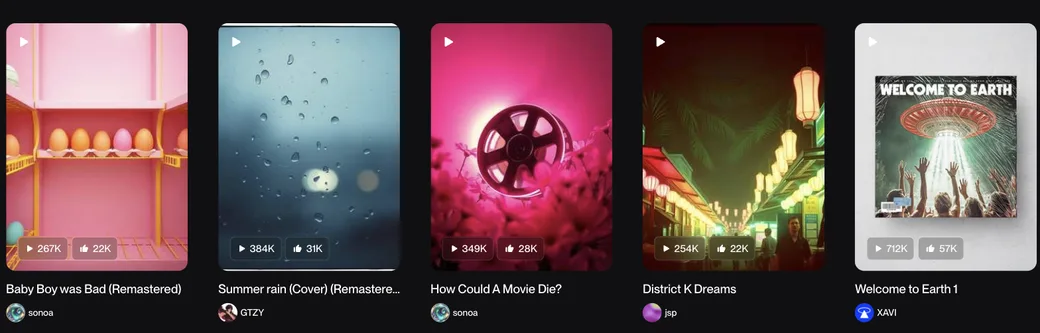
Source: Suno official site (from community works; the image below is from the same source)
Its strength is making whole "songs"
At the heart of Suno is that you can finish a real song from words, with no musical knowledge. The same tool covers everything from quick automatic composition to detailed writing where you specify lyrics and style.
01Simple / Advanced (custom)
Use "Simple" — just describe the mood and theme in words — or "Advanced (custom)," where you specify your own lyrics, genre, and style in detail. Lyrics can be generated by AI or pasted in yourself.
02Granular controls
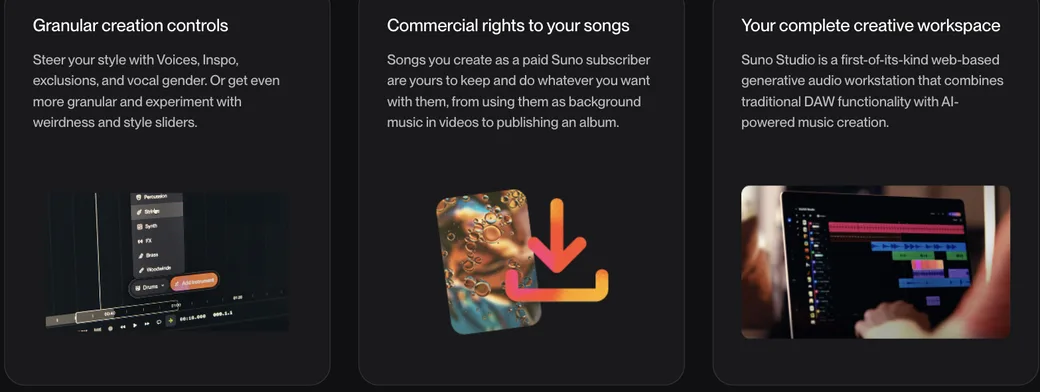
Beyond Voices, Inspo, exclusion words, and vocal gender, you can steer the direction with "weirdness" and "style" sliders. Personas let you keep the character of the same singer across songs.
03Japanese singing supported
It sings naturally in Japanese lyrics, and can produce domestic genres such as J-POP and anime-song styles.
How to use
-
Create an account
Sign up on the official site (suno.com) or the iOS / Android app. You can start making songs right away on the free plan.
-
Describe the song you want
In Simple mode, composing begins as soon as you type the mood and theme in words.
-
Specify lyrics and style (Advanced)
To go into detail, enter your own lyrics or specify genre, style, and length. AI lyric generation is also available.
-
Generate and listen
Several variations are generated in about a minute. If you don't like them, regenerate as many times as you want.
-
Edit and extend
Refine by regenerating specific sections, extending the track (Extend), reordering sections, or adding vocals/instrumentation to an existing song.
-
Export
Download the audio and share it. Higher plans let you export stems (per-part audio) and bring them into a DAW.
Features
01Create
- Text to song — Generate complete tracks with melody, instrumentation, vocals, and lyrics
- AI lyric generation — AI proposes lyrics from a theme; you can also use your own
- Personas / Voices — Keep a singer's character consistent
- Create with your own voice/audio — Use recorded or uploaded audio as material
02Refine
- Extend / section regeneration — Lengthen a track or regenerate specific sections
- Cover / section reordering — Rework existing songs or change the structure
- Stem separation — Split into up to 12 time-aligned WAV stems for Ableton, Logic, etc.
03Full production (Suno Studio)
- Suno Studio — A web-based music workstation combining DAW functionality with AI generation (Premier)
- Multitrack editing & MIDI export — For serious finishing (Premier)
Pricing
You can try composing daily for free, but commercial use and the latest model (v5.5) require a paid plan. Pricing is in US dollars — even the Japanese-language pricing page shows USD, and there is no local-currency plan. Annual billing saves 20%.
| Plan | Monthly (monthly / annual-equiv) | Monthly credits | Download cap | Highlights |
|---|---|---|---|---|
| Free | $0 | 50/day (~10 songs/day) | None (from 2026/9/3) | v4.5-all, no commercial use, no stem separation, 4 concurrent in a shared queue |
| Pro (popular) | $10 / $8 | 2,500 (~500 songs) | 20/month (from 2026/9/3) | v5.5, commercial use, 2 stem types, priority queue (10), uploads up to 30 min, create with your voice |
| Premier | $30 / $24 | 10,000 (~2,000 songs) | 60/month (from 2026/9/3) | Everything in Pro plus Suno Studio, 3 stem types |
Note: monthly download caps arrive on September 3, 2026. The official pricing page states "No monthly song downloads (starting 9/3/26)" for Free, "20 song downloads a month (starting 9/3/26)" for Pro, and "60 song downloads a month (starting 9/3/26)" for Premier. Downloading on the free plan ends on September 3, and even Pro is capped at 20 songs a month. If you export in volume, this changes which plan you need (confirmed August 16, 2026).
Songs made on the free plan cannot be used commercially. Each song consumes about 5 credits, and credits carry over neither day to day nor month to month. Purchased top-up credits do not expire but require an active subscription to use. Tax is calculated at checkout.
Amounts are based on the official pricing page (USD) as of August 16, 2026. The model generation and pricing may change, so check the official pricing page for the latest.
Reputation
- It is highly rated — 4.9 on iOS (360k+) and 4.8 on Android (650k+) — and ranks in the top 10 music apps.
- Video and stream BGM creators praise "how easily a full song comes together from a hummed idea."
- Some note "it sings naturally even in Japanese lyrics," while others say "fine nuance takes a few tries."
How it differs from other music generation AIs
Music AIs differ on "can it make full songs" and "how far can you refine afterward." On top of the strength of outputting complete songs with vocals, Suno stands out for covering serious editing in Suno Studio and stem separation in one flow.
| Aspect | Suno | BGM-focused (AIVA / Beatoven, etc.) |
|---|---|---|
| Strength | Generates "songs" with lyrics and vocals | Generates instrumental (vocal-less) BGM |
| Vocals | Strong at vocals, including Japanese | Mostly no vocals |
| Refining | Stem separation and serious editing in Suno Studio | Mainly mood/purpose specification |
| Commercial use | Keep the rights on a paid plan | Depends on the plan |
For the same song generation, Udio is a comparison point, and Mureka is strong on DAW integration and editing. If you want vocal-less BGM or scoring, AIVA or Beatoven.ai fit better. If you want to easily produce songs with vocals in volume, Suno is the leading choice.
FAQ
Q. Is Suno free to use?
Yes. The free plan lets you try composing up to 10 songs a day (50 credits/day). However, songs made on the free plan can't be used commercially, and the latest v5.5 model isn't available (you get v4.5-all).
Q. Can I make songs in Japanese?
Yes. It supports singing in Japanese lyrics and can produce genres like J-POP and anime-song styles.
Q. Can I use my songs commercially?
Songs made on the Pro / Premier paid plans are yours to keep and can be used commercially (background music, releasing an album, etc.) within the terms. Free-plan songs cannot.
Q. What is Suno Studio?
A web-based music workstation that combines DAW functionality with AI generation. It supports multitrack editing and MIDI export, and is available on the top-tier Premier plan.
Q. What is it good for?
BGM for videos, short videos, and streams; game assets; demo tracks; and idea generation.
Information on this page is based on what was published on the official site as of August 2026. The model generation, features, and pricing may change, so check the official site for the latest.