
VoiceSpark
: How to use it, features, and the business problems it solves
What is VoiceSpark?
VoiceSpark is a browser-based service run by FranLiber Inc., a video production company in Hatchobori, Tokyo, that turns Japanese scripts into AI narration (WAV). You choose from 30 narrators plus speaking style, speed and reading language (Japanese, English, Chinese or Korean), and create audio for training, product videos, in-store announcements and IR with the expressive Standard mode (1,200 characters per run) or the Long-form mode with a steady tone (15,000 characters per run). You can try 200 characters without signing up and 1,000 characters with a free account; paid plans run from 980 yen/month (5,000 characters) to 29,800 yen/month (1 million characters), with Enterprise by quote (as of November 2026). Commercial use requires a paid plan.
Business problems it solves


About "VoiceSpark"
What is VoiceSpark?
VoiceSpark is a narration service that turns a Japanese script into audio read by an AI narrator (WAV), right in your browser. It is run by FranLiber Inc. (株式会社フランリベル), a video production company in Hatchobori, Tokyo (founded June 2015, CEO Kazuya Tamakoshi), and launched on January 27, 2026. It is designed for narration in product and how-to videos, training and e-learning, YouTube and social videos, in-store and in-building announcements, and shareholder meetings, without recording sessions or hiring a narrator.
The company's history page describes VoiceSpark as "powered by Google's latest AI", and the privacy policy states that Google Cloud is used as the speech generation engine.
- 30 narrators — 14 female and 16 male. You can listen to all of them on the voice samples page without signing up
- Two modes — the expressive Standard mode (up to 1,200 characters per run) and the Long-form mode, whose intonation stays the same however often you generate (up to 15,000 characters per run)
- Choose style and speed — for example "Standard (polite)", "Announcer (news)" and "Commercial / promotion". The reading language can be set to Japanese, English, Chinese (Simplified or Traditional) or Korean
- Free to try — up to 200 characters per run without signing up, and 1,000 characters with a free account. Paid plans start at 980 yen a month (commercial use requires a paid plan)
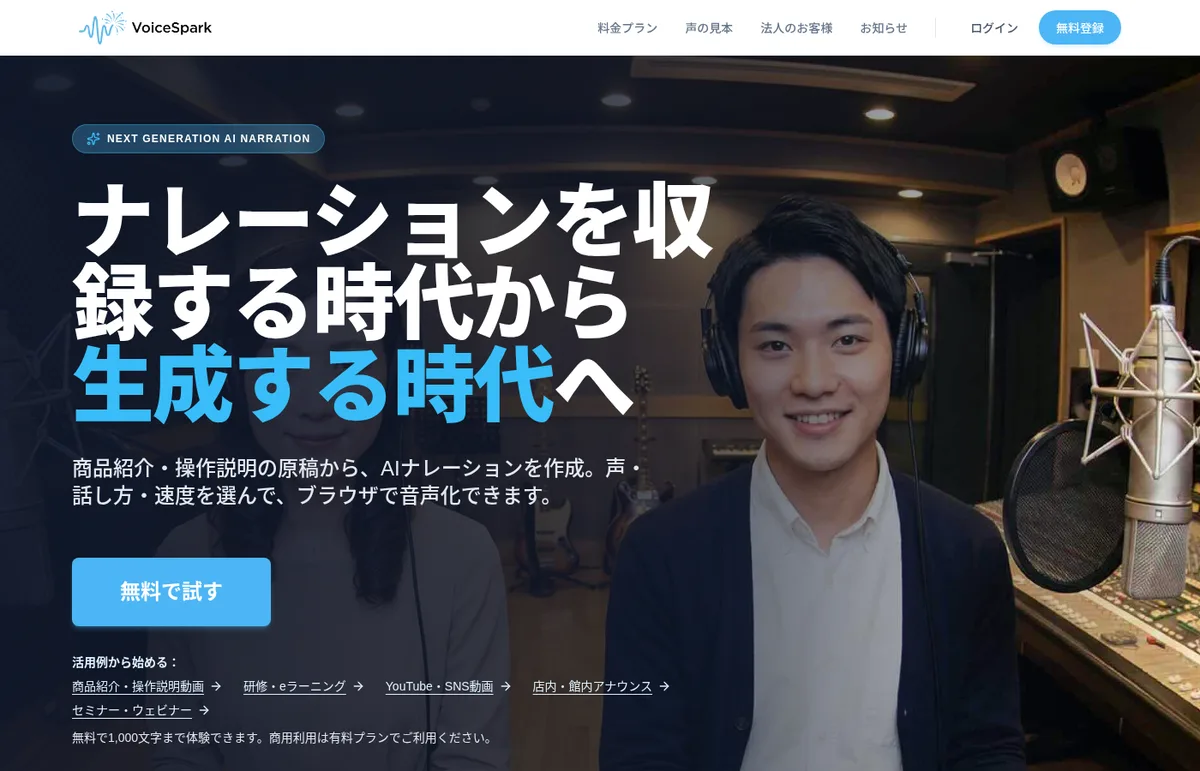
Source: VoiceSpark (same for the images below)
How to use it
- Try it without signing up On the home page or the free trial page (/free), type a short text and listen to it right away. Each run is limited to 200 characters, and the number of generations from the same environment (IP) is limited.
- Pick a voice Compare the 30 narrators on the voice samples page and go to the editor with "Create with this voice". The page also lists recommendations by use, such as Chihiro for training and manuals, Rena for company profiles and IR, and Nanami for news and announcements.
- Sign up for free and enter your script A free account (no credit card needed) lets you use scripts up to 1,000 characters, choose voices and styles, adjust speed and save WAV files.
- Choose style, speed and language, then generate The same voice can use different styles: "Standard (polite)" for training and manuals, "Announcer (news)" for announcements, "Commercial / promotion" for ads.
- Download the WAV and use it Audio is saved as WAV and can be dropped straight into editors such as Premiere Pro and DaVinci Resolve. To make changes, "Edit this script" in the history reloads the script, narrator, style, speed and language.
The official FAQ says misreadings can be fixed by rewriting the word in katakana or hiragana, and that adding commas, periods or line breaks adjusts pauses and intonation.
Features
- Standard mode (expressive) Reads with emotion and nuance. Suited to product introductions, ads and short-to-medium narration. Up to 1,200 characters per run, with 1,000 or fewer recommended.
- Long-form mode (steady tone) The intonation does not change between generations, and one run can produce up to 15,000 characters (about 35-40 minutes by the official estimate). Long scripts are split and joined automatically into one audio file. It suits training series and shareholder meetings where voice and tone should stay consistent. Long-form mode also offers native English narrators (three female and three male, six in total).
- 30 narrators The November 2, 2026 update raised the number of narrators from 12 to 30. They range from calm standard voices and clear news-style voices to deep documentary voices and lively voices for social videos, and all can be heard on the voice samples page.
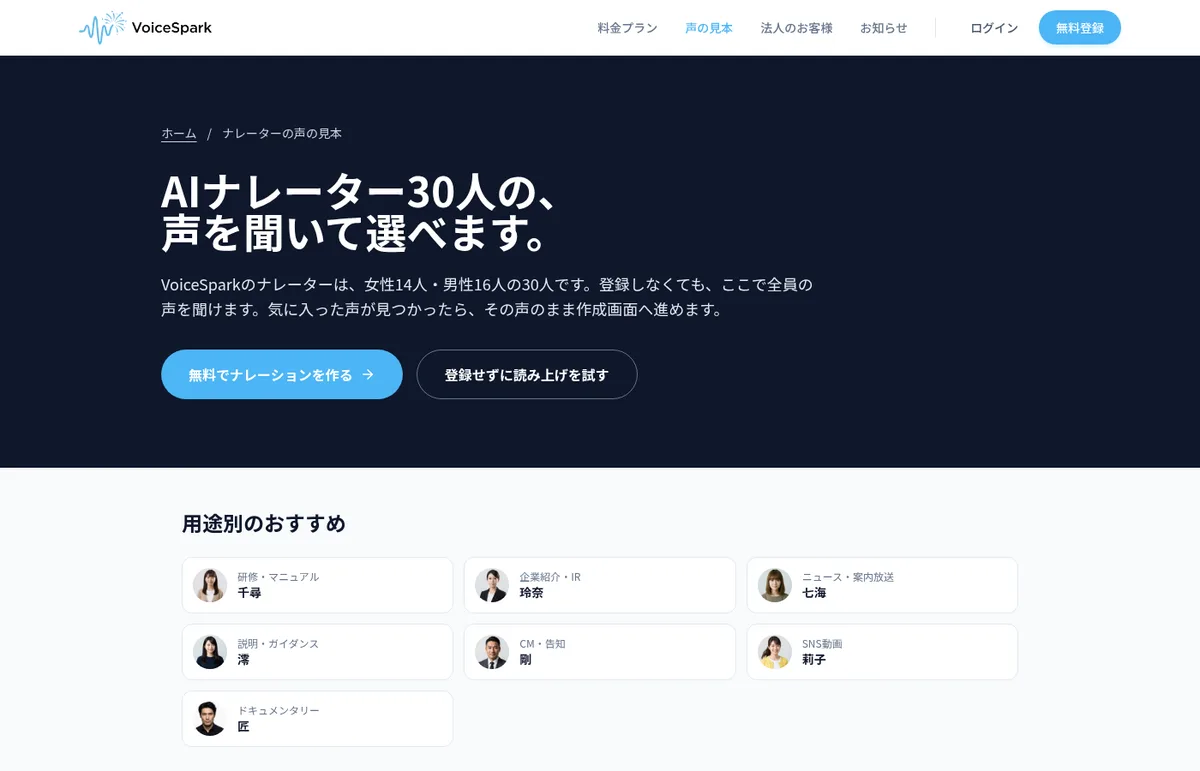
- Reading language The same November 2 update added a choice of reading language: Japanese, English, Chinese (Simplified or Traditional) or Korean. Japanese scripts that contain English words can be read with the language left on Japanese.
- How-to pages by use case There are pages with sample scripts and instructions for five uses: product and how-to videos, training and e-learning, YouTube and social videos, in-store and in-building announcements, and seminars and webinars.
- Works on a phone No installation is needed; it runs in the browser on PCs, smartphones and tablets. Supported browsers are the latest Google Chrome, Microsoft Edge, Safari and Firefox.
Pricing
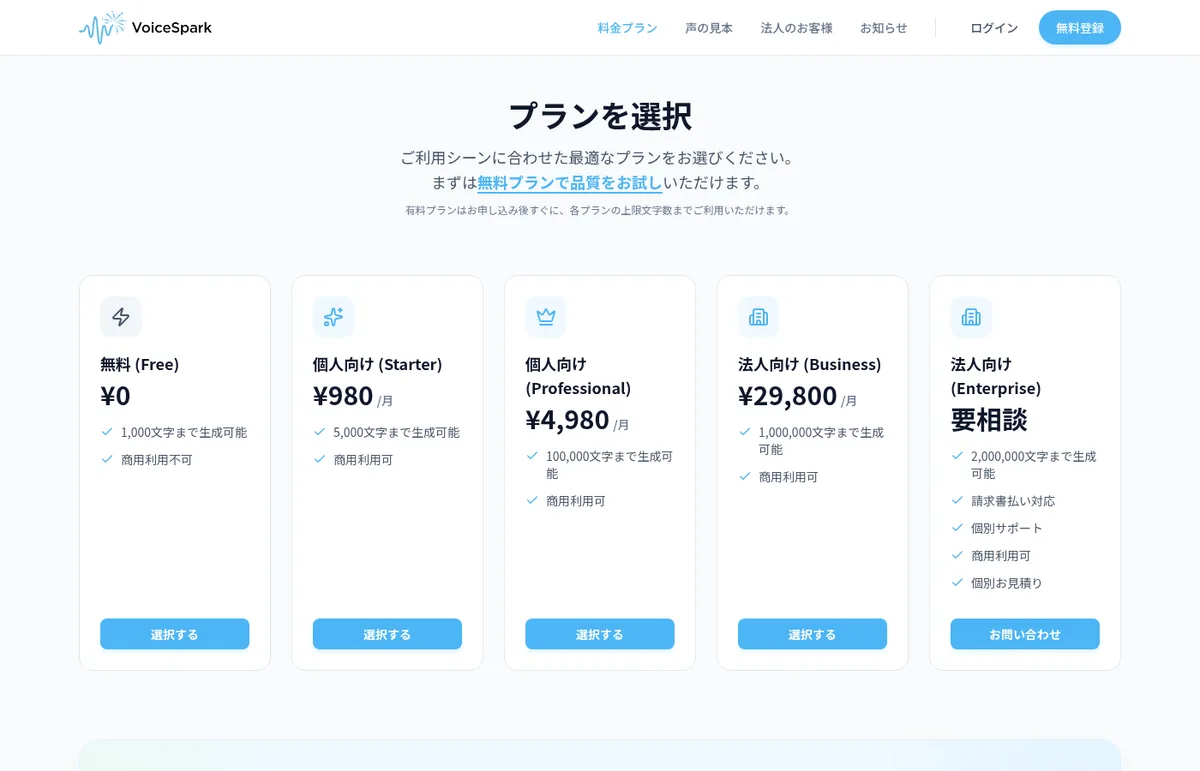
Pricing is based on how many characters you can generate per month (checked on the pricing page on November 23, 2026; the pricing page does not say whether prices include tax).
| Plan | Monthly price | Characters per month | Commercial use | Other |
|---|---|---|---|---|
| Free | 0 yen | 1,000 | No | All narrators available |
| Personal (Starter) | 980 yen | 5,000 | Yes | — |
| Personal (Professional) | 4,980 yen | 100,000 | Yes | — |
| Business | 29,800 yen | 1,000,000 | Yes | — |
| Enterprise | By quote | 2,000,000 | Yes | Invoice payment, dedicated support |
- Payment — Credit card (Stripe). You are charged when you first sign up and on each monthly auto-renewal. Enterprise supports invoice payment (bank transfer) and qualified invoices. Receipts that meet the qualified invoice requirements can be downloaded from the payment history on My Page
- Cancellation and refunds — To stop the next month's charge, cancel from the dashboard before the next renewal date. You can keep using the service until the end of the paid period. The legal notice under the Act on Specified Commercial Transactions states that returns and cancellations (refunds) after payment are not possible
- Regenerating also uses characters — When you edit a script and generate again, the character count of the whole script is used, not just the changed part. The official FAQ advises choosing a plan with revisions in mind
As a guide, VoiceSpark publishes a column stating that a narration script runs about 300 characters per minute. By that measure, Starter's 5,000 characters is roughly 16-17 minutes of audio (not counting regenerations).
Commercial use and rights
- Commercial use only on paid plans — Audio made on a paid plan can be used in product videos, internal training, YouTube, ads and so on. Audio made on the Free plan is for checking quality and may not be used commercially
- No credit required — You do not need to add a credit such as "Made with VoiceSpark"
- Rights to the output — The terms of service state that as long as you use the service lawfully, the copyright and other intellectual property rights in the audio you generate belong to you. You must not enter text that infringes third-party rights, and the company accepts no liability for infringement arising from the output
How your data is handled
The business page and privacy policy explain the following.
- The text you enter is sent to Google Cloud for speech generation. Under Google Cloud's enterprise terms, the input text and generated audio are not used to train or improve AI models
- All traffic is encrypted with TLS, and stored data is kept on encrypted infrastructure
- Generated audio and scripts are protected with row-level security (RLS) so that only the account holder can view them
- Credit card details are processed by Stripe and never pass through the company's servers
- When you delete your account, your generation history and audio data are deleted too
Customer example
The home page quotes the head of the training and education development team in the HR department of a large manufacturer (company not named): "We used to book a studio and assign a professional narrator, but since adopting VoiceSpark we can finish everything at our desks. We can now even replace parts of the audio on the same day when laws change."
Pros and cons
Pros
- Built specifically for Japanese narration, with Japanese guidance on choosing voices, sample scripts by use, and characters-per-minute estimates
- You can check the quality without signing up, and a free account lets you try every narrator for up to 1,000 characters
- Long-form mode handles up to 15,000 characters per run with unchanging intonation, which suits training series that need a consistent voice
- Monthly pricing by character count makes it easy to estimate costs from your volume. Business plans support invoice payment and qualified invoices
Cons
- Commercial use is limited to paid plans; Free-plan audio cannot be used in internal training or videos
- Every regeneration uses the character count of the whole script, so frequent edits use up characters quickly
- No refunds after payment (per the legal notice)
- The pricing page does not say whether prices include tax
- Registering your own voice (voice cloning) and singing synthesis are not offered; you choose from the 30 provided narrators
How it differs from other AI voice and text-to-speech tools
VoiceSpark is a text-to-speech service focused on Japanese business narration (training, product introductions, announcements, IR). It differs from services with very large voice libraries and from software that reads with character voices in the voices you can choose and how you use it.
| Service | Main use | Voices | Pricing model |
|---|---|---|---|
| VoiceSpark | Japanese narration for business: training, product videos, announcements, IR | 30 narrators plus style, speed and language | Monthly character allowance (1,000 free; paid from 980 yen/month) |
| CoeFont | General text-to-speech and voice synthesis | 10,000+ AI voices; you can register your own voice | See product page |
| VOICEVOX | Narration for explainer videos, etc. | 46 characters such as Zundamon and Shikoku Metan | Free (credit required; terms vary by character) |
| ElevenLabs | Multilingual AI voices, dubbing, voice cloning | Large voice library and voice cloning; 70+ languages | Free tier; paid from $6/month |
| Speechify | Listening to PDFs, web pages and more | 1,000+ AI voices | Free plan; Premium $29/month or $139/year |
| FineVoice | All-round audio production: TTS, voice cloning, voice changer | 2,700+ voices and 154+ languages and accents | Free (non-commercial only); Basic from $8.99/month |
Details for other services are as of the check dates on each product page.
If you want the script, visuals and subtitles made together with the narration, Cliptalk and AI Shorts, which create narrated videos, are also worth a look.
FAQ
Q. Can I use VoiceSpark for free? Yes. You can try up to 200 characters per run without signing up, and a free account (no credit card) lets you create up to 1,000 characters. Free-plan audio cannot be used commercially.
Q. How much does VoiceSpark cost? For individuals, Starter is 980 yen/month (5,000 characters) and Professional is 4,980 yen/month (100,000 characters). For businesses, Business is 29,800 yen/month (1,000,000 characters) and Enterprise is by quote (2,000,000 characters, invoice payment) as of November 2026. The pricing page does not say whether prices include tax.
Q. Can I use the audio on YouTube or in internal training? Yes, if it was made on a paid plan. No credit is required. Free-plan audio cannot be used commercially.
Q. Can it handle narration for long training videos? Yes. Long-form mode creates up to 15,000 characters (about 35-40 minutes by the official estimate) in one run, and the intonation stays the same each time.
Q. Are my scripts used to train AI? No. VoiceSpark states that under Google Cloud's enterprise terms, the text you enter and the audio generated are not used to train or improve AI models.
The information on this page is based on what was published on the official website as of November 23, 2026. Please check the official website for the latest pricing and details.