
Customer Support AI Tools Compared: 8 Products [2026] | Pricing, Automation Scope, and How to Choose
A comparison of eight customer support AI tools on pricing, how much they can automate, and Japanese-language support. Sorts chatbots, AI agents, and VoC analytics into three types, then walks through the four decision criteria, a four-step rollout, and frequently asked questions.
Search for "AI tools to streamline customer support" and you get AI chatbots, AI agents, and VoC analytics platforms all listed side by side. But these three solve entirely different problems. Comparing feature tables without understanding that distinction will not lead you to the one tool your team actually needs.
This article organizes customer support AI tools by the moment they handle, sorting them into three types. It then compares eight Japanese and international products on pricing, how much they can automate, and Japanese-language support. It also covers the four criteria that decide a selection, and a rollout sequence that keeps the investment from going to waste.
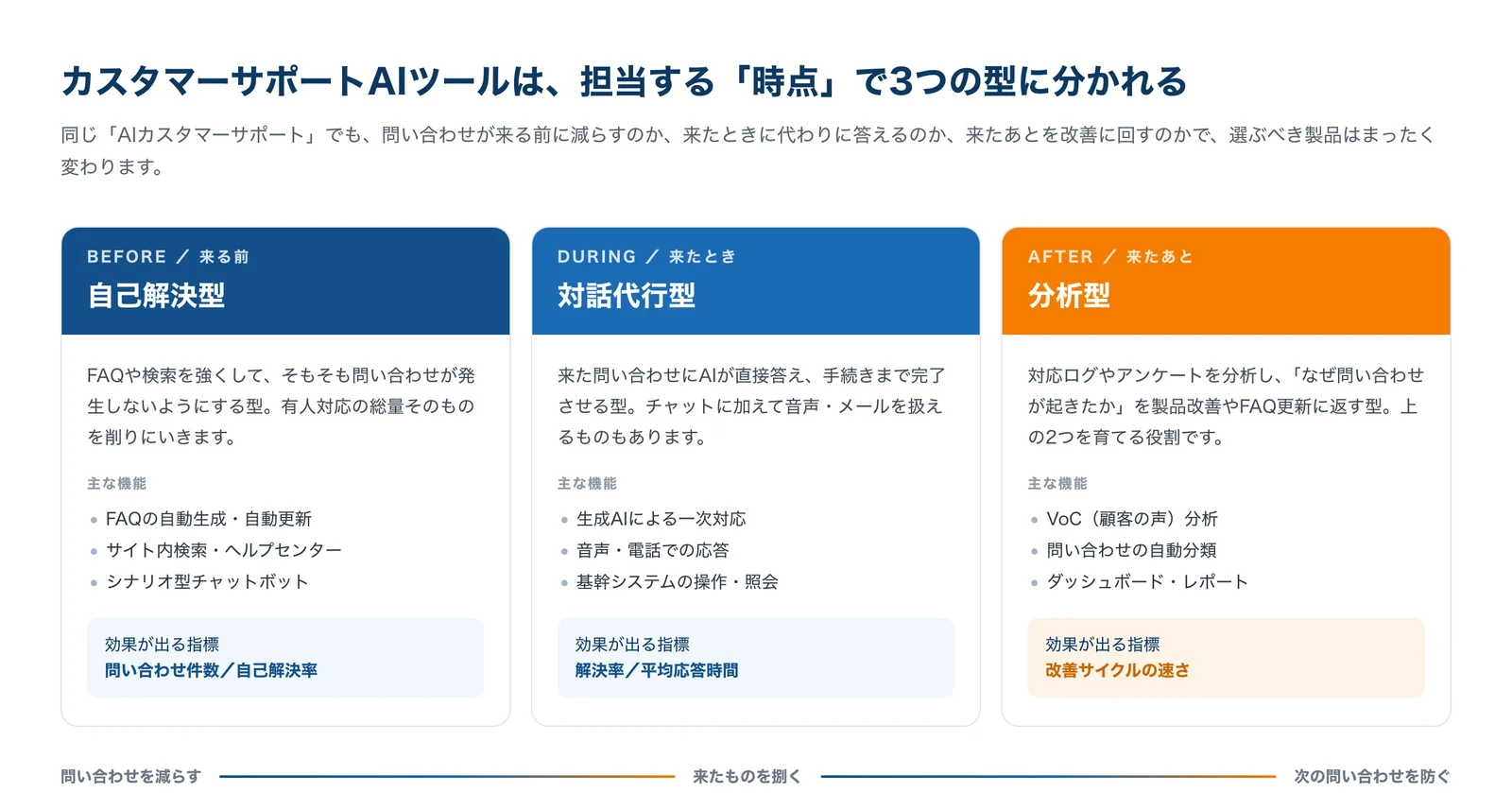
Customer support AI tools fall into three types
The phrase "AI customer support" covers products that operate at completely different moments. Does the tool work before an inquiry arrives, while it is being handled, or after it is closed? That difference is the first fork in any selection process.
1. Self-service type (before) — Strengthens FAQs and search so inquiries never reach a human in the first place. It reduces the total volume of agent-handled contacts. The metrics it moves are inquiry count and self-service resolution rate.
2. Conversation-handling type (during) — AI answers the inquiry directly and carries it through to completion. Some products handle voice and phone calls or email in addition to chat. The metrics it moves are resolution rate and average response time.
3. Analytics type (after) — Analyzes conversation logs and surveys to surface why an inquiry happened, then feeds that back into product fixes and FAQ updates. On its own it does not reduce ticket volume; its job is to make the other two types smarter over time.
A common failure is reaching for a conversation-handling tool simply because "we get too many inquiries." If the same question keeps arriving, fixing the FAQ would often have been enough. Conversely, applying a self-service tool to inquiries that each require lengthy investigation will barely move the needle. Determine first whether your problem is volume or difficulty.
Customer support AI tools compared: 8 products
The table below lists the eight products covered here by type, vendor, Japanese-language support, pricing, and whether you can try them free. All prices are as published on each vendor's official site (monthly, excluding tax).
| Tool | Type | Vendor | Japanese | Monthly price | Free trial |
|---|---|---|---|---|---|
| Chat Plus | Self-service + conversation | ChatPlus (Japan) | Yes | From ¥1,980 / generative AI from ¥54,000 | 10 days |
| Support Chatbot | Self-service | User Local (Japan) | Yes | Not published (contact vendor) | Not stated |
| RICOH Chatbot Service | Self-service | Ricoh (Japan) | Yes | From ¥18,000 (unlimited users) | 30 days |
| Chatbase | Self-service + conversation | Chatbase (US) | Partial | Free plan / from $32 | Free plan |
| Intercom Fin AI | Conversation | Intercom (US) | Partial | $0.99 per resolution | 14 days |
| Omakase AI | Conversation (voice) | ZEALS (Japan) | Yes | From $49 (USD) | 1 week |
| Kasanare | Conversation + task execution | Kasanare (Japan) | Yes | Not published (contact vendor) | Not stated |
| 見える化エンジン (Mieruka Engine) | Analytics | Plus Alpha Consulting (Japan) | Yes | Not published (scales with data volume) | Demo available |
"Yes" means the admin console and support are both available in Japanese. "Partial" means the agent can respond in Japanese, but the admin console is primarily in English.
How to choose: four decision criteria
Working down a feature table row by row rarely produces a decision. Settle four things on your own side first, then return to the table — the shortlist usually collapses to two or three products on its own.
Criterion 1 — Is the bottleneck volume or difficulty?
If the same question arrives in bulk every day, what you need to cut is volume, and a self-service tool that strengthens FAQ and search will do it. But if each inquiry consumes time in research or internal checks, cutting volume will not relieve your team. In that case you need a conversation-handling tool that can consult internal documents and existing systems.
→ How to tell: Categorize the last three months of inquiries and check what share the top three categories account for. Above half suggests a volume problem; below that, more likely a difficulty problem.
Criterion 2 — Can it sit on the channel your customers already use?
No matter how accurate the AI is, it will not be used if you place it on a channel nobody visits. Check first whether the product covers the routes your inquiries actually arrive on — LINE, web chat, phone, email, in-app. Whether it connects to your existing helpdesk (Zendesk and the like) or ecommerce cart (Shopify and the like) also has a large effect on ongoing workload.
→ How to tell: Look at the current split of inquiry channels. A product that does not cover your largest channel can be dropped from the shortlist regardless of how good its features are.
Criterion 3 — Test Japanese quality with spelling and phrasing variants
"Japanese supported" is written on nearly every product, but the quality varies widely. The fastest check during a demo or trial is to ask the same thing three different ways. For instance, can it treat "I want to cancel," "how do I close my account," and "I'm not going to use this anymore so I'd like to stop" as the same intent? Products that fail here will accumulate unanswered inquiries after launch.
→ How to tell: Paste in ten real inquiries your team actually received. Use raw customer wording, not a tidy list of anticipated questions.
Criterion 4 — Do you have someone to maintain the FAQ after launch?
An AI chatbot is at its least accurate on day one and improves as someone reviews unanswered logs and fixes them. If nobody can own that work, add a requirement: does the product itself detect gaps and suggest FAQ entries, or does it come with managed operations? Leave this blank and you will be looking at an abandoned bot six months later.
→ How to tell: Is there someone who can spend even 30 minutes a week on operations? If not, choose a product with improvement suggestions built in, or one bundled with vendor-run operations.
Self-service type: four tools that reduce inquiries at the source
This is the territory of getting customers to solve their own problem before contacting you. Products differ most in how easy the FAQ is to build — and to keep updated after launch.
 Chat Plus | A Japanese chatbot starting at ¥1,980 a month with 24,000+ deployments
Provided by ChatPlus Inc., this product reports more than 24,000 deployments in Japan. The entry-level Minimum plan costs ¥1,980 per month (¥1,500 on an annual contract) and gives you web chat plus scenario-based automated responses.
The point to watch is that generative AI responses are only available on the AI Light plan and above. Sign up expecting "an AI chatbot for ¥1,500 a month" and you will find the automated answering you had in mind is not included. If generative AI is a requirement, your real entry point is ¥54,000 per month.
The vendor cites 98% generative AI answer accuracy (measured in-house), and the product was recognized in several categories of ITreview The Best Software in Japan 2026.

 Support Chatbot | A Japanese language engine that absorbs phrasing variants, with generative AI layered on top
An enterprise chatbot from User Local, listed on the Tokyo Stock Exchange Prime Market. Its core strength is an AI specialized in language processing that automatically absorbs spelling and phrasing variants, making it resilient to the many ways customers rephrase the same question.
Alongside automatic Q&A generation, it offers RAG that grounds answers in internal documents, handover to human agents, and multilingual support. It connects to Microsoft Teams, Slack, LINE, and Facebook Messenger, so a single deployment can serve both customers and an internal help desk.
The official site displays deployment logos including Japan's Ministry of Health, Labour and Welfare, Suzuki, Tokyu Hands, and Yoshinoya. Pricing is not published; you need to request materials.

 RICOH Chatbot Service | Load the Q&A spreadsheet you already have and go
Ricoh's chatbot service, whose defining feature is that it ingests Q&A data built in ordinary Excel. There is no scenario-design tool to learn, so organizations already maintaining an FAQ in a spreadsheet can cut initial setup dramatically.
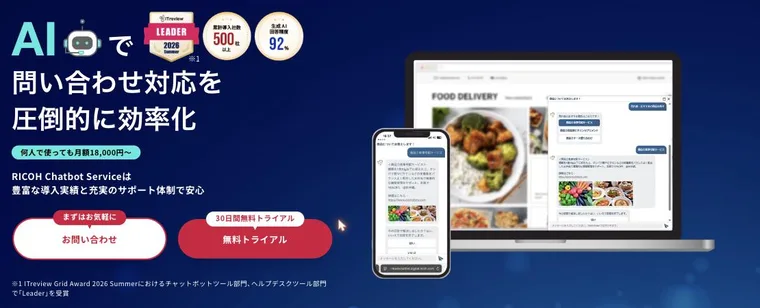
It uses a hybrid of dictionary-based and scenario-based matching, with generative AI plans also available. The vendor reports more than 500 cumulative deployments and 92% generative AI answer accuracy, and the product was named a Leader in both the chatbot and help desk categories of the ITreview Grid Award 2026 Summer.
Published pricing makes it easy to evaluate: STARTER is ¥18,000 per month no matter how many people use it (a one-off "RICOH Cloud Application Start Pack" fee of ¥5,000 excl. tax applies at deployment). There is a 30-day free trial, and it does not roll into automatic billing when the period ends.
See RICOH Chatbot Service details
 Chatbase | A free tier to start with, unifying chat, email, and voice in one agent
A US platform that ingests your manuals and web pages and builds an AI agent with no code. What sets it apart is that a free plan lets you verify the behavior without a credit card (up to 50 messages per month).
Paid tiers are Hobby ($32), Standard ($120), and Pro ($400). Voice and telephony, help desk functionality, API access, and Zendesk / Stripe integrations start at Standard, which is the realistic line for production use.
The admin console is English-only and there is no Japanese-language support desk. In practice, the deciding condition is whether someone on your team can work comfortably in an English UI.

If your goal is to build FAQ content efficiently and lighten the support load, see the AI tools for automated FAQ generation.
Conversation-handling type: three tools that take over first-line response
This is where AI answers the inquiries that do arrive. Products differ by how far they can carry a case — informational answers only, or through to completing the transaction.
 Intercom Fin AI | Pay only for what it actually resolves
Intercom's AI agent, defined by outcome-based pricing at $0.99 per resolution. You are charged for conversations that were actually resolved rather than for seats or message volume (with a 50-resolution monthly minimum, and only one charge per conversation).
Just as important in practice, you can deploy it on the help desk you already use without migrating to Intercom's. It works across tickets, email, live chat, WhatsApp, SMS, and voice.
The vendor reports an average 76% resolution rate across more than 12,000 customers, with some exceeding 85%. The 14-day trial has no cap on resolutions and requires no credit card.

 Omakase AI | Paste a URL and get an agent that talks to visitors
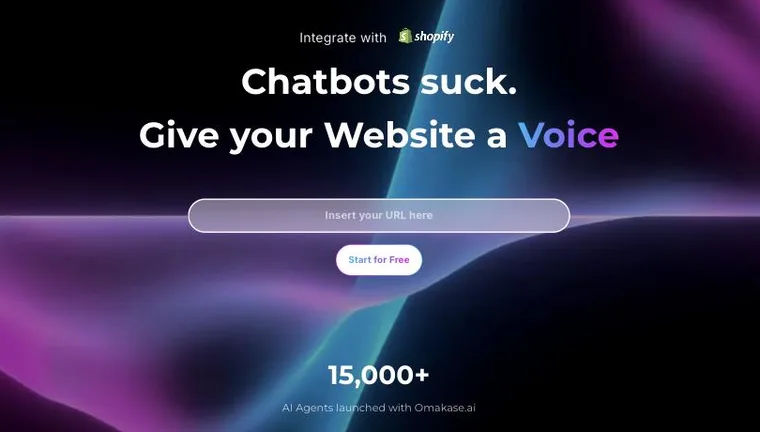
A customer-facing AI agent from ZEALS. Enter your website URL and it learns the site, producing an agent that serves visitors through a hybrid of voice and chat. No development is required.
Originally a chat-based assistant, the product has shifted its center of gravity to voice-led service. It integrates with Shopify so that product explanation through to adding an item to the cart can be completed inside the conversation — the practical payoff for ecommerce operators. The vendor reports more than 15,000 agents built on the platform.
Plans are priced in US dollars and bounded by conversation count and catalog size. Intern ($49) covers 50 conversations and 10 products, so Associate ($149, 300 conversations and 100 products) and above is the realistic line for production. The official site is available in Japanese, and the agent serves customers in Japanese too.
 Kasanare | Goes past answering and executes work in your existing systems
An enterprise generative AI platform from Kasanare Inc. Under the banner "from AI that only answers to AI that works on the ground," it goes beyond generating a response and writes back into existing systems — the line that separates it from ordinary chatbots.
It is built on three pillars: Knowledge, which teaches the AI internal terminology and procedures; Governance, which constrains usage to organizational rules; and Action Control, which operates existing infrastructure including legacy systems.
Deployments include Mitsubishi UFJ Trust and Banking, KDDI, JR East, Kao, and Sansan. Pricing is not published, and rollouts involve individual requirements definition. It suits organizations that want to treat inquiry handling, internal knowledge search, and process automation as one continuum.

If you want to start from automating a call center or inquiry desk, the AI tools for customer service automation list is a useful reference.
Analytics type: turning the voice of the customer into improvement
These tools do not directly reduce ticket volume. Their role is to reveal why an inquiry happened and raise the accuracy of the self-service and conversation-handling tools around them.
 見える化エンジン | Digging into why the inquiry happened in the first place
Mieruka Engine is a voice-of-the-customer platform from Plus Alpha Consulting. It gathers call, chat, and email logs, social media, and internal surveys in one place and analyzes them with text mining.
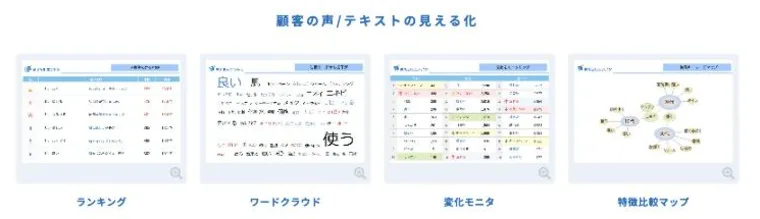
Analysis views include rankings, word clouds, change monitors, and characteristic comparison maps, letting you catch words that spiked suddenly or compare periods to see what shifted. Rather than stopping at sentiment scores and frequent terms, the product positions itself around getting to why customers are dissatisfied.
It reports 14 consecutive years as the share leader in the Japanese SaaS text mining market and more than 1,900 cumulative deployments. Pricing is proposed individually based on the volume of data analyzed.
To organize and analyze customer opinions and requests automatically, see the AI tools for customer feedback analysis.
How far can ChatGPT, Claude, or Gemini take you?
If you would rather start with a free general-purpose AI, part of the job is genuinely within reach. The dividing line is clear.
What general-purpose AI covers well — Drafting FAQ copy, categorizing and tagging inquiry logs, writing reply text, summarizing manuals. All of these are used by your own staff, and all of them can be tested on a free tier.
Where a dedicated tool becomes necessary — (1) embedding it in your site for customers to use directly, (2) restricting answers strictly to your own documents so it never answers from general knowledge, and (3) recording and analyzing who asked what and what went unresolved. None of these work in a general-purpose chat window.
The rule of thumb is simple: general-purpose AI if your own staff use it, a dedicated tool if customers touch it directly. The cost of a wrong answer shown to a customer is not comparable to the cost of one seen internally.
For a comparison of the general-purpose models themselves, see the ChatGPT, Claude, and Gemini pages.
Rollout in four steps
Once the tool is chosen, the next thing teams get wrong is sequencing. Trying to automate every inquiry at once almost always fails.
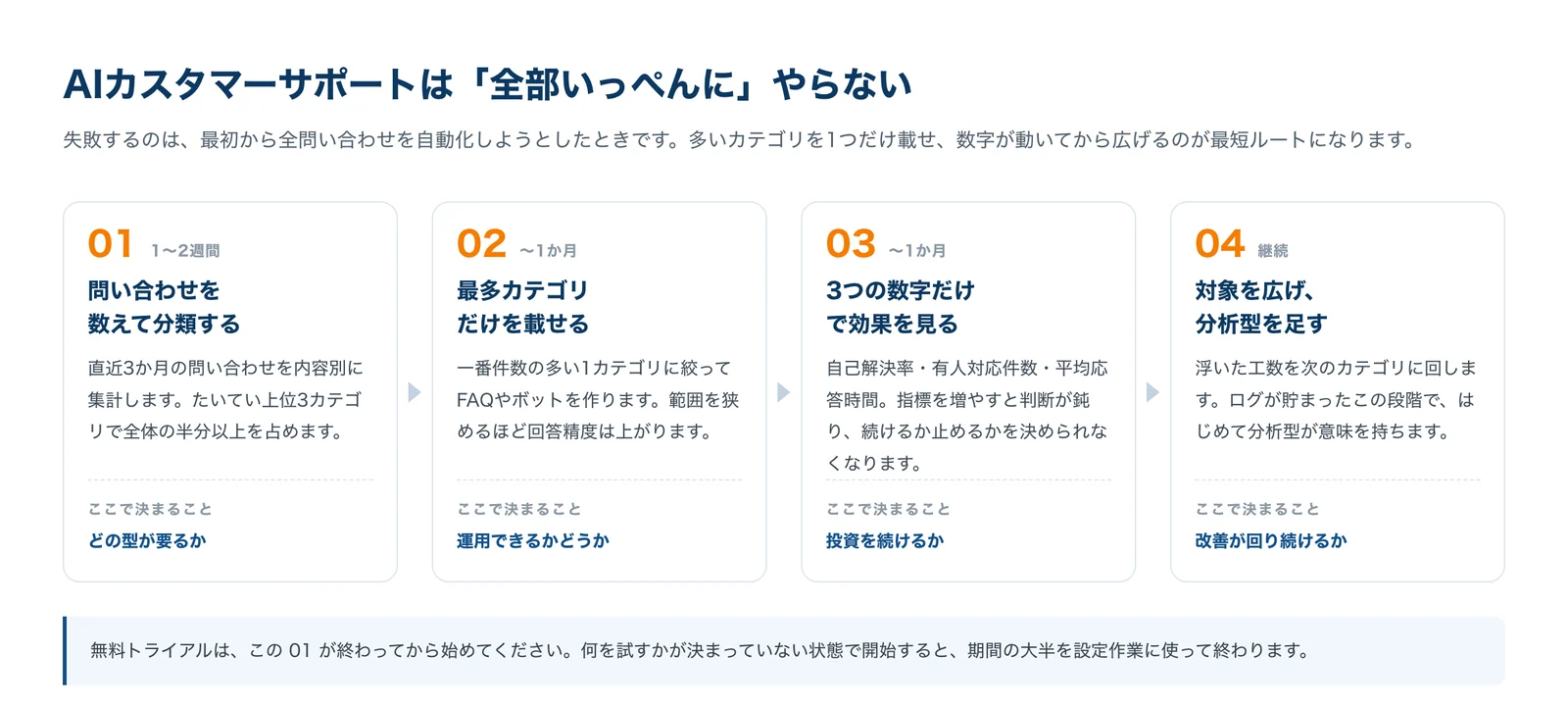
01 Count and categorize inquiries (1–2 weeks) — Tally the last three months by content. In most operations, the top three categories account for more than half the total. This is where you learn which type of tool you need.
02 Deploy only the largest category (up to a month) — Build the FAQ or bot for the single highest-volume category. The narrower the scope, the higher the answer accuracy, which makes an early win far easier to secure.
03 Judge the effect on three numbers (up to a month) — Self-service resolution rate, agent-handled ticket count, average response time. Keep it to those three. The more metrics you add, the harder it becomes to decide whether to continue or stop.
04 Expand scope and add analytics (ongoing) — Redirect the hours you freed up to the next category. Only at this stage, with logs accumulated, does an analytics tool start to earn its place.
Start free trials only after step 01 is done. Beginning without knowing what you intend to test will burn most of a 10- or 14-day window on configuration.
Frequently asked questions
Are there AI customer support tools I can use for free?
For ongoing free use, there is Chatbase's free plan (50 messages per month). It deletes agents after two weeks of inactivity, so treat it as a verification environment. Japanese products generally offer free trials rather than free plans: 30 days for RICOH Chatbot Service, 14 for Intercom Fin AI, 10 days for Chat Plus, and 1 week for Omakase AI.
What is the difference between an AI chatbot and an AI agent?
There is no settled industry definition, but in practice it helps to split them by whether the tool answers or acts. A chatbot returns a response and stops there. An AI agent completes the transaction — checking order status, changing an address, accepting a return. In this article's taxonomy, the former maps to the self-service type and the latter to the conversation-handling type, particularly Kasanare and Intercom Fin AI.
What should I look at when Japanese support matters?
The phrase "Japanese supported" is not enough to judge by. Check three things: (1) is the admin console in Japanese (this directly affects operator workload), (2) is there a Japanese-language support desk, and (3) can it handle spelling variants and colloquial phrasing. For the third, entering your own real inquiries during a demo is the quickest test. Among the products here, Chat Plus, Support Chatbot, RICOH Chatbot Service, Omakase AI, Kasanare, and 見える化エンジン cover (1) and (2) in Japanese.
Which of these work for multilingual support?
Support Chatbot explicitly states multilingual support, and Chatbase and Intercom Fin AI are built internationally with multiple languages assumed. That said, the practical bottleneck is rarely the number of supported languages — it is whether you have someone who can run operations in that language. Decide up front who will review and fix unanswered inquiries.
Can phone and voice interactions be automated too?
Yes. Among the products here, Omakase AI (voice service on your website), Intercom Fin AI (voice channel support), and Chatbase (voice and telephony on Standard and above) apply. Voice is more sensitive than text to recognition accuracy and response latency, so always test with conversations containing your own product names and technical terms before deciding.
How long does implementation take?
Build difficulty depends on the product and scope, but as a rough guide, products that ingest an Excel Q&A take a few days to two weeks, while anything involving integration with existing systems runs to several months including requirements definition. What actually consumes time, though, is not the build — it is the period after launch spent reviewing unanswered logs and fixing them. The four-step sequence above budgets a month for that from the start.
How much will support costs actually fall?
The reduction rates vendors publish are measured in-house, and the inquiry mix and starting conditions differ by company, so they cannot be transferred directly to your situation. To estimate, use average handling time per inquiry × the monthly volume of the categories you can automate. Producing that calculation is exactly why step 01 exists.
Can a small team implement one of these?
Yes. RICOH Chatbot Service (¥18,000 a month regardless of headcount) and Intercom Fin AI (outcome-based at $0.99 per resolution) both avoid per-seat pricing, which makes costs predictable for a small team. In fact, smaller teams often have an advantage: their inquiry categories are narrow enough to automate cleanly.
Summary
- Customer support AI tools split into self-service (before), conversation-handling (during), and analytics (after). The same phrase "AI customer support" covers products solving different problems
- Do not start from product comparison. Settle four things first: (1) volume or difficulty, (2) does it fit your existing channels, (3) does it survive Japanese phrasing variants, (4) is there someone to maintain it after launch
- Published pricing is available for Chat Plus (from ¥1,980), RICOH Chatbot Service (from ¥18,000), Chatbase (from $32), Omakase AI (from $49), and Intercom Fin AI ($0.99 per resolution). Support Chatbot, Kasanare, and 見える化エンジン are quoted individually
- Roll out one category at a time, starting with the largest. Limit measurement to self-service resolution rate, agent-handled ticket count, and average response time. Begin free trials only once you know what you are testing
You can browse customer support AI tools by business challenge on the customer support AI tools page, including a filter for tools that support Japanese.
![[2026 Edition] 13 AI Tools to Solve Marketers' Challenges | Organized by Use Case and Workflow](/_next/image?url=%2Fimages%2Farticles%2Fai-tools-for-marketers.png&w=3840&q=75 "[2026 Edition] 13 AI Tools to Solve Marketers' Challenges | Organized by Use Case and Workflow")