Krea
: How to use it, features, and the business problems it solves
Add bookmark
What is Krea?
An all-in-one creative AI suite for generating, enhancing, and editing images, video, and 3D. Notable for real-time generation, it lets you mix and match many third-party models (Flux, Google Veo, Runway, Kling, Sora, etc.) and its own models (Krea 2, etc.). It also supports high-res upscaling and custom-style training (LoRA).
Business problems it solves




About "Krea"
What is Krea
Krea (Krea AI) is a creative AI suite that handles everything from generating images, video, and 3D to enhancing and editing them, all in one place. Under the banner "the world's most powerful creative AI suite," it is notable for real-time generation, and lets you mix and match many third-party models (Flux, Google Imagen/Veo, Runway, Kling, Sora, etc.) alongside its own models (such as Krea 2) in a single interface. It is operated by Krea, backed by a16z and Bain Capital Ventures.
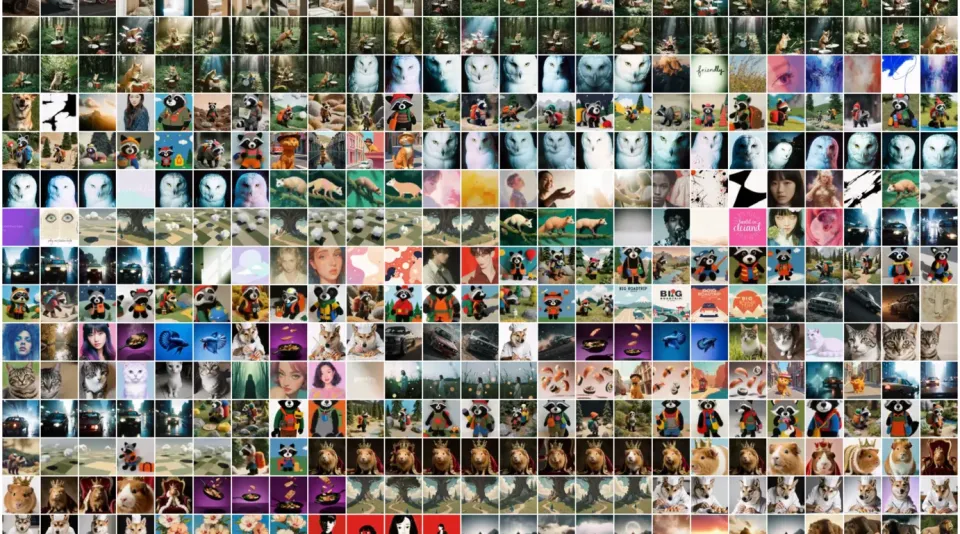
At its core, Krea lets you mix and match many models in one suite and go from generation to enhancement, editing, and training. It supports text-to-image/video/3D, real-time generation, upscaling up to 22K, background removal, and custom-style training (LoRA), so you can pick the best model for each task.
Krea's hallmark is "bundling many models." For images it offers Flux, Google Imagen, Ideogram, Nano Banana, Recraft, and more; for video, Google Veo, Runway, Kling, Seedance, Sora, and more; and you can also use its own Krea 2 / Krea 1 / Flux.1 Krea. Model versions are updated frequently.
How to use
Pick a model for what you want to make, then generate and enhance.
Choose a use case
Pick from image, video, 3D, real-time generation, etc.
Pick a model & generate
Choose a fitting model and generate from a prompt.
Enhance & edit
Finish with upscaling, background removal, and editing.
Train & manage
Train custom styles with LoRA and manage assets in one place.
Even the free plan lets you try some models. Commercial use is included with paid plans (Basic and up), and generation is consumed on a credit (compute) basis.
Key features
01Generation (image/video/3D, real-time)
Supports text-to-image, video, and 3D generation, with real-time generation on a canvas as a signature feature. It also handles motion transfer, image-to-3D, and text-to-3D.
02Enhancement & editing
Supports upscaling up to 22K, background removal, an AI image editor, and video style transfer and upscaling (up to 8K), so you can finish your generations directly.
03Training, multi-model, management
Supports LoRA training and sharing for images/video, and centralized management via an asset manager. You can mix and match many third-party models and its own models in one suite.
Pricing
You can start for free; the figures below are the monthly price when billed annually (monthly billing is higher). Plans differ by credits and features.
| Plan | Monthly (billed yearly) | Main content |
|---|---|---|
| Free | $0 | Some models, trial |
| Basic | $5.25 | Commercial, all models, LoRA training |
| Pro | $21 | Higher credits, unlimited relaxed generations |
| Max | $63 | Top individual tier |
There are also Business ($160/mo billed yearly) and Enterprise (by inquiry). Generation is consumed on a credit (compute) basis, and paid plans include a commercial license. The figures above are annual-billing rates; monthly billing is higher. Prices are in USD and subject to change; check the official site for the latest (as of August 2026).
How it differs from other generators / creative suites
Krea stands out by letting you mix and match many models in one suite while covering real-time generation, enhancement, and training end to end. It differs from single-model generation tools in the breadth of selectable models and its editing features.
| Aspect | Krea | Freepik | Midjourney |
|---|---|---|---|
| Focus | Multi-model creative suite | Assets + AI generation suite | High-quality image generation |
| Strength | Real-time, enhancement, LoRA | Stock assets + multi-model | Style, expressiveness |
| Output | Image/video/3D | Image/video/assets | Image |
Freepik, which also bundles many models, and Midjourney, known for its style, make good points of comparison. If you want to mix and match many models while running real-time generation and enhancement in one place, Krea is a strong option.
The information on this page is based on the official site as of August 2026. Please check the official site for the latest specifications and pricing.