

Moises
: How to use it, features, and the business problems it solves
What is Moises?
Moises is an AI music app for musicians from Moises Systems, Inc. (d/b/a Music AI) in the US. Built around stem separation that pulls vocals, drums, bass, guitar, piano and more out of a song (27 stem types on the top plan), it adds tempo and key changes, chord/key/BPM detection, lyrics transcription, a smart metronome, AI mastering, and Moises Studio for collaborating in the browser (stem generation, voice conversion, auto-mix). Available on web, desktop, iPhone, iPad and Android, with a Free plan (2/4-stem separation, up to 5 minutes per file) plus Premium and Pro. On the Japanese App Store, Premium is ¥900/month or ¥7,000/year and Pro is ¥4,500/month (as of November 2026).
Business problems it solves



About "Moises"
What is Moises?
Moises (Moises App) is an AI music app that musicians use to practice, perform and create. Its core feature is stem separation, which pulls vocals, drums, bass, guitar, piano and other parts out of a finished song, so you can mute or solo each part and practice with the tempo or key changed. It also offers chord, key and BPM detection, lyrics transcription, a smart metronome synced to the song, and AI mastering.
On top of that, Moises now offers Moises Studio, where band members can record, edit and mix in the same session in the browser, including generating parts that fit what you have already played (stem generation) and converting voices.
The provider is Moises Systems, Inc. (d/b/a Music AI) of Salt Lake City, Utah, USA (contact address in the Terms of Service: 136 S Main Street, Suite 400, Salt Lake City). The official site says it is "trusted by more than 80 million artists worldwide", and Moises was named 2024 iPad App of the Year, a 2025 Apple Design Awards finalist and Best Music App at the Microsoft Store Awards 2025 (all as stated on the official site, as of November 2026).
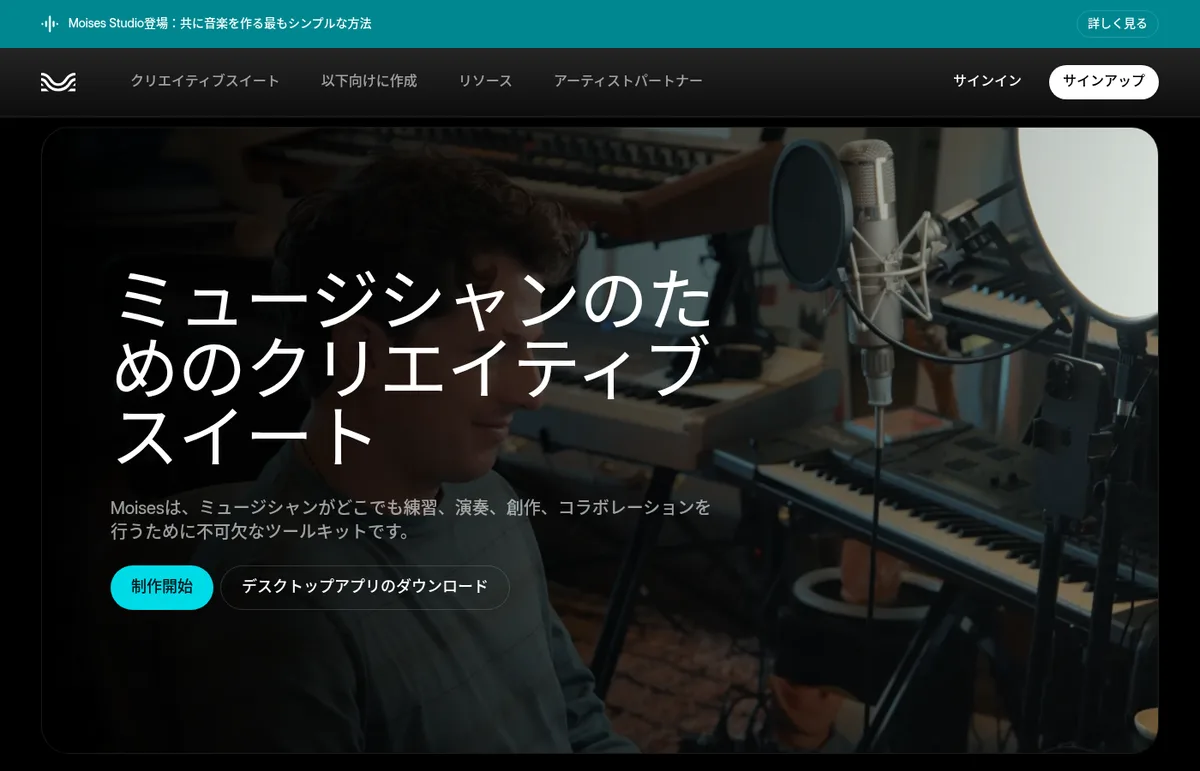 Source: Moises official site (moises.ai/ja)
What you can do
| Use | What Moises does |
|---|---|
| Practice | Create backing tracks with your part removed (drumless, bassless, karaoke, etc.) and play along with the tempo slowed down or the key changed |
| Learn songs by ear | Detect chords, key and BPM, and follow chord charts synced to the song. Can be combined with lyrics transcription |
| Produce | Split songs into stems for remixes and sampling. Record, edit, generate stems, mix and master in Moises Studio |
| Share with your band | Share setlists and Moises Studio sessions by link, and work on the same song and timeline with band members |
How to use
-
Create an account
Sign up for free from "Sign up" on the official site (moises.ai). Besides the web app, there are desktop apps (macOS, Windows) and apps for iPhone, iPad and Android, and the same account and plan work on every device.
-
Upload a song
In the web or desktop app, click "New" and choose a file from your device or a link. The mobile app can import from Google Drive, Dropbox, iCloud, public URLs and more.
-
Choose the parts to separate and process
Pick the separation type (2 stems: vocals and accompaniment; 4 stems: vocals, drums, bass and other; on paid plans you can specify individual instruments) and click "Submit". When processing finishes, the song appears in your list.
-
Practice and edit
Open the song to adjust the volume of each part, mute or solo, change the tempo (BPM) or key, show chords, and loop individual sections.
-
Export or move on to collaboration
Export separated stems or your own mix (the web app supports MP3, M4A and WAV). To finish a song with your band, create a session in Moises Studio and invite members with a share link.
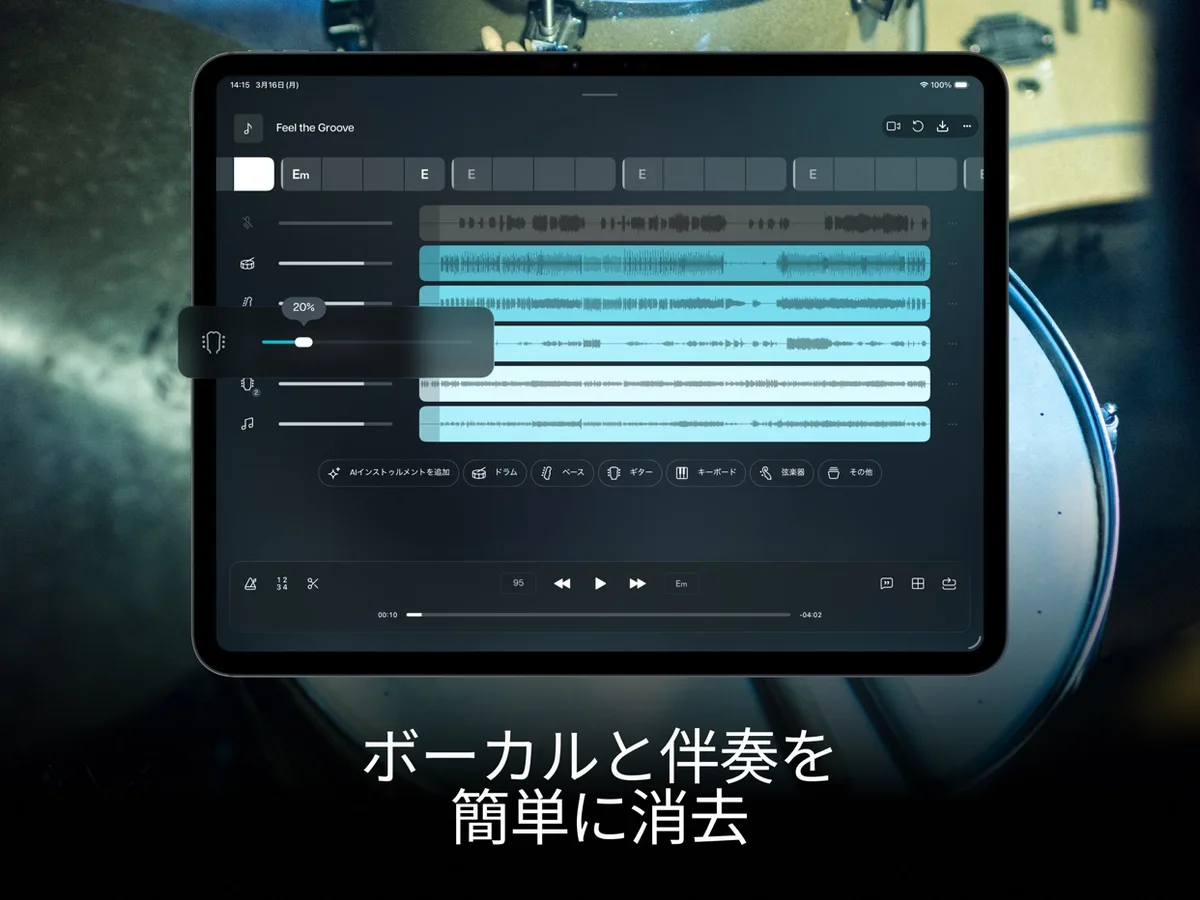 Source: Screenshot from the App Store listing "Moises:ミュージシャンアプリ"
Features
01Stem separation
Split a finished song into tracks for each instrument and voice.
- 27 stem types — on the top plan, separate vocals, lead/background vocals, guitars (acoustic/electric), bass, piano, keys, strings, winds and individual drum kit pieces (kick, snare, toms, hi-hat, cymbals), among others
- Auto detection — AI finds the instruments in a song and automatically separates up to 7 targets
- Hi-Fi models — separation with larger models that prioritize sound quality. Available on the Pro plan
- Audio for video — separate dialogue, effects and soundtrack (Pro plan)
02Practice tools
Play the songs you love at your own speed and key.
- Speed and pitch changer — speed playback up or down and shift the key to fit your vocal range or instrument tuning
- Chord, key and BPM detection — switch between beginner, intermediate and advanced chord views, which follow transposition
- Smart metronome — create a click synced to the song's beat, with a count-in setting
- Sections — AI detects the song structure so you can loop the part you want to practice
- Lyrics transcription — supports songs in English, Spanish, Portuguese, French and Italian (per the App Store description)
- Video recording — capture your performance in audio and video on your phone and export it to social media
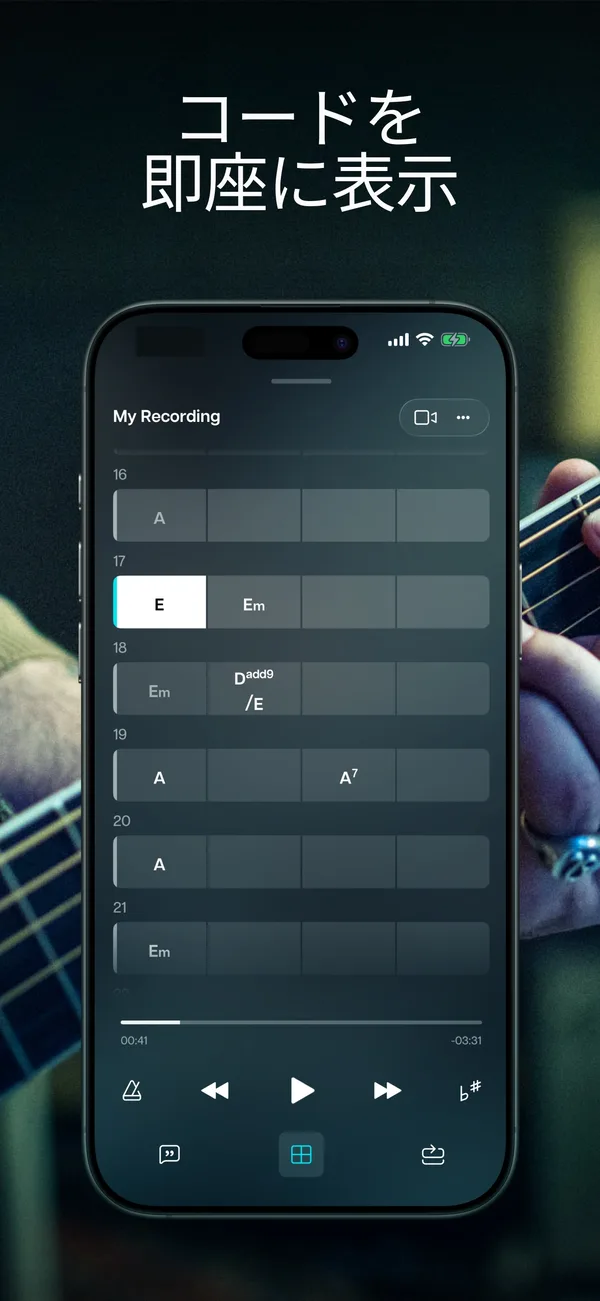 Source: Screenshot from the App Store listing "Moises:ミュージシャンアプリ"
03Moises Studio (collaboration in the browser)
No installation; the whole band works in one session.
- Real-time co-editing — join via a share link and record, edit and comment on the same timeline. Joining a session does not require a paid plan
- Stem generation — listens to the project's key, tempo and vibe and creates a matching part from 5 instruments and 55+ genre presets (or a prompt). Delivered as audio or MIDI
- Voice conversion — replace a vocal take with another voice while keeping its pitch and timing. You can also train a private custom model of your own voice
- Instruments and effects — convert audio to MIDI and play it with built-in instruments with 200+ presets. The desktop app can also load VST3 plugins. The Amp Modeler connects to Tone3000's library of amps and pedals
- Mixing and mastering — auto-mix in 20 genre styles, 18 built-in effects and one-click mastering
- AI assistant "Moi" — give instructions such as "find the key" or "add a bass that follows the chords", and it chooses the tool and places the result on the timeline
- Export to DAWs — export in DAWproject and Ableton Live Set formats to hand off to Logic, Pro Tools, Ableton and others
04Where you can use it
One account and plan; choose the entry point for each task.
- Web and desktop apps — the most complete set of production features, including Studio, Voice Studio, AI Mastering, Lyric Writer and WAV export
- Mobile apps — iPhone, iPad and Android. Practicing along with songs, audio/video recording, Sections and more
- VST plugin — use stem separation inside your DAW (there is also an extension for Fender Studio Pro)
- TV and Moises Live — apps for Apple TV and Android TV, and Moises Live, which reduces vocals or instruments in whatever audio is playing in real time
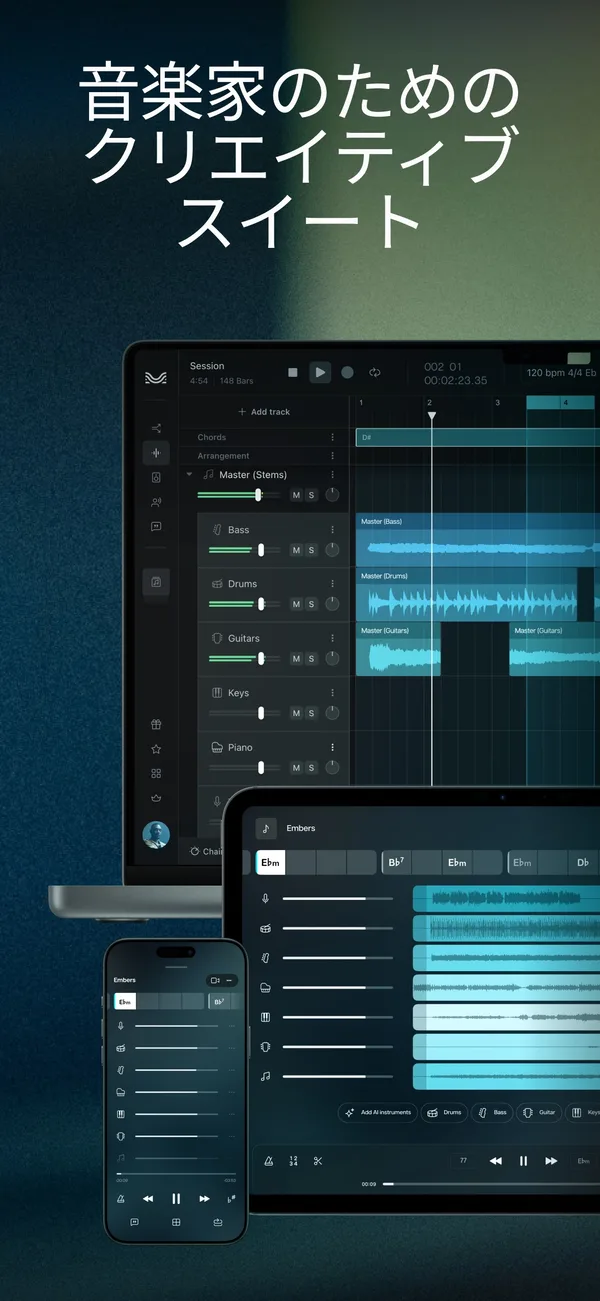 Source: Screenshot from the App Store listing "Moises:ミュージシャンアプリ"
Pricing
Moises has three plans: Free, Premium and Pro, and Premium and Pro can be paid monthly or yearly. The official pricing page (studio.moises.ai/pricing) is only shown after you log in, so the prices below are taken from the "In-App Purchases" listing on the Japanese App Store (checked November 18, 2026). For prices when paying in the web app (credit card or PayPal), check the pricing page after logging in.
| Plan | Price (App Store listing) | Main features |
|---|---|---|
| Free | ¥0 | Separation limited to 2 stems (vocals / accompaniment) and 4 stems (vocals, drums, bass, other). 5 processing credits per month. Up to 5 minutes per file. Metronome, chord detection and lyrics transcription only for the first minute |
| Premium | ¥900/month, ¥7,000/year | Unlimited uploads (within fair use). Separation by individual instruments (up to 5 per upload). Up to 20 minutes per file. Metronome, chords and lyrics for the whole song. Bulk upload of up to 20 files |
| Pro | ¥4,500/month | Everything in Premium, plus stems such as male/female vocals, winds and individual drum kit pieces, Hi-Fi models, up to 60 minutes per file, Voice Studio export, WAV 48kHz/24bit, the VST plugin, and dialogue/effects/soundtrack separation |
- The App Store "In-App Purchases" listing shows Moises Premium (monthly) at two prices, ¥900 and ¥800. Check the purchase screen in the app to see which price applies
- Songs on the Free plan are automatically deleted two months after your last login (official help center)
- "Unlimited" features are also subject to fair use guidelines; regularly processing 14 or more tracks per day or 420 or more per month may be considered beyond normal use (official Acceptable Use and Fair Usage Policy)
- Subscriptions renew automatically. Cancel at least 24 hours before the renewal date
- Payment is by credit card or PayPal in the web app, and via the App Store or Google Play in the mobile apps
- Business purchases and the API are handled through the company's business site, Music.AI (official help center)
- The price of the yearly Pro plan is not among the items shown in the App Store "In-App Purchases" listing
How Moises differs from other music AI tools
| Tool | Main use | Relation to separation and editing |
|---|---|---|
| Moises | Practice, learning by ear, collaboration | Built around separation into up to 27 stem types, combined with tempo/key/chord practice tools and browser collaboration |
| StemTab | Source separation and automatic transcription | Splits into 2 or 6 parts and turns parts into draft scores exported as PDF, MusicXML or MIDI |
| Veena | AI DAW that builds songs from words | Builds tracks with an AI producer. Also has 4-stem separation and real-time collaboration |
| Suno | Song generation from text | Creates whole songs with vocals. Also offers editing in Suno Studio and stem separation |
| Soundverse AI | Song and voice generation from prompts | Handles stem separation, extension and remixing of generated songs |
Details of other products are as stated on each product page at the time it was checked.
Moises suits people who want to learn existing songs by ear or practice and produce with a band. If you want sheet music, consider StemTab; to create songs from scratch, Suno, Udio or Mureka; and for video background music, beatoven.ai or MusicFX.
Pros
- Everything you need for practice in one app: remove parts, slow down, change key, view chords and play a click track on the same screen
- Fine-grained separation: the top plan offers 27 stem types, and can even split drums into kick, snare, hi-hat and more
- Works on any device: web, desktop, smartphone, tablet, VST plugin and TV, all with the same account
- Clear data policy: Moises officially states that it does not use uploaded audio to train its models and trains only on licensed material
- Free to try: 2- and 4-stem separation is available on the Free plan, and joining Moises Studio sessions is free
Cons and things to note
- Tight Free plan limits: 5 processes per month, up to 5 minutes per file, and chord detection and the metronome only work for the first minute
- Login required to see prices: the official pricing page is shown after login, so you need an account to check web prices
- High quality and detailed separation require Pro: Hi-Fi models, separation of drum kit pieces and the like, and exporting voice conversions are Pro features
- Japanese is not among the listed languages for lyrics transcription: the languages listed in the App Store description are English, Spanish, Portuguese, French and Italian
- Intended for personal use: the Terms of Service state that the service is provided for personal use and that you may only process audio you own or have the necessary permissions for. Moises also says it cannot determine whether a particular song made in Moises Studio is protected by copyright
Reputation and track record
The official site features comments from Charlie Puth (Moises's Chief Music Officer), Slipknot drummer Eloy Casagrande and five-time Grammy winner Cory Henry. Moises was named iPad App of the Year 2024 on the App Store, App of the Year for Personal Growth on Google Play, and Best Music App at the Microsoft Store Awards 2025 (as stated on the official site). On the Japanese App Store it is rated 4.6 out of 5 (5,204 ratings, as of November 18, 2026).
FAQ
Q. Can I use Moises for free?
A. Yes, there is a Free plan. You can use 2-stem (vocals and accompaniment) and 4-stem (vocals, drums, bass, other) separation within 5 processing credits per month, up to 5 minutes per file. Choosing individual instruments, or using chord detection and the metronome for a whole song, requires Premium or higher.
Q. What is the difference between Premium and Pro?
A. Premium is for practice: unlimited uploads, up to 20 minutes per file, choosing individual instruments (up to 5 per upload) and more. Pro is for production and adds Hi-Fi models, finer stems such as drum kit pieces and male/female vocals, up to 60 minutes per file, voice conversion export, WAV 48kHz/24bit and the VST plugin.
Q. Can I use it in Japanese?
A. The official site and apps can be displayed in Japanese, and there are help articles in Japanese. However, according to the App Store description, lyrics transcription covers songs in English, Spanish, Portuguese, French and Italian.
Q. Are uploaded songs used to train AI?
A. No. Moises says uploaded audio is processed only for your session and that its models are trained only on licensed material. If you create a custom model of your own voice in Moises Studio, that is something you choose to train, and it is treated as your private data.
Q. Can I downgrade from Pro to Premium?
A. Not directly. Cancel Pro, let the account return to Free, then purchase Premium. Your song data will not be lost (official help center).
The information on this page is based on content published on the official site, official help center and App Store as of November 2026. Please check the official site for the latest specifications and pricing.