

MoneyForwardクラウド
: How to use it, features, and the business problems it solves
Add bookmark
What is MoneyForwardクラウド?
Money Forward Cloud is a unified back-office SaaS suite for companies and sole proprietors, provided by Money Forward, Inc., which is listed on the Tokyo Stock Exchange Prime Market. With cloud accounting at its core, it links invoicing, expenses, payroll, attendance, and HR/labor management under a single ID, and streamlines everything from bookkeeping to financial closing and tax filing through automatic transaction retrieval and automated journal entries. Corporate accounting starts at 2,480 yen per month and individual tax return plans start at 900 yen per month (both with annual billing, excluding tax), with no initial cost and a one-month free trial. It also has particular strength in integration with accounting firms.
Business problems it solves

【Accounting】
Electronic Bookkeeping Compliance
、Invoice System Compliance
、Budget vs. Actual Management Report Creation
、Fixed Asset Management Automation
、Payment Schedule Creation
、Tax Return Draft Creation Support
、Accounts Receivable and Payable Management Automation
、Monthly Closing Report Creation
、Bookkeeping Automation

About "MoneyForwardクラウド"
What is Money Forward Cloud
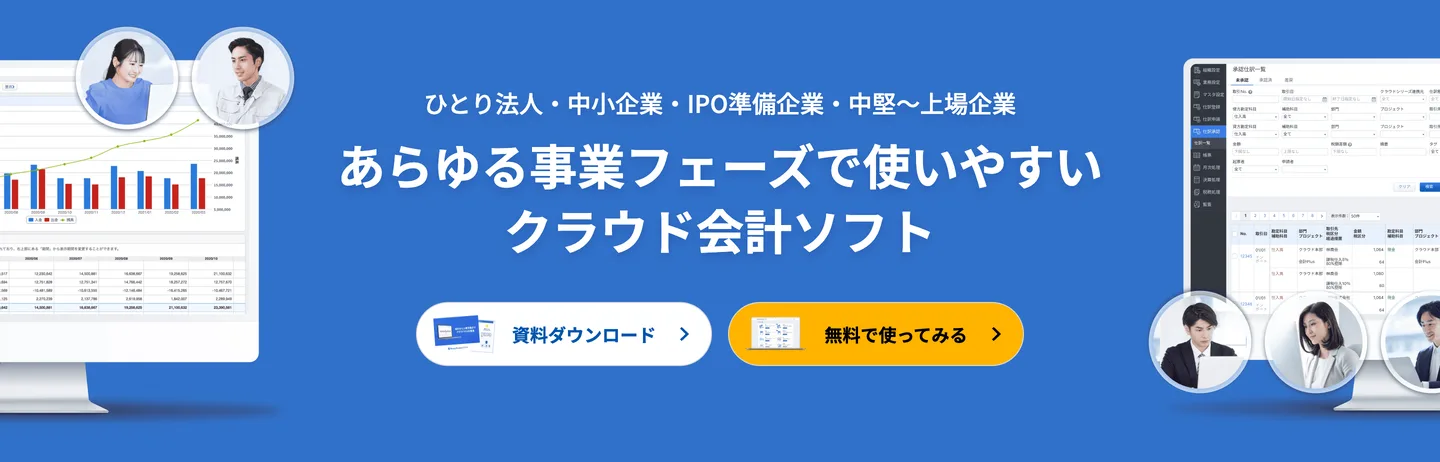
Money Forward Cloud is a unified back-office SaaS suite for companies and sole proprietors. It is provided by Money Forward, Inc., a company listed on the Tokyo Stock Exchange Prime Market (securities code 3994, founded in 2012, headquartered in Minato-ku, Tokyo). With cloud accounting at its core, it links services such as invoicing, expenses, accounts payable, payroll, attendance, and HR/labor management under a single ID, and streamlines everything from bookkeeping to financial closing and tax filing through automatic transaction retrieval and automated journal entries. A key strength is that you can choose the right fit for your business stage, from a one-person company to a listed enterprise or a sole proprietor.
Source: Money Forward Cloud official site (same for the screenshots below)
Your entire back office connected under one ID
The greatest strength of Money Forward Cloud is that you don't use accounting in isolation; instead, each back-office task is connected through the same business data. Even if you subscribe to accounting, invoicing, expenses, and payroll separately, the data stays connected rather than siloed, which reduces double entry and manual transcription.
01Accounting & bookkeeping
The core, from bookkeeping to closing and filing.
- Cloud Accounting — automatic transaction retrieval, automated journal entries, financial statement creation
- Cloud Tax Return — blue and white tax returns for sole proprietors
- Cloud Invoice / Accounts Payable — issuing invoices and managing receipts and payments
02HR & labor
From payroll to attendance and onboarding/offboarding procedures.
- Cloud Payroll — payroll calculation and payslip issuance
- Cloud Attendance — clock-in/out, shifts, and aggregation of working hours
- Cloud HR Management / Social Insurance — centralizing employee information and procedures
03Expenses & more
Also covers applications, reimbursements, and My Number management.
- Cloud Expense — expense application, approval, and reimbursement
- Cloud Contract / My Number — electronic contracts and secure number management
The flow from transaction retrieval to closing
Retrieve transactions automatically
- Banks, cards, e-money
- Supports many financial institutions
Automate journal entries
- Automatically infers account items
- Learns from rules
Review and approve
Split the work between a preparer and an approver. You can also share the same data with an accounting firm
Close and file
- Create financial statements and tax returns
- Supports electronic filing
Money Forward is also known for strong integration with accounting firms, letting you work while viewing the same data as your tax accountant.
How to use
-
Create an account (free trial)
Register from the official site and create your business entity. A one-month free trial is available for both companies and individuals.
-
Select the services to use and configure initial settings
Choose the services you need, such as accounting, invoicing, expenses, payroll, and attendance, and set up your office information and accounting period.
-
Connect bank accounts and cards
Link your bank accounts and credit cards to retrieve transaction details automatically.
-
Bookkeeping and daily operations
Automate journal entries based on the retrieved transactions, and handle invoice issuance, expense reimbursement, payroll calculation, and more in the cloud.
-
Closing and filing
Based on your daily data, create financial statements and tax returns, all the way through electronic filing. You can also proceed while sharing with an accounting firm.
Features
01Automated bookkeeping
The core feature that reduces manual data entry.
- Automatic transaction retrieval — automatically imports transactions from banks, cards, and e-money
- Automated journal entries and learning — infers account items and improves accuracy through rules
- Receipt and invoice scanning — digitizes data by photographing or uploading
02Closing, filing, and reports
Put the books you've built to direct use.
- Financial statements and tax returns — supports corporate closing and individual blue/white tax returns
- Invoice System and Electronic Bookkeeping Act compliance — conforms to the latest legislation
- Reports — visualizes your management position with cash flow, trend tables, and more
03Integration and structure
Connects beyond accounting itself.
- Cross-service integration — links with payroll, expenses, attendance, and more under a single ID
- Accounting firm integration — share the same data with your tax accountant
- API and external service integration — connects with many external services
Pricing
Pricing is split between the corporate plan (accounting) and the sole proprietor plan (tax return). Both have no initial cost and include a one-month free trial. All figures are shown excluding tax (as of August 2026).
For companies (Money Forward Cloud Accounting, monthly rate with annual billing)
| Plan | Monthly (annual billing) | Guidance and main contents |
|---|---|---|
| One-person company | 2,480 yen | 1 owner, up to 500 journal entries per accounting year (3,980 yen monthly billing) |
| Small Business | 4,480 yen | Up to 3 users (5,980 yen monthly billing) |
| Business | 6,480 yen | Metered pricing for 4 or more users (7,980 yen monthly billing) |
| IPO preparation / mid-to-large enterprise | Quote required | Guideline of 51 or more people. Details are individually quoted |
For sole proprietors (Money Forward Cloud Tax Return, monthly rate with annual billing)
| Plan | Monthly (annual billing) | Main contents |
|---|---|---|
| Personal Mini | 900 yen | Blue and white tax returns, electronic filing, automatic transaction import (consumption tax filing not available) |
| Personal | 1,280 yen | In addition to Mini: consumption tax filing (Invoice System support), reports, unlimited storage |
The corporate Business plan adds metered per-member pricing for 4 or more people. Annual billing is cheaper than monthly billing. Depending on the season, campaigns such as Amazon gift card rebates may run.
How it differs from other cloud accounting services
The leading cloud accounting services in Japan are freee, Money Forward, and Yayoi. Money Forward's strengths are its usability aligned with traditional accounting practice and bookkeeping concepts, and the breadth of integration across its back-office services, making it well suited to businesses that have accounting staff or that want to work in coordination with a tax accountant.
| Money Forward Cloud | freee Accounting | Yayoi (Online) | |
|---|---|---|---|
| Design philosophy | Close to accounting practice, integration-focused | Automation usable without bookkeeping knowledge | Long-established, close to traditional bookkeeping |
| Strengths | Links peripheral SaaS such as payroll and expenses under one ID, accounting firm integration | Handles everything from transaction retrieval and journal inference through filing | Track record of support and a desktop version |
| Main target | Companies and growing firms with accounting staff | Individuals to companies doing accounting for the first time | Mainly individuals and small businesses |
If you want to prioritize automation for first-time accounting, freee is a comparison option; if you value a proven track record as a standard tax-return tool, Yayoi is worth considering. If you want to strengthen HR and labor management, it's a good idea to consider it alongside SmartHR, which specializes in labor procedures.
The information on this page is based on content published on the official site as of August 2026. Please check the official site for the latest specifications and pricing.



![[2026 Edition] Boosting Accounting Efficiency with AI | A Complete Guide to Automating Bookkeeping, Document Processing, and Budget Reports](/_next/image?url=%2Fimages%2Farticles%2Fai-accounting-tools.png&w=3840&q=75 "[2026 Edition] Boosting Accounting Efficiency with AI | A Complete Guide to Automating Bookkeeping, Document Processing, and Budget Reports")