
Photomath
: How to use it, features, and the business problems it solves
Add bookmark
What is Photomath?
A math learning app that reads math problems (printed, handwritten or word problems) with your phone's camera and explains how to solve them step by step. It covers everything from arithmetic to algebra, trigonometry, calculus and statistics, and also shows multiple solving methods and graphs. Part of Google since 2023, the app supports Japanese. Step-by-step explanations are free; the paid Photomath Plus adds visual aids and extra "how" and "why" tips ($9.99/month or $69.99/year on the official site).
Business problems it solves

About "Photomath"
What is Photomath?
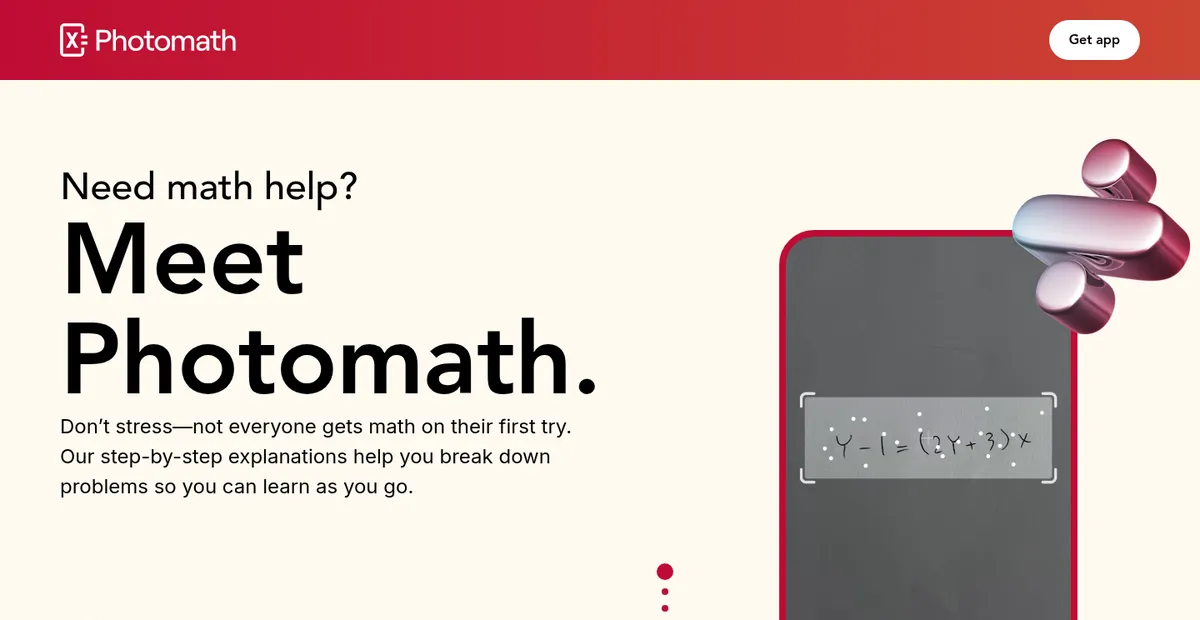
Photomath is a math learning app that reads a math problem with your phone's camera and explains how to solve it step by step. It reads not only problems printed in textbooks and worksheets but also handwritten expressions and word problems. You can also type an expression into the app's smart calculator instead of using the camera.
Photomath was created by Damir Sabol, an engineer who was looking for a way to help his three kids with their math homework. It joined Google in 2023; today the seller on the App Store and Google Play is Google, and the service is operated by Photomath LLC (Mountain View, California, USA). Photomath is in the mobile top 50 of the 6th edition of a16z's "Top 100 Gen AI Consumer Apps," published in March 2026.
(47K ratings)
(3.04M reviews)
Figures are from the Japanese App Store and Google Play listings. Checked October 2026.
How to use
The official site describes the flow in three steps: Scan, Solve and Learn.
- Install the app Install Photomath from the App Store or Google Play. The official site (photomath.com) is an app introduction page; we could not find a way to solve problems in a browser.
- Scan the problem Point the camera at the problem. Printed problems, handwritten problems and word problems are supported. If scanning is difficult, enter and edit the expression in the smart calculator.
- See the solution (Solve) A solution appears for your exact problem. For some problems, you can choose from multiple methods.
- Check each step to understand it (Learn) Open the solution one step at a time to see why each expression follows. You can collapse the parts you understand and expand only the parts you don't.
Source: Photomath official site
Features
01Scan or enter a problem
There are two ways to enter a problem: the camera and the calculator.
- Camera scanning — reads problems printed in textbooks and worksheets, handwritten problems and word problems
- Smart calculator — type and edit an expression by hand to solve it
02Understand how to solve it
The app focuses on showing the reasoning, not just the answer.
- Step-by-step explanations — every solution comes with step-by-step explanations
- Multiple methods — some problems offer alternative solving methods
- Interactive graphs — check functions and more on a graph
- Visual aids and extra "how" and "why" tips (paid) — custom diagrams for your problem and explanations of why and how each step works
03What it covers
The official site says it covers "elementary through college."
- Basic math — arithmetic operations, integers, fractions, decimals, powers, roots and more
- Algebra — linear equations and inequalities, quadratic equations, systems of equations, logarithms, functions, matrices, polynomials and more
- Trigonometry and precalculus — identities, conic sections, vectors, complex numbers, sequences and series and more
- Calculus — limits, derivatives, integrals, curve sketching
- Statistics — combinations, factorials
According to the store description, an in-house team of math educators works with teachers around the world to bring effective teaching methods into the math engine. The app supports more than 30 languages, including Japanese.
Pricing
Photomath is free to use, and step-by-step explanations are available on the free version (Basic). Upgrading to the paid Photomath Plus adds custom visual aids and extra tips explaining "why" and "how." The official site lists the following plans.
| Plan | Price (official site) | Step-by-step explanations | Visual aids | "How" and "why" tips |
|---|---|---|---|---|
| Basic | $0 | ✓ | ✗ | ✗ |
| Annual (Best Value) | $69.99/year | ✓ | ✓ | ✓ |
| Monthly | $9.99/month | ✓ | ✓ | ✓ |
Paid plans are billed through the App Store or Google Play. The Japanese App Store lists "Photomath Plus" in-app purchases at several prices from ¥1,080 to ¥1,500 (the billing period is not shown). Check the actual amount on the in-app purchase screen. Note that, according to the store description, Photomath Plus textbook solutions are currently limited to specific textbooks in the United States.
Prices are as shown on the official site and the Japanese App Store as of October 2026.
Supported platforms
Pros and cons
Pros
- Just take a photo of the problem to see how to solve it, with no need to type the expression
- Step-by-step explanations are free, so you can check the reasoning, not just the answer
- Covers a wide range from arithmetic to calculus and statistics, useful for middle school, high school and college
- A long-running, widely used app now part of Google
Cons
- It is mainly a mobile app; no way to use it from a PC browser could be confirmed
- Paid textbook solutions are limited to specific U.S. textbooks and do not cover Japanese textbooks
- The official site is in English and prices are in dollars, so you need to check yen prices in the store
- Because answers appear instantly, it is easy to look before thinking for yourself. The terms also ask users to use it as a learning aid, not for cheating on exams or homework
Reviews and reputation
Photomath is highly rated: an average of 4.7 from 47,000 ratings on the Japanese App Store and 4.5 from 3.04 million reviews on Google Play (checked October 2026). Japanese reviewers often praise how it shows the reasoning, saying things like "my teacher skips the calculation and jumps to the answer, but this app shows the intermediate steps" and "when I get lost in an explanation, I can open more detailed steps or collapse the parts I already understand." Some also ask for changes, such as "the shutter sound is a concern when using it at cram school or the library."
FAQ
Q. Can I use Photomath for free? A. Yes. Scanning problems and step-by-step explanations are available on the free version. Visual aids and extra tips are Photomath Plus features.
Q. Does it support Japanese? A. The app supports Japanese. The official site is in English.
Q. How much does it cost? A. According to the official site, the paid plan is $9.99 per month or $69.99 per year. The Japanese App Store lists Photomath Plus in-app purchases priced from ¥1,080 to ¥1,500 (checked October 2026).
Q. Can it read handwritten problems and word problems? A. Yes. It supports printed problems, handwritten problems and word problems.
Q. What level of math does it cover? A. The official site says elementary through college. It handles everything from arithmetic and fractions to equations and functions, trigonometry, calculus and statistics.
Q. Can I use it on a PC? A. The official site is an app introduction page, and no browser version could be confirmed. Use the app on iPhone, iPad or Android.
How Photomath differs from other learning apps
| Tool | Strengths | Best for |
|---|---|---|
| Photomath | Snap a math problem and see a step-by-step solution | Students and parents who want to check the reasoning for homework or self-study |
| atama+ | Diagnoses the root cause of mistakes and builds a custom curriculum (for cram schools) | Students who want individualized learning at a cram school |
| Duolingo | Game-like language learning (also has math and music courses) | People who want to keep learning a little every day |
| NotebookLM | Summaries and Q&A based on your own materials | People who want to organize textbook or note content |
To check how to solve each math problem, choose Photomath; to relearn from the root of your weak points, compare atama+; and to learn by asking questions about your materials, compare NotebookLM.
The information on this page is based on what was published on the official site, terms of service, App Store and Google Play as of October 2026. Please check the official site for the latest specifications and prices.