
Picsart
: How to use it, features, and the business problems it solves
Add bookmark
What is Picsart?
PicsArt, Inc. (USA) makes this photo and video editing app. Beyond AI photo editing such as background removal, object removal and AI enhancement, it generates images and videos with 180+ AI models including Nano Banana Pro, Seedance, Kling and Veo, and runs on iOS, Android, the web and Windows. It supports Japanese and is free to start. On the web, Pro costs ¥2,429/month (¥1,699/month billed annually), and Ultra starts at ¥6,082/month billed annually depending on the credit amount.
Business problems it solves




About "Picsart"
What is Picsart?
Picsart is an AI-powered photo and video editing app that brings photo editing, video editing and design together in one place. It is made by PicsArt, Inc. of the United States (founded in 2011, headquartered in Miami, Florida), and runs on four platforms: the mobile apps (iOS and Android), the browser version (picsart.com) and Windows. According to the official site, more than 100 million creators and businesses use it, and it has been downloaded more than 2.5 billion times.
The app was originally known for photo effects, collages and stickers. Today, its core is AI photo editing — background removal, object removal and image enhancement — plus AI generation of images and videos from text or images. Besides Picsart's own models, you can pick external AI models such as Nano Banana Pro, Seedance, Kling, Veo, Sora and Runway (the official home page says "180+ AI models"). Picsart is in the mobile top 50 of the 6th edition of a16z's "Top 100 Gen AI Consumer Apps," published in March 2026.
(official site)
App Store figures are from the Japanese store; the download count is from the official company page. Checked October 2026.
How to use
- Install the app (or open the web version) Install Picsart from the App Store or Google Play. On a PC, open picsart.com in a browser or use the Microsoft Store app. If you sign in with the same Picsart account, your subscription benefits work on every platform.
- Upload a photo On the AI photo editor page, click "Upload image" or drop a file to open the editor.
- Edit with AI tools Choose and apply tools such as background removal, removing or replacing unwanted objects, enhancement and AI filters. You can also describe the edit you want in text.
- Generate images or videos (if needed) Describe what you want, choose an AI model and generate an image or video. Generation uses credits (consumption varies by model, resolution and length).
- Save and share Export the finished image or video and post it on social media.
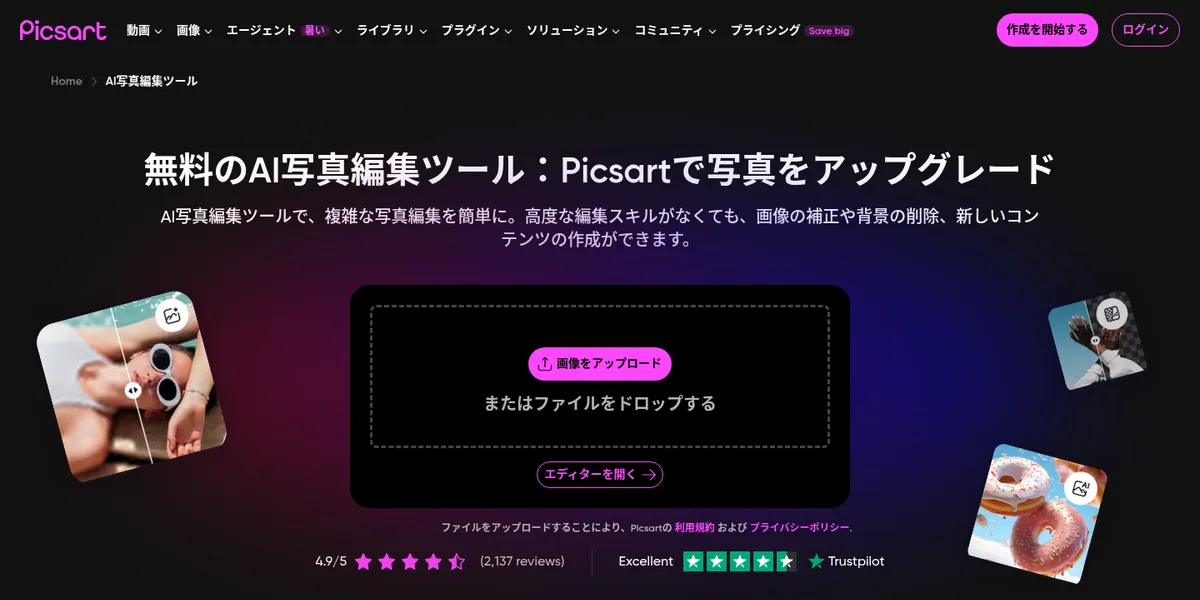
Source: Picsart official site (AI photo editor)
Features
01Edit photos with AI
The official site says you can use "25+ AI tools" in one place.
- Background removal — cleanly cut out people or products. Smart backgrounds let you composite a new background
- Object removal and replacement — erase unwanted objects or swap them for something else
- AI Enhance — improve blurry photos and other images in one tap
- AI retouch and AI replace — portrait retouching, changing hair color, face swaps and more
- AI expand — extend an image beyond its frame
- AI filters and effects — turn photos into art styles or apply seasonal and trending effects
02Create images, videos and audio with AI
A key feature is that you can choose the model, including external AI models.
- AI image generator — create images, AI art and GIFs from text. Models include Nano Banana Pro, GPT-image, Imagen, Flux, Seedream and Ideogram
- AI video generator — create videos from text or images. Models include Seedance, Kling, Veo, Sora, Runway, Hailuo, Wan and Luma
- AI audio — text-to-speech, sound effects, dubbing and more with ElevenLabs models
- Picsart Aura — generate and edit images and videos in a single chat conversation
- AI avatars and AI Try-On — create your own avatar or try on outfits
03Design and video editing
Standard, non-AI editing features are also included.
- Templates — customize templates for social posts, stories, logos, business cards, posters and more
- Video editor — make clips with music, short videos and video collages
- Collages, stickers and text — decorate photos with 60M+ stickers, fonts and text styles
- AI writer — write captions and marketing copy
04Produce at scale for work (paid plans)
These are listed on the pricing page as new features of the paid plans.
- Creative AI agents — 15+ agents for video, branding, localization and more that plan, execute and deliver
- Workflows — run multi-step workflows, such as product videos or ad visuals, in one click
- Bulk editing and brand kits — edit up to 50 images at once (100 on Ultra) and save brand colors and fonts
- Picsart CLI and MCP — automate generation from the terminal or an agent, or use Picsart inside Claude Code, Cursor and ChatGPT
Pricing
You can start using Picsart for free. The comparison table on the pricing page shows background removal and some image models (Flux 2 Klein 4B and Picsart SANA-Sprint) as available on the free version. For heavy AI generation or premium assets, you subscribe to the paid Pro or Ultra plan. Paid plans also remove ads in the mobile app.
Web pricing (as shown on picsart.com/ja/pricing)
| Plan | Monthly billing | Annual billing (per month) | Monthly credits | Main features |
|---|---|---|---|---|
| Pro | ¥2,429/mo | ¥1,699/mo | 500 | All photo and video editing features, advanced background and object removal, stock photos and Getty video clips, premium templates, bulk edit of 50 images, 3+ brand kits, 100 GB cloud storage |
| Ultra (1,500 credits) | ¥7,624/mo | ¥6,082/mo | 1,500 (3x Pro) | Everything in Pro plus 200+ AI models, early access to new AI features, add-on credits that never expire, bulk edit of 100 images, 10+ brand kits, ad variations and localization, extra team seats, 300 GB per license |
| Ultra (2,500 credits) | ¥11,736/mo | ¥9,729/mo | 2,500 (5x Pro) | Same as above |
| Ultra (5,000 credits) | ¥22,690/mo | ¥18,125/mo | 5,000 (10x Pro) | Same as above |
| Ultra (10,000 credits) | ¥39,120/mo | ¥31,296/mo | 10,000 (20x Pro) | Same as above |
Ultra is priced per seat (per license), and you choose the monthly credit amount (more than 10,000 is also an option). Credit consumption varies by model, resolution and length; as an example, the pricing page says Pro's 500 credits are enough for about 10 Veo 3.1 videos (720p, 4 seconds). At the time of checking, Pro and Ultra subscribers were also offered unlimited Wan 3.0 generations for a limited time (until October 31).
In-app purchases (Japanese App Store)
Plans bought in the mobile app follow a different structure from the web plans. The Japanese App Store lists the following in-app purchases. According to the app description, Picsart Plus includes premium content, templates and extra retouching tools, while Picsart Pro includes more AI tools, team seats for small businesses and extra storage.
| In-app purchase | Price (Japanese App Store) |
|---|---|
| Picsart Pro Weekly / Monthly / Annual | ¥1,050 / ¥1,500 / ¥9,300 |
| Picsart Gold Weekly / Monthly / Annual | ¥580 / ¥950 / ¥6,290 |
| Picsart Plus - Annual | ¥7,190 |
Prices are as shown on the official pricing page and the Japanese App Store as of October 2026. The pricing page does not say whether tax is included. Check the actual amount on the purchase screen.
Supported platforms
Pros and cons
Pros
- Photo editing, AI editing, image generation, video generation and design all in one app
- Use external models such as Nano Banana Pro, Seedance, Kling and Veo with the credits of a single subscription
- The same account's benefits work on mobile, web and Windows, so you can continue work anywhere
- Some features, such as background removal, remain free
Cons
- With so many features, the screens and menus can feel crowded if you only want simple photo edits
- Generation is credit-based and consumption varies widely by model and resolution, so it is hard to tell how much you can create
- Plan names and prices differ between the web and in-app purchases
- Free trials automatically switch to a paid plan unless you cancel within the trial period
Reviews and reputation
On the Japanese App Store, Picsart has an average of 4.5 from 250,000 ratings and ranks 26th in Photo & Video (checked October 2026), making it a staple photo editing app. Reviewers praise its usability — "lots of stickers, and you can do all kinds of edits from cutouts to borders" — while others ask for "more free fonts" or say "I was charged an annual fee after the free trial." On the latter, the developer replied on the App Store that if you do not cancel during the trial, the subscription automatically renews into a paid plan when the trial ends.
The official AI photo editor page displays a Trustpilot rating of 4.9/5 (2,137 reviews).
FAQ
Q. Can I use Picsart for free? A. Yes, you can start for free. Background removal and some image models are available on the free version. Premium assets and credit-heavy AI generation require a paid plan (Pro or Ultra).
Q. Does it support Japanese? A. Yes. The app is available in 30 languages including Japanese, and the web version can be shown in Japanese.
Q. How much does it cost? A. On the web, Pro is ¥2,429 per month with monthly billing, or the equivalent of ¥1,699 per month with annual billing. Ultra varies by credit amount, starting at ¥6,082 per month (1,500 credits, annual billing). For in-app purchases, the App Store lists items such as Pro Monthly at ¥1,500 (checked October 2026).
Q. What is the difference between Pro and Ultra? A. The monthly credits (500 for Pro; 1,500 to 10,000+ for Ultra) and Ultra-only features (200+ AI models, never-expiring add-on credits, team seats, bulk edit of 100 images, 300 GB storage and more). Picsart recommends Pro for standard photo and video editing and Ultra for heavy AI generation or team use.
Q. Can I use a plan bought on my phone on a PC? A. Yes. Sign in with the Picsart account you used to purchase, and your benefits work on iOS, Android, the web and the Microsoft Store.
Q. How do I cancel or get a refund? A. After canceling, you keep your benefits until the current billing period ends. Refunds for app purchases follow App Store and Google Play policies; for web purchases, request one through the official refund request page.
How Picsart differs from other image and video editors
| Tool | Strengths | Best for |
|---|---|---|
| Picsart | Mobile photo editing plus image and video generation with many AI models | People who want to make social photos and short videos mainly on a phone |
| Canva | Template-based design and documents | People who want to make flyers, documents and social images from templates |
| CapCut | Short-video editing and captions | People whose work centers on video editing |
| Remini | Upscaling photos and faces | People whose main goal is to make existing photos look better |
| Photoroom | Background removal and generation for product photos | Businesses that want clean e-commerce product images |
If you want photo editing through AI generation in one app, choose Picsart; to build designs from templates, compare Canva; and if your work is mainly video editing, compare CapCut.
The information on this page is based on what was published on the official site, pricing page and App Store as of October 2026. Please check the official site for the latest specifications and prices.