
Qwen
: How to use it, features, and the business problems it solves
Add bookmark
What is Qwen?
A family of large language models from China's Alibaba (Qwen / Tongyi Qianwen) and its conversational AI, Qwen Chat (Qwen Studio). The current flagship is Qwen3.8-Max. Multimodal across text, image, and video, it offers chat, image and video generation, web search, and code generation for free. Many models are open source; Japanese is supported.
Business problems it solves




About "Qwen"
What is Qwen
Qwen (Tongyi Qianwen) is a family of large language models developed by China's Alibaba, and its conversational AI service. "Qwen Chat" (now Qwen Studio), usable in a browser, offers not just Q&A but image generation, video generation, web search, document processing, and code generation — all for free. It is multimodal (handling text, images, and video) and supports Japanese input and output. A major distinguishing trait is that many of its models are released as open source.
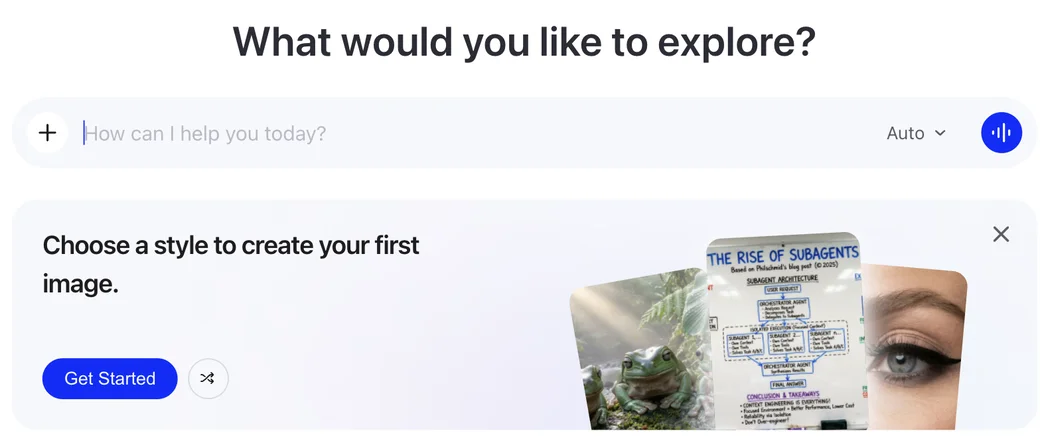
Source: Qwen Studio (chat.qwen.ai) (the image below is from the same source)
Current models
In Qwen Chat you can switch models by purpose. The main models available as of this update are:
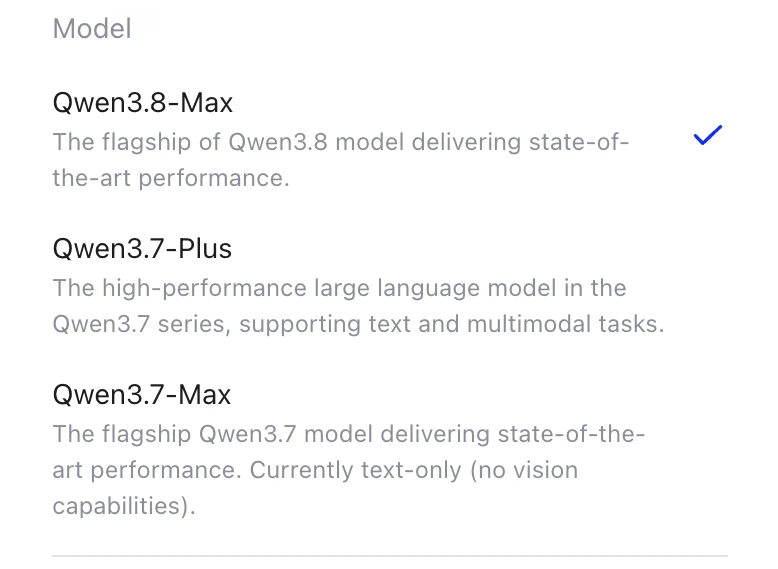
- Qwen3.8-Max — The flagship of the Qwen3.8 series; the latest model with top-tier performance.
- Qwen3.7-Plus — A high-performance model in the Qwen3.7 series, supporting both text and multimodal tasks.
- Qwen3.7-Max — The Qwen3.7 flagship; currently text-only (no vision).
- The lineup is updated frequently. In addition, many open-source models (the Qwen series and the Wan video-generation series, etc.) are published.
How to use
-
Create an account
Go to the official site (chat.qwen.ai) and sign in with email or a Google account. You can start using it for free.
-
Start chatting
Enter questions or instructions in Japanese in the input box. It handles writing, summarising, translation, code generation, and more.
-
Choose a model
Switch among models like Qwen3.8-Max by purpose — reasoning-focused models, or multimodal models handling text, images, and video.
-
Use multimodal features
Call up image generation, video generation, image/document reading, and web search as needed. You can also upload files for analysis.
-
Export and use
Copy or download generated text, images, and code. Developers can also use the models via API (Alibaba Cloud's Model Studio / Bailian).
Features
01Chat & generate
- Conversational AI assistant — Q&A, writing, summarising, translation, ideation, multilingual
- Multimodal — Understands images and video on top of text; multiple formats in one conversation
- Image generation — Photorealistic images from text, including in-image text
- Video generation (Wan series) — Generate video from text or images
02Research & process
- Web search — Search for the latest information and reflect it in answers
- Document processing — Summarise and analyse uploaded documents
- Code generation — Strong at generating, completing, and explaining code
03Extend
- Open-source models — Many models published; run locally and customise
- API — Use models via Alibaba Cloud's Model Studio / Bailian
Pricing
Qwen Chat is free in the browser. API use is metered and priced in USD. Check the official pricing page (Alibaba Cloud Model Studio) for the latest.
| Item | Details |
|---|---|
| Qwen Chat (web) | Free (some features/limits may apply) |
| Open-source models | Free to download and run locally (check license terms) |
| API (Model Studio / Bailian) | Metered by tokens; rates vary by model |
| Commercial use | Varies by model license — always confirm before use |
Qwen Chat lets you try even image and video generation for free. On the other hand, because the provider is Chinese (Alibaba), some organisations prefer to avoid entering confidential information and take care with data handling. Note too that whether commercial use is allowed depends on the license of the model you use.
Pros and cons
Pros
- Qwen Chat is free and supports Japanese I/O
- Multimodal across text, images, and video
- Many models are open source, enabling local deployment and customisation
- Relatively low API rates, keeping development costs down
Cons
- As the provider is Chinese (Alibaba), some organisations need to take care with data handling
- The UI can be switched to Japanese, but explanations of the newest features are often in English or Chinese
- Whether commercial use is allowed requires checking each model's license
Reputation
- "Free multimodal features" and "natural Japanese conversation" — many praise its cost performance.
- Developers value that "the open-source models perform well and can run locally."
- On the other hand, some are cautious: "concern about a Chinese provider" and "I'd avoid entering confidential information."
FAQ
Q. Is Qwen free to use?
Yes. Qwen Chat (Qwen Studio) is free in the browser. Many models are released as open source and can be run locally. API use is metered.
Q. What is the latest model?
As of this update, the flagship is Qwen3.8-Max. You can also choose Qwen3.7-Plus (multimodal), Qwen3.7-Max (text-only), and others. The lineup updates frequently.
Q. Does it support Japanese?
Yes. It supports Japanese input and output for natural conversation, and you can switch the UI language to Japanese in settings.
Q. Can I use it commercially?
It depends on the license of the model you use. Always confirm each model's license terms for commercial use.
Q. How does it differ from ChatGPT or DeepSeek?
Qwen stands out for multimodal support, open-source releases, and low-cost API. Being able to try image and video generation for free is a difference from other chat AIs.
How it differs from DeepSeek and other conversational AIs
| Aspect | Qwen | DeepSeek / ChatGPT, etc. |
|---|---|---|
| Developer | China / Alibaba | Various (China / US) |
| Modalities | Text, image, video | Varies by product |
| Delivery | Web chat + OSS models + API | Varies by product |
| Strength | Multimodal + OSS + low-cost API | Varies by product |
If you prioritise multimodal and open source, Qwen; for another Chinese open model, DeepSeek; and for general chat and work, compare with ChatGPT and Gemini.
Information on this page is based on what was published on the official site as of August 2026. The model generation, features, and pricing may change, so check the official site for the latest.