
Wink
: How to use it, features, and the business problems it solves
Add bookmark
What is Wink?
An AI app from Meitu, Inc. (listed on the Hong Kong Stock Exchange) for enhancing videos and photos and retouching people. It upscales blurry videos to HD and 4K and retouches faces, skin and body shape in videos, and also offers AI object removal, automatic captions using AI speech recognition and video editing tools. Available as a mobile app (Japanese supported, free to start; VIP is listed on the Japanese App Store at ¥1,200 per month and more), Wink Web (Standard from $15 per month) and desktop apps for Mac and Windows.
Business problems it solves


About "Wink"
What is Wink?
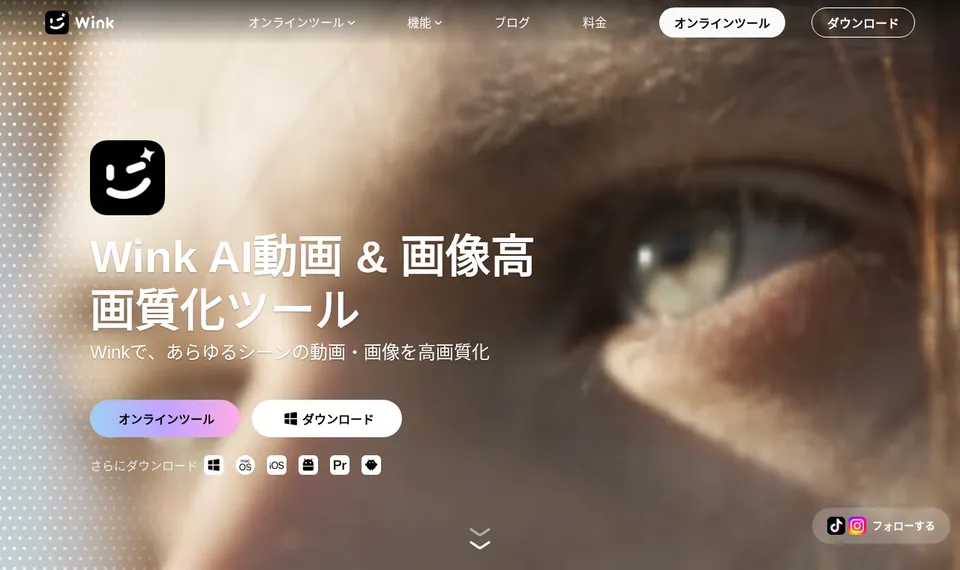
Wink is an app that uses AI to enhance videos and photos and retouch the people in them. The official website introduces it as an "AI Video & Image Enhancer", and its core features are enhancement that turns blurry, dark or grainy footage into HD or 4K quality, and portrait retouching that lets you retouch faces, skin and body shape in videos as easily as in photos. It also offers AI removal of unwanted objects, automatic captions using AI speech recognition, and video editing such as cutting, background music and text.
The provider is Meitu, Inc. of Xiamen, China, known for the photo editing app "Meitu". The company is listed on the Hong Kong Stock Exchange (1357.HK), and its company overview says Wink was launched in 2022. The Wink website states that it has more than 45 million monthly active users, is used in more than 170 countries and regions, and has ranked No. 1 in its category chart in more than 25 countries. Wink is also included in the mobile app list of the 6th edition of "Top 100 Gen AI Consumer Apps", published in March 2026 by the US investment firm a16z.
Besides the mobile app (iPhone, iPad and Android), there is Wink Web for use in the browser, desktop apps for Mac and Windows, and a plug-in for Adobe Premiere Pro. The app can be used in Japanese, and the official website also has a Japanese version.
29K ratings
Photo & Video
(official website)
Google Play
Store figures are from the Japanese App Store and Google Play listings (checked October 21, 2026). Rankings change daily.
Source: Wink official website
How to Use
- Choose where to use it On a phone, install "Wink" from the App Store or Google Play. On a PC, open Wink Web (the online tools on wink.ai) in your browser, or download the Mac version (macOS Catalina or later) or Windows version (Windows 7/8.1/10/11, 64-bit) from the official website.
- Load a video or photo Choose the video or photo you want to enhance, or a video showing the person you want to retouch.
- Choose an AI feature Pick from enhancement (with scene options such as portrait, scenery, concert and game), portrait retouching, AI removal, automatic captions and more. The strength of the enhancement can be adjusted.
- Save and share Export the finished video or photo and post it to social media.
Features
01Video and photo enhancement
Wink's core feature.
- HD enhancement and 4K upscaling — Restores blurry videos and photos and upscales 480p and 720p videos to 4K
- Scene-specific AI models — Restores footage to suit the scene: portraits, scenery, concerts (low-light stage lighting), gameplay, old photos and more
- AI Auto Repair Pro — Automatically analyzes color, night scenes, noise and more, and applies the right corrections
- Stabilization, deblurring and frame interpolation — Fixes shaky or out-of-focus footage and adds frames for smoother motion
- Batch processing — Processes multiple videos and photos at once
02Portrait retouching for video
Uses the technology of the Meitu photo editing app to retouch people in videos.
- Skin, wrinkles and dark circles — Smooths acne, rough skin, wrinkles and dark circles while keeping skin texture
- Face contouring and makeup — Face-shape adjustments that look natural even in motion, and makeup effects that stay in place in videos
- Body shaping — Reshapes the body while keeping the background fixed, including upper arms, thighs and body proportions
- Multi-face detection — Applies different retouching to each person even in group videos
- Lighting and hair color — Brightens dark faces and changes hair color
03Video editing and AI effects
Features for finishing videos on your phone alone.
- Automatic captions — Generates captions automatically using AI speech recognition (more than 10 languages). The official website says translation is also supported
- AI removal, passer-by removal and watermark removal — Removes unwanted objects, people who got into the shot and watermarks from videos and photos
- Cutout and AI expand — Removes or replaces backgrounds and extends the frame beyond its edges
- Video editing — Color correction, trimming, speed, splitting, adding music, text, stickers and transitions, templates, and video collages
- AI effects — Live wallpapers, anime and cartoon styles, figure-style images and more
04Use from a PC, the web or AI agents
Ways to use Wink beyond the phone.
- Wink Web — Online tools in the browser, including enhancement, watermark removal, image-to-video and text-to-video
- Desktop apps and Premiere Pro plug-in — Apps for Mac and Windows, and a plug-in for Adobe Premiere Pro 2020 or later
- Wink Enhancer Skill — On a PC with the desktop app (V3.8.0 or later), call Wink's quality restoration from an AI agent (installed with the command `npx github:meitu/wink-cli install`)
Pricing
Wink's pricing is split between VIP / VIP+ for the mobile and desktop apps and the Wink Creative Plan for Wink Web. The mobile app is free to start, and the store description says you can save without a watermark for free.
Mobile app (in-app purchases shown on the Japanese App Store, checked October 21, 2026)
| Item | Price |
|---|---|
| Weekly Auto-renew VIP | ¥800 |
| Monthly Auto-renew VIP | ¥1,200 |
| Yearly Auto-renew VIP | ¥5,900 / ¥6,600 / ¥7,400 |
| Yearly VIP+ | ¥10,800 |
| Live Wallpaper - 3 times | ¥350 |
The App Store list contains several yearly VIP items at different prices. Check which price applies on the in-app purchase screen when you buy.
According to the FAQ on the official website, VIP and VIP+ differ as follows.
| VIP | VIP+ | |
|---|---|---|
| Platforms | Mobile and iPad only | Mobile, iPad and PC |
| Materials | VIP materials | VIP and VIP+ exclusive materials |
| Batch processing | Up to 9 items at a time | Up to 20 items at a time |
| Monthly bonus | 100 credits | 300 credits |
| Video length per cloud processing task | Up to 10 minutes | Up to 60 minutes |
| Daily free cloud processing quota | 30 images + 20 minutes of video | 100 images + 60 minutes of video |
Cloud processing means processing your photos and videos with cloud-based AI models (quality enhancement, super resolution, AI repair, AI removal, image-to-video and more).
The store description says Wink VIP gives unlimited 4K video import and enhancement, plus VIP-only filters and effects.
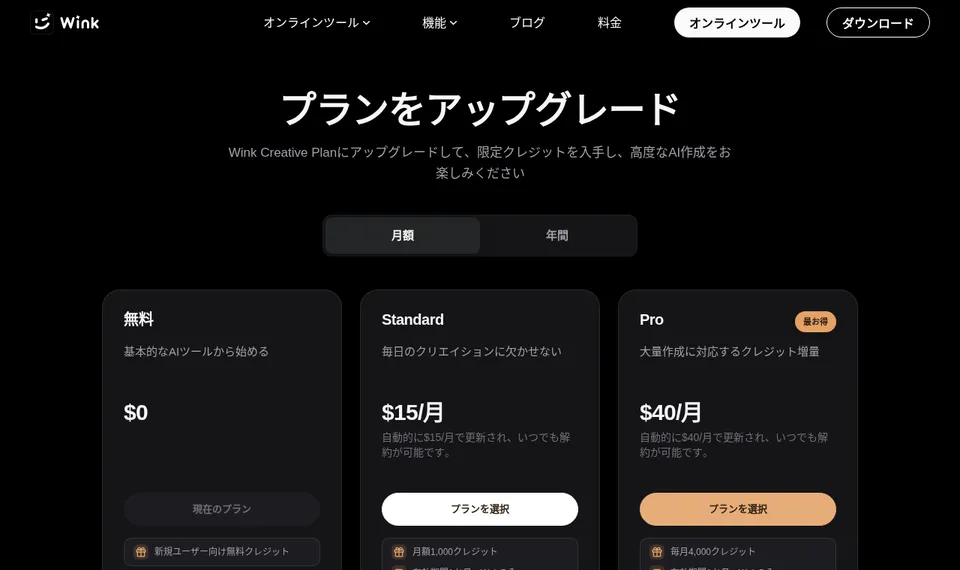
Wink Web (Wink Creative Plan, as shown on wink.ai/ja/pricing)
| Plan | Monthly | Yearly (per month) | Monthly credits | Main features |
|---|---|---|---|---|
| Free | $0 | $0 | Free credits for new users | Basic models. AI generations limited to the credits available. Exports include a logo |
| Standard | $15/month | $10/month ($120/year) | 1,000 | Premium models, priority generation on dedicated GPUs, no watermark |
| Pro | $40/month | $25/month ($300/year) | 4,000 | Same as Standard with 4x the credits |
Source: Wink pricing page
The Wink Creative Plan is exclusive to Wink Web and is separate from the mobile VIP and VIP+. Credits expire after 31 days, and expired credits are not refunded or reissued. The number of credits required depends on the feature and processing level, and you can check it before starting a task.
Sources: Wink official website (FAQ), App Store (Japan) Wink
Pros and Cons
Pros
- Video enhancement (HD and 4K) and portrait retouching for video in one app
- Scene-specific enhancement for portraits, concerts, games and more
- The mobile app can save without a watermark even for free (per the store description)
- Works on a wide range of platforms: mobile, web, Mac, Windows and Premiere Pro
- Operated by Meitu, Inc., which is listed on the Hong Kong Stock Exchange, so the operator is clearly identified
Cons
- Mobile VIP / VIP+ and the Wink Web Creative Plan are separate subscriptions with separate pricing
- Wink Web prices are shown in US dollars
- The App Store shows several prices for the same yearly VIP, so you need to check the price on the purchase screen
- VIP cloud processing is limited to 30 images + 20 minutes of video per day (VIP+: 100 images + 60 minutes)
- The free version shows ads (per the store listings)
Reviews and Reputation
Wink is rated 4.7 out of 5 on the Japanese App Store (29K ratings) and 4.5 on Google Play (over 1 million reviews) as of October 21, 2026. Store reviews say you can edit videos without losing quality, that it is free and easy to use and that the collage feature is handy, while others say features that are free in other apps are paid here or ask for improvements to audio sync after saving and to the editing screen.
How Wink Differs from Other Video Enhancement and Editing Apps
Meitu, also from Meitu, Inc., is a photo-first app: in addition to photo retouching, it offers features such as AI image editing, where you select an area and redraw it with a text instruction. Wink focuses on video: it is strong at video enhancement (HD and 4K), retouching people in videos and video editing such as automatic captions, and it also has web and desktop versions. Compared with other video editing and enhancement services:
| Product | Strengths | Platforms | Pricing (as stated on each product page) |
|---|---|---|---|
| Wink | Video and photo enhancement (HD, 4K), retouching people in videos, AI removal, automatic captions | Mobile, Web, Mac, Windows | Mobile app is free to use, VIP from ¥1,200/month and other prices (App Store Japan); Wink Web Standard from $15/month |
| Meitu | Selfie and portrait retouching (enhancement, skin, face and body reshaping), AI image editing | iPhone, iPad, Android | Free to use; Meitu VIP from ¥1,190/month or ¥5,400/year, among other prices (App Store Japan) |
| CapCut | Video editing (auto captions, background removal, AI image/video generation) | Mobile, PC, browser | Free to start; CapCut Pro from ¥1,080/month or ¥9,900/year on the App Store (Japan) |
| Vrew | Edit videos like editing text, based on speech-recognition transcripts (auto captions, silence removal) | Desktop (Windows, Mac, Linux) | Free plan available; paid from ¥1,590/month (credit-based) |
| Remini | Enhancing blurry and old photos, enhancing short videos | iOS, Android, Web | App is free to use (with ads); paid plan prices vary by user |
| Picsart | AI photo and video editing, plus image and video generation with 180+ AI models | iOS, Android, Web, Windows | Free to start; web Pro ¥2,429/month |
| Magnific | From image and video generation to editing, including upscalers (Magnific / Topaz) | Browser (also via API and plugins) | From ¥1,950/month (billed annually) |
Other products' prices are as stated on each product page at the time of checking. Please check each product page and official website for the latest pricing.
Wink suits you if you mainly want to raise the quality of your own videos or retouch the people in them. If photo retouching is your focus, compare Meitu; to finish videos with cut editing and automatic captions, CapCut or Vrew; and to combine high-resolution upscaling with generative AI, Magnific.
FAQ
Q. Is Wink free? A. The mobile app is free to start, and the store description says you can save without a watermark even for free. VIP materials and unlimited 4K video import are VIP / VIP+ benefits. On Wink Web, the free plan gives free credits for new users, but exports include a logo.
Q. Can it upscale to 4K? A. Yes. The store description says it can upscale 480p and 720p videos to 4K. With Wink VIP you can import and enhance 4K videos without limit.
Q. Can I use it on a PC? A. Yes. There is Wink Web for the browser and desktop apps for Mac and Windows. To use VIP benefits on a PC you need VIP+ (VIP is for mobile and iPad only). Wink Web uses the separate Creative Plan.
Q. Does it support Japanese? A. Yes. The app can be used in Japanese, and the official website has a Japanese version (wink.ai/ja).
Q. Who operates it? A. Meitu, Inc. (美图公司), headquartered in Xiamen, China. It has been listed on the Hong Kong Stock Exchange since 2016 (1357.HK).
The information on this page is based on what was published on the official website, pricing page and App Store as of October 2026. Please check the official website for the latest specifications and pricing.