Glean
: How to use it, features, and the business problems it solves
Add bookmark
What is Glean?
An enterprise Work AI platform from Glean Technologies, Inc. (US). It connects company apps such as Slack, Google Drive, Confluence, SharePoint and Salesforce through 275+ connectors and lets you search across them while enforcing each source app's access permissions (Glean Search). The AI assistant (Glean Assistant) answers, creates content and analyzes data with internal documents as sources, and Glean Agents lets you build AI agents. Japanese is officially supported for search and the UI. Pricing is not published; in Japan it is also provided by NTT DATA and Marubeni IT Solutions.
Business problems it solves




About "Glean"
What is Glean?
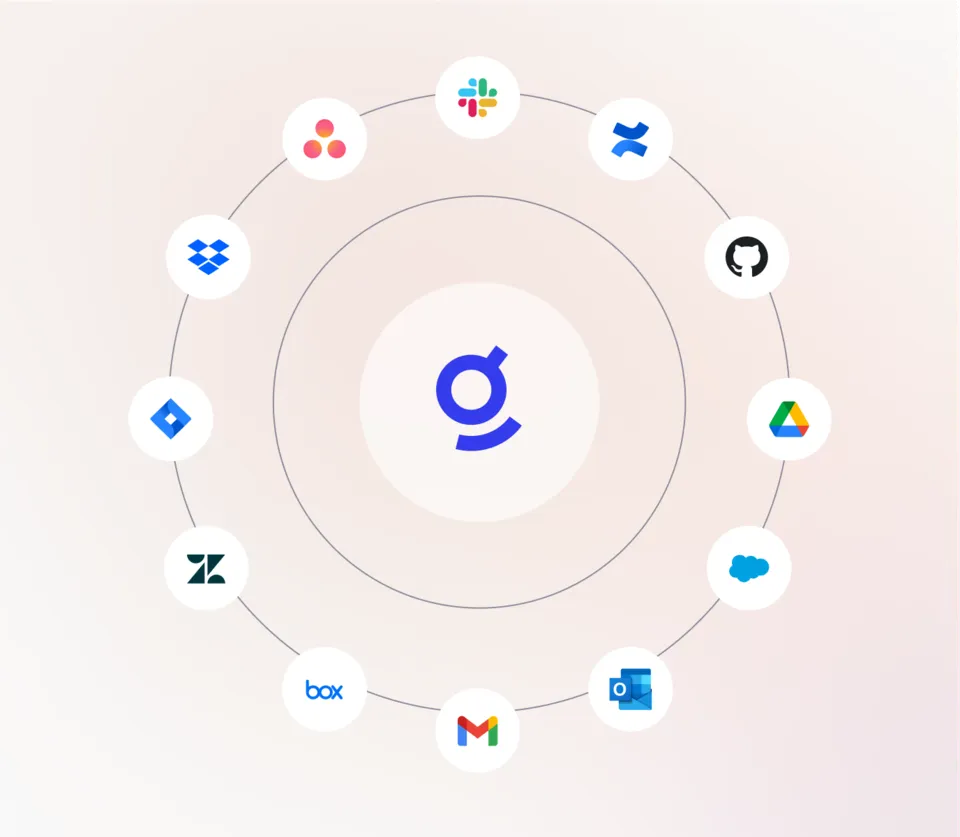
Glean is an enterprise "Work AI" platform that searches across information scattered over a company's apps and has AI help with answers, document creation and even carrying out work, provided by Glean Technologies, Inc. (headquartered in San Francisco, US; founded in 2019). It connects company apps such as Slack, Google Drive, Confluence, SharePoint, Jira and Salesforce through what the company calls "275+" built-in connectors, and carries over each source app's access permissions so that only information a user is allowed to see is used in search results and AI answers.
The product consists of Glean Search for workplace search, Glean Assistant as an AI assistant, and Glean Agents for building and running AI agents, along with the platform that supports them (connectors, Model Hub, the Glean Protect security layer and more). Japanese is officially supported for both search (keyword and semantic) and the user interface.
Pricing is not published. The official website has no pricing page; you contact the company via "Get a demo" (導入のご相談). In Japan, NTT DATA (October 2024) and Marubeni IT Solutions (January 2026) have announced that they provide Glean as a partner and reseller.
Find what you're allowed to see, wherever it lives in the company
Glean Search is enterprise search that lets you look across all connected apps from a single search box. Results are indexed in real time, and permission changes in the source app are reflected in search results right away. Users only see information they have been granted access to.
The company explains that deep-learning-based vector search understands the meaning of natural-language questions and keeps learning the company's own terms and context, so no manual tuning is required. It builds a "knowledge graph" from the company's people, content and interactions to personalize result ranking, and points to subject-matter experts when no document exists. Important items can also be pinned to the top of results.
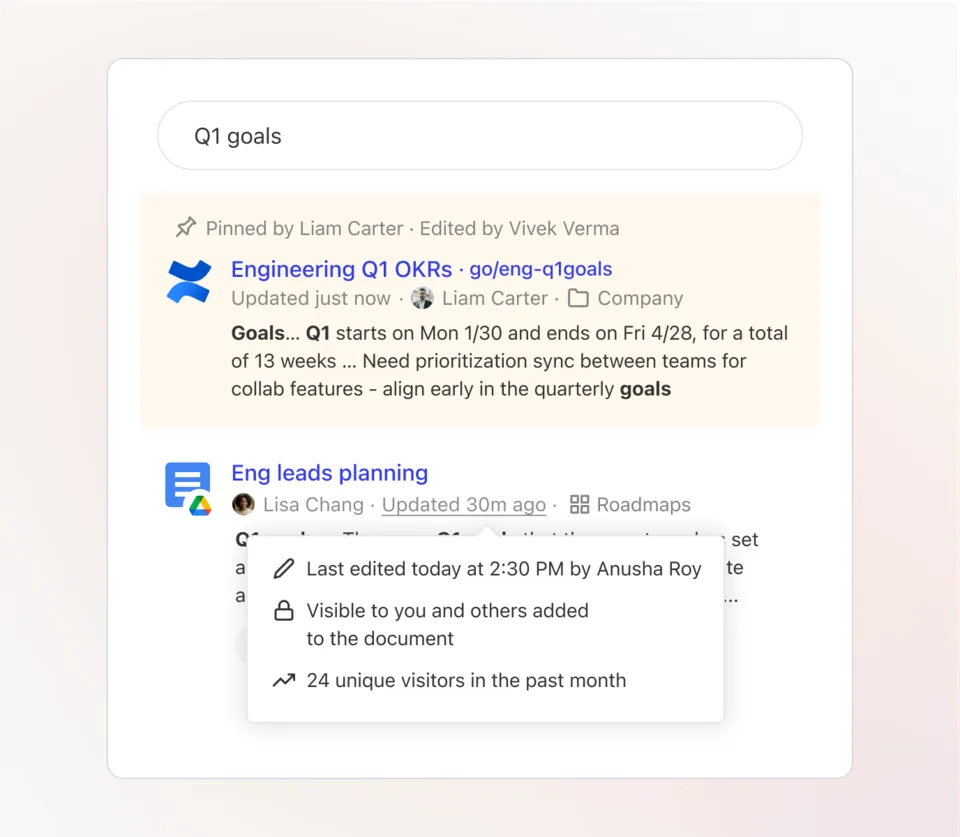
Source: Glean official website (Glean Search) (the following screen images are from the same source)
Delegate research, summaries and the work itself
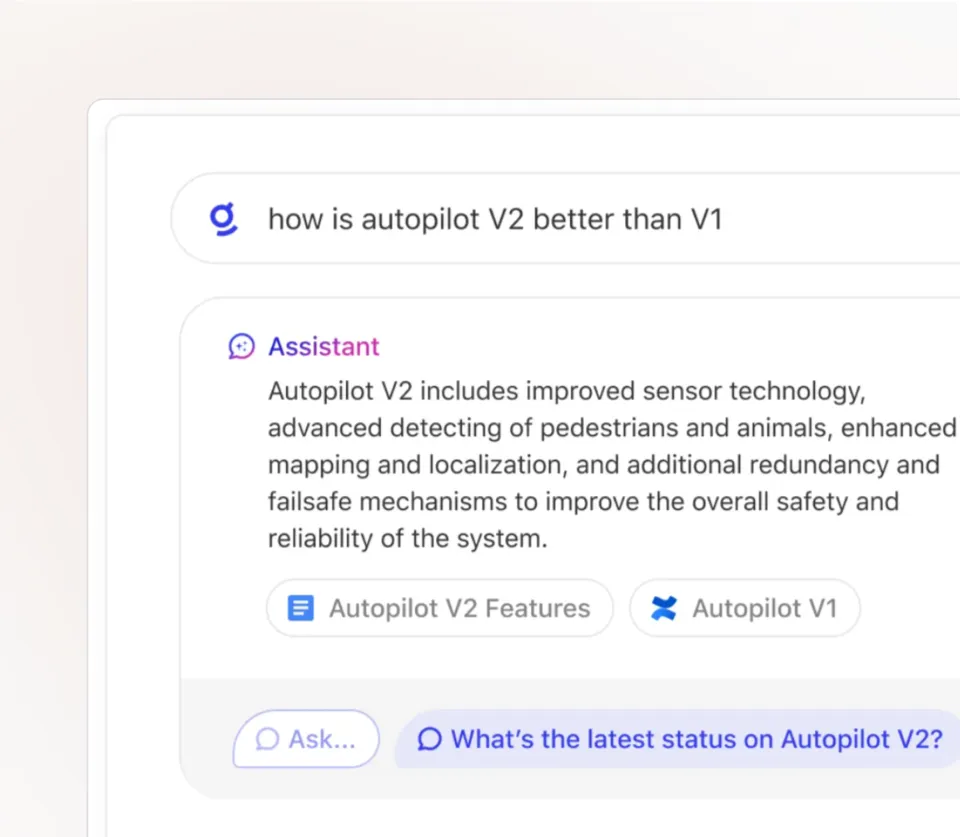
Glean Assistant is an AI assistant that answers questions from company knowledge and returns them with the internal documents used as sources. The company describes five steps: it gathers context from company tools, docs, conversations and the web (Find), builds a multi-step plan and runs sub-agents in parallel (Plan), goes looking for missing context (Research), checks and refines its progress (Iterate), and consolidates the result (Deliver).
Beyond answers, it creates content in formats such as slide decks, documents, dashboards and podcasts, analyzes data in warehouses and BI tools, summarizes meetings, writes and explains code, and carries out work across systems (beta). It also lets you bring teammates into the same chat (beta) and talk with Glean by voice.
How to Use It
- Request a consultation Contact the company via "Get a demo" on the official website. Pricing is not published; you receive a quote at this stage. In Japan you can also adopt it through partners such as NTT DATA and Marubeni IT Solutions, and Marubeni IT Solutions says it also supports data source connection settings and custom connector development.
- Connect company apps An administrator connects apps such as Slack, Google Drive and SharePoint with built-in connectors. Access permissions from the source apps are carried over as is. The company chooses which data the AI may use.
- Employees use it where they already work Employees sign in with accounts created by their company administrator and use the web app, browser extensions (Chrome, Edge, Firefox, Safari), desktop apps (macOS, Windows) or mobile apps (iOS, Android). It can also be called from inside Slack, Microsoft Teams, Zoom, Zendesk, ServiceNow and others (some apps require administrator setup).
- Automate routine work with agents Turn frequent tasks into agents with Glean Agents. Agents can be triggered by events or schedules, and you can require human approval before actions run.
Features
01Find (Glean Search)
Search all company apps from one place, respecting permissions.
- Cross-app search — Find documents, messages, tickets and more in connected apps from a single search box. Results are indexed in real time
- Permission enforcement — Applies source-app access permissions to search results and AI answers so only permitted information is shown
- Knowledge graph and personalization — Ranks results suited to each person's role based on relationships between people, content and interactions, and points to experts
- Pinning — Pin important items to the top of search results
02Answer and create (Glean Assistant)
Answers grounded in company knowledge, creates content and moves work forward.
- Answers with sources — Searches internal documents and the web and answers with the supporting documents shown
- Content creation — Creates slide decks, documents, dashboards, podcasts and other formats
- Data analysis and research — Analyzes structured and unstructured data and turns findings into cited results
- Proactive AI — Surfaces updates and next steps that need attention, tailored to role and priorities (partly beta)
- Multiplayer — Invite teammates into the same chat (beta). Voice interaction is also supported
03Delegate (Glean Agents)
Build AI agents and run them under company-wide governance.
- Agent Builder — Build, test and iterate on reasoning-based agents and complex workflows
- Agent Orchestration — Trigger agents from events, route tasks between agents and connect to external systems
- Agent Library and governance — Share and certify agents to scale adoption, and track adoption, error rates, votes and ROI
- Actions — Carry out requests made in natural language across systems. Human approval before execution can be required (human-in-the-loop)
04Support (platform)
- Connectors — 275+ built-in connectors (native / MCP-based). APIs let you add other apps to search
- Model Hub — Choose from 40+ open and proprietary models, with automatic routing to the best model for a task (beta), per-model usage limits and centralized management through AI Gateway
- Glean Protect — Security features such as sensitive-data detection, prompt-injection detection and guardrails for agents
The number of connectors is stated differently across the official website: the connectors page and product pages say "275+," the site menu says "more than 250," and the Glean Search page says "100+." This page uses the "275+" figure from the dedicated connectors page (as of October 2026).
Security and Data Handling
Japanese Support and Where to Get It in Japan
In the language support matrix of the official documentation, Japanese is generally available for keyword search, semantic search and the user interface (UI) (as of October 2026). Search returns documents written in the same language as the query, and Assistant answers in the language of the question, so Japanese questions mainly draw on Japanese documents. Answering in Japanese from English documents and other cross-language use is an early access feature. Admin workspace setup and external help documentation are not yet localized. The official website has a Japanese version (glean.com/jp), though some pages remain in English.
Companies that have announced providing Glean in Japan (per their own announcements):
- NTT DATA Corporation — Began providing "Glean" on October 21, 2024 under a partner agreement with Glean Technologies, Inc.
- Marubeni IT Solutions Inc. — Announced a reseller agreement on January 20, 2026. In addition to sales, it offers adoption and operations support including data source connection settings, custom connector development and follow-up on feature updates
Pricing
Pricing is not published (as of October 2026).
| Item | Details |
|---|---|
| Pricing page | None (the English site's /pricing redirects to the top page) |
| Price | Not published (individual quote) |
| How to apply | "Get a demo" on the official website, or partners and resellers in Japan |
| Free plan / free trial | Not mentioned on the official website |
Because prices are not published, comparing costs with other products requires a quote.
Track Record and Reputation
The company page on the official website states that annual recurring revenue (ARR) has reached USD 300 million, tripling from USD 100 million in 15 months; that 85%+ of customers deploy across 5+ departments; and that the number of Fortune 500 customers has roughly doubled year over year. On June 10, 2025, the company announced a USD 150 million Series F at a USD 7.2 billion valuation.
Customer stories with figures (as stated on the official website):
01Company-wide rollout
- Booking.com — The first AI platform rolled out company-wide, at a scale of 14,000 employees. 500,000+ survey responses per month
- Ericsson — 20,000+ employees completed AI training, with 2,700+ agents deployed
- TIME — 100+ years of content centralized. 3 weeks to launch and 5 months to company-wide integration
02Time savings and agent use
- Zillow — 1.5+ hours saved per user per week, 80% adoption, 3,400+ agents
- GCash — 2–3 hours saved per user per week, 90%+ usage in some teams
"What we aimed for was combining enterprise knowledge with world knowledge so that employees can work faster, smarter and better."
— Nimish Panchmatia (Chief Transformation Officer, DBS Bank; from the Japanese version of the official website)
The customer stories on the official website are of companies outside Japan; no Japanese customer stories are listed.
How It Differs from Other Workplace AI Search and Knowledge Platforms
| Product | Main use | How it connects to company data | Price (published) |
|---|---|---|---|
| Glean | Cross-app search, AI assistant and agents | 275+ built-in connectors; source-app permissions enforced | Not published |
| Microsoft Copilot Studio | Building AI agents and workflows | 1,400+ connectors, MCP servers | e.g., JPY 29,985/month for a 25,000-credit pack |
| ChatSense | Generative AI chat for businesses (including RAG over internal documents) | Load internal documents | Business plan from JPY 980 per user/month; free Starter plan |
| Notion | Workspace for docs, wikis and databases | Q&A across the workspace and connected apps | See the Notion page |
| Helpfeel | FAQ search and cross-search of internal documents | Cross-search of internal PDFs, Word files, etc. | Individual quote |
*Columns other than Glean reflect what is stated on each product page as of its check date.
What sets Glean apart is that rather than moving information to a new place, it connects the many apps you already use and lets you search across them while respecting permissions. If you work mainly in Microsoft 365 and want to build agents on top of it, consider Microsoft Copilot Studio; if you want to check prices first and start small, ChatSense publishes its prices; and if you want to gather information into one workspace, consider Notion. For stronger customer-facing FAQ search, Helpfeel is a closer fit.
FAQ
How much does Glean cost? Prices are not published. The official website has no pricing page; you get a quote via "Get a demo" or through partners and resellers in Japan (as of October 2026).
Does Glean support Japanese? Yes. According to the official documentation, Japanese keyword search, semantic search and the UI are all generally available. Admin workspace setup and external help documentation are not yet localized.
Will documents I'm not allowed to see appear in AI answers? Glean applies source-app access permissions to search results and AI answers, so users only see information they're permitted to access. The company also says permission changes are reflected in search results right away.
Which apps can it connect to? The company says it offers 275+ built-in connectors, covering Slack, Google Drive, Confluence, SharePoint, Jira, GitHub, Salesforce and more, and other apps can be added via APIs.
Where can it be adopted in Japan? Besides "Get a demo" on the official website, it is provided by NTT DATA (since October 2024) and Marubeni IT Solutions (reseller agreement announced in January 2026).
The information on this page is based on what was published on the official website as of October 2026. Please check the official website for the latest specifications and pricing.