kikiha
: How to use it, features, and the business problems it solves
Add bookmark
What is kikiha?
An AI meeting service whose bot joins Zoom, Google Meet and Microsoft Teams meetings to show live transcription and translated captions, then organizes AI minutes, decisions and to-dos after the meeting. Transcription in 60 languages and 15 translation targets. From ¥2,480/month (tax incl.), with a free demo of 1 hour total within 7 days of sign-up (no card required).
Business problems it solves


About "kikiha"
What is kikiha?
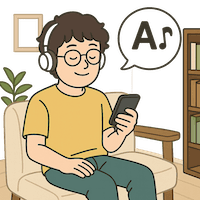
kikiha is an AI meeting service for web meetings, run as a sole proprietorship in Japan. Paste a Zoom, Google Meet or Microsoft Teams meeting URL and the kikiha bot joins the meeting, transcribes what people say as they speak, and translates it into captions in whichever language each participant chooses. When the meeting ends, kikiha produces minutes that organize the summary, decisions and to-dos, which you can share to Slack or ask about from ChatGPT and Claude.
The official site puts it as "transcription and translation for the meetings you already have — from understanding to minutes and next actions." Its main use case is conversations with people who speak a different first language, such as meetings with overseas teams or sales calls, and it also suggests using it to review training sessions, lectures and English conversation lessons.
several can be set per meeting
Japanese, English, Korean, etc.
Light, tax incl., 5 hours/month
7 days from sign-up, no card
(All figures are based on the official website as of October 2026.)
Everyone reads the same remark in their own language
The hard parts of a multilingual meeting are following what is said in the moment, and making sure everyone leaves with the same understanding of what was decided. kikiha handles both in a single flow.
During the meeting, kikiha's browser view shows each remark with the speaker, time and spoken language, followed by the translation. You can switch between "Original", "Original + translation" and "Translation only", and each participant picks their own reading language. Even when one person speaks English, another Japanese and another Korean, each can follow the same conversation in their own language.
On the right is a scene from the official product film, showing Japanese translations appearing under English and Korean remarks. Translations are shown in kikiha's browser view; captions are not overlaid on the Zoom, Meet or Teams window itself. You use the meeting tool and the kikiha view side by side.
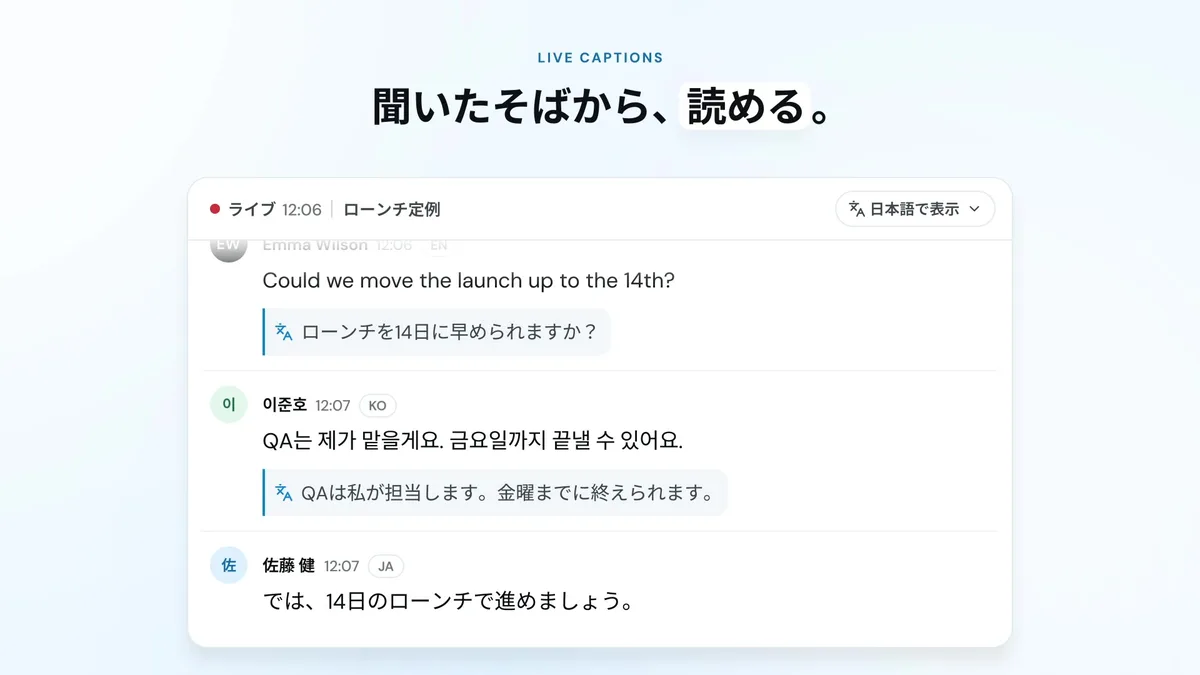
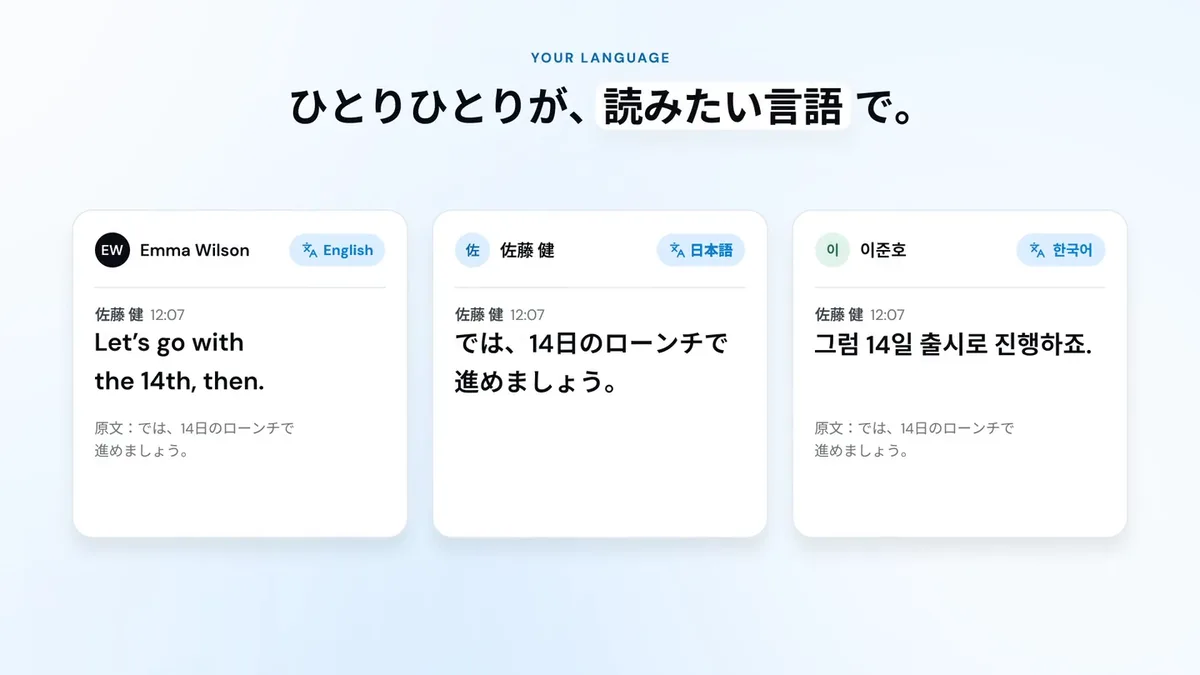
Source: product film on the kikiha official website (the following image as well; names are samples from the film)
Here, the same Japanese remark is read by three people who chose English, Japanese and Korean respectively. The original is shown in small type under each translation, so you can check what was actually said if a translation looks off.
There are 15 caption/translation target languages, and the official languages page states clearly that not all 60 transcription languages can be chosen as translation targets.
How to use it
-
Create an account
Sign up from "Try for free" on the official site with email verification or Google sign-in. No credit card is required, and you receive the free demo (1 hour in total, valid for 7 days). To join an existing team, use the invitation link from your administrator.
-
Paste the meeting URL
Enter the Zoom, Google Meet or Microsoft Teams meeting URL in the app and choose the languages spoken in the meeting. Several spoken languages can be selected when creating the meeting. Nothing needs to be installed.
-
Admit the bot
The kikiha bot asks to join, and the host admits it. kikiha asks users to explain recording, external AI processing and sharing to participants in advance and obtain any required consent. Its terms state that "the host admitting the bot does not by itself mean consent has been obtained from all participants." Organization or host settings may restrict bots or recording, so check in advance for meetings with outside parties.
-
Talk while following captions and translations in kikiha
During the meeting, open the meeting page in kikiha in your browser and choose your reading language. For saved meetings, you can generate or refresh "key points so far" whenever needed, which organizes what has been decided and what is pending, helping people who joined late catch up.
-
Review and share the minutes after the meeting
When the meeting ends, minutes summarizing key points, decisions and to-dos are created. You can send them to Slack, or share them with people who could not attend through an expiring share link. Transcript text and speaker labels can be corrected afterwards.
Features that connect before, during and after the meeting
01Understand during the meeting
Features for keeping up with the conversation in real time.
- Live transcription — spoken words appear as text on the spot, with speaker, time and spoken language
- Live translation — original and translation side by side in kikiha's browser view; switch between "Original", "Original + translation" and "Translation only"
- In-meeting key points — for saved meetings, generate or refresh key points, decisions and pending items whenever needed
- Glossary — register terms in advance; 30 words, 300 words or unlimited depending on the plan
02Record and deliver after the meeting
Features for leaving decisions with both attendees and those who could not attend.
- AI recap and minutes — key points are organized when the meeting ends, with decisions and to-dos in one place
- Minutes translation — translation of minutes; the monthly count depends on the plan, and simply viewing saved translations does not count
- Slack integration and sharing — minutes are delivered to a Slack channel when ready; questions from Slack are also supported
- Share links — issued with an expiry date and can be revoked at any time. Anyone with the link can view without signing in and can also correct transcript text and speakers
03Ask later
Features for pulling information out of past meetings by asking AI.
- Ask Kikiha AI — ask from the web or Slack, e.g. "What did we decide in the last meeting?"
- ChatGPT and Claude integration — ask about minutes, decisions and to-dos from the ChatGPT or Claude you already use
- In-person microphone recording — transcribe face-to-face conversations from a phone or PC microphone without a meeting URL or bot (only in workspaces where the feature is enabled)
According to the official pricing page, these core features are available on every plan; what differs by plan is meeting hours, number of people, AI assistant uses, minutes translations, concurrent meetings and glossary size.
Supported meeting tools and languages
Pricing
kikiha is a monthly subscription, and all prices include tax. You choose Japanese yen (JPY) or US dollars (USD) at checkout. Usage is counted by the length of recorded meetings, not by number of attendees, and is shared across the team (a one-hour meeting with five people counts as one hour for the team).
| Plan | Monthly (tax incl.) | Meeting hours (team total / month) | People | AI assistant | Minutes translation | Concurrent meetings | Glossary |
|---|---|---|---|---|---|---|---|
| Light | ¥2,480 (US$19) | 5 hours | Up to 5 | 50 / month | 300 / month | 1 | 30 words |
| Standard | ¥7,980 (US$59) | 20 hours | Up to 10 | 300 / month | 1,200 / month | 3 | 300 words |
| Team | ¥22,980 (US$169) | 60 hours | Up to 30 | 1,500 / month | 3,600 / month | 5 | Unlimited |
| Enterprise / large rollouts | Contact | Well beyond 60 hours/month | Over 30 | — | — | Over 5 | — |
Whether AI assistant uses are consumed depends on the action. Transcription and translation, the first minutes at the end of a meeting, extraction of decisions and to-dos, and automatic sending to Slack do not consume uses. Questions from the web or Slack, writing requests, generating or refreshing in-meeting key points, and manually regenerating minutes consume one use each.
There are also points to note about how meeting time is counted. Bot recording is measured in seconds from the start request until it ends, including time spent waiting to be admitted. Recording two overlapping one-hour meetings counts as two hours. Microphone recording is counted from when audio input begins, excluding setup and interruptions.
(Based on the official pricing page and the Specified Commercial Transactions Act disclosure as of October 2026)
What the free demo covers
The free demo is not a limited free plan but time for trying live transcription, translation and AI minutes in real meetings. The official FAQ says, "Every new account gets 1 free demo hour of kikiha, valid for 7 days after sign-up." The conditions are 1 hour in total and up to 1 concurrent meeting; recording and translation stop when the time is used up or the 7 days pass. It also notes that you may have to wait to start a new session when the service is busy. Because no card is registered, nothing switches to a paid plan when it expires.
One hour is two 30-minute meetings. If you are evaluating kikiha, use that hour to check the language pairs you actually need, your meeting tool, and whether the bot can be admitted to meetings with outside participants.
How meeting data is handled
Since meeting content passes through an external service, retention and AI training are worth checking first. The official "Security & Privacy" page, terms of service and privacy policy state the following.
With share links, anyone who has the link can view without signing in and can also correct transcript text and speakers. When sharing externally, keep expiry periods short and revoke links once they are no longer needed. The terms also note that content already sent to Slack is not removed when kikiha revokes a link.
About the operator
kikiha is operated as a sole proprietorship (kikiha). Its disclosure under the Specified Commercial Transactions Act states that the operator's name, address and phone number will be disclosed promptly by email or similar on request, and you can request them before purchasing. Inquiries are accepted by email and through the contact form on the official site; support hours are weekdays 10:00–18:00 (Japan time), with replies targeted within two business days.
The official site does not list customer case studies or user testimonials (as of October 2026). If you are adopting it as a company, it is worth asking during the free demo about invoice payment, whether an NDA is needed, and details of subcontractors and processing countries. The payment method officially described is card payment.
How kikiha differs from other AI meeting-minutes and meeting translation tools
Tools that transcribe and translate meetings differ in how they join the meeting (a bot, or recording on your own device) and how they count usage (meeting hours, minutes or seats).
| Aspect | kikiha | VoicePing | Notta | AccuNote |
|---|---|---|---|---|
| Main approach | Bot joins web meetings; microphone for in-person | Meeting bot, plus direct translation of PC audio | Mainly transcription and minutes of Japanese meetings | Voice-note app that records on a smartphone |
| Live translation | Included in every plan | Standard feature | Translation add-on (Premium and above) | 100/month on "Pro + Real-time translation" and above (4/month on Free and Pro) |
| How usage is counted | Team meeting hours (5–60 hours/month) | Transcription and translation minutes | Transcription minutes (unlimited on higher plans) | Audio processing minutes and number of tasks |
| Free to try | Free demo: 1 hour total within 7 days of sign-up | Free plan: 90 minutes/month | Free: 120 minutes/month (3 minutes per session) | Free: 90 minutes/month |
| Entry paid plan (tax incl.) | ¥2,480/month | Personal plan ¥3,163/month (450 minutes) | Premium ¥1,185/month (billed annually) | Pro ¥1,780/month |
(Information on products other than kikiha is as of each product page's check date, August–October 2026.)
What sets kikiha apart is that translation is not split off into higher plans or add-ons — live translation and minutes come together from the cheapest plan — and that usage is counted by meeting time rather than attendees, so the time consumed does not change no matter how many people join a meeting. On the other hand, there is no ongoing free plan, and trying it is limited to 1 hour within 7 days.
If you often need to avoid bringing a bot into external sales calls, VoicePing, which can translate PC audio directly, is a comparison point. If recording Japanese meetings matters more than translation, consider Notta or Rimo Voice. If you want to choose per meeting whether to use a bot, or work with meeting data via official ChatGPT/Claude connectors or MCP, tl;dv fits; and for recording and translating in-person conversations on a smartphone, AccuNote is suited.
FAQ
The information on this page is based on what was published on the official website as of October 2026. Please check the official website for the latest specifications and pricing.