

Evoto AI
: How to use it, features, and the business problems it solves
What is Evoto AI?
Evoto AI is AI photo editing (retouching) software for photo studios and professional photographers. It uses AI to retouch skin, face, hair, makeup, and body in portraits as well as color, clothing, and backgrounds, and it detects people automatically to apply the same adjustments or presets to large numbers of photos at once. It supports RAW processing and tethered shooting and runs on PC (macOS, Windows), iPad, and smartphones. In Japan it is sold by 株式会社Truesight Japan (Shibuya, Tokyo). Pricing is based on the number of exports (tickets): annual from 800 tickets for ¥13,900, monthly from 60 tickets for ¥1,920, 2-year ticket packs from 200 tickets for ¥7,500, and Business Pro for businesses by inquiry (regular prices as of November 2026).
Business problems it solves


About "Evoto AI"
What is Evoto AI?
Evoto AI is AI-powered photo editing (retouching) software for photo studios and professional photographers. It uses AI to retouch skin, face, hair, makeup, and body in portraits, correct color, and fix clothing and backgrounds, and it supports batch editing to give large numbers of photos the same finish. In Japan it is sold by 株式会社Truesight Japan (Truesight Japan) in Shibuya, Tokyo.
The official site is in Japanese and introduces how it is used for each kind of studio shoot, such as weddings, Shichi-Go-San, coming-of-age ceremonies, newborn photos, ID photos, and school photos. It cites more than 1.5 million cumulative users, more than 100,000 studios, and more than 500 million edited images (all official figures as of July 2025).
- Portrait retouching in seconds — remove blemishes, acne, and wrinkles, even out skin tone, refine facial contours, eyes, and teeth, and adjust makeup and hair with sliders
- Many photos at once — detects people automatically and applies the same adjustments or presets to multiple photos in one go
- From capture to export — supports RAW processing, tethered shooting, and automatic import and export
- On PC, iPad, and smartphone — desktop (macOS, Windows), iPad, and smartphone apps
Pricing is based on the number of "tickets" used when exporting photos (from 1 ticket per photo). There are annual and monthly subscriptions, ticket packs valid for 2 years, and Business Pro for businesses.
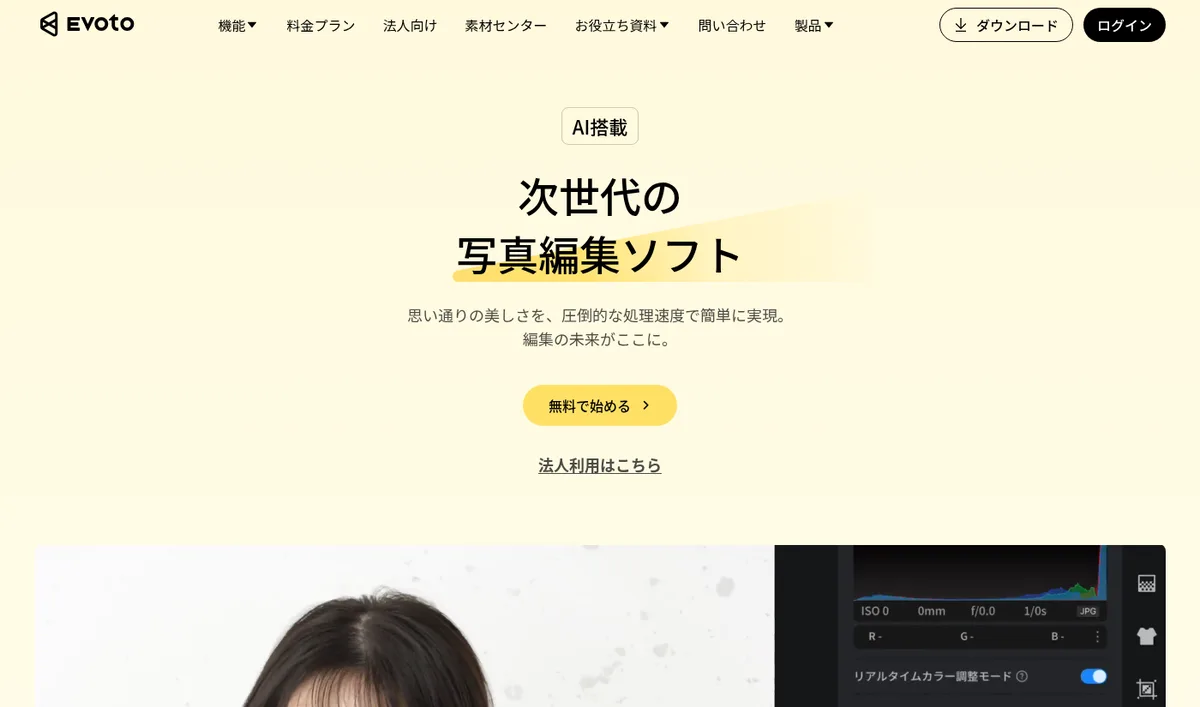
Source: Evoto AI official site (the image below as well)
How to use it
- Get the app Download the PC version (macOS, Windows) from the official site, or install the iPad or smartphone app. First-time users get a 7-day free trial, once per account (on the Beginner, Basic, and Basic Plus annual plans, with 50 bonus tickets to try every feature).
- Import your photos Import the photos you want to retouch. RAW processing is supported, and tethered shooting lets you import as you shoot with the camera connected.
- Retouch with AI Adjust portrait retouching, color correction, background, and clothing with sliders. There is no limit on the number of photos you can edit (per the subscription plans' feature table).
- Apply to other photos at once Save adjustments as presets or sync the same adjustments across multiple photos to finish them in bulk.
- Export Export the finished photos. Exporting uses tickets (from 1 ticket per photo).
Features
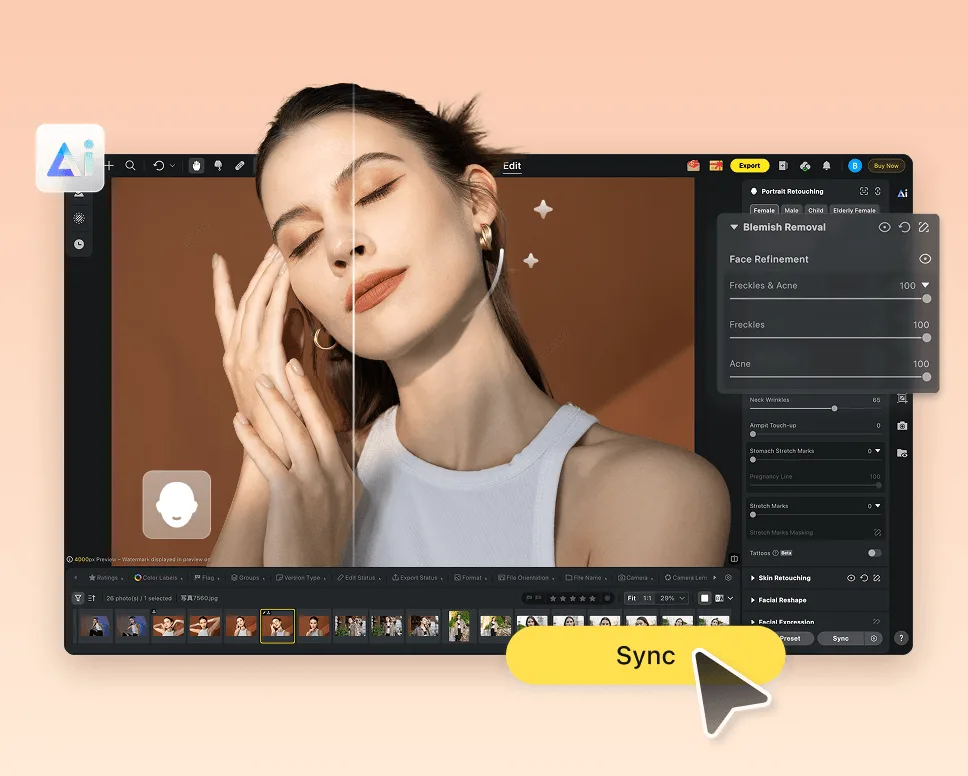
- Natural skin retouching (AI skin retouching) Automatically detects and removes blemishes, acne, breakouts, and dark circles, and softens wrinkles, nasolabial folds, double chins, and neck wrinkles. It can also adjust skin color, reduce shine, and even out skin tone.
- Refine facial features and expressions Adjust face width, brows, nose, mouth, jawline, and cheeks; reshape eyes, add catchlights, remove red eyes and glasses glare; straighten and whiten teeth, remove braces, and add a smile. Closed-eye correction and aegyo-sal (under-eye) enhancement are also available.
- Finish hair and makeup afterward Adjust foundation, contour, and blush; brows, eyeliner, eyeshadow, lashes, and colored contacts; and lip color. Hair color changes and body reshaping are also available.
- Fix backgrounds, clothing, and color Background replacement, blur, and fusion; lawn editing; object removal; outfit extraction; clothes lint removal; clothes color changes; and color correction such as AI Color Looks and Color Match.
- Give many photos the same finish (batch editing) Detects people and subjects automatically and applies brightness, contrast, cropping, portrait retouching, background removal, and more to multiple photos at once. Your own presets can be applied in bulk too.
- Generative AI features (AI Lab) Generative AI features such as removing unwanted objects or people, restoring old photos, and upscaling images (annual plans may include a number of free uses as a bonus).
- Related products The same company also offers Evoto Video, for skin and portrait retouching and color correction in video, and Evoto Instant.
Pricing
Prices are as shown on the official pricing page (/ja/payment) as of November 23, 2026. The pricing page does not say whether tax is included, and the Black Friday offer terms say taxes and fees may or may not be included depending on region, platform, and payment method.
Annual subscription (regular price)
| Plan | Annual (regular price) | Tickets | Simultaneous devices |
|---|---|---|---|
| Beginner | ¥13,900 | 800/year | 2 |
| Basic | ¥23,900 | 1,600/year | 3 |
| Basic Plus | ¥42,900 | 3,600/year | 4 |
| Standard | ¥92,900 | 9,000/year | 5 |
| Standard Plus | ¥209,000 | 24,000/year | 6 |
November 23 to December 1, 2026 is the Black Friday sale period, and the first year is shown at 15–35% off the regular price (Beginner ¥9,035, Basic ¥15,535, Basic Plus ¥32,175, Standard ¥74,320, Standard Plus ¥177,650). Under the offer terms, the discount applies to first purchases and upgrades, not to automatic renewals, and later billing cycles are at the regular price. The pricing page also says that after a free trial you are billed at the regular price and the discount applies only when you buy now (a 7-day free trial started during the offer period qualifies for the sale price if it meets the offer terms).
Monthly subscription
| Plan | Monthly | Tickets |
|---|---|---|
| Beginner | ¥1,920 | 60/month |
| Basic | ¥3,540 | 120/month |
| Basic Plus | ¥7,380 | 300/month |
| Standard | ¥17,910 | 750/month |
| Standard Plus | ¥46,400 | 2,000/month |
All monthly plans allow 2 simultaneous devices and can be canceled at any time.
2-year ticket plans (one-time purchase)
| Pack | Price | Valid for |
|---|---|---|
| 200 tickets | ¥7,500 | 2 years |
| 500 tickets | ¥12,600 | 2 years |
| 1,200 tickets | ¥25,500 | 2 years |
| 3,600 tickets | ¥68,700 | 2 years |
Other
- Add-on ticket packs — 200 to 24,000 tickets. Annual subscribers can buy them at the same discounted price as their current plan until the renewal date (e.g., 200 tickets are ¥3,475 for Beginner subscribers and ¥1,742 for Standard Plus subscribers)
- Cloud storage — 500GB ¥18,500, 1TB ¥29,000, 2TB ¥41,500 (as shown in the annual plan comparison table)
- Business Pro — for teams handling large volumes of photos, such as photo studios and companies. Pricing based on usage, sub-account and permission management, centralized usage management, and onboarding and operational support. Pricing by contacting sales (consultation and quotes are free)
- Rollover — when you renew a subscription, unused tickets carry over to the next period
- Color-only exports — on Black Friday eligible monthly and annual plans, photos with only eligible color corrections applied, including the new RAW profile "Authentic," can be exported without using tickets, with no limit on the number
Pros and cons
Pros
- Skin, face, hair, makeup, body, clothing, and background retouching are in one piece of software, suited to finishing typical studio shoots (Shichi-Go-San, coming-of-age ceremonies, weddings, etc.)
- Batch editing and presets make it easy to give many photos a consistent finish
- Editing is unlimited and you pay by the number of exports (tickets), so you can choose a plan to match your shooting volume
- There is a Japanese subsidiary, and the official site, pricing, and support contact (support-jp@evoto.ai) are in Japanese
Cons
- Every export uses a ticket, so high volumes need higher plans or add-on packs
- Discounts such as Black Friday apply only to the first purchase or upgrade billing; automatic renewals are at the regular price
- Under the terms of service, the contracting party for users in Japan is TRUESIGHT PTE. LTD. in Singapore, separate from the Japanese subsidiary that handles sales and support
- The pricing page does not state whether tax is included, so you need to check the final amount on the checkout screen
Reviews and reputation
The official site features comments from studios and photographers who use it (all as published on the official site):
- 林陽平, 林写真館 (a photo studio) — "It used to be common for a single photo to take 10 minutes, but with Evoto AI it's done in an instant. And the quality is higher than when I spend a long time on it myself."
- 今井しのぶ, こどもとかめら — "Retouching is unavoidable for photographers, and I remember being truly moved to find Evoto AI, which greatly reduces that burden."
- 大森和幸 — "A dream tool that dramatically cuts editing time while maintaining retouching quality."
- 早坂華乃 — "Since finding Evoto, I've been able to save time, improve quality, and increase sales, all at once."
The Business Pro page says it cuts editing time per shot by about 75%, and for 800 shots a month reduces working time from 267 hours to 67 hours (verified in practice). Evoto has also exhibited at the photography trade shows PHOTONEXT (2024 and 2025) and CP+2025.
How it differs from other AI photo editors
| Item | Evoto AI | Meitu | Remini | Topaz Labs | Photoroom |
|---|---|---|---|---|---|
| Main use | Portrait retouching and batch editing for studios and photographers | Selfie retouching and photo editing on smartphones | Enhancing blurry or old photos | Photo and video enhancement (upscaling, noise reduction) | Removing and replacing backgrounds in product photos |
| Where to use | PC (macOS, Windows), iPad, smartphone | Smartphone app | Smartphone app, web | Mac, Windows, browser, iPhone | Web, iOS, Android |
| Pricing model | Subscriptions and ticket packs paid by number of exports (tickets) | Free basic use + VIP | Free basic use + paid plans | Annual subscription | — |
Details for the other products are based on their product pages on this site. Evoto AI differs in being built for finishing large numbers of portraits shot by studios and professional photographers. To edit your own photos on a smartphone, consider Meitu or Wink; to raise image quality itself, Topaz Labs or Remini; and for e-commerce product photos, Photoroom.
Who it's for
Good fit
- Photo studios shooting Shichi-Go-San, coming-of-age ceremonies, weddings, ID photos, and more
- Portrait and event photographers who finish hundreds of photos per shoot
- Teams that want a consistent finish across all staff (Business Pro)
Not a good fit
- People who just want to casually edit a few photos a month (a free smartphone app may be easier)
- People who want to generate images from scratch (it is software centered on retouching existing photos)
Company
| Item | Details |
|---|---|
| Sales in Japan | 株式会社Truesight Japan (Truesight Japan; sells Evoto, Evoto Instant, Evoto Video, etc.) |
| Address | Shibuya Scramble Square 37F, 2-24-12 Shibuya, Shibuya-ku, Tokyo |
| Founded / capital | June 28, 2023 / ¥30 million |
| Representative | Mitta Zhang |
| Memberships | 日本写真館協会, 日本営業写真機材協会, PGC, SNG47 |
| Contracting entity under the terms | Truesight Technology Inc. (Delaware, USA) for users in the U.S.; TRUESIGHT PTE. LTD. (Singapore) for users outside the U.S. |
| Contact | support-jp@evoto.ai |
Sources: Evoto company profile, Evoto Terms of Use
FAQ
Q. Can I use Evoto AI for free? The free entry point on the pricing page is a 7-day free trial for first-time users (once per account). On the Beginner, Basic, and Basic Plus annual plans, you can try every feature with 50 bonus tickets. After the trial ends, you are billed at the regular price.
Q. What are tickets? They are the unit used when exporting photos; the pricing page says "from 1 ticket per photo." The terms of use describe them as units used for things such as watermark-free photo exports. There is no limit on the number of photos you can edit.
Q. Is it available in Japanese? Yes. The official site, pricing page, company profile, and terms of use are in Japanese, and it is sold by the Japanese subsidiary 株式会社Truesight Japan. The contact address is support-jp@evoto.ai.
Q. Are my photos used to train AI? The company profile says Evoto never uses photos for AI training without explicit permission and that copyright stays with the customer. The privacy policy likewise says Evoto does not use customer content to train its generative AI models without explicit, opt-in consent.
Q. Can I cancel or get a refund? The pricing page says monthly plans can be canceled at any time. Refunds follow the refund policy and terms of use, which say cancellations are not refunded except as expressly stated in the terms or the refund policy.
The information on this page is based on what was published on the official site as of November 2026. Please check the official site for the latest specifications and pricing.