

Linnk AI
: How to use it, features, and the business problems it solves
What is Linnk AI?
Linnk AI is an AI workspace for translating and summarizing documents, provided by Linnk, Inc. of Delaware, USA. It translates 50+ formats, including PDF, Word, PowerPoint, Excel, EPUB, subtitles, LaTeX and images, into 154 languages and dialects while keeping tables, columns, formulas and figures in place. Scanned and handwritten documents are read directly by a vision-language model, and web articles can be translated from a URL. It also offers summaries (paragraphs, bullet briefs, outlines and mind maps), AI chat grounded in the source, browser extensions for Chrome, Firefox and Edge, and an Agent CLI usable from AI agents such as Claude Code. You can try a free preview without signing up; paid plans start at Essential, $15/month ($8.2/month billed annually). Uploaded files are deleted within 72 hours and are not used to train AI models, according to the company (as of November 2026).
Business problems it solves


About "Linnk AI"
What is Linnk AI?
Linnk AI is an AI workspace that translates documents such as PDF, Word and PowerPoint into the same document in another language, keeping tables, columns, formulas and figures in place, and then helps you understand them through summaries and chat. It is provided by Linnk, Inc. of Delaware, USA.
Drop a file or paste a URL, pick a target language, and you get a formatted translation, a summary of the key points, or a chat grounded in the source. The official site says it supports 154 languages and dialects and 50+ formats, has translated 2.4 million documents and is used in more than 140 countries. The site can be shown in Japanese, and translating into Japanese is of course supported.
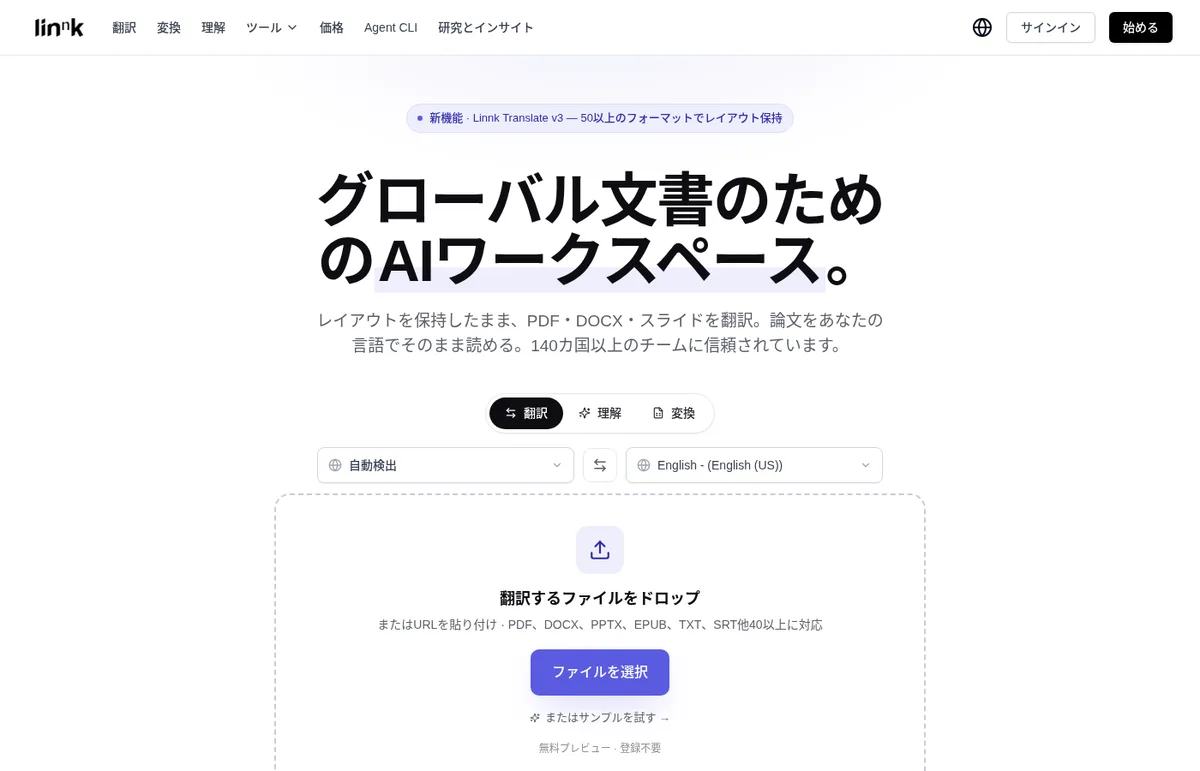
Source: Linnk AI official site and the PDF translator page (also for the images below)
How to use it
- Provide a file Drop the file you want to translate into the input area on linnk.ai, or paste the URL of a web article.
- Choose what to do and the language Choose Translate, Understand (summary and chat) or Convert, and set the target language. The source language is detected automatically.
- Check with a free preview You can try a free preview without signing up. According to the PDF translator page, the first three pages of any PDF can be translated as a preview and downloaded without a watermark.
- Translate the whole document and take it with you Translating every page uses file credits from a paid plan. You receive the translation in the same format as the original (a PDF for a PDF).
You get back "the same document, translated", not "translated text"
Extracting text and translating it breaks tables, turns Excel formulas into values, and cannot read scanned pages at all. Linnk reads the layout, tables, formulas and images and rebuilds them in the same form in the target language (official site).
Extract-and-translate
- Tables and merged cells collapse into plain text
- Excel formulas become values or disappear
- Scanned or photographed pages can't be read without OCR
- You get text in a chat window
Linnk
- Table structure kept as is
- Formulas kept as is
- Built-in reading recreates the layout
- You get the same file, translated
(Comparison based on the table on the official Agent CLI page)
Scanned documents, handwriting and screenshots are read directly by a vision-language model, so no separate OCR step is needed. The official site also quotes a law firm that turns Chinese and Arabic scanned documents into side-by-side Japanese translations.
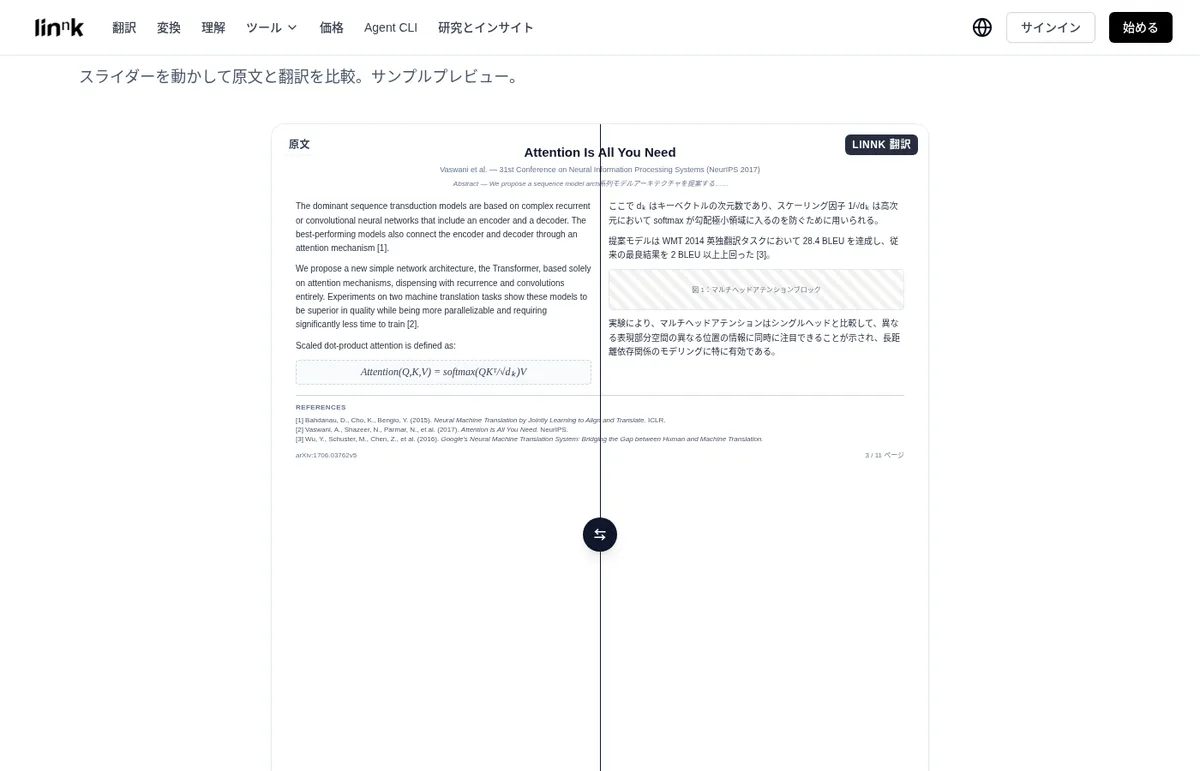
Summaries, chat and mind maps to cut reading time
Besides translation, there are features for understanding documents.
- Summaries — choose paragraphs, a bullet brief, an outline or a mind map. Cross-language summaries are possible too, such as summarizing a Japanese report in English
- Chat — ask the document questions in your own language and get answers grounded in the source. The official site gives the example of researchers reading foreign-language papers and asking questions in their native language
- Mind maps — turns the structure and key concepts of a document into a clickable map where you can fold and unfold branches and jump to the source page
- Browser extensions — for Chrome, Firefox and Edge, to summarize, translate and extract key points from web pages without leaving the browser
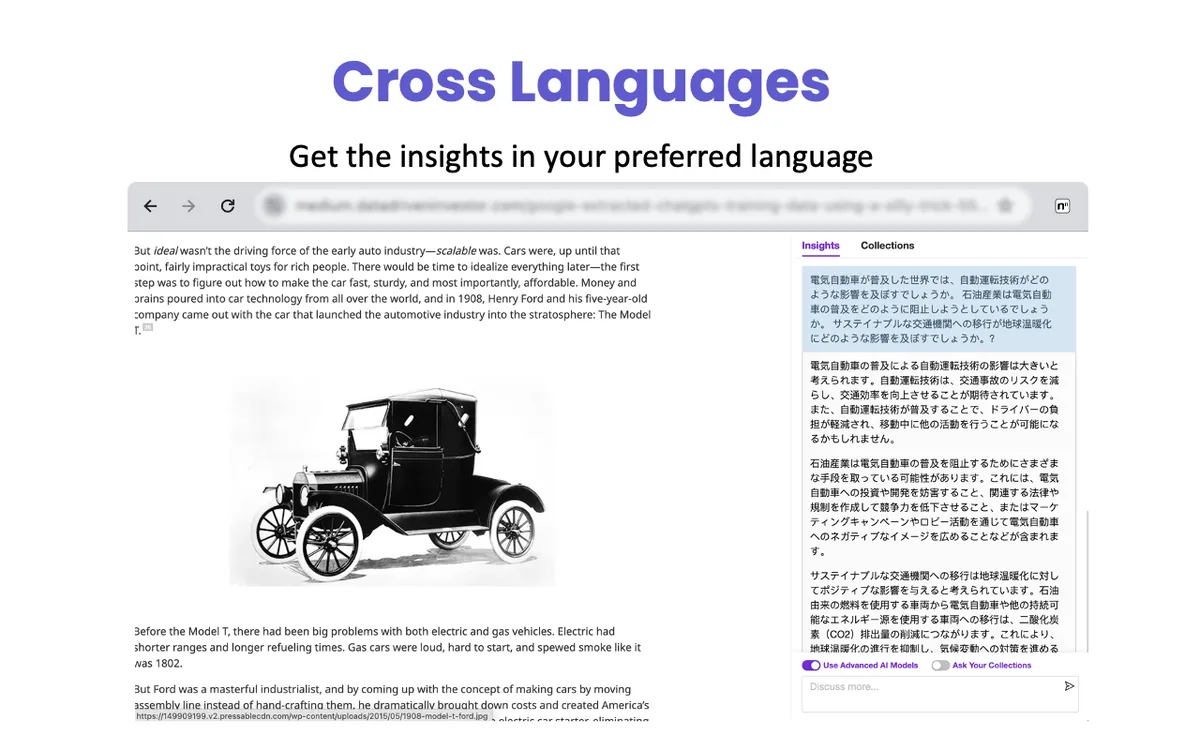
Agent CLI for AI agents
Agent CLI lets AI agents such as Claude Code and Cursor use Linnk's translation. Ask your agent to "translate this file into English with Linnk, keeping the layout", and the agent installs and runs npx @getlinnk/cli on its own, returning the translated file and a preview link that shows the original and translation side by side. One file (up to 20 pages) can be tried free with no sign-up and no API key.
Agent CLI credits are separate from the web Linnk subscription. Agent plans are listed at $8/month (750 credits), $16/month (1,500 credits) and $32/month (3,000 credits) billed annually, but checkout is marked "opening soon" (as of November 2026).
Features
01Translation
Layout-preserving document translation is the core.
- Document translation — 50+ formats including PDF, DOCX, PPTX, XLSX, EPUB, MOBI, SRT, TEX, Markdown, HTML, JSON and images
- Scans and handwriting — read directly by a vision-language model
- Web articles — paste a URL to translate
- Text translation — unlimited on paid plans
02Understand
Features for reading.
- Summaries — paragraphs, briefs, outlines, mind maps; cross-language too
- AI research assistant — chat grounded in the source
- Tools — YouTube summaries, PDF citation generation, CSV translation and more
03Connect
Use it from where you already work.
- Browser extensions — Chrome, Firefox, Edge
- Agent CLI — translate from agents such as Claude Code and Cursor
- Conversion — convert document formats (Converter)
Pricing
Besides the free preview, there are four paid plans. Every plan includes all tools; they differ in monthly file credits and per-file limits.
| Plan | Monthly | Annual (per month) | File credits / month | Per-file limit |
|---|---|---|---|---|
| Free | $0 | — | Preview (limited pages) | 20 MB / 50 pages |
| Essential | $15 | $8.2 | 8 (+8 on annual) | 20 MB / 50 pages |
| Professional | $20 | $9.9 (limited-time) | 20 (+20 on annual) | 100 MB / 100 pages; advanced AI models |
| Premium | $45 | $19.9 (limited-time) | 40 (+40 on annual) | 300 MB / 300 pages; priority support |
| Volume | $85 | $39.9 | 80 (+80 on annual) | 1,000 MB / 1,000 pages; dedicated support |
- File credits are shared by translation and conversion. A standard file translation costs 1 credit per file; Scan and Converter cost 4 credits per file
- Changing the target language or translation method of an already processed file also uses 1 credit
- Paid plans include unlimited summaries, chats with the AI research assistant and text translation
- Free users get a free summary allowance and translation previews with a limited number of pages. Image files are limited to 5 MB
- You can cancel any time from account settings and keep the plan until the end of the billing period
- Team and enterprise plans are available on request
- Prices are in US dollars; the pricing page does not state how tax is handled
(As of November 2026, from the official pricing page and support page)
How your data is handled
According to the official support page, uploaded files are automatically and permanently deleted from the servers within 72 hours, and data is never used to train AI models. The FAQ on the home page also says uploads are encrypted, processed in a secure environment and deleted automatically after processing. Users don't need to choose an AI model; Linnk uses what it considers best for each tool.
How it differs from other AI translation and document AI tools
| Product | Type | Key features |
|---|---|---|
| Linnk AI | AI workspace for document translation and summaries | 50+ formats into 154 languages with layout kept; reads scans and handwriting directly; Agent CLI |
| DeepL | AI translation service | Text and document translation, DeepL Write, DeepL Voice, API; yen pricing in Japan |
| PLaMo翻訳 | Translation model built on a Japanese LLM | Text, file, web page and meeting translation; data processed entirely in Japan |
| ChatPDF | AI for chatting with documents | Summaries, Q&A and translation for PDF, Word and PowerPoint; answers cite the source page |
| SciSpace | AI research assistant for researchers and students | Support for finding, reading and writing papers |
Details for the other products are as stated on each product page at the time it was checked. If translation quality for text and Japanese pricing matter most, DeepL or PLaMo翻訳 fit; if you want to translate slides, tables and scans that easily lose their formatting and hand them over as they are, Linnk AI fits.
FAQ
Q. Is Linnk AI free? You can try a free preview without signing up. The free tier includes a summary allowance and translation previews with a limited number of pages (the first three pages for PDFs). Translating a whole document uses file credits from a paid plan.
Q. Can I use it in Japanese? The home, pricing and support pages can be shown in Japanese, and you can translate into Japanese as well as from Japanese documents into other languages.
Q. Is it safe for confidential documents? Officially, uploaded files are automatically and permanently deleted within 72 hours and are not used to train AI models. If your company's rules restrict uploading to external services, follow those rules.
Q. Can it translate scanned PDFs? Yes. A vision-language model reads them directly. Note that Scan uses 4 credits per file, and the company describes it as a key feature of the Professional and Premium plans.
Provider
Linnk AI is provided by Linnk, Inc. of the United States (1111B S Governors Ave STE 28409, Dover, DE 19904, United States). The terms of service are governed by Delaware law. Inquiries are accepted by email via the support page, with replies promised within two business days.
The information on this page is based on what was published on the official site (home, pricing, support, PDF translator, summarizer and Agent CLI pages), the terms of service and the privacy policy as of November 2026. Features and pricing may change, so please check the official site for the latest information.