
Superwhisper
: How to use it, features, and the business problems it solves
Add bookmark
What is Superwhisper?
An AI dictation app from SuperUltra, Inc. (US). It turns what you say into clean text without filler words and pastes it straight into the app you are using, such as Slack, Gmail or Cursor. You can choose between local voice models that run on your device, such as Whisper, and cloud models, and switch writing styles with task-specific "modes" for email, messages and more. On the Mac it also records meetings with speaker labels and summaries, and Pro adds audio and video file transcription. Available on Mac, Windows, iPhone and Android. The Free plan offers unlimited dictation with local Whisper models; Pro costs US$8.49 per month, US$84.99 per year or US$249.99 lifetime.
Business problems it solves

About "Superwhisper"
What is Superwhisper?
Superwhisper is an AI dictation app from SuperUltra, Inc. in the United States. Press a shortcut and speak: it turns your voice into text, lets AI clean up punctuation and filler words ("um", "uh"), and pastes the result straight into the input field of the app you are using. It works anywhere you can type, including Slack, Gmail, Notion and Cursor.
What sets it apart is that you choose the models yourself: the voice model that turns speech into text and the language model that polishes it. Pick a local model such as Whisper that runs on your device and you can dictate without an internet connection; on the Free plan, local Whisper models are unlimited. On the Mac, the "Meetings" feature records meetings and produces speaker-labeled transcripts and summaries.
How to Use
- Install the app and grant permissions Download the Mac app (macOS 14 or later) or the Windows app (Windows 10/11) from the official website. On the Mac, allow "Microphone" so it can hear you and "Accessibility" so it can insert text into fields. To record meetings, also allow "System audio". On iPhone, install it from the App Store; on Android, from Google Play.
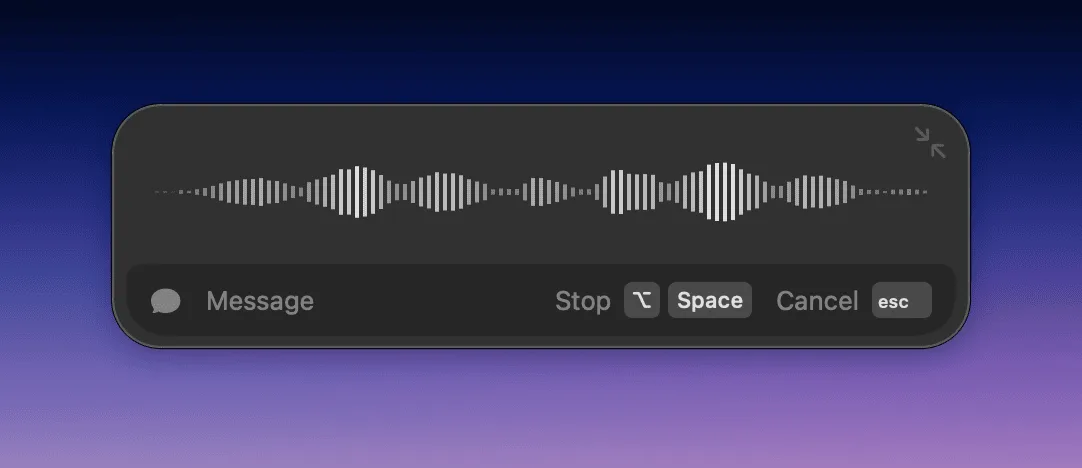
- Pick a shortcut and speak On the Mac, hold the default Right ⌘ key while you talk and release it, or press ⌥+Space to start recording and press it again to stop. When you finish, the polished text is pasted at your cursor. On iPhone, switch to the Superwhisper keyboard and tap the record button; on Android, tap the floating record button and speak.
- Choose a mode and models You start with the "Message" mode, which uses cloud models to tidy up spoken language. You can switch to "Mail" for email, "Super" to adapt to what is on screen, "Voice to Text" for plain transcription, and more, or build your own modes. Each mode has its own language, voice model and language model.
- Register the words you use often Add names, abbreviations and technical terms to your Vocabulary so they are transcribed correctly. Text replacements, which swap a phrase for another spelling, are also available on the Free plan.
The official FAQ notes that Intel Macs work best with cloud models, and that local models run really well only on Apple silicon Macs.
Source: Superwhisper official documentation, "Quickstart"
Features
01Turn spoken words into ready-to-use text
- Works in any app — Automatically pastes the polished text into the app you are using. No copy and paste
- Built-in modes — Switch between Message (tidies speech), Mail, Note, Super (adapts to what is on screen), Voice to Text (transcription only) and others
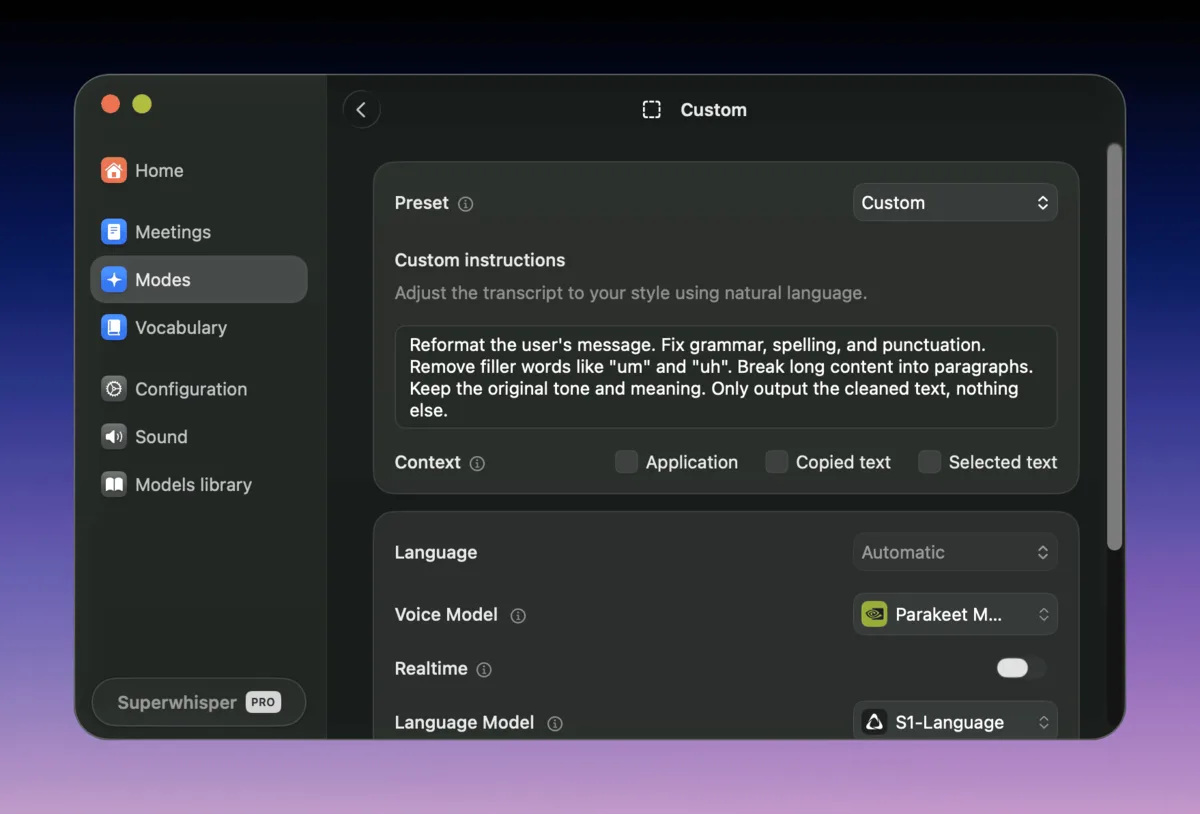
- Custom modes — Define formatting rules, structure and your own instructions (prompts) to build modes for your tasks
- Vocabulary and text replacements — Register names, abbreviations and technical terms once and they apply to every transcription
- Translation into English — Translate what you say in any of 100+ languages into English (Pro)
02Choose your models and run them on your device
- Local voice models — Run Whisper and other models on your device and transcribe without the internet. The local Cohere Transcribe and Parakeet models require Pro
- Cloud voice models — Use models such as Superwhisper's own S1-Voice, which the company says has the lowest word error rate on its benchmarks (Pro)
- Choice of language model — Pick the AI that polishes your text from GPT, Claude, Llama and others
- Your own API keys — Use your own OpenAI, Anthropic or other API keys (Pro)
03Meeting and file transcription
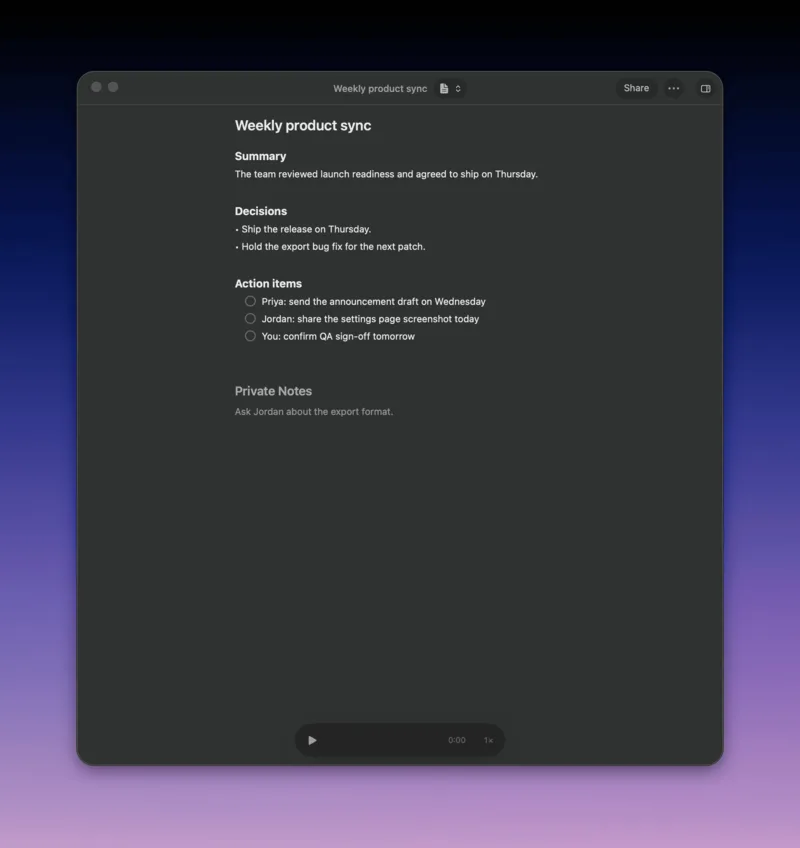
- Meetings (Mac) — Records your microphone and your Mac's audio, shows a live speaker-labeled transcript, and writes a summary with decisions and action items. No bot joins the call
- Meeting detection — Detects when Zoom, Google Meet, Microsoft Teams or Slack huddle calls start and offers to record. Calendar integration can remind you about a minute before each meeting
- File transcription — Import audio and video files and get transcripts (Pro)
04Working with coding agents
- Give instructions by voice — Talk to Cursor, Claude Code, Codex, OpenCode and other agentic coding apps without touching the keyboard
- CLI and MCP server — Supports command-line use and integration as an MCP server (official documentation)
Build a separate "mode" for each task
Modes are at the heart of Superwhisper. For each mode you set the spoken language, the voice model that turns speech into text, the language model that polishes it, and the instructions for the AI, then switch modes to match the situation. The official website shows the same message written in four styles: Formal, Casual, Legal and Chat.
Modes can also switch automatically when you are using a specific app. For example, keep a casual message mode for Slack, a polite email mode for your mail app and a technical mode for your editor, and you never have to pick a mode again before speaking.
Source: Superwhisper official documentation, "Custom Modes"
On the Mac, it can also take care of meeting notes
"Meetings", added in version 3.0.0 on October 15, 2026, records meetings on the Mac and produces speaker-labeled transcripts and summaries. Rather than sending a bot into your meeting tool, it records your Mac's microphone and system audio, so there is no bot for other participants to notice. If you choose local voice and language models, everything from recording to summary is processed on your Mac.
Summaries include decisions and action items with the names of the people responsible, and can be sent to Slack, email or a notes app, or shared as a link. You can also keep private notes while recording.
Source: Superwhisper official documentation, "Summaries and templates"
Pricing
The pricing table on the official website is in US dollars. Even on the Free plan, dictation with local Whisper models is unlimited. Pro adds cloud models, AI-powered modes, file transcription and more, and the features are the same whether you pay monthly, yearly or once.
| Plan | Price | Main features |
|---|---|---|
| Free | US$0 | Dictation with local Whisper models (unlimited), 100+ languages, vocabulary and text replacements, up to two modes (no AI processing), email support |
| Pro | US$8.49 per month / US$84.99 per year / US$249.99 lifetime | Everything in Free, plus unlimited use of cloud and local AI models, AI modes (Super, Mail, etc.), translation into English, audio and video file transcription, Meetings (Mac), your own API keys, priority support |
| Enterprise | Custom quote | Everything in Pro, plus SOC 2 Type II, centralized billing and authentication (SAML SSO, SCIM), model access control, Enterprise-hosted models, volume discounts |
Prices are based on the pricing table on the official website and the linked official documentation, "Plans & Pricing", checked on November 2, 2026. The pricing table does not state how tax is handled. New users can try all Pro features (including Meetings) free for 3,000 words; after that, the app falls back to the Free plan. The Free column of the pricing table also lists Meetings (Mac only), but the documentation describes Meetings as a Pro feature that Free users can use within those trial words. Purchases made on the official website can be refunded within 30 days of the first purchase (renewal charges are not refundable separately). Students, educators and non-profit organizations can get 40% off purchases on the official website if they apply and are verified before buying. Pro can also be bought as an in-app purchase on iPhone; the App Store (Japan) lists Pro Monthly ¥1,200, Pro Annual ¥12,000 and Pro Lifetime ¥40,000. The official documentation explains that App Store and Google Play purchases cost more because of store fees, and that refunds for them must be requested from each store. For Enterprise, you can contact sales or start a 14-day trial yourself.
Security and data handling
- Audio and transcripts are not stored on servers: The App Store description says Superwhisper does not store your audio or transcripts on its servers and never uses your data to train AI models
- Processing can stay on your device: With a local model, your audio never leaves your device. Dictation on the Free plan uses local Whisper models
- Certifications: The enterprise page lists SOC 2 Type II certification and HIPAA and GDPR compliance, and says a HIPAA Business Associate Agreement (BAA) is available on request. The audit report can be reviewed in the trust center
Pros and Cons
Pros
- Even the Free plan offers unlimited dictation with local Whisper models
- You can choose the voice and language models, and keep processing entirely on your device
- Each mode can have its own style, instructions and target apps, so the text fits the situation
- Pro is available as a one-time purchase (US$249.99), and one license covers Mac, Windows, iPhone and Android
- On the Mac, it can produce meeting transcripts and summaries without a bot joining the call
Cons
- The pricing table is in US dollars, and iPhone in-app purchases cost more than buying on the website
- The Free plan does not include AI processing or cloud models, and is limited to two modes
- Meetings is currently Mac only, and the iPhone app is in English
- Local models may not run well on Intel Macs
Reputation
The official website says "hundreds of thousands" of people rely on Superwhisper and displays logos of companies where it is used, such as OpenAI, NVIDIA, Google, Microsoft, Shopify and Stripe. It also features AI researcher Andrej Karpathy's post describing "vibe coding", in which he wrote that he just talks to Cursor's Composer with Superwhisper and barely touches the keyboard. A post by Vercel CEO Guillermo Rauch saying it "delivers on the dream of an AI-native operating system" is also shown.
The enterprise page presents a case study of Holiday Extras, which rolled Superwhisper out to 905 employees company-wide.
On the App Store (Japan), the iPhone app had a rating of 4.3 (195 ratings) as of November 2, 2026. Some reviews describe using custom prompts to switch between email writing and summarization, while others report recordings stopping or disappearing during long sessions, so it is safer to keep an eye on long recordings such as meeting minutes.
How it differs from other AI dictation tools
| Superwhisper | Typeless | Wispr Flow | Amnis | |
|---|---|---|---|---|
| Platforms | Mac, Windows, iPhone, Android | Mac, Windows, Linux, iOS, Android | Mac, Windows, iPhone, Android | Mac, Windows, iPhone, Android |
| Free plan | Unlimited with local Whisper models (no AI processing) | Weekly word limit | 2,000 words per week on desktop, etc. | Unlimited dictation; AI formatting up to 2,000 words per week |
| Paid plan | Pro US$8.49/month, US$84.99/year, US$249.99 lifetime | Pro US$12/month billed yearly, US$30 monthly | Pro ¥960/month | Pro ¥1,980/month, ¥14,220/year |
| Highlights | Choose voice and language models; can process entirely on device. Meeting notes on Mac | Edit and translate by voice | Meeting notes on Mac (Notetaker) | Japanese provider. Offline dictation on Apple silicon Macs |
Columns other than Superwhisper reflect the information on each product page as of when it was checked.
Among tools that let you "speak into any input field", Typeless, Wispr Flow and Amnis are the closest products. Superwhisper suits people who want to choose their own models, keep audio on their device, or pay once. If you want to record whole meetings and turn them into minutes, transcription services such as Notta and Rimo Voice are also worth considering. The official site also promotes giving instructions by voice to Claude Code and Cursor.
FAQ
Q. Can I use Superwhisper for free?
A. Yes. The Free plan gives you unlimited dictation with Whisper models running on your device, plus vocabulary, text replacements and up to two modes. AI-powered modes, cloud models and file transcription are Pro features. New users can try all Pro features free for 3,000 words.
Q. Does it work in Japanese?
A. It supports Japanese dictation. Supported languages depend on the voice model: according to the official documentation, S1-Voice and the multilingual Whisper models cover 100+ languages, and Cohere Transcribe covers 14 languages including Japanese. The Mac app's interface became available in Japanese in version 3.1.0 on October 28, 2026. The iPhone app's App Store listing shows English only.
Q. Can I use one Pro license on multiple devices?
A. Yes. The official FAQ says you can activate your license on as many devices as you like, and the documentation says one license works on unlimited Macs and Windows PCs, plus your iPhone and Android phone.
Q. Does it work offline?
A. With a local model, you can dictate without an internet connection. Modes that use cloud models need an internet connection.
Q. Can I get a refund?
A. Purchases made on the official website can be refunded within 30 days of the first purchase. For App Store or Google Play purchases, request a refund from the respective store.
The information on this page is based on the official website (pricing table, feature pages, enterprise page, changelog, refund policy and Terms of Service), the official documentation and the App Store (Japan) listing as of November 2026. Pricing, features and supported platforms may change, so please check the official website for the latest information.