
What Is Cloudflare OS? A Deep Dive into the Open-Source AI Agent Workspace (Architecture, Gatekeepers, Self-Hosting, Pricing)
Cloudflare open-sourced Cloudflare OS, an AI agent workspace, on August 5, 2026. This article covers its zero-permission Gatekeeper security, model selection and cost control via AI Gateway, Gadgets (small personal apps), how to deploy it into your own Cloudflare account, and pricing — based on the official blog and GitHub.
Image source: Cloudflare Blog, "Cloudflare OS: an open platform for agents, apps, and work". All figures and screenshots in this article are quoted from Cloudflare's official site.
On August 5, 2026, alongside its annual "Agents Week" event, Cloudflare released Cloudflare OS — a work platform for AI agents — as open source (Apache License 2.0). Unlike a general-purpose chatbot such as ChatGPT, it is designed to operate on the assumption of your company's own workflows, terminology, and internal systems — and, crucially, it can run entirely inside your own Cloudflare account (self-hostable).
It began life as an internal tool Cloudflare built for its own employees. The first version was rolled out internally in May 2026, and by August, thousands of employees — not just engineers — were using it every day to write documents, build slide decks, automate busywork, and put together small internal apps. Cloudflare OS is that same tool, opened up to everyone.
This article explains, based on the official blog post and the GitHub repository: what Cloudflare OS is, its three building blocks (the agent workspace, Gadgets, and Gatekeepers), the "zero permissions" security model, model selection and cost control via AI Gateway, and finally how to deploy it into your own Cloudflare account, along with pricing.
What is Cloudflare OS
Cloudflare OS is an open-source AI agent workspace built around the idea that "everyone in your company can build apps, automate work, and safely access internal systems." You don't have to be an engineer — you use it from a browser, and without waiting on your dev or IT team you can carry out research, produce documents, automate workflows, and build simple business apps yourself.
The key point is that it is not merely a chatbot but an execution platform with your company's context and access to internal systems built in. Unlike generic AI, you don't have to re-explain the context every time; agents act on top of your own procedures, data, and permissions.
- Everything in the browser: No terminal or developer skills required. Even non-engineers can research, document, and automate.
- Outputs become apps: A document or dashboard you produce can be promoted into a real app (a Gadget) with its own UI, logic, and state.
- Secure by design, starting from zero permissions: Both agents and apps start with access to nothing, and you grant only the exact scope needed, explicitly.
- Model-agnostic: Your organization chooses which AI models to use. You avoid lock-in to a single vendor.
- Self-hosted and open source: Because it runs in your own Cloudflare account, your workflows and internal integrations are never trapped inside a vendor's product.
Calling it an "OS" is not just a metaphor. Cloudflare OS is literally structured like an operating system. Its core logic (workshop-backend) is the kernel, the UI (workshop-frontend) is the shell, and the connectors to external services (gatekeeper-*) are the device drivers. The Gatekeepers described below make the most sense when you think of them as "drivers that safely talk to the hardware that is your internal systems."
The three building blocks of Cloudflare OS
Cloudflare OS is made up of three parts.
- The agent workspace — a chat UI grounded in your company's context and skills
- Gadgets — "small, personal apps" that agents build, plus the mechanics for sharing them
- Gatekeepers — the security framework that applies to both agents and apps
Let's look at each in turn.
1. The agent workspace
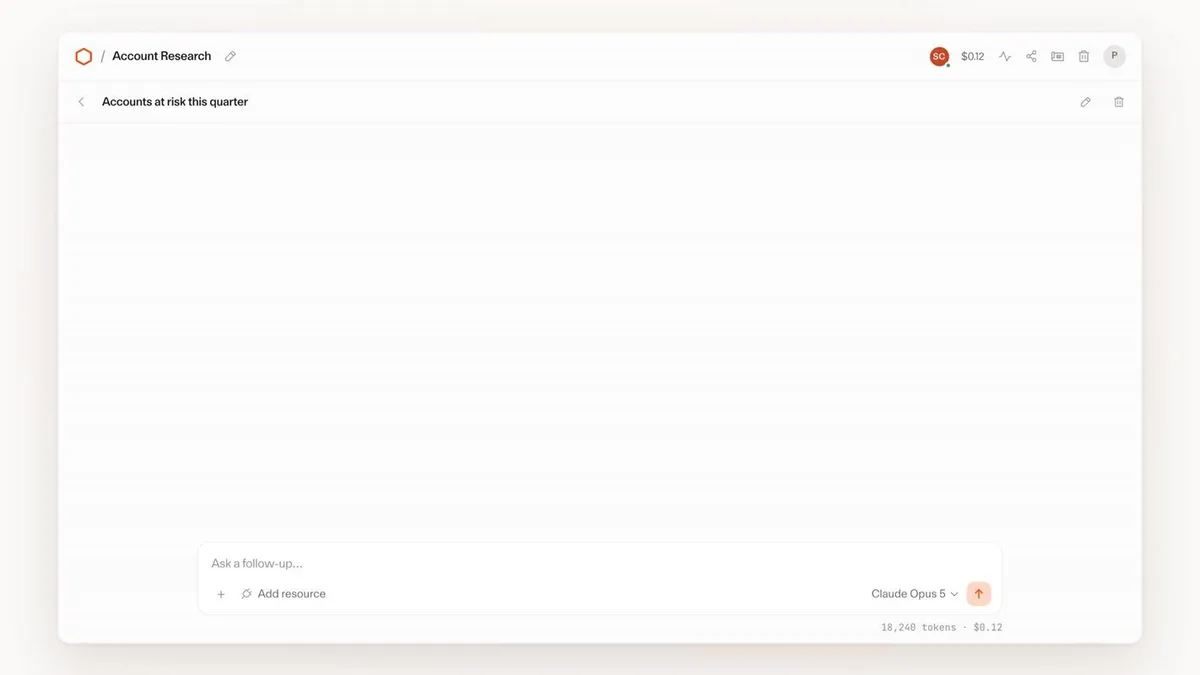
Source: from a demo in the Cloudflare Blog, "Cloudflare OS"
From the chat UI you can direct work like the following, grounded in your company's context.
- Research and analysis: Agents write code to search, filter, and aggregate, so you don't have to load an entire dataset into the context window.
- Document creation: Generate documents, slides, and spreadsheets while keeping them connected to live data, and export to Google Drive and elsewhere.
- Turn it into a team app: Spin up a full-stack app with UI, logic, and state on the spot.
- Deterministic workflows: Run known steps deterministically in code, and let AI handle only the parts that require judgment.
At the bottom right you can switch the model per task, and see the tokens consumed and the estimated cost right there. This ties into the AI Gateway described later.
2. Gadgets (small, personal apps)
In Cloudflare OS, any single output from an agent can become an app. The apps agents generate are full stack: they include the client code that renders the UI and the server code that holds state and behavior. Cloudflare calls these Gadgets.
There are two ways to share them.
- Share the app itself: Collaborate in real time with shared state (multiplayer).
- Share as a blueprint: The recipient creates an independent copy with their own state and credentials.
The idea behind Gadgets is that instead of filing a feature request and waiting, you just ask the AI to modify the app on the spot. A small business app built by a non-engineer can be copied and tweaked by a colleague for their own use.
3. Gatekeepers (the security framework)
Gatekeepers are the heart of Cloudflare OS. The next section covers them in detail.
Gatekeepers — security that starts from "zero permissions"
In a nutshell, the security philosophy of Cloudflare OS is that "every agent and app starts with access to nothing." Only the access that is needed is granted afterward — explicitly, and at a fine grain.
The linchpin is the Gatekeeper: a per-service Cloudflare Worker that sits between Cloudflare OS and an external service. Rather than handing credentials directly to the agent, the Gatekeeper holds the credentials (OAuth tokens and the like) on its behalf and exposes only a limited TypeScript API to the agent.
What a Gatekeeper can do
Even for a GitHub integration, instead of granting access to the whole account you can scope it down like this.
| Goal | Example of control via a Gatekeeper |
|---|---|
| Limit the repository | Grant access to a single repository only |
| Limit read scope | Can read issues but not source code, etc. |
| Mask fields | Hide specific fields (e.g. personal data) before passing them on |
| Rate limiting | Apply rate limits |
| Human approval | Require human approval to create a pull request |
What the agent sees is not a "raw API key" but a typed capability like the one below. Access is not ambient in the environment; only what is explicitly "handed over" can be used.
// What is handed to the agent/app is not raw credentials,
// but only the limited API the Gatekeeper exposes
const issues = await env.PROJECT.listIssues({
  teamId: "ENG",
  state: "open",
});
Constraining behavior based on "what was seen" (the observation log)
Another distinctive feature of Gatekeepers is a policy based on the observation log. It records "what an agent has seen" and restricts subsequent operations accordingly.
In an example Cloudflare gives, once an agent reads sensitive data, it can no longer write data to certain destinations, invite new collaborators, hand work off to another agent, or make outbound requests. For instance, if an agent "read a confidential data-warehouse table and built a live dashboard," trying to share that dashboard with someone who lacks the underlying access is blocked based on the observation log. The point is that the decision is made not by whether the final output "contains" secrets, but by "what the agent saw."
The network is closed by default, too. Server code runs on Dynamic Workers with global outbound networking disabled, and client code runs inside a sandboxed browser frame. Both can only reach the outside through explicitly granted capabilities. The very path by which data might "accidentally leak outside" is closed off by design.
Why it's an "OS" — the architecture
Cloudflare OS is built on Cloudflare's own infrastructure (Workers). As the name suggests, its structure mirrors an operating system.
- A workspace = a Durable Object: Each workspace runs as a single Durable Object.
- A Gadget = a Facet of a Dynamic Worker: Each app launches as a "Facet" of a Dynamic Worker and gets its own SQLite database, isolated from the Cloudflare OS runtime. You can run many independent app instances without standing up servers.
- Client–server communication = Cap'n Web: It uses Cap'n Web, Cloudflare's open-source capability-based RPC. The distinctive part is that the same method calls work from both the browser and the agent.
// Callable the same way from the browser or from an agent
const issues = await app.listIssues({
  status: "done",
});
The repository layout is likewise organized around the OS metaphor.
| Package | Role in the OS | Contents |
|---|---|---|
workshop-backend | Kernel | Core logic |
workshop-frontend | Shell | The UI |
gatekeeper-* | Device drivers | Connectors for each external service |
The runtime is workerd, Cloudflare's open-source Workers runtime, which also puts running it on your own servers (full self-hosting) within reach (though, as noted below, that path is currently experimental). It's assembled on top of existing open-source building blocks — Monaco for the editor view, Yjs for client–agent sync and history replay, and so on.
AI Gateway — model selection and cost control
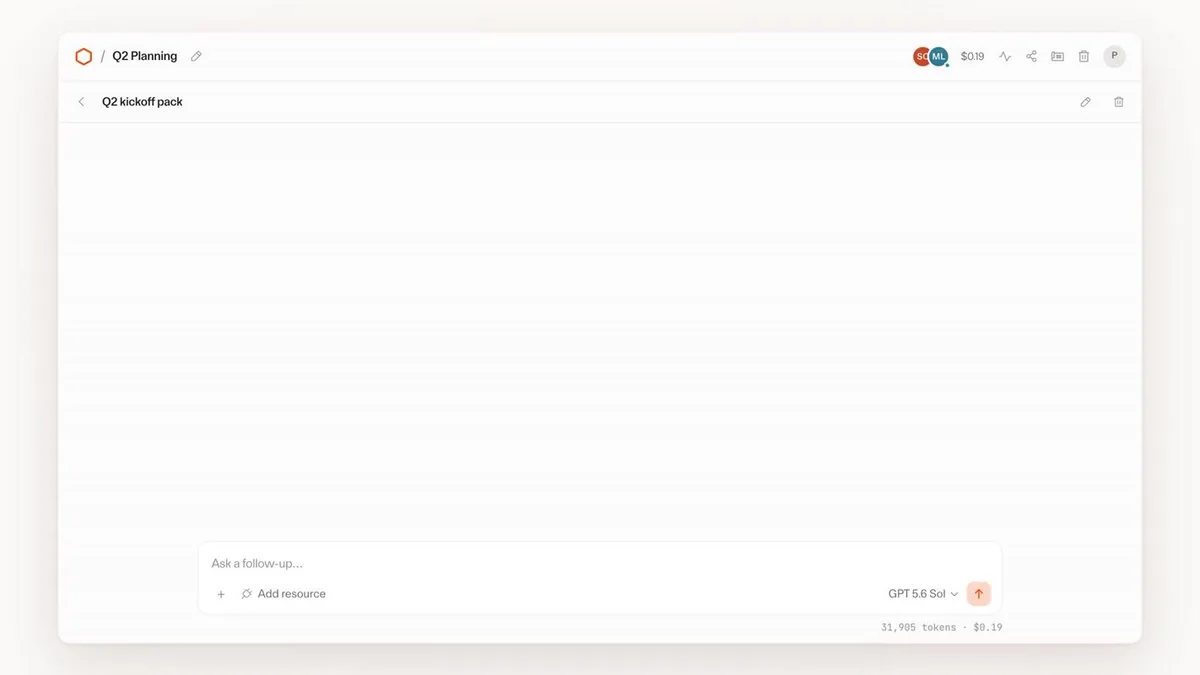
Source: from a demo in the Cloudflare Blog, "Cloudflare OS"
All AI inference in Cloudflare OS goes through Cloudflare AI Gateway. This gives the organization full control over "which model to use."
- Bring Your Own Model: The organization chooses which model providers to use. There is no lock-in to a single vendor.
- Task-based routing: Route light work like summarizing an email to a cheap, lightweight model, and complex analysis to a frontier model.
- Cost attribution: Every request can be attributed per person, team, or workspace.
- Budgets and rate limits: Administrators can set budgets and rate limits, and define what happens when a limit is exceeded.
As in the demo above, each workspace can pick a different model — Claude Opus 5 / GPT 5.6 Sol / GLM 5.2 / Kimi K2.7 — with the tokens consumed and estimated cost visualized right there. "Who spent how much, in which app" is visible from the start.
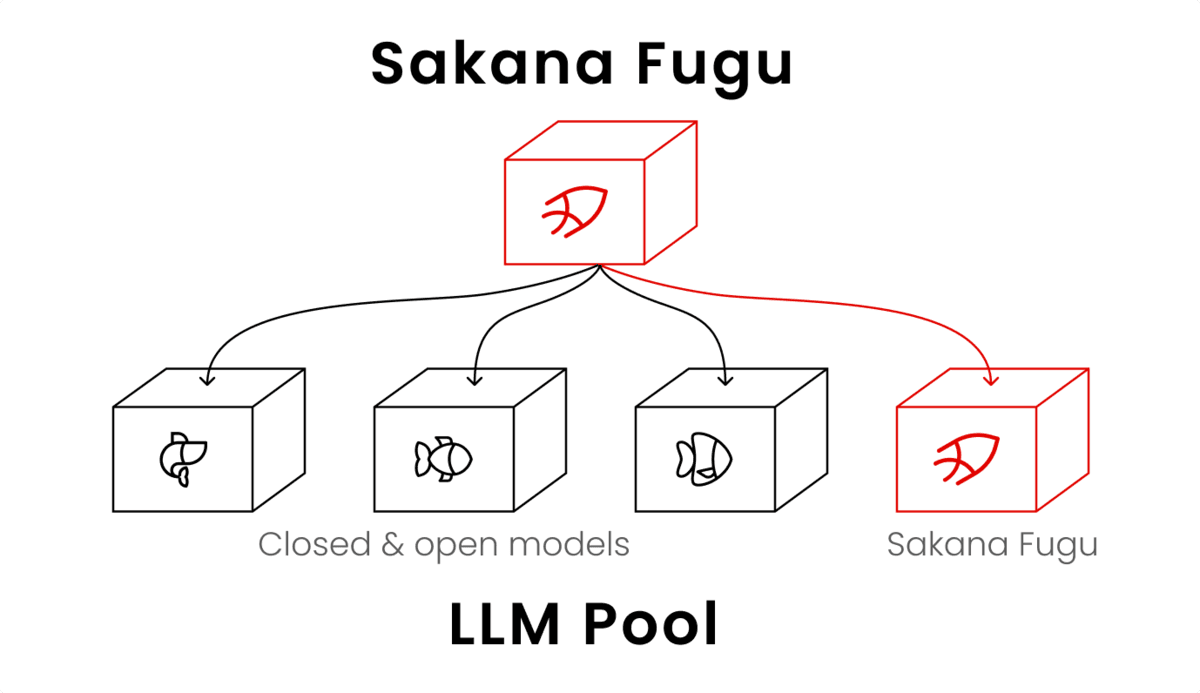
This idea of "choosing models without being tied to a single vendor" is a theme shared with our article on Sakana Fugu, which bundles multiple models into one API, and with our comparison of the major frontier models.
How to use it — deploy into your own Cloudflare account
Cloudflare OS is open source and published on GitHub at cloudflare/cloudflare-os. There is also a related sample, cloudflare-os-starter, that reflects Cloudflare's own internal configuration.
Run it locally
The only prerequisite is having pnpm installed. A single command starts it locally.
pnpm run-local
# → starts at http://localhost:8787
If you want to develop the frontend and backend separately, run them in two terminals.
# Terminal 1 (server)
pnpm dev-server

# Terminal 2 (client)
pnpm dev-client
# → http://localhost:3000
Data for local runs is stored under .wrangler/.
Deploy into your own Cloudflare account
For production you put it on your own Cloudflare account.
- Guided setup: You can deploy in a few minutes from
https://os.cloudflare.app/deploy. - The starter repository: If you want to customize things yourself, Gatekeepers included, use
cloudflare-os-starter. You configure Access policies, AI Gateway settings, data, and integrations there.
Full self-hosting (running on your own servers with just workerd) is currently experimental, and the documentation is said to be in preparation. The practical starting points are to deploy into your own Cloudflare account, or to run it locally.
Also note that this repository generally does not accept external contributions (aside from trivially verifiable bug-fix PRs of roughly 12 lines or fewer). Larger feature proposals are welcome via Discussions.
Configuring Gatekeepers (integrations)
Each integration has its own Gatekeeper package, configured with OAuth or other credentials. The main integrations available at launch are as follows.
| Category | Available integrations (Gatekeepers) |
|---|---|
| Development | GitHub API, Cloudflare API, Supabase API |
| Docs / knowledge | Google API, Notion API, Confluence API |
| Communication | Slack API, Email (Email Workers) |
| Other | Home Assistant, Spotify, ZoomInfo API |
In addition, it supports the Model Context Protocol (MCP), so you can bring in existing MCP servers via an MCP Server Portal. Here too, what the agent receives is not "raw credentials" but a "defined set of tools." Setup instructions are in each Gatekeeper package's README.
Cloudflare OS pricing — is it free?
The Cloudflare OS software itself is open source (Apache 2.0), so there is no license fee. You can deploy it to your own Cloudflare account and use it freely.
That does not mean it runs at zero cost, however. What you actually pay for is these two things.
- Cloudflare usage: The Cloudflare platform usage for what you run — Workers, Durable Objects, AI Gateway, and so on.
- Model usage: Token charges for each AI model you call through AI Gateway (your organization chooses which models to use).
In other words, the structure is "the base software is free; the infrastructure and AI you run are on you." As noted, that AI cost can be visualized and capped per person, team, or app.
Note that a fully managed version (a form of the product you don't have to operate yourself), usable from the Cloudflare dashboard, is "coming soon." Pricing for the managed version had not been published as of this writing (August 2026). Container support for development workflows and integration into other chat tools such as Slack are also cited as future plans.
How it differs from other AI workspaces, and why it matters
The biggest difference between Cloudflare OS and ChatGPT Enterprise or various "internal AI assistants" is that it is an architecture built on a starting point of "distrust."
General-purpose AI assistants tend to drift toward "handing over broad permissions all at once" in exchange for convenience. Cloudflare OS takes the opposite approach: agents start from zero permissions, are granted capabilities one at a time via Gatekeepers, and are constrained according to what they have seen. Underlying it is the conviction that "if you're going to unleash autonomous agents inside your company, security and governance cannot be an afterthought."
Being open source and self-hosted is another major differentiator. Your workflows and internal integrations aren't locked inside a vendor's SaaS, and you're free to choose your models — matching the recent trend toward "AI sovereignty," the desire to avoid dependence on a single vendor. If Sakana Fugu, born of the same concern, is an approach that secures sovereignty by bundling the "supply of models," then Cloudflare OS can be seen as an approach that takes back the "execution environment for agents" into your own hands.
Frequently asked questions about Cloudflare OS
Is Cloudflare OS free?
The software itself is open source (Apache 2.0) with no license fee. In real operation, however, you separately pay for Cloudflare platform usage and for the token charges of the models you call through AI Gateway. It's most accurate to think of it as "the base is free; the infrastructure and AI are on you."
Can non-engineers use it?
Yes. It centers on a browser-based chat UI, with no terminal or developer knowledge required. It's built so that non-engineers can carry out research, document creation, workflow automation, and simple app-building on their own.
Which AI models can I use?
Through Cloudflare AI Gateway, you can use the models your organization chooses (Bring Your Own Model). In the official demos, Claude Opus 5, GPT 5.6 Sol, GLM 5.2, Kimi K2.7 and others are selected, and you can use lightweight and frontier models as appropriate to the task. There is no lock-in to a single vendor.
What is a Gatekeeper?
It's a per-service Cloudflare Worker that sits between Cloudflare OS and an external service. Instead of handing raw credentials to the agent, the Gatekeeper holds the credentials and exposes only a limited API. It enables fine-grained controls like "can read issues but not source code," "hide specific fields," and "require human approval to create a PR."
Can I self-host (on premises)?
Deploying to your own Cloudflare account is the primary form of the product. Full self-hosting using workerd is on the roadmap, but it is currently experimental and the documentation is in preparation. A fully managed version that requires no operations on your part is "coming soon."
Could our internal data leak externally?
Cloudflare OS is designed on the premise that "every agent and app starts from zero permissions." Server code runs in an environment with outbound networking disabled, and external reach is limited to explicitly granted capabilities. On top of that, the observation log restricts an agent that has read sensitive data from sending or sharing it externally.
Can I use existing MCP servers?
Yes. It supports the Model Context Protocol, so you can bring in existing MCP servers via an MCP Server Portal. Here too, what the agent receives is a defined set of tools rather than raw credentials.
Summary
- Cloudflare OS is an AI agent workspace that Cloudflare released as open source on August 5, 2026. It runs inside your own Cloudflare account (Apache 2.0).
- It has three parts: the agent workspace (a chat UI that runs on your company's context), Gadgets (outputs become small, personal apps), and Gatekeepers (per-service, secure connectors).
- Security is built on the principle of "start from zero permissions." Gatekeepers grant capabilities one at a time, and the observation log constrains operations based on "what was seen." Server code has outbound networking off.
- The "OS" is a design philosophy, not a metaphor: on top of Workers / Durable Objects / Facets / Cap'n Web, it is built as a kernel (backend), a shell (frontend), and drivers (gatekeepers).
- AI inference goes through AI Gateway. You can freely choose models, and costs are visualized and capped per person, team, or app.
- The software is free, but Cloudflare usage and model token charges are on you. A fully managed version is coming soon.
Cloudflare OS chose zero permissions and open-source self-hosting as the foundation for "safely unleashing AI inside your company." A good place to start is simply trying it out on your own machine with pnpm run-local.
AI tools featured in this article




Related articles
How to Use Sakana AI Fugu: From API Key to Claude Code | Pricing, Free Tier, and Performance
A guide to Sakana AI's multi-agent platform Fugu: issuing an API key at console.sakana.ai, calling the OpenAI-compatible API, and wiring it into Codex and Claude Code. Covers choosing between Fugu, Fugu Ultra, and Fugu Cyber, pricing and whether a free tier exists, and benchmark performance.
What Jev Is [September 2026]: The AI That Generates No Text — How System One Models Work, Pricing and Use Cases
On 15 September 2026, TypeSafe AI came out of two years of stealth with $40M in funding and shipped Jev — and it spread past social media into developer communities, with Qiita running an official campaign from 16 September to 2 October. What caught on was not the benchmarks but the positioning: an AI that does not generate text. Jev does not chat; it picks from options you defined and returns the answer with a probability attached. This article covers what the three question types (Choice, Score, Noul) actually return, the speculative fan-out that makes stacking questions free in latency, the pricing model of $0.042 per million input tokens with output free, the path from waitlist to Python SDK, HTTP API and the Claude Code skill, how to gate on confidence and route the uncertain cases to a person, and where it pays off — support triage, LLM guardrails, RAG re-ranking. It also covers what TypeSafe publishes about its own weak spots: lower accuracy on CJK scripts, unreliable counting, and weak date comparison.
![What Jev Is [September 2026]: The AI That Generates No Text — How System One Models Work, Pricing and Use Cases](/_next/image?url=%2Fimages%2Farticles%2Fjev-typesafe-ai-guide.png&w=3840&q=75 "What Jev Is [September 2026]: The AI That Generates No Text — How System One Models Work, Pricing and Use Cases")
What GPT-6 Astra Is [September 2026]: Which ChatGPT Plans Include It, API Pricing, and How to Split Work with GPT-5.6
GPT-6 Astra, announced by OpenAI on 3 September 2026 (US time), is a flagship tuned for computer use and long, multi-step work, true to the pitch that it "can do anything a person can do on a computer." It scores 72.6% on OSWorld 2.0, and time per task drops 47% from GPT-5.6 Sol's roughly 75 minutes to roughly 40. This article checks what changed against the benchmarks, then lays out where each ChatGPT plan can use it (Pro at ¥16,800 / ¥30,000, Business and Enterprise get "GPT-6 Pro" in Chat; Plus at ¥3,000 gets it through ChatGPT Work and Codex; Free and Go do not), the caps such as 50 or 200 messages a week, API pricing ($10 input / $50 output, 2.5x Sol) and how to split work with Sol, Terra and Luna, and the behaviour changes on switching (more clarifying questions, more sensitivity to skill files), based on OpenAI's announcement, Help Center and model page.
![What GPT-6 Astra Is [September 2026]: Which ChatGPT Plans Include It, API Pricing, and How to Split Work with GPT-5.6](/_next/image?url=%2Fimages%2Farticles%2Fgpt-6-astra-guide.png&w=3840&q=75 "What GPT-6 Astra Is [September 2026]: Which ChatGPT Plans Include It, API Pricing, and How to Split Work with GPT-5.6")
Claude Fable 5 vs. GPT-5.5 vs. Gemini 3.1 Pro: Which Should You Choose? A Deep Dive into Performance, Pricing, and Use Cases [July 2026]
A thorough comparison of the latest flagship models from the industry's three leading AI labs, all released in the first half of 2026: Claude Fable 5, GPT-5.5, and Gemini 3.1 Pro. Covers benchmark performance, API pricing, context windows, multimodal support, and how to use them on consumer plans like ChatGPT Plus, Claude Pro, and Google AI Pro — with recommendations by use case, based primarily on official data.
![Claude Fable 5 vs. GPT-5.5 vs. Gemini 3.1 Pro: Which Should You Choose? A Deep Dive into Performance, Pricing, and Use Cases [July 2026]](/_next/image?url=%2Fimages%2Farticles%2Fai-model-compare-claude-fable-5-gpt-5-5-gemini-3-1.png&w=3840&q=75 "Claude Fable 5 vs. GPT-5.5 vs. Gemini 3.1 Pro: Which Should You Choose? A Deep Dive into Performance, Pricing, and Use Cases [July 2026]")
What Is Claude Fable 5 | A Deep Dive into Anthropic's Latest Frontier Model: Performance, Pricing, and How to Use It
A comprehensive look at Claude Fable 5, Anthropic's latest model released in June 2026. Covers benchmark performance in coding, knowledge work, and science, how it compares to Mythos 5, API pricing, and usage guidance — all backed by official data.
[2026 Latest] 16 AI Tools to Maximize Sales Performance | Dramatically Improving Meeting, Proposal, and Call Efficiency
A curated look at the AI tools getting attention in sales today. Covers the latest AI for every workflow challenge — from lead generation and proposal decks to meeting note creation.
![[2026 Latest] 16 AI Tools to Maximize Sales Performance | Dramatically Improving Meeting, Proposal, and Call Efficiency](/_next/image?url=%2Fimages%2Farticles%2Fai-sales-tools-recommendation.png&w=3840&q=75 "[2026 Latest] 16 AI Tools to Maximize Sales Performance | Dramatically Improving Meeting, Proposal, and Call Efficiency")