

Gemini Omni
: How to use it, features, and the business problems it solves
Add bookmark
What is Gemini Omni?
Gemini Omni is Google DeepMind's video generation and editing AI. It creates videos with sound from text, images, video and audio, and lets you refine them step by step through conversation; in the Gemini app it succeeds Veo. The latest Gemini Omni 1.2 Flash (November 5, 2026) makes clips up to 15 seconds, and the API costs about $0.07/sec at 720p (30% lower). Google Vids offers up to three 15-second videos per month free; the Gemini app and Flow require Google AI Plus (¥725/month in Japan) or higher, for users 18+.
Business problems it solves




About "Gemini Omni"
What is Gemini Omni?
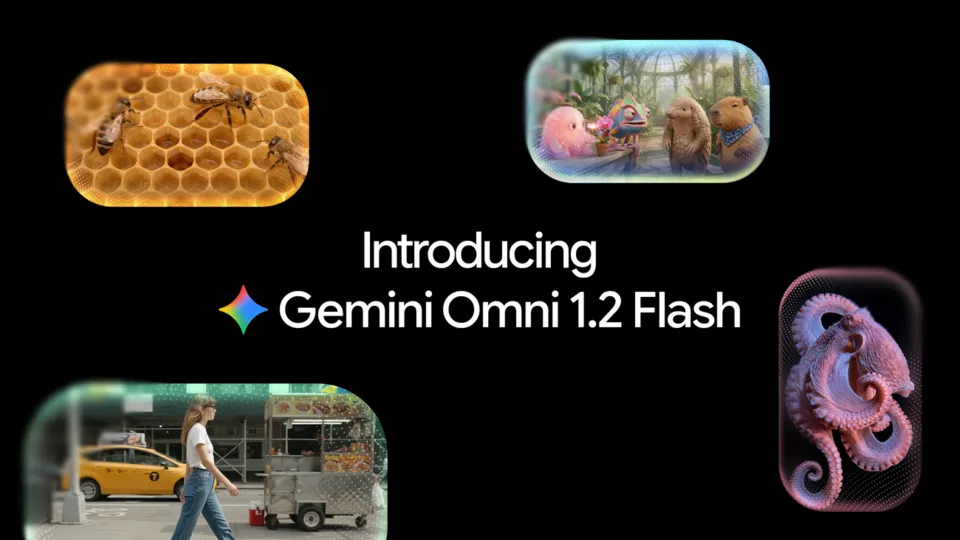
Gemini Omni (also written "Omni") is a video generation and editing AI model developed by Google DeepMind. You can combine text, images, video and audio as input to create videos with sound, then refine the result step by step through conversation. Google describes it as "Nano Banana, but for video." It was announced at Google I/O on May 19, 2026, and in the Gemini app it replaced Veo as the video model.
The latest version is Gemini Omni 1.2 Flash, generally available since November 5, 2026 (model ID gemini-omni-1.2-flash). It creates videos up to 15 seconds long, and the Gemini API price is about $0.07 per second at 720p (30% lower than version 1.1). There are also free ways to try it: in Google Vids, anyone with a Google account can create up to three 15-second videos per month at no cost, and it is free in YouTube Shorts and the YouTube Create app. Using it in the Gemini app and Google Flow requires Google AI Plus (¥725/month in Japan) or higher, and video generation in the Gemini app is for users aged 18 and over.
Source: Google official blog
Latest: what changed with Gemini Omni 1.2 Flash (November 5, 2026)
On November 5, 2026, Google made Gemini Omni 1.2 Flash generally available in the Gemini API and on Google Cloud (Gemini for business) (Google official blog). The main differences from 1.1:
| Item | Gemini Omni 1.1 Flash | Gemini Omni 1.2 Flash |
|---|---|---|
| Clip length | 3–10 seconds | 3–15 seconds (set in 1-second steps) |
| API video output price | $17.50 per 1M tokens (about $0.10/sec at 720p) | $12.00 per 1M tokens (about $0.07/sec at 720p) |
| References | Images, video up to 3 seconds | Images (up to 6), video up to 3 seconds, audio. Faces, garments, packaging text and brand colors stay consistent |
| Conversational editing | Supported | Works across full 15-second clips; swap products, backgrounds, lighting, weather or aspect ratio turn by turn |
| Speech | Supported | Improved lip-sync and assignment of voices to multiple speakers |
- 15 seconds in one generation: product explainers and social ad spots can be made as a single uncut clip
- Fix instead of regenerate: Google suggests drafting quickly at 360p or 720p, fixing details through follow-up edits, then upscaling only the best clips to 1080p or 4K to keep costs down
- Steadier camera work: continuous moves such as FPV flythroughs and zoom-outs have fewer unwanted jump cuts, according to Google
- 1.1 switches automatically: from December 3, 2026, API requests to
gemini-omni-1.1-flashare routed to 1.2 Flash and billed at 1.2 rates
Google says fast sports action, rapid script changes and complex physics are still being improved.
Pricing
There are three ways to pay, depending on how you use it.
| How you use it | Price | What you get |
|---|---|---|
| Google Vids | Free (Google account or Google Workspace) | Up to three 15-second videos per month |
| YouTube Shorts / YouTube Create | Free | For creating Shorts |
| Google AI Plus | ¥725/month | Video generation in the Gemini app, 200 Google Flow credits |
| Google AI Pro | ¥2,900/month | Video generation in the Gemini app, 1,000 Google Flow credits |
| Google AI Ultra | ¥14,500/month (5x Pro's limits) / ¥32,000 (20x) | 10,000 / 25,000 Google Flow credits. 15-second videos in the Gemini app are rolling out to Ultra first |
| Gemini API (paid tier) | About $0.07/sec at 720p (about $0.70 for 10 sec, about $1.04 for 15 sec) | 360p about $0.023/sec, 1080p about $0.104/sec, 4K about $0.209/sec (including upsampling). No free tier |
API billing is based on the number of output video tokens (5,792 tokens per second at 720p; video output is $12.00 per 1M tokens). Input (text, images, video) is $1.50 per 1M tokens. Paid-tier data is not used to improve Google's products.
Gemini app and Google Flow prices are the monthly prices on Google's Japan pricing page. The number of videos you can make per day in the Gemini app is not listed on the pricing page, which notes that available features vary by tier and region. As of November 9, the Japanese Google Vids help page still shows the 1.1-era limits (3–10 seconds; 60 seconds per month for personal accounts), which differ from the November 5 announcement (three 15-second videos per month).
Where to use it and availability in Japan
| Where | Best for | Status in Japan (as of November 9, 2026) |
|---|---|---|
| Gemini app | People who want to create casually through conversation | Gemini Omni is featured on the Japan page (listed as Omni 1.1 Flash, 10-second videos). 15-second videos are rolling out to Ultra first; no date given for Japan |
| Google Flow | People who want to build scenes and polish footage | The Japan pricing page says Flow credits can be used with Gemini Omni Flash |
| Google Vids | People making internal or social videos | Japanese help pages exist. No regional restriction is mentioned for the free three-videos-per-month allowance |
| YouTube Shorts / YouTube Create | Shorts creators | Announced as free in May. Availability in Japan not stated |
| Google Ads (Asset Studio) | Advertisers | Announced in November. Timing for Japan not stated |
| Gemini API / Google Cloud | Developers and businesses | Priced in US dollars. Provisioned Throughput available on Google Cloud |
At I/O, Google said Gemini Omni Flash would roll out to Google AI Plus, Pro and Ultra subscribers "globally," and it is also featured in Japanese on the Japan Gemini page. However, Japanese availability dates are not published for some features, so check the app before subscribing wherever the table says "not stated."
How to use it
-
Choose where to use it
To try it quickly, open Google Vids (vids.new) or the Gemini app on a paid plan. For more detailed production, use Google Flow; to build it into an app, use Google AI Studio.
-
Describe the video and add materials
Describe the scene, movement and dialogue, and add images of people or products, short video clips or voice references if needed. You can set the length from 3 to 15 seconds (with 1.2 Flash).
-
Refine it through conversation
Follow-up requests such as "change the background to a forest" or "make it vertical" build on previous edits. You can also set first and last frames or extend a scene.
-
Finish and export
Upscale the best version to 1080p or 4K and export it. Generated videos carry an invisible SynthID watermark.
Features
01Create
- Video from any input — combine text, images, video and audio into one video
- World knowledge — scenes reflect physics such as gravity and fluids, plus knowledge of history and science
- Sketches to footage — turn hand-drawn sketches into realistic video, using them as a guide for movement
02Edit
- Conversational editing — each instruction builds on the last, keeping characters and scenes consistent
- Transform real footage — change the look, action or objects in a video you shot
- Character swap — provide a character image and it replaces the person while keeping the original motion and dialogue
03Finish
- First and last frames — generate footage that connects two frames
- Scene extension — continue a clip to tell a longer story
- Resolution — draft at 360p, upscale to 1080p and 4K
- Avatars — create videos with a digital version of yourself that looks and sounds like you (Gemini app; only the person who created it can use it)

Source: Google DeepMind "Gemini Omni"
Gemini Omni vs. Veo
Veo is also a Google DeepMind video generation model, and Gemini Omni is positioned as its successor. In the Gemini app, Gemini Omni has replaced Veo.
| Aspect | Gemini Omni | Veo (Veo 3.1) |
|---|---|---|
| Strengths | Conversational editing, transforming real footage, combining images, video and audio | High-fidelity video generation from text and images |
| Clip length | 3–15 seconds (1.2 Flash) | 4–8 seconds |
| Gemini app | Current video model | Replaced by Omni |
| Gemini API | gemini-omni-1.2-flash | Preview models (Veo 3.1, Fast, Lite) shut down on October 22, 2026; recommended replacement is Gemini Omni 1.2 Flash |
| Google Cloud | Gemini Omni 1.2 Flash (generally available) | GA versions of Veo 3.1 and 3.1 Fast continue (retirement May 4, 2027 or later) |
If you are starting with Google's video generation now, Gemini Omni is the natural choice. Systems built on Veo 3.1 on Google Cloud should plan a migration before the retirement date.
Compared with other video generation AI
| Product | Highlights | Price guide |
|---|---|---|
| Gemini Omni | Conversational editing and integration with Google apps (Gemini, Flow, Vids, YouTube) | Vids: up to 3 videos/month free; apps from ¥725/month; API about $0.07/sec at 720p |
| Kling | Video generation from Kuaishou (China). Kling 3.0 / 3.0 Omni support native audio and 4K output | From US$8.8/month (free plan has watermarks and no commercial use) |
| Seedance | Video generation from ByteDance (China). Seedance 2.5 supports up to 30 seconds and 50 reference assets | Credit-based in US dollars; free daily credits |
| Runway ML | A production environment with its own Gen-4.5 plus video models from several companies | Free (125 credits); Standard from $15 (monthly) |
Details for other products are as listed on each product page at the time of checking.
If you use Google accounts and services every day and want to refine videos through conversation, choose Gemini Omni; if clip length and the number of references matter most, consider Seedance; if you want to switch between several models, consider Runway ML.
Pros and cons
Pros
- Step-by-step conversational edits reduce the effort and cost of regenerating
- Footage you shot can be used as material and transformed
- Free to try in Google Vids and YouTube Shorts
- The same model is available across the Gemini app, Flow, Vids, Ads and the API
- Generated videos carry a SynthID watermark and C2PA Content Credentials, so AI generation can be verified
Cons
- A paid plan (from ¥725/month) is required in the Gemini app and Flow
- 15-second videos in the Gemini app are rolling out to Ultra first, with no date given for Japan
- The pricing page does not list how many videos you can make per day in the Gemini app
- The API is pay-as-you-go in US dollars, with no free tier
Reviews and reputation
Google DeepMind's official page includes comments from companies using the model. HubX (AI Lab) says it "boost[ed] creative output by 23%, reduce[d] workflow costs by 20%, and shorten[ed] editing turnaround times by 15%," and Picsart says it has integrated the model into features such as its AI Video Generator. Google itself notes that fast sports action and complex physics are still being improved. In Google's side-by-side comparison of 1.2 and 1.1, 1.2 was preferred for visual consistency in text-to-video (62% vs. 38%) and for reference identity consistency in image-to-video (60% vs. 40%). All of these are figures published by Google, not third-party evaluations.
Frequently asked questions (FAQ)
Q. Can I use Gemini Omni for free?
In Google Vids, anyone with a Google account can create up to three 15-second videos per month for free. It is also free in YouTube Shorts and the YouTube Create app. The Gemini app and Google Flow require Google AI Plus (¥725/month) or higher. The Gemini API has no free tier.
Q. How much does Gemini Omni 1.2 Flash cost?
In the Gemini API, 720p video costs about $0.07 per second (about $0.70 for 10 seconds, about $1.04 for 15 seconds), 30% lower than 1.1 Flash's roughly $0.10. 360p is about $0.023, 1080p about $0.104 and 4K about $0.209 per second.
Q. Can I use it in Japan?
Google's Japan Gemini pages and pricing page describe Gemini Omni in the Gemini app and Google Flow in Japanese. However, 15-second videos (1.2 Flash) in the Gemini app are rolling out to Ultra subscribers first, and no date is given for Japan (as of November 9, 2026).
Q. How is it different from Veo?
Both are Google DeepMind video models. Gemini Omni is the successor, stronger at conversational editing and transforming real footage. The Gemini app now uses Gemini Omni instead of Veo, and the Veo 3.1 preview models in the Gemini API shut down on October 22, 2026.
Q. How long can the videos be?
Gemini Omni 1.2 Flash supports 3 to 15 seconds in 1-second steps. With repeated scene extensions, the API allows up to 30 seconds in total. As of November 9, the Japan Gemini app page lists 10-second videos (1.1 Flash).
Q. Can people tell a video was made with AI?
Videos made in the Gemini app, Google Flow and YouTube include an invisible SynthID watermark and C2PA Content Credentials. You can also upload a video to the Gemini app and ask whether it was made with Google AI.
Q. What is the minimum age?
Video generation in the Gemini app is for users aged 18 and over (Google's Japan Gemini page).
This page is based on information published as of November 9, 2026, in Google's official blog ("Introducing Gemini Omni," May 19, 2026; "Gemini Omni 1.2 Flash," November 5, 2026; Google Vids announcements of September 23 and November 5, 2026), Google DeepMind's Gemini Omni page, the Gemini API pricing, model, release notes and deprecations pages, Google's Japan Gemini pricing and video generation pages, and Google Vids help. Prices and availability may change, so please check the official site for the latest information.