M-Meeting
: How to use it, features, and the business problems it solves
Add bookmark
What is M-Meeting?
M-Meeting is a web-based meeting assistant from Migurei, an AI product brand of the HBLAB group. Choose an audio source and languages, and it translates what is said in real time, shows it as live captions, and can also play translated speech in the language you pick. The moment a session ends, AI organizes key points, decisions and action items; you can ask an AI chatbot about the conversation and save or sync records to Drive, Notion and Slack. Translation and captions cover 60+ languages, including Japanese, English, Vietnamese, Korean, Chinese and Thai (as of October 2026). It is in early access: free for individuals, with 50 free tokens (about 3,000 minutes) for the first 100 sign-ups (no card required). Team pricing is by inquiry.
Business problems it solves


About "M-Meeting"
What is M-Meeting?
M-Meeting is a web-based meeting assistant that translates what is said on the spot, delivers it as captions and translated speech, and has the minutes ready the moment the meeting ends. It brings five capabilities into one screen: real-time translation, live captions, voice-to-voice translation, an AI chatbot and AI summaries.
It is provided by Migurei, an AI product brand of the HBLAB group. M-Meeting's privacy policy and terms of service describe it as "Migurei, operated by HBLab JSC", with offices in Vietnam (Hanoi) and Japan (Shiba-Daimon, Minato-ku, Tokyo). Other Migurei products include Parallel World, a service that measures LLMO/GEO readiness. As of October 2026, M-Meeting is offered as "early access".
translation and captions
free for individuals
time
the first 100 sign-ups
Figures are as stated on the official website (as of October 2026).
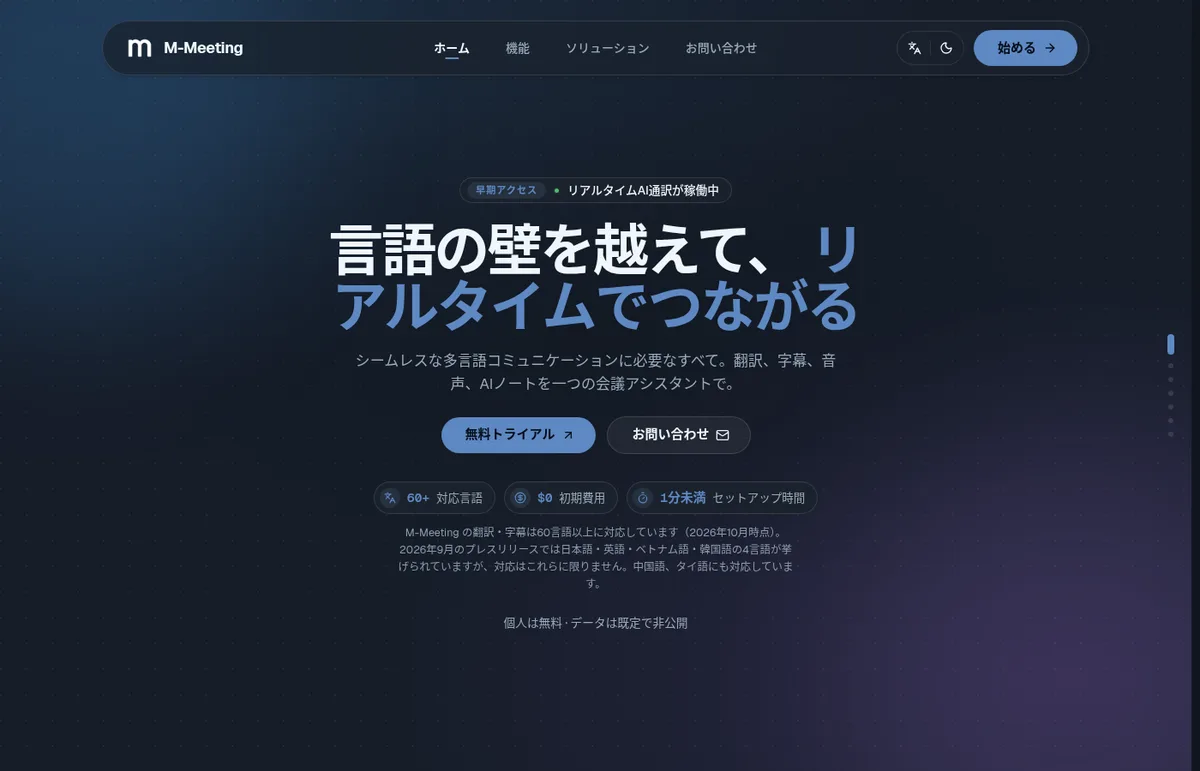
Source: M-Meeting official website (same for the images below)
Read captions or listen to translated speech — your choice
M-Meeting gives you two ways to receive a translation. Live captions turn every word into text and keep it as a searchable record. Voice-to-voice translation lets you hear speech translated into your chosen language in real time. In long meetings where following captions is tiring, or in sales talks where you want to keep your eyes on the other person, you can choose to listen instead.
Translation and captions support more than 60 languages (as of October 2026). The official website states that support is not limited to the four languages named in the September 2026 press release (Japanese, English, Vietnamese and Korean) and that Chinese and Thai are supported as well.
Key points, decisions and actions the moment the meeting ends
When you end a session, AI immediately organizes key points, decisions and action items. During and after the meeting you can ask the AI chatbot questions grounded in the conversation, so checks like "What deadline did we just agree on?" don't require rereading the record. Records can be saved or synced to Google Drive, Notion and Slack in one click, and sessions can be exported or uploaded.
Not just meetings — interviews, training and lectures too
The official website lists six situations where it can be used.
| Situation | How the official website describes it |
|---|---|
| Multilingual meetings | Everyone speaks their own language, with live captions for everyone in the room; decisions are shared with all |
| Interviews | No need to schedule interpreters; a full transcript for each candidate so answers can be compared side by side |
| Training and workshops | Captions in each participant's language; an automatic summary sent afterwards |
| Client and partner calls | Speak to clients in their language, extract action items automatically, and search call history |
| Everyday communication | Brainstorms, status updates and short meetings, with notes written while you talk |
| Lectures, classes and self-study | Follow lectures in any language and use the transcript directly for review |
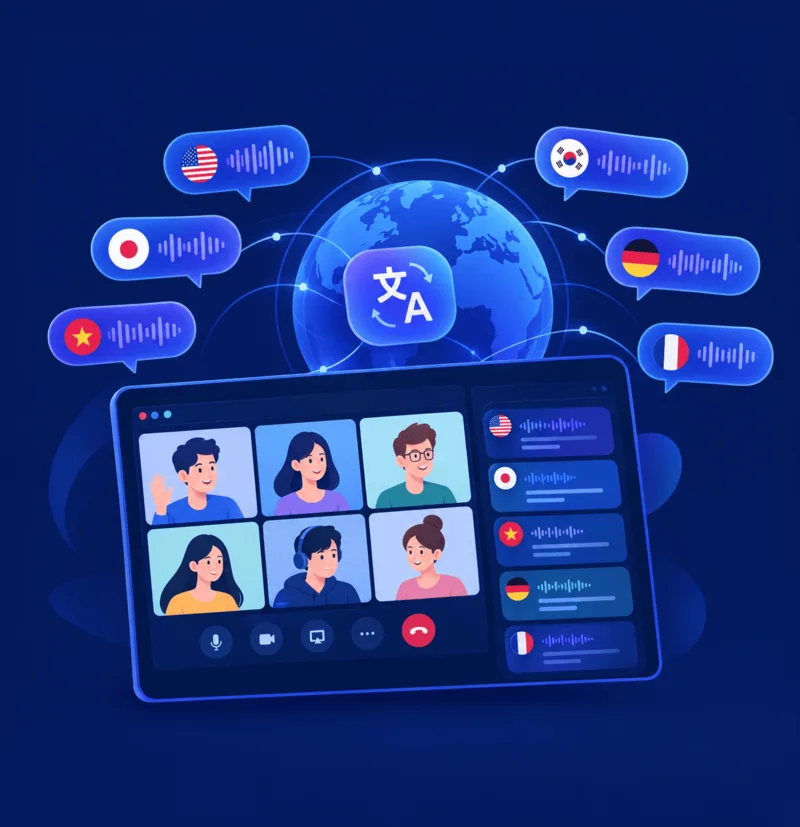
Migurei's product page illustrates each participant's words in an online meeting being translated into speech and captions in languages such as English, Japanese, Vietnamese, Korean, German and French. It is designed for teams whose offices and partners span several countries and whose language combinations change from meeting to meeting.
How to use
- Sign in and choose your audio source, languages and options Opening the M-Meeting app (m-meeting.migurei.ai) takes you to the login screen of Migurei's shared account (M-Hub). Sign in with a Google account, a Microsoft account or an email address, then choose your audio source, languages and options. According to the official website, set-up takes less than a minute.
- Connect in real time Use live captions or real-time voice-to-voice translation. The AI chatbot is on hand during the meeting.
- End the session and get the summary When you end the session, an AI summary is created right away. You can keep asking the chatbot about it afterwards.
- Export and share Export the session, or save/sync it to Drive, Notion or Slack for future reference.
Features
- Real-time translation Translates the moment someone speaks. Supports more than 60 languages (as of October 2026).
- Live captions Turns every word into text and keeps it as a searchable record.
- Voice to voice Hear speech translated into your chosen language in real time.
- AI chatbot Answers questions based on the conversation, including after the meeting ends.
- AI summary Organizes key points, decisions and action items as soon as the session ends.
- Export and integrations Save or sync to Google Drive, Notion and Slack in one click.
Pricing
| Plan | Price | Details |
|---|---|---|
| Individual | Free ($0 to get started) | The official website states "Free for individuals · Your data is private by default" |
| Early access (first 100 sign-ups, limited) | Free | 50 tokens to try every feature (about 3,000 minutes, roughly 50 sessions), every feature unlocked, no card and cancel anytime, priority onboarding help |
| Team | Contact | Inquire via the form on the official website (industry, company name, team size and meeting languages) |
- Details are as shown on the official website (as of October 2026). The free tokens for the first 100 sign-ups are an early-access offer and end once the spots are taken
- The official website does not list the price of tokens after the free ones are used up, or any team pricing. If you plan to use it for ongoing work, confirm by inquiry
- The terms of service state that some features may be offered as free, trial or paid plans, and that fees paid are non-refundable except where required by law
How data is handled
The privacy policy describes M-Meeting as an assistant that "records meeting audio and creates AI summaries and action items so they can be searched later". Since recording is involved, it is a good idea to let participants know in advance when using it in meetings with people outside your company.
How M-Meeting differs from other meeting translation tools
| Product | How audio is captured | Translation languages | What you can use for free | Paid entry point |
|---|---|---|---|---|
| M-Meeting | Choose an audio source in the web app (the official website does not describe a meeting bot) | 60+ languages | Free for individuals; about 3,000 minutes of tokens for the first 100 sign-ups | Teams by inquiry |
| Voxtiva | No bot (Mac/Windows app captures the audio) | 35 languages auto-detected, one pair per meeting | 60 minutes per month (all features) | ¥3,200/month |
| kikiha | A bot joins the meeting | 60 languages for transcription, 15 translation targets | Demo: 7 days from sign-up, 1 hour in total | From ¥2,480/month (incl. tax) |
| DeepL Voice | A bot joins the meeting (Teams, Zoom, Meet) | 40+, with different caption languages per participant | 14-day free trial | From ¥2,200 per user/month (incl. tax) |
| Transync AI | No bot or extension (the app translates meeting audio) | 60 languages | 40 minutes on sign-up | From $8.99/month |
- If you want to attend meetings while listening to translated speech, or speak Asian languages including Vietnamese, Korean and Thai, M-Meeting, which combines voice-to-voice translation and 60+ languages, is a candidate
- If you want to compare prices and decide quickly, Voxtiva and kikiha, which publish their prices, are easier to compare
- If you need different caption languages for each participant in one meeting, DeepL Voice is a good fit
- If you also need simultaneous interpretation for in-person meetings or trade shows, there is VoicePing
Pros and cons
Pros
- Receive translations as captions or translated speech, depending on the meeting
- Supports 60+ languages, including Vietnamese, Korean, Chinese and Thai
- Key points, decisions and actions are ready when the meeting ends, and you can ask the chatbot afterwards
- Save or sync to Drive, Notion and Slack
- Free for individuals, and early access gives free tokens to try every feature
Cons
- As of October 2026 it is in early access, and the price of tokens after the free ones and team pricing are not published
- The official website does not specify which meeting tools (Zoom, Teams, Google Meet, etc.) or which browsers/OS are supported
- At the time of checking, the shared account's login screen was shown in Vietnamese by default (there is a language switch button on the screen)
- Meeting content is processed by third-party AI providers and may be processed outside Japan
Reputation and reviews
As of October 2026, the official website shows four user testimonials (with initials and job titles such as BrSE, HR, project manager and delivery manager), but no company names or customer logos are published. There are not many third-party reviews yet. Since it is free for individuals, the surest approach is to check translation speed and accuracy with your own meeting languages and audio setup.
FAQ
Q. Is M-Meeting free? A. The official website says "Free for individuals" and "$0 to get started". In addition, as an early-access offer, the first 100 sign-ups receive 50 free tokens to try every feature (about 3,000 minutes, roughly 50 sessions; no card required; as of October 2026).
Q. Does it support Japanese? A. Yes. Translation and captions support more than 60 languages including Japanese, and the official website is available in Japanese (as well as English, Korean and Vietnamese).
Q. How much does it cost for teams or companies? A. No prices are listed on the official website. You inquire via the form on the website, adding your team size and meeting languages.
Q. Does it work with Zoom, Teams or Google Meet? A. The official website describes set-up as "pick your audio source, languages, and options", but does not name supported meeting tools or say whether a bot joins the meeting. Check whether it works with your meeting tool by trying it for free or by asking.
Q. Where can meeting notes be saved? A. Besides exporting sessions, you can save or sync to Google Drive, Notion and Slack in one click.
Q. Who operates it? A. Migurei, part of the HBLAB group. The privacy policy and terms of service describe it as "Migurei, operated by HBLab JSC", and its Japan office is at HF Hamamatsucho Building 2F, 2-12-9 Shiba-Daimon, Minato-ku, Tokyo. Technical support for the product is at support-migurei@hblab.vn.
The information on this page is based on what was published on M-Meeting's official website (product page, Migurei's product overview page, privacy policy and terms of service) as of October 2026. Please check the official website for the latest specifications and pricing.