
- AI BEST SEARCH
- Browse by Job Role
- Engineer
- AI Services for Engineer that Solve "Technology Stack Selection Support"

AI Services for Engineer that Solve "Technology Stack Selection Support"
When kicking off a new project, which language, framework, and middleware you choose for the requirements is a decision that shapes development efficiency and maintainability for a long time. AI tools can lay out the pros and cons of candidate technologies just from your requirements and constraints. Compare AI tools that support tech stack decisions on this page.
Set search filters
Set search filters
Keyword
Challenge
Role
Search results






Articles popular with エンジニア
DeepSeek-V4.1-Flash-1017とは【2026年10月17日公開】APIの料金(円換算)・商用利用・安全性・V4-Proとの違い
DeepSeek(ディープシーク)は2026年10月17日、V4.1-Flashの小改良版「DeepSeek-V4.1-Flash-1017」を公開し、Web版・アプリ・API(deepseek-flash)を同日に切り替えました。重みはMITライセンスで商用利用でき、コード修正のベンチマークDeepSWE v1.1では77.0とClaude Opus 5(74.0)を上回りますが、数字は自己申告で、Opus 5が上の項目も多くあります。この記事では、公式のAPIドキュメントとHugging Faceのモデルカードにもとづいて、何が変わったか、APIの料金を円でいくらか(日本時間のピーク時間帯と半額のオフピーク)、11月1日から課金が始まるSearch/Fetch API、V4-Proの現状、中国のサーバーに保存されるデータの扱いと自社の環境で動かす選択肢を整理します。
Claude MaxのAPIクレジットとは【2026年10月最新】毎月$100〜の受け取り方・使える範囲・Claude Codeは対象か・Haiku 5.5で何回動くか
2026年10月7日(米国時間)、AnthropicはClaudeのMax・Teamプランに毎月のAPIクレジットを付けると発表しました。Max 5x(現在のMax)は月$100、Max 20x(現在のUltra)は月$200、Teamは1席あたりStandard $20・Premium $100をチームで1つの残高にまとめ、上限は$500です。この記事では、Xで食い違って広まったTeamの付き方(オーナー1人が受け取るプール方式)を公式ヘルプにもとづいて正し、使える範囲(Claude API・Managed Agents・Agent SDK・APIキーで動かすclaude -p)と使えない範囲(対話で使うClaude Code・Bedrock等の経由)、claude.aiの請求設定から組織を連携する受け取り方、7日の待機期間と繰り越し不可の条件を整理します。あわせて、同時公開のClaude Haiku 5.5の料金(入力$0.10・出力$0.50/100万トークン)で$100がどれだけの処理になるかを試算し、Pro・Max・Teamの選び方の目安を示します。
Jevとは【2026年10月最新】文章を生成しないAIの使い方・料金|Microsoft-Decision-1との違い
2026年10月9日、MicrosoftがJevと同じ料金(入力100万トークンあたり0.042ドル・出力無料)で、質問の型も同じ判断特化モデル「Microsoft-Decision-1」を公開しました。この記事では、TypeSafe AIが9月15日に公開した Jev(ジェヴ)とは何か——文章を生成せず、Choice(分類)・Score(採点)・Noul(0〜1の真偽)を確率つきで返す「System Oneモデル」の仕組み、質問をいくつ積んでも応答時間が変わらない投機的ファンアウト、ウェイトリスト登録からPython SDK・HTTP API・Claude Codeスキルまでの使い方、confidenceで人に回す設計、活用事例——を整理したうえで、Microsoft-Decision-1との違い(提供経路・文脈の長さ・提供状況・日本語の扱い)とどちらを選ぶか、日本から使えるか、Jevの10月の最新状況(シリーズA・レート制限・OpenRouter掲載)をまとめます。公式が「日本語を含むCJKは精度が英語より低い」と明記している点と、公表されている弱点も扱います。
GPT-6 Astraとは【2026年9月最新】ChatGPTのどのプランで使えるか・API料金・GPT-5.6との使い分け
2026年9月3日(米国時間)にOpenAIが発表したGPT-6 Astraは、「PCでできることは、すべて代行できる」と打ち出した通り、コンピュータ操作と複数手順の長い作業に振ったフラッグシップです。OSWorld 2.0で72.6%、1タスクの所要時間はGPT-5.6 Solの約75分から約40分へ47%短縮。この記事では、何が変わったのかをベンチマークで確かめたうえで、ChatGPTのプラン別にどこで使えるか——Pro(¥16,800/¥30,000)・Business・EnterpriseはChatの「GPT-6 Pro」、Plus(¥3,000)はChatGPT WorkとCodex経由、無料・Goは対象外——と、週50通・週200通といった上限、APIの単価(入力$10/出力$50でSolの2.5倍)とSol・Terra・Lunaとの使い分け、確認質問が増える・スキルファイルに敏感になるといった乗り換え時の挙動の変化を、OpenAIの公式発表・ヘルプセンター・モデルページにもとづいて整理します。
AIコーディングエージェント時代のCLI・プログラミング学習【2026年8月最新】ターミナルとGitから始める学習サービス11選
Claude Code・Codex・Cursorが実務に入った2026年、必要なのは「ゼロから書く力」ではなく「AIが出した差分を読み、エラーを解釈し、壊れた状態から戻す力」に変わりました。そのすべてはターミナルの上で起きます。この記事では、AIエージェントを使いこなす前提としてのCLI・プログラミング学習という視点で、WebTerm・WebTerm Learn・Progate・ドットインストール・paizaラーニング・ZEN Study・Techpit・Recursion・Boot.dev・KodeKloud・DeepLearning.AIの11サービスを、入口(言語か環境か)・形式・日本語対応・無料枠・料金で比較します。Progateの「Claude Code入門(beta)」、KodeKloudの「Claude Code For Beginners(8時間32分)」、DeepLearning.AIのAnthropic共同制作コースなど、エージェント前提で作り替えられた講座も公式表記にもとづいて整理し、環境→文法→エージェント→評価という学習の順番まで解説します。
プログラミング学習サービス比較11選【2026年8月最新】目的別に料金・到達点・日本語対応で選ぶ
「プログラミング 学習サイト おすすめ」で出てくる30選は、無料サービスと数十万円のスクールを同じ表に並べているため、結局どれを選べばいいのか分かりません。この記事は、月額数千円までで独学を進められる11サービス(Progate・ドットインストール・paizaラーニング・ZEN Study・Techpit・Recursion・WebTerm・WebTerm Learn・Boot.dev・KodeKloud・DeepLearning.AI)に絞り、就職/転職・1本目の完走・作りたいものがある・伸び悩み・インフラという目的別に整理しました。到達点、形式、日本語対応、無料枠、年間費用の比較表に加えて、社会人が挫折しない学習順序と、AIコーディングエージェント時代に土台として何が要るのかまで、2026年8月時点の公式表記にもとづいて解説します。

Cloudflare OSとは|オープンソースのAIエージェント・ワークスペースを徹底解説【仕組み・Gatekeeper・自社ホスト・料金】
Cloudflareが2026年8月5日にオープンソース公開したAIエージェント・ワークスペース「Cloudflare OS」を解説。ゼロ権限から始まるGatekeeperセキュリティ、AI Gatewayによるモデル選択とコスト管理、Gadget(小さな自作アプリ)、自社のCloudflareアカウントへのデプロイ手順、料金までを公式ブログとGitHubの記載にもとづいてまとめました。
Claude Fable 5・GPT-5.5・Gemini 3.1 Proはどれを選ぶべき?性能・料金・使い分けを徹底比較【2026年7月版】
2026年前半に出揃った三強の最新フラッグシップモデル、Claude Fable 5・GPT-5.5・Gemini 3.1 Proを徹底比較。ベンチマーク性能、API料金、コンテキストウィンドウ、マルチモーダル対応、ChatGPT Plus/Claude Pro/Google AI Proなど消費者向けプランでの使い方まで、公式データを中心に用途別のおすすめを解説します。
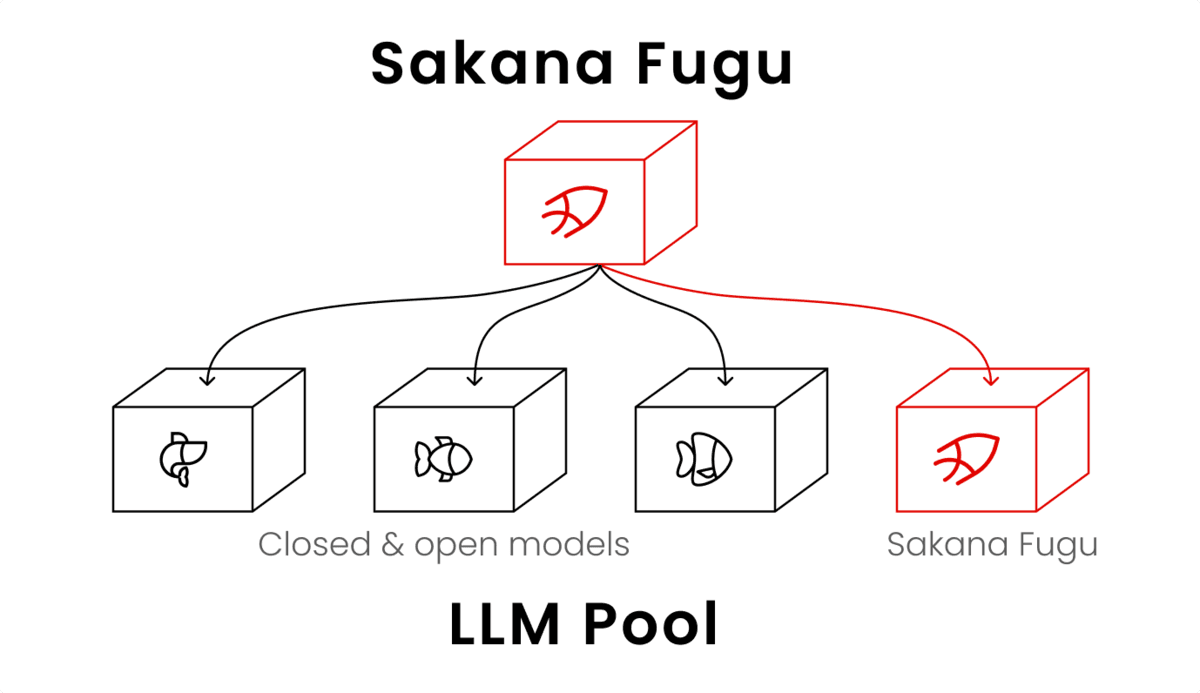
Sakana AI Fuguの使い方|APIキー発行からClaude Code連携まで。料金・無料枠・性能も解説
Sakana AIのマルチエージェント基盤Fuguを解説。console.sakana.aiでのAPIキー発行、OpenAI互換APIの呼び出し方、CodexやClaude Codeと連携する手順を具体的に紹介。Fugu/Fugu Ultra/Fugu Cyberの使い分け、料金と無料枠の有無、ベンチマーク性能までまとめました。
Claude Fable 5とは|Anthropic最新フロンティアモデルの性能・料金・使い方を徹底解説
Anthropicが2026年6月に公開した最新モデルClaude Fable 5を解説。コーディング・知識労働・科学分野でのベンチマーク性能、Mythos 5との違い、API料金、使い方までを公式データとともに紹介します。

Claude Codeのセッション管理術|/rewind・/fork・/btwとデスクトップ版の並列セッションの使い分け【2026年10月最新】
Claude Codeの/rewind・/fork・/clear・/compactに加え、2026年10月のデスクトップ版の更新で使いやすくなった並列セッション(タスクごとのネストされたセッション・環境の保存・worktree)と/btw(サイドチャット)を解説。/btwと/forkの違い、使えるプラン(Pro・Max・Team・Enterprise)と対応OS、使い分けのフローチャートまで紹介します。
【2026年最新】Claude Codeの使い方完全ガイド|インストールから実践テクニックまで
Claude Codeのインストール方法から基本操作、実践的な活用テクニック、料金プランまでを網羅的に解説。初心者から中級者まで、実プロジェクトですぐに使えるベストプラクティスを紹介します。
【Claude Code入門】ターミナルで使うAIコーディングエージェントの基本と始め方
ターミナル中心の AI コーディングツール Claude Code の基本機能と具体的な活用方法、セットアップ手順を入門者向けに丁寧に説明します。
AIコーディングの主役4強を徹底比較 | Claude Code / Cursor / Codex / Antigravityの選び方
Claude Code、Cursor、Codex、Antigravity の主なAIコーディングツールを比較。特徴・利点・利用シーンから、自分に最適な選択をわかりやすくガイドします。
【2026年版】開発者の業務を革新するAIツール20選|コーディング支援・コードレビュー自動化・ノーコードWebサイト開発構築、ワークフロー自動化まで網羅
2026年最新の開発者向けAIツールを厳選紹介。コーディング支援、コードレビュー自動化、ノーコード開発、ワークフロー自動化など、業務効率化を実現する18のツールを解説。
How it helps decision-making
- Get multiple candidate stacks suggested based on requirements (performance, team skill set, budget, etc.)
- Get a table comparing learning curve and track record across technologies
- Organize discussion points around future scalability and ecosystem maturity
- Quickly produce a comparison document to kick off internal discussion
What to keep in mind when using it
- Whether the sources behind a suggestion are made explicit (so you're not relying on outdated information)
- How flexibly the dialogue lets you reflect your organization's specific non-functional requirements
- Whether it's used with the understanding that the final call rests with the tech lead or architect
- Whether comparison results can be exported and shared as documentation